Tag: Common Data Service

CDS

  • End of Dynamics 365 Customer Engagement Online

    End of Dynamics 365 Customer Engagement Online

    I always prefer to use precise terminology when talking about the technologies that are part of my trade. Some might consider me a pedantic guy who’s always correcting some insignificant details in documents or presentations that cover Microsoft technologies but aren’t using their correct names. Yeah, the customers reading them probably wouldn’t notice the difference, but if you let go of your standards then sooner or later the lazy writing will lead to unnecessary confusion. Since I don’t write any actual computer code for a living, I guess this is my way of “debugging” the deliverables that I actually ship.

    Like with actual coding, sometimes there are breaking changes introduced into the concepts that are used in technical writing, too. This happens when the product branding gets updated by Microsoft as part of their evolving commercial offering, or when existing technologies are realigned to be used in a new context. You could think of it as a new API version that MS product marketing releases, which means you need to perform updates to your “code” to keep its API references compatible with the surrounding reality. A slide deck created by Microsoft in 2016 for the Dynamics product offering would hardly pass the code validation today – yet you still see some partners out there just happily using these legacy materials in customer dialogue. Yes, I cringe a lot when seeing those.

    The actual topic of this post is about what the title says: Dynamics 365 Customer Engagement is now officially gone from the Microsoft cloud. That is all. Thanks for coming, have a save ride home!

    Wait, WHAT?

    Oh, alright then. Let’s dive a bit deeper into the what, starting with a look back at what has happened in our earlier episodes of Microsoft business applications branding.

    In the beginning there was CRM…

    …And then suddenly there wasn’t. Yes, you’ll still find the term “CRM” all over my blog. I’ve had trouble deciding on what comes after it – and sticks around for longer than a year or two. Anyway, in 2016 Microsoft decided to let go of the Dynamics CRM brand and replace it with Dynamics 365 instead. There was a popular article written on LinkedIn at that time about it:

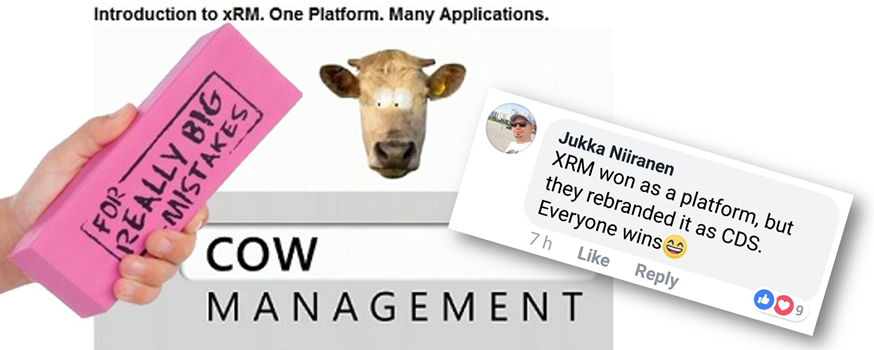
    Deprecating the term “CRM” was probably a good move, but replacing it with something that didn’t specify if the technology underneath was ex-CRM or ex-AX (the enterprise ERP product) caused a bit of a mess. From that mess, the term Dynamics 365 Customer Engagement rose from the ashes of Dynamics CRM in the first half of 2017, to reference the platform that was XRM under the hood but wasn’t allowed to be called that.

    A year went by and it was time to reimagine things again, with the merging of PowerApps and XRM. The platform was given the name Common Data Service, which had actually already been given to a completely different platform a bit earlier in the pre-merger world of PowerApps. Since in the cloud there are no version numbers, let’s not refer to “v1” or “v2” here either then. There can only be one CDS!

    (Well, actually there were 2 after this merger still: “CDS for Apps” and “CDS for Analytics”, in short “CDS-T” and “CDS-A”, but then…) OH SHUT UP ALREADY you pedantic geek!

    Summer 2018 saw the Power Platform brand emerge, and we’ve been hearing quite a lot from it since. You could say it’s been stealing the show from the previous business applications primary brand that was Dynamics 365. It would be foolish to think that we’re anywhere near the end of this Power wave that’s sweeping across the MS cloud offering.

    Dynamics 365 CE Online vs. On-premises: the game is over

    As part of the October 2019 updates coming in the form of Release Wave 2, there have been some subtle changes to product branding for Microsoft Business Applications. For starters, MS is dropping “for” from the product names, so what used to be “Dynamics 365 for Sales” is now just “Dynamics 365 Sales”. Certification and exam names have already changed, next we’ll wait and see when the official SKU names in MS price lists will reflect this.

    Another visual change you’ll see when visiting the documentation site for Dynamics 365 is that many of the apps received shiny new icons. Woo-hoo!

    Then when we scroll down the page, there’s this small section with no bold graphics, dedicated to the on-premises products:

    Let’s click on it, if only for old times sake. Hey, hold on! There’s actually something interesting here right on the Overview page for on-prem:

    Effective October 2019, the Dynamics 365 for Customer Engagement SKU/license plan is no longer available for “online” customers. More information: Dynamics 365 Licensing Update

    With this change for online customers, we are no longer using the term “Dynamics 365 for Customer Engagement apps” to refer to the collection of following apps and its related services:
    * Dynamics 365 Sales
    * Dynamics 365 Customer Service
    * Dynamics 365 Marketing
    * Dynamics 365 Field Service
    * Dynamics 365 Project Service Automation


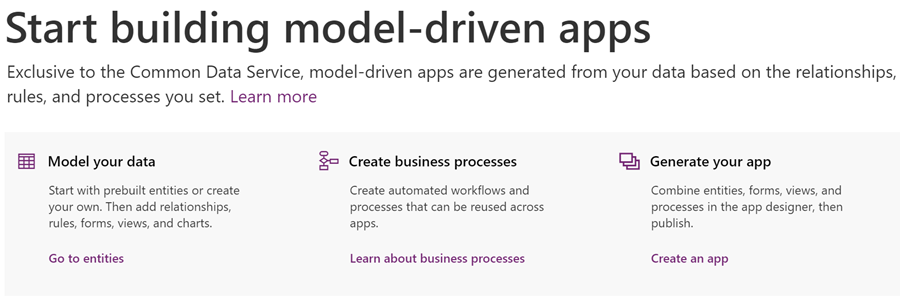
    For online customers, these apps are model-driven apps running on Common Data Service. You can build model-driven apps using PowerApps. More information: What are model-driven apps?

    For on-premises customers, “Dynamics 365 Customer Engagement (on-premises)” is the official name of the product that provides sales, service, and marketing features. Customer Engagement (on-premises) shares many features in common with Common Data Service and PowerApps.

    That’s it then. Customer Engagement is now exclusively the name of the old legacy product that you can deploy on the server infrastructure you manage. If you use anything called Dynamics 365 that’s coming from the actively developed Microsoft Cloud, then it’s not CE anymore. It’s “[Insert Dynamics 365 app name] running on Common Data Service”.

    Why?

    Even though some of you might feel that Microsoft keeps renaming things simply because that’s what they always do, there is a justification for the axing of the Customer Engagement brand. For those of you that work with configuring and developing solutions for the platform, you will have noticed that the cloud version resembles the old server product less and less every day. Environment administration tasks have been moving over to Power Platform Admin Center, the solution configuration work is done under make.powerapps.com, the new editors for forms, views and everything new is being introduced only to the Power side.

    None of these new investments into admin and customizer tools are such that you could easily port them over to the on-premises world. There isn’t a Power Platform you could install locally, so the gap between these 2 worlds cannot ever be bridged. From a training and documentation perspective you can’t claim that “it’s all just CE, don’t worry about the small things” when the architecture of one platform no longer physically aligns with the other. CDS, PowerApps, Flow, Connectors etc. aren’t just extra pieces in the cloud, they’re an altogether different puzzle that requires new skills and fresh thinking.

    (more…)

  • 4 directions for Power Platform business growth

    4 directions for Power Platform business growth

    It’s now roughly one year since Microsoft launched the concept of Power Platform. It’s been extremely interesting in the past 12 months to watch how this new platform strategy starts to play out in the world outside Redmond, as the pieces of this grand puzzle begin to become visible here and there. Having worked in the MS ecosystem on customer & partner side for 14 years now and coming from the Dynamics CRM side originally, this is the biggest single shift I have witnessed in their product strategy to date.

    Putting all the puzzle pieces together is surely not easy for anyone who isn’t devoting a sizable share of their time on consuming information from the various events, announcements, blog posts and documentation released by Microsoft. The thing that really makes it tricky is that this Power Platform thing isn’t confined inside a single bucket. It’s not Dynamics 365, it’s not Office 365, it’s not Azure. It’s all of them and yet none of them. Every MS partner and every customer decision maker will increasingly run into the product messaging, but they’ll hear it presented in a different way – and most likely interpret it uniquely based on what their background is.

    The only reason Microsoft would be investing so heavily in building and promoting the Power Platform is that they see a massive new business opportunity in it. As Steven Guggenheimer wrote in his recent blog post:

    “The Business Applications Total Addressable Market (TAM) is predicted to be at $125B by 2022, and 57 percent of this will be driven by ISVs. Dynamics 365 and the Power Platform are an important area of investment for the company, and represent a significant growth opportunity for partners in this market.”

    Accelerating opportunities for ISVs with new programs and technology – Steven Guggenheimer

    Big numbers, but that’s what they always are in these grandiose statements about global market potential. What I need to understand when talking with customers, partners and internal stakeholders at our company about the strategic direction of Power Platform is from where specifically might this growth come from? To help these discussions I ended up drawing the following diagram about the four different dimensions where I see this Microsoft application platform strategy creating new business:

    The way I see it, the growth will happen both A) inside Microsoft’s product offering and B) the outside world of customers and partners, within 1) the traditional business process management scenarios as well as 2) those processes that you wouldn’t have tried solving with any CRM style application/platform in the past. Let’s dive into each of these areas and I’ll explain what the impact of Power Platform might be in generating new business to run on top of this new Microsoft aPaaS (Application Platform as a Service) foundation.

    1. Dynamics products

    Let’s start from the most familiar ground. The place where the most concrete changes resulting from the Power Platform strategy have been felt during the past year must be Dynamics 365, and the Customer Engagement apps specifically. The platform formerly known as XRM is in the process of being replaced by what is sometimes referred to as “PowerApps platform”, although that may not be any official term that would stick. Regardless of the marketing lingo, the customizers and developers of Dynamics 365 CE solutions are right now facing a lot of pressure to adopt brand new concepts and tools that will replace those ~10 year old building blocks that XRM solutions were made out of. Compared to the earlier transition from on-premises to Online products, that may well have been a much easier shift to adjust to than this new Power Platform whirlwind that’s moving everything around on its path, from licensing to UI to SDK.

    From the perspective of the internal Microsoft world, the Dynamics product teams have previously been somewhat captive of the CRM legacy that came along with the XRM platform. As a commercial software product, it wasn’t originally built to be a pure platform, rather the design choices and customer requirements drove it more towards being an extendable CRM application first and platform second. In the process of migrating Dynamics 365 CE Online to run on Azure services, the platform and the applications were separated from one another. To balance things off, there’s also been a huge unification process initiated with the client side technologies, where the target is to remove the barriers between Model-driven and Canvas apps, to Run One UI. The platform tools like PowerApps Component Framework (PCF) now give also the internal product teams a far more agile path forward in deciding what kind of features and experiences the specific apps like Sales or Customer Service should contain. What this means is that the stagnation period where everyone had to just wait for the new platform capabilities to become available may be coming to an end and in the next release waves we can expect a significant growth in new app functionality being shipped to Dynamics 365 customers. In other words, a growth in application depth.

    Alongside this internal platform development, another huge benefit that Dynamics 365 as a business has gotten from the new direction at Microsoft is the closer connection with the Azure teams. A few years ago there was still the MBS silo to keep up the walls between CRM & ERP business and the mainstream MS product business, which explained a lot why we didn’t see so much of the Azure innovation trickling down to the business applications built by the same corporation. Now the tables have truly turned as we’ve witnessed all of the new applications like Dynamics 365 for Marketing betting heavily on the very latest Azure services. AI is getting infused into every product at Microsoft, but it also gives birth to brand new products like Sales Insights or Virtual Agent for Customer Service. To link all this with the Power Platform story, it’s important to understand that this platform side is what eventually allows customers and partners to customize these new apps and services to meet their real life business requirements. The growth potential in this Dynamics products segment is being amplified by the fact that PowerApps, Flow, Power BI and CDS give it the extension points needed for going beyond packaged SaaS apps. The growth in Dynamics 365 app portfolio width is therefore driven by the Power Platform connectivity with Azure.

    2. Other Microsoft products

    While the merger of Dynamics 365 CE and PowerApps platforms is a great boost for the Dynamics products, that’s not the only area within Microsoft that is touched by the Power Platform strategy. Office 365 has of course been the biggest product display window for PowerApps and Flow, due to how services like SharePoint and OneDrive have been deeply integrated with these tools. There is a Microsoft 365 Business Applications partner program that interestingly enough doesn’t seem to align with the “actual” Microsoft Business Applications group’s activities at this moment, as it sits within a different organizational box, the Modern Workplace solution area. When you think about the origins of how the previous generation apps for information workers were often built on top of the ubiquitous SharePoint Server, this arrangement does make sense, but I wouldn’t expect these separate boxes to remain forever in place. After all, what’s been happening to PowerApps recently in terms of commercial success is “like SharePoint all over again” (according to Charles Lamanna), so all roads here lead to the Power Platform being the growth engine for Office 365 and Microsoft 365 to reach further into the customers’ information management needs.

    (more…)
  • Building The Platform for Every Developer

    Building The Platform for Every Developer

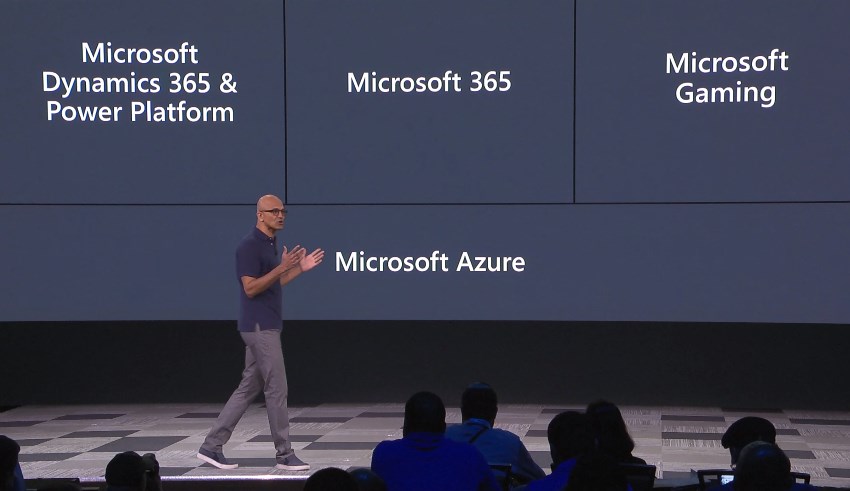
    For the first time ever at Microsoft Build conference, the Power Platform was presented right at the start of Satya’s keynote this year! Woo-hoo!

    Of course this time last year there wasn’t yet the name “Power Platform” to even reference at Build. We had only just seen the merger of XRM and PowerApps into something that was a bit of a puzzle to communicate to partners, let alone customers. Well, the puzzle hasn’t exactly been solved yet, but it is still quite remarkable how far we’ve come in one year already.

    Last year’s sessions at Build 2018 were mostly about introducing the concepts like Common Data Service to a .NET developer audience that probably had zero hands-on experience with any Dynamics product for the most part. Not a whole lot of noise was made about this entry into the #MSBuild space. Fast forward to 2019 and now the vision of uniting pro developers with “every developer” is already touted at the keynote sessions. Not just that, but Satya is saying that recent re-architecting of Dynamics 365 on top of Azure infrastructure and services should be examined as an excellent reference for anyone who’s planning to build their own products on SQL Azure.

    During the week of Build, the product team behind Citizen Application Platform (“CAP”) puts aside their Citizen caps and pulls on the pro dev hoodies to talk about topics like solution management, PCF component development, Azure Functions, DevOps pipelines and all the nerdy stuff that would scare away the folks who normally create PowerApps. It’s inevitable that as the tools for app makers get more mature the next barrier to world domination will be in getting not just the IT admins to build the necessary automation and governance around Power Platform in enterprise environments but also in finding a way to make pro-coders play with low-coders.

    If you look back at XRM, then there’s really nothing new about this division of roles. It has always been the case that code illiterate business analysts do the point & click configuration work for data models and business processes, while the XRM developers spend their time with the SDK enabled client-side extensions, server-side logic and system integration tasks. Fundamentally what the Power Platform does is it enables everyone to level up in their game. Application design on the UI level and interfaces to connected data sources can now be handled by those business analysts who are willing to learn new low-code tricks. Similarly, the developers get to break free from the boundaries of the IIS and SQL Server boxes, to harness the amazing power of The World’s Computer (Microsoft’s nickname for Azure) to hook into new AI services and crunch the contents of The Real Common Data Service.

    If the app builders are about to step up their game, so must the sales machine of Microsoft. The big push from Redmond is now on ensuring that an ecosystem will emerge on top of Power Platform. The new partner program for Business Application ISVs, lead by Steve Guggenheimer, is trying to make a bigger splash by combining the earlier models of Azure Marketplace and the Dynamics 365 focused AppSource into a single channel that could actually serve the grand vision of a no-cliffs development platform. As always, you should check out what The Other Steve has to say about the upsides to the new program, before making your conclusions on whether it’s just a new tax on ISVs or an opportunity worth pursuing for a growing number of MS partners.

    To summarize the announcements and buzz around Power Platform at Microsoft Build 2019 conference, I’ve compiled this handy lil’ Twitter Moment for you to enjoy:

  • The Real Common Data Service Emerges

    The Real Common Data Service Emerges

    When Microsoft announced one year ago that XRM would become CDS v2.0 (officially Common Data Service for Apps), there wasn’t yet any big system redesign implemented to make this a physical reality. Today we are much further down that road where CDS truly becomes a Service that has less and less to do with the familiar XRM databases that we’ve previously been working with. In this blog post I’ll explore the three data related dimensions that give us an indication of where CDS is heading as a part of the Microsoft Power Platform.

    CDS is now Dataverse!

    While reading this article, you can translate the term “Common Data Service” to now refer to its new name, Microsoft Dataverse. See this post for comparison between CDS vs. Dataverse.

    Dynamics 365 Storage Model Changes

    As a part of the April 2019 release train, MS is changing the way how data storage is managed for both Dynamics 365 and PowerApps customers. It hasn’t been an official feature bullet on the release notes document, but that doesn’t mean its significance would be any less than what the shiny apps demonstrated in the April 2nd Virtual Launch event have.

    A new version of licensing guides for Dynamics 365 and also for PowerApps and Flow (for the first time ever!) was released in April. This outlines the commercial impact of the new model to customers, which is probably what most of us will have first paid attention to. Yeah, whenever the pricing mechanism of a widely used MS cloud service changes, it will be a big deal. What makes it even trickier is that MS considers storage as a “subscription add-on” for which they don’t publicly disclose any per GB list prices. I’m not entirely sure this model is beneficial for their ambitions of turning Power Platform into an actual foundation for building third party and customer specific apps, but I guess the shadow of the old CRM and ERP world still looms above this world when it comes to licensing and pricing practices.

    Let’s forget licensing for a moment and focus on the technical changes for Dynamics 365 online environments. All of the existing data that used to be stored in the Azure SQL relational database will in the future be divided into three specific storage types: database, file, log. This should have no immediate impact to customers, as the migration will be taken care of by MS. Their promise is that nothing should change in the way how users and developers work with data, since the APIs that govern access to this data will remain unaffected.

    File data will be in Azure blob storage, as this is the most efficient way to handle miscellaneous documents, images and other “stuff” that may end up inside a typical Dynamics 365 system via features like email tracking that carries over the attachments. Why would you ever store this in a relational SQL database to begin with? Well, the simple reason is that the original on-prem architecture of XRM had no other secure place to put these items, so it was all lumped up there. Now when CDS is a native cloud service, there are much more options available.

    Log data will be in Cosmos DB. This will probably offer a more suitable architecture for managing things like plugin trace logs, audit data and other items of similar nature. What should be noted is that Microsoft’s plans don’t just stop at this IT admin activities level. In a recent podcast by MVP Mark Smith, we heard the General Manager of Power Platform, Charles Lamanna, describe this storage type to be designed as the future place for other types of observational data, too. Charles referred to things like IoT device sensor data, which should give you an idea of how this again is data that is A) relevant to many CRM use cases and B) in no way optimal to be stored inside that relational XRM database.

    One significant and very welcome change that is introduced as a part of this new model is that there will no longer be any license cost tied to the number of instances you have in the cloud. Previously you had to buy add-on licenses for acquiring production and non-production (sandbox) instances for developing, testing, training and in general managing your complex Dynamics 365 online environment. Once the new subscription terms kick in, you’ll have the ability to create as many instances as you like, provided that you have sufficient database capacity available. A major driver behind this change is surely the PowerApps side, in which the licensing terms already granted any user with PowerApps P2 license to create 2 CDS environments for their applications. (For more details, see my presentation on Demystifying Dynamics 365 & Power Platform licensing.)

    In the short term, this storage model change should not result in much functional changes for the Dynamics 365 customers. Depending on when your current subscription renewal date is, the new terms will be applied either at that point in time or the renewal after that (if you choose to hold on to the old model for one more subscription period). Any new customer will likely be leveraging the new pricing model starting from April 2019.

    It’s important to understand that the actual data storage technology change and the commercial terms that are applied are not tied to one another. Migration of your Dynamics 365 data to the new database/file/log model will probably take place much sooner than what you’ll see in your subscription fees. Refer to the admin documentation on Common Data Service storage capacity for details on how you’ll be able to analyze and manage your storage consumption in this new model.

    Diving Into The Data Lake

    When looked at purely from the storage license model changes for Dynamics 365 customers, the story would end here, with the three storage types. However, the bigger picture of how data is used as a part of the Customer Engagement systems that cover various digital touchpoints is much broader. Or should I say “bigger” as in Big Data? As much as I dislike the casual use of tech marketing hype terms like Big Data and Artificial Intelligence, there’s no escaping the fact that the familiar world of CRM systems founded on SQL databases is being disrupted by what machine learning models and big data systems can offer today.

    (more…)
  • What’s Coming in April 2019? Start from PowerApps & Flow

    What’s Coming in April 2019? Start from PowerApps & Flow

    As promised, Microsoft published the release notes for the April 2019 release wave on January 21st. Instead of just a high level blog post, there’s a huge list of items in 16 top level categories at the docs.microsoft.com site. If you want to consume the content in an offline mode, there’s a PDF version available of the same content, with 315 pages of April 2019 release notes.

    315 pages? Ain’t nobody got time for that!

    Yeah, I know. Whether you’re working with Dynamics 365, PowerApps or Power BI, you probably aren’t just sitting around, waiting for some work to come your way. These are all high demand technologies that pull in pretty much all of the available consulting resources into actual project work with the tools. To make things worse, the communities around them grow larger every day and flood our social streams with blog posts, podcasts, videos, webinars, conferences full of “can’t miss this” information.

    The problem is, though, that you haven’t got all that much time to get into grips with April 2019. It may sound far away, but the preview availability of many of these features (but not all) will start already on February 1st – 10 days from now at the time of writing. What’s even more important is that this time the features will be rolled out immediately to all customers, once Microsoft thinks they are ready. There’s also a date available for this particular moment and that is April 5th. You’ve got around 2 months from preview to GA.

    How should an ex-XRM pro / Dynamics 365 Customer Engagement specialist then optimize the available time to learn the important parts about April 2019 release? I’ve got one tip for you, which may sound unintuitive at first, if you spend your working days mostly with things that say “Dynamics”. Here goes: Start reading the release notes from where it says “PowerApps”:

    For real? Yes. We no longer live in a world where PowerApps would refer to the quickly generated mobile apps that you’d connect with SharePoint lists. It is the platform on top of which much of the “Dynamics 365 for X” products listed at the beginning of the release notes now live. Whereas each of these 1st party apps touches just those environments that happen to be using them, PowerApps and Flow are relevant for everyone. Common Data Service for Apps a.k.a. CDS is bundled within those two topics. If you’re operating in Dynamics 365 Online environments, you are working with CDS.

    In the PowerApps section you’ll find platform and customization features like:

    • New form and view designers GA
    • Canvas app embed in model-driven apps GA
    • PowerApps Control Framework (PCF) preview
    • Unified Interface as the default UI
    • Offline data access
    • Azure AD Groups for security roles & record sharing
    • New tooling for plug-ins and solution packaging

    Those are examples of the traditional XRM side of the house being extended under the new PowerApps brand. Microsoft Flow is equally important for any Dynamics 365 CE system customizer going forward, due to enhancements like:

    • Parity with CDS (XRM) asynchronous workflows
    • Calling XRM workflow actions from Flow
    • Batch operations for CDS records
    • Transaction support via change set scopes
    • Calling child Flows
    • Multiple trigger events
    • Flow parameters inside solutions

    Sure, there are great new features and improvements listed for each of the Dynamics 365 apps, too. Also a wealth of opportunities for further expanding our Dynamics pro footprint in business application development on the Office 365 side (thanks to PowerApps, Flow). Not to mention the growing data integration capabilities via CDM, or the whole world of BI and big data. Still, we know that there’s probably not enough time to try and absorb these things right away. Which is why my recommendation is to start by looking at what the common business application platform is forming into. Then once the preview is available, update your sandbox into the latest bits and start experimenting with these things in practice (and possibly hunting down those features that actually shipped in the preview version).

    OK, I have to admit it: even I didn’t dive straight into PowerApps myself, instead spent a bit of time with the full release notes document. If you want to know which items caught my eye, then you’ll find them in this Twitter Moment collection.

  • Business Application Platform at Microsoft Build 2018

    Business Application Platform at Microsoft Build 2018

    Build is the lead event for all things developer related in the Microsoft ecosystem. This year was the first time that the Business Applications side of MS’s stack also had dedicated tracks in the event agenda. While I didn’t attend the event myself (the Elisa Microsoft developer community was of course represented in Seattle), I was quite curious to see what kind of story is being told to the dev crowd about CDS for Apps, Dynamics 365, PowerApps, Flow and Power BI. Luckily there’s the virtual Build Live experience for viewing the live streams from the event these days.

    What’s not so fortunate is that the Build site doesn’t seem to provide a very good experience for discovering the specific content from a particular technology. At least the content selector for “Business Apps” doesn’t really show all too many relevant sessions at the time of writing:

    The good news is that us virtual attendees can also access the session catalog for My Build, which allows to perform either free text searches or filter the content to products in the Business Application Platform category:

    Once we know the IDs for the sessions we’re interested in, we can then dig the content from from Channel 9’s Build 2018 page. There we can continue our journey to the YouTube videos of session recordings and SlideShare for the presentation decks. Not really all that hard for anyone who’s accustomed to navigating the maze of portals that MS partners encounter, but of course it might be a bit tricky for newcomers into the ecosystem. So, just for the sake of convenience I though it might be useful to have the most relevant Business Applications content fro Build 2018 collected onto a single page. Which is what this blog post essentially is about.

    Accelerate your SaaS App development using the power of the Business Application Platform (BRK3411)

    “Join this session to learn how the Business Application Platform can accelerate the time to market for your next Line of Business SaaS app. Through the lens of an ISV/software developer, we will walk you through the entire application development process showcasing what it takes to build a new, composite app from the ground up using out of the box no-code/no-code tooling, to extending with custom code and connectors through to packaging and publishing to AppSource allowing you to reach 120M+ monthly active users. During this session we will also touch upon the value of the Common Data Service for Apps as it applies specifically to you as an ISV, how you can extend and contribute to the ISV ecosystem flywheel and greatly reduce both cost and time to market for new SaaS apps.”

    A good introduction to what the steps for app development are when working on the Business Application Platform (BAP) as opposed to other environments. Includes a demo of the development path as well as discussion on what investments are being made to deliver a more seamless app delivery experience in the future.

    Be sure to check out the slides if you want to see the “before” and “after” architecture of XRM, PowerApps + CDS 1.0, and the final Common Data Service for Apps (a.k.a. CDS 2.0):

    There are more ways than ever for partners to work with the platform, now that it also encompasses PowerApps and CDM:

    Watch the session recording on YouTube, then view the presentation on SlideShare:

    Extending PowerApps and the Common Data Service for Apps with custom controls and server side logic (BRK3403)

    “Professional developer extensibility is a key capability to the Business Application Platform. We’ll focus on enriching model-driven PowerApps solutions with server-side code and custom controls on the Common Data Service for Apps. We’ll utilize the developer toolkit and write code for native plugin development, use of functions and logic apps, Web API, Administration API, and the Virtual Entity subsystem.”

    Whenever Matt Barbour delivers a session, you’re going to want to pay close attention. This session is no exception, as Matt talks through the story how XRM evolved into CDS for Apps in his candid manner and explains to us what decisions and choices were made along the way. No matter if you’re an XRM old timer or only starting to look deeper into app development story of CDS for Apps, you need to watch this session.

    While the logical architecture of CDS is quite familiar to friends of the XRM SDK, the important bits are about how plug-ins will eventually be replaced by Azure Functions, how Microsoft Flow now owns the Business Rules story, and all these details about future investment areas that you can pick up from Matt’s presentation. After all, the former XRM solution management system will be how you’ll deploy also Canvas Apps, Flows, connections and gateways from one instance to another in the future, so it’s far more relevant to an ever larger audience.

    Watch the session recording on YouTube. No slides available so far, but Matt only had a few anyway and mostly focused on the demo side.

    Build and extend applications for Office 365 with PowerApps and Flow (BRK2303)

    “Come discover the capabilities of PowerApps and Flow as the unified high productivity application development and workflow platform across Office 365 and Dynamics 365. As the successor to InfoPath and Access Web Apps, PowerApps enables users to build both simple forms to advanced, feature-rich apps, while Flow as the successor to SharePoint Designer Workflow, enables users to build automated workflows for a range of scenarios from notifications to approvals. In this session, we’ll cover integrations with SharePoint, Dynamics 365, Microsoft Teams, Microsoft Graph, Excel, and more. Start extending and building apps and workflows for Office 365 and Dynamics 365 today!”

    If the earlier presentations were more developer focused platform discussion, this is a more citizen developer themed session that demonstrates the built-in integration points of where the different MS provided apps meet each other. If you have less hands-on experience with the non-Dynamics side of things, then have a look at these demonstrations to catch up on things.

    The slide deck contains a lot of good reference material for you to store on your hard drive for customer facing presentations. There are also updated product roadmaps for PowerApps and Flow that are always interesting:

    Watch the session recording on YouTube, then view the presentation on SlideShare:

    Automating business processes and approvals with Microsoft Flow (BRK2302)

    “Use Microsoft Flow to easily add business process automation and approval processes to your solutions. You’ll learn to build Flows with a few simple clicks and extend your learnings to more advanced techniques and expressions used to build complex workflows. Finally discover how you can take it up to Azure Logic Apps when it makes sense.”

    Stephen Siciliano has been doing great presentations on Microsoft Flow that sort of work as the missing manual to how us citizen developers can approach scenarios where Flow doesn’t quite offer any obvious ready-made features – yet there are capabilities hidden in the tool that could solve the problem. Judging by the slides, this looks like another information session where you’re bound to learn many things you thought Flow couldn’t even do.

    Funnily enough, Stephen’s deck actually seems to offer the best answer to the question that most Microsoft Build attendees probably would present when encountering this Business Applications side of MSFT for the first time: how does the Business Application Platform differ from the Azure platform?

    Check out the slides below, and the session recording on YouTube.

    Deep dive into building apps on Common Data Service for Apps (BRK3404)

    “In this session, we’ll deep dive into the concepts needed to build applications on CDS for Apps, whether you leverage it PowerApps or in your custom built solutions. We’ll cover all the fundamentals like entity modelling, business rules, business processes, and include an introduction to extensibility options like Plugins, Virtual Entities, and more.”

    No one can escape the Digital Feedback Loop slide, not even the developers. This is a demo-heavy presentation where a sample app is built and the various capabilities of Model-driven Apps are explained. All pretty familiar to anyone who’s done app building with XRM.

    Video only, no slides.

    More Business Application Platform content from Build

    For session recordings that touch upon parts of the platform we’re working with, here are some more that I picked up from the Build 2018 catalog:

    Did I miss any session that you think is worth watching? Then be sure to leave a comment!

  • Exploring CDS for Apps Platform Licensing (PowerApps)

    Exploring CDS for Apps Platform Licensing (PowerApps)

    When Microsoft originally made the Spring 2018 release announcement for Business Applications products and essentially promoted XRM to be the Common Data Service for Apps, they didn’t yet disclose the finer details about how the CDS for Apps license model would work outside the Dynamics 365 Apps and Plans that we’re familiar with. On May 1st the details were revealed alongside the blog post “Which PowerApps plan do I need for model-driven apps and CDS for Apps”.

    In his earlier blog post, Frank Weigel announced that PowerApps Plan 2 officially became the platform SKU for CDS for Apps. In the updated PowerApps pricing page we can see that actually the license types and prices have effectively remained the same as they were before Spring 2018 release:

    The changes are mostly on the new Model-driven App side (formerly XRM), but since there’s now also a wealth of server-side functionality made available for PowerApps via the new CDS for Apps concept, it also affects the Canvas Apps designers. Let’s dive into the details and explore the license model from a few different angles.

    PowerApps for the Productivity Folks

    A customer who’s got Office 365 will already have the specific PowerApps license type included in that subscription. As stated by the Licensing overview page over on docs.microsoft.com, this allows them to create and run applications within the context of this service (O365), as well as connect to “common cloud services including Box.com, Facebook, and many more”. Not D365 and not CDS, but that still covers a lot of interesting scenarios for building an app to replace a manual process that used to run on email or Excel.

    Since it never was a “pure business app” like Dynamics 365 CRM and ERP products, PowerApps has grown into a highly versatile tool that connects with the more mainstream Microsoft services. You can embed them into a wide variety of places within your MS Cloud environment, like on Power BI dashboards or modern SharePoint pages. For your data collection forms, they are InfoPath on steroids. An Office 365 customer might therefore get pretty far with just mashing up the UI’s of different apps and storing data into less structured places like SharePoint lists or OneDrive files.

    If they’d like to introduce more solid capabilities for relational data modeling, process automation and granular security management, the PowerApps Plan 1 would unlock this scenario for €5.90 per user. With this the data could be managed in CDS for Apps database, a much more robust back end for a business application than simple lists in the Office tools. The users still couldn’t access any Dynamics 365 style UI, since Plan 1 doesn’t grant the access to Model-driven Apps. You would need to construct the required lists, forms, navigation and client side logic with the traditional PowerApps “maker” experience and publish it through the same channels as what the Office 365 users already have access to.

    This Plan 1 approach could be viewed as the first step up from the starting point where a knowledgeable power user or “citizen developer” had built a PowerApp with the license they already had via Office 365 and now the app needs to be adopted more widely within the organization. The new admins and designers of the app would need a Plan 2 license for €33.70 but the users could be assigned the cheaper Plan 1 license for €5.90 a piece. It shouldn’t be too difficult a business case to build if there’s real demand for the app and it either saves time or money in some business process that used to be a painful manual operation before Microsoft Cloud came along. If things work out well, these same P1 licensed users can then go and use any number of apps that the P2 power users design for them, since each P2 gets 2 databases with it and no limits on how many PowerApps you have on top of those.

    PowerApps for the Dynamics Crowd

    Dynamics 365 has a powerful, growing set of first party Apps from Microsoft, but sometimes there isn’t an app for that particular business process you’re looking to digitally transform with the help of MS Cloud. This is where the power of the platform comes to rescue and saves you from custom software development and maintenance efforts. Earlier this platform was called “eXtended Relationship Management” (XRM) but now we refer to it as the Common Data Service for Apps. We don’t even need to buy a Dynamics 365 license for it anymore, since we could just use PowerApps Plan 2 instead.

    What sets Plan 2 apart from Plan 1 is that you can work with the application data via the Model-driven App UI that is automatically generated for you when you design your data model. Sure, you’ll need to configure the details of it to deliver a pleasant UX, but you’re not forced into pixel-perfect design work of the Canvas App. Navigation is provided for you, there’s the full search capability, you can quickly configure dashboards, Business Rules can make your entity forms adapt to field data values, and so on. With the new Unified Interface your Model-driven App will adapt to any screen size, and the solution framework ensures you can easily transport your customizations across environments. The Model-driven sample apps will give you a quick idea of what a non-Dynamics 365 app on CDS might look like.

    There are limitations, though, and you’ll find them listed on the “license requirements for entities” page on CDS for Apps documentation. As mentioned, P1 users can’t access the Model-driven App UI, but they also aren’t authorized to access a Canvas App that runs on a CDS for Apps instance and uses entities that have real-time workflows or plug-ins associated with them. These require a P2 license, which unlocks the full XRM style functionality of the platform.

    Now, just because the Dynamics 365 first party Apps from Microsoft are built on the same platform as your custom Model-driven Apps, that doesn’t mean a PowerApps P2 license would fully cover their usage. There’s a list of restricted entities that are used in MS apps like Sales, Customer Service, Field Service, that you aren’t allowed to touch without the proper Dynamics 365 license. For example, you’re free to work with leads and opportunities, but you can’t use cases or knowledge articles in your custom PowerApps – because Microsoft said so.

    For an overview of the different license types and privileges, be sure to check out the great blog posts and ever so slick videos that MVP Scott Durow has created for explaning the topic of PowerApps to those of us who’ve got a Dynamics background.

    PowerApps vs. Dynamics 365 License Model

    Just because we now have something declared as Platform SKU on a Microsoft blog post doesn’t mean we get to skip the finer details laid out in the Dynamics 365 Licensing Guide. Anyone working on the partner side must have experienced the amount of documentation that goes into performing changes to the licensing practices of Dynamics products. (Remember that deck about transition from Dynamics CRM to Dynamics 365? Of course you do, how could you ever forget…) I’ve got a feeling that we’re going to see more licensing related information emerge about the new PowerApps Model-driven Apps offering in the near future, as this initial announcement raises many questions that need to be answered before customers and partners can fully embrace the new platform opportunities. (more…)

  • Yes, XRM Is The New Common Data Service

    Yes, XRM Is The New Common Data Service

    In November 2016 I wrote an article on LinkedIn with the title “No, Common Data Service is not the new XRM”. This was my response to the speculation that had emerged from Microsoft’s announcement of a new cloud-native platform to store, model and integrate business data with other (cloud) applications. This platform called CDS was seen as a potential replacement to XRM that had been born into the good ol’ on-premises server world already back in 2003. Given the transformative power of SaaS and PaaS, it wasn’t such an outlandish thought to imagine the days of XRM bits being numbered, with a new Azure based alternative being prepared behind the scenes to take over.

    Well, today we had the public launch of the Dynamics 365 Spring Wave in the Microsoft Business Forward event, which I summarized in my previous blog post. The most significant piece of news from this announcement wasn’t perhaps articulated so clearly in official Microsoft materials, so I’ll try and clarify it here and give some perspective on the what/why/how behind this change.

    XRM = CDS v2

    The platform known as XRM, which has served as the foundation for Dynamics CRM and later Dynamics 365 Customer Engagement, is now reimagined as Common Data Service, CDS. Or more specifically, “CDS for Apps”, but more on that later. The key things to understand here are that A) nothing from the current XRM is being removed while B) existing CDS v1 environments are migrated onto CDS v2 that effectively is XRM.

    The adoption of CDS as a component of solution architecture for live customer environments has likely not reached a very high level up until this point. Originally introduced as a concept back at the time when the whole Dynamics 365 concept was launched in 2016, the purpose of CDS has remained too fuzzy for many customers to explore it further. At the same time, the feature set offered by CDS v1 hasn’t yet covered many of the scenarios that Microsoft partners would have likely used it in. You could say that in their noble attempt to connect many of the existing boxes in the business application architecture, Microsoft ended up inventing yet another box. Which is pretty much the fear I had in my first blog post covering CDS, which back in those days was still called Common Data Model (CDM):

    Being the giant corporation that Microsoft is, there’s bound to be both plenty of overlap between different products developed by different groups within the organization, as well as the occasional lack of alignment between the roadmaps to where each of their countless products is heading to. I’m sure there was a clear need for introducing a foundation for managing all that business data which the Power Suite tools (PowerApps, Flow, Power BI) had to intimately work with, instead of just relying on distant services via APIs. Viewed from this perspective, the idea of CDS must have seemed pretty awesome. When looking at the feedback coming from outside the MSFT firewall, though, it’s obvious that the V1 product didn’t quite manage to meet the mark:

    This Ain’t The XRM of 2011 Anymore

    A lot of work remained ahead if CDS was to be built into what the real world requirements from enterprise customers were. At the same time, the XRM cloud platform was being transitioned to run on Azure services and the new target architecture was to allow the separation of the built-in applications (Sales, Service etc.) from the core platform. The CRM “legacy” of XRM was about to become an optional component you could remove and not break things, with previously hard-coded features being re-engineered as either core platform capabilities or implemented as reusable pieces within the in-house apps’ solution packages, built with Custom Control Framework (CCF) and presented via the Unified Interface.

    The people at Microsoft who actually design and build the functioning technical product were sure doing all they possibly could to prepare XRM to take a bigger role than just that boring old sales pipeline management engine with Outlook integration we’ve seen since forever. The community that had worked with Dynamics CRM and seen its potential to deliver custom business apps time & time again in actual customer projects were always asking for MS to deliver a “Pure XRM” SKU, to make it a true platform. Whether it would ever happen, though, was not for either of those groups to decide.

    At the end, as we now can see with the announcement of PowerApps Spring Update, the leadership team at Microsoft ultimately came to the right conclusion. XRM was chosen as the platform that would power the further expansion of PowerApps becoming more enterprise ready with the support for building model-driven apps alongside the familiar canvas apps. From a licensing perspective, “PowerApps P2 officially becomes the new platform SKU, moving away from being a admin and maker focused plan to becoming THE plan for users of stand-alone model driven apps.” So, there we have it then: Pure XRM at last.

    So Long, XRM!

    A legitimate question that some of you might as at this point is:

    “If the CDS v1 platform is replaced with XRM, then why is everyone talking about Common Data Service still?”

    Are we seeing yet another marketing spin that tries to blur our vision from what the underlying technologies really are, like with the Dynamics 365 “it might be CRM or ERP and you’ll never figure out which one we’re  talking about” rebranding pains? Well, that was my initial though when I first learned about the plans for this platform merge, but I’ve later come to the conclusion that it is actually a fairly sensible decision to replace XRM with CDS.

    For those of you who have been in the Dynamics game for long enough time to recall the first moments when Microsoft started throwing around the term XRM, you might still remember the excitement that was collectively felt around that letter “X” for describing the bold journey of going beyond the standard CRM feature set. The thrill of creating your very first custom entity via the customization GUI – man, what a rush! This truly felt like the future of business application development at the time.

    Fast forward to where we are today and the excitement of data model and UI customization has been replaced by the anxiety to get as many different apps and services to talk with one another with as little effort as possible. It’s not that focused on the Relationship Management part anymore, and instead of “X” we have X^N different things we need to manage and connect with (some are even IoT enabled things). To describe what we’re actually trying to use XRM for today, the Common Data Service is a pretty fitting name in the end. We’re trying to bring some common sense into the sea of data that everyone is swimming in, and we’d of course prefer to consume it as a service like we already do with movies or transportation, for example. And as for the visible UI part of the application that user interact with – well, there just happens to be this concept called PowerApps out there already. So, “XRM Part 2” = CDS + PowerApps.

    I think we’re at a point where we really should look at the road we’ve traveled with our trust ol’ XRM Swiss knife, appreciate all those countless times that we were able to find a tool from it that got the job done, but accept the fact that from this point onward we’re going to need a bigger knife. Which we might as well call CDS for the server side & PowerApps for the client side.

    One More Thing…

    Just so things wouldn’t be uncharacteristically clear for Microsoft’s product naming tradition, what we’re seeing here is actually a bit of a “SkyDrive moment”. By this I’m referring to the episode where after renaming SkyDrive to OneDrive due to a lawsuit from BSkyB, Microsoft then proceeded with launching another product called OneDrive for Business. So, “One Drive, many meanings”…

    With CDS the scenario is that while the XRM platform has now been rebranded as Common Data Service for Apps, there’s already another product on the way, called Common Data Service for Analytics. Regardless of the word “common” in the name, these two platforms are unlikely to share many characteristics when it comes to the technology under the hood. Here’s how the MSFT Technical Fellow behind Power BI describes it:

    So, we’ll soon have two awesome products from Microsoft named according to the pattern “Common Data Service for X”, which we can easily distinguish from one another by using the terms CDS-A and CDS-… Oh. Right. Well, there’s always the next round of rebranding we can look forward to!

  • Microsoft Business Forward 2018 Event and Spring Wave for Dynamics 365

    Microsoft Business Forward 2018 Event and Spring Wave for Dynamics 365

    The public launch of the Dynamics 365 Spring Wave was at the Microsoft Business Forward event in Amsterdam on March 21st, 2018. Here are some highlights from the event, shared over on Twitter with the #MSBusinessFwd and #MSDyn365 hashtags. (If you’re viewing this post on Dynamics Community page then you might want to visit the original post on Surviving CRM site to see the embedded content.)

    There’s A LOT to chew on in this release and there’s literally 10+ blog posts released today by Microsoft, spanning from traditional Dynamics 365 Customer Engagement team blog to PowerApps to even Power BI. You can start drilling down into this wealth of new information from the announcement by James Phillips: Accelerating digital transformation with the spring 2018 release for Dynamics 365 and Business Application Platform.

  • Postcards from Microsoft Ignite 2017, part 2

    Postcards from Microsoft Ignite 2017, part 2

    Back to Florida again – at least on a mental level. In part 1 of my Microsoft Ignite conference diary I described the overall setting of Dynamics 365 in the context of the Business Applications story. This time let’s have a look at some of the details on what the XRM platform can do now and in the near future. The live tweet content can be found from my #MSIgnite Storified collection part 2, but here’s the story behind those social posts.

    The GA (general availability) target of Dynamics 365 Customer Engagement V9 was set to the week after Ignite. This was indeed the case, as I didn’t even have a chance to arrive back home from Ignite before I had my first V9 trial instance running the in the cloud. People who had participated in the Dynamics 365 Insider program were already granted access to the preview instances of this major release but now each and every new trial is provisioned with the V9 bits. A few days later there also was an official blog post that announced the availability of “Dynamics 365 October service update”. The naming of course is a bit confusing, since up until this point Microsoft had stuck to the “July 2017 Update” name – and that’s what still shows up in the D365 Admin Center UI. Don’t you agree that life would be much simpler if we’d all just use the version numbers instead of marketing names? Oh, and if we had the KB article already available for the 9.0.0.1103 GA build, that would be even sweeter.

    After the initial Preview Executive Briefing sessions for V9 that were conducted before the summer holiday season, Ignite was the place where the next big presentation on Unified Interface took place (at least to my knowledge). Oren Ryngler and Linda Simovic took us through a detailed demo of all the UX goodies that V9 has to offer. Unfortunately the slide deck is not available for download even for Ignite attendees, but you can view the full recording of the presentation on YouTube. I bet that even if you participated in the preview program, you’d be hard pressed to recall all the wonderful details packed into the Unified Interface. Principles like “Gradual exposure to complexity”, AI capabilities like Grid Recommendations or the new chart types are something you can expect to discover in the video.

    There was another excellent session where Linda discussed what the underlying motivations behind the Unified Interface initiative (or “Unified Client Infrastructure” / UCI) were. Even more interesting was the quick peak at the Custom Control Framework (CCF) that is a significant benefit unlocked by UCI. Described as “extensibility framework for building UI components that visualize data”, we’ve already heard that Microsoft has been busy rebuilding everything in the default app UI as Custom Controls (“but if it’s default then how can it be custom?” Ah, never mind the semantics…). What we don’t yet have is a definitive date for when the APIs for building true Custom Controls will be opened up to customers and partners. What’s REALLY interesting is that the product team’s roadmap includes a “Control Gallery” marketplace for viewing and purchasing these as solutions. If it all works out, then the Unified Interface in V9 is just the start of the true transformation of XRM UI into something more than fields and grids on an entity form.

    While the UI story is always going to get far more social media coverage due to fancy screenshots from the visible application, there’s a lot more bubbling under in V9 than just the promise of a Custom Control Framework. Matt Barbour presented the Microsoft Dynamics 365 CE Platform Update for Developers, delivering a concise “what you need to know” package for people working with XRM solutions or API based extensions. Now that everything in the OoB apps has been separated from “system” into actual solutions, managing the dependencies via solution segmentation is actually a big deal. Why it’s even a bigger thing from application maintenance perspective is that the next V10 major version will ONLY accept V9+ solutions – so start getting used to them right away. In addition to the earlier announced V9 platform enhancements of Virtual Entities and Multi-Select Option Sets, we also received a “one more thing” with Auto Number fields! Thousands of custom numbering solutions can finally be put to rest, at least after you install the Auto Number Manager for XrmToolBox to access the configuration options for this new native field type.

    There were several shorter sessions in the Expo area of Ignite that offered practical tips for how to do more with less when it comes to Dynamics 365 Customer Engagement. While I remain firmly in the no-code territory myself, the PowerShell scripting capabilities available in the new Online Management API or the more familiar Microsoft.Xrm.Data.PowerShell module demonstrated by Shwan Dieken and Sean McNellis from the PFE team open up automation capabilities even I can easily relate to. Don’t forget to check out this huge link list put together by Shawn & Sean for the latest admin tips & tricks you need to be aware of. Over on the MVP powered sessions of Ignite, George Doubinski also showed a wealth of automation tips to reduce manual labor for Dynamics pros. What I bet you didn’t know how easy the integration of Dynamics 365 Customer Engagement with a WordPress website can be, thanks to the plugin developed by George & Co at AlexaCRM.

    Like I wrote on the back of my first Ignite postcard, the Business Applications story that Microsoft wants to tell us consists of a lot more than just Dynamics 365 these days. While it’s been all too easy to disregard the earlier sales pitch for PowerApps and Flow as just a citizen developer fable that doesn’t apply when working on Real Projects, they are gradually gaining the types of ALM capabilities that put them higher up on the list of tools to consider for solving customers’ business problems. While there were some disappointments, like the continuing non-story of Adobe Marketing Cloud + Dynamics 365, you could easily find yourself thinking “hmm, that’s actually pretty cool” while watching the demos for this “Power platform” of non-XRM business tools. Even though CDS still largely is “a box to connect other boxes on a PowerPoint”, the added features like embedded PowerQuery and the accompanying new data sources give us a sign that progress is being made.

    As always, the big questions is about when’s the right time to jump in to the new technology if you want to deliver successful customer projects with it. Events like Microsoft Ignite are great for calibrating your own perceptions and expectations, not just via the official product demos but also the community response to them. I know I walked away from the conference with a far better understanding of what Microsoft is pursuing with their latest product development investments – even though I’ll need to review a bunch of the session recordings to actually grasp the finer details of each individual technology.