
Tag: twitter

  • This blog is now part of the Fediverse

    This blog is now part of the Fediverse

    I have been blogging quite a while in terms of calendar time. One year ago I did some math on how much time has been spent on the blogging activity itself. This data can be found in my post “Is blogging worth it?”

    The online world around me has gone through many waves of changes. The most recent one involves the term you see in this post title, which may or may not be familiar to you. I certainly didn’t know about it a year ago. Today, I am making (or at least attempting to make) my first WordPress blog post that goes out into the Fediverse via ActivityPub!
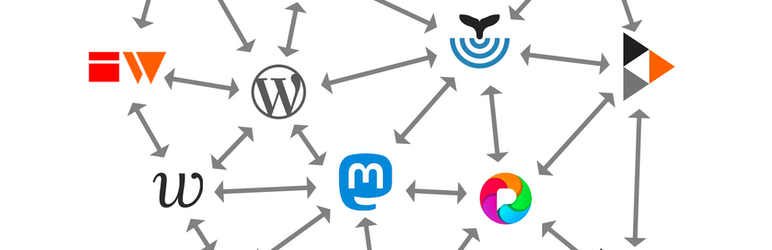
    To put things into context and explain what & why I’m doing, let’s look back a bit on the road that lead to the rise of the Fediverse.

    Humble beginnings

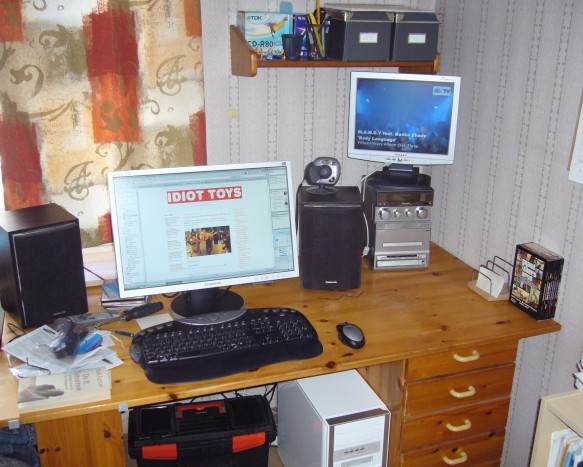
    I started my first blog over on Blogspot sometime in 2007. That blog doesn’t exist anymore, yet recently Google reminded me of the image files they’re still hosting related to that blogging activity. Including this wonderful photo of the actual corner in my bedroom from where it all began:
    After I found the Blogspot cloud service too limited, I decided to go on-prem and install a version of Drupal on a hosted server somewhere. That site doesn’t exist anymore either (at least I hope it doesn’t). In 2009 I figured Drupal wasn’t designed for my purposes and moved my personal blogging onto WordPress. That specific blog is still online and this is the first post I found on it:
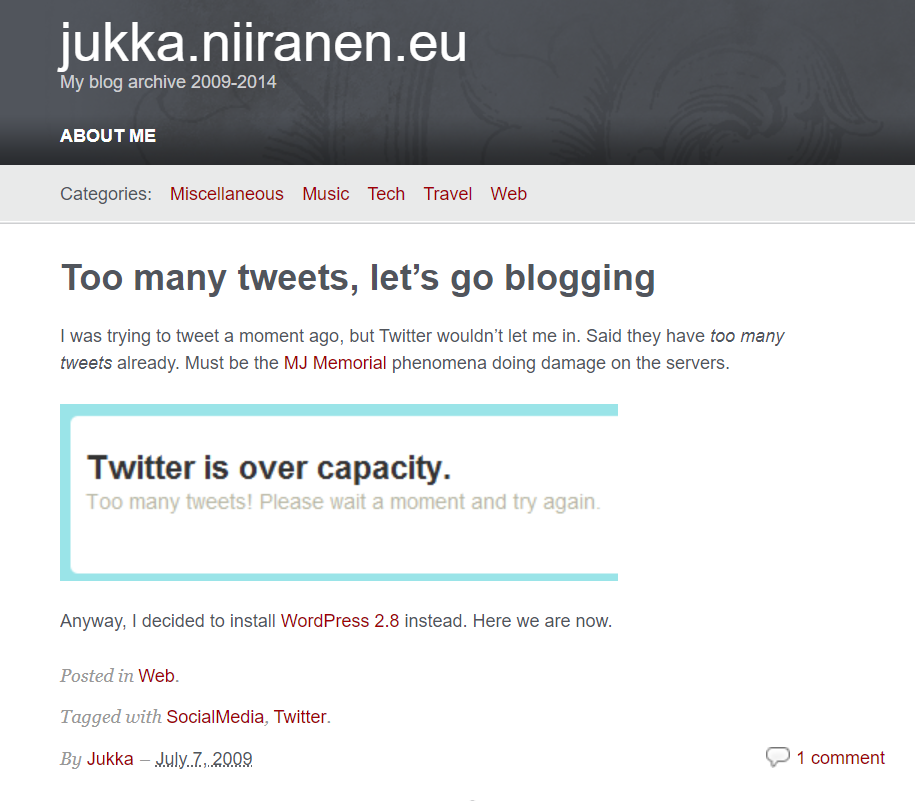
    That post’s content was a surprise for myself. I would not have recalled that I had originally joined Twitter for the same reason as the masses did: to follow what celebrities around the world were sharing about their life (140 characters at a time).

    A bit earlier, in 2008, I had already started another WordPress blog called “Surviving CRM” which eventually evolved into the blog you are reading right now (“Thinking Forward” at jukkaniiranen.com). The core WP enginge has remained the same behind the scenes (with countless version updates, of course) and the main contents of all the blog posts is also still available.

    Everything else about the blog has changed several times (pages, topics, visual theme, plugins, features, linked services), yet fundamentally it’s the same digital object that was born 15 years ago. With a few domain redirects that I put in place, you could have even started following my blog via its RSS feed back then and still today see this updated that I posted.

    If someone would still be using RSS feeds, that is.

    Social media boom and bust

    My inspiration for starting to write blog posts naturally came from following other bloggers. The method for this was RSS (“real simple syndication”). I started trying out different feed reader software & services (like Netvibes) before Google Reader took over the feed aggregator market.

    Then Google did what Google usually does, meaning killing its products. Presumably the monetization model for online media consumption based on open standards like RSS wasn’t lucrative enough compared to other ways Google could turn user data into something to sell to advertisers. When the hugely popular Google Reader was discontinued in 2013, no similar feed aggregator service took its place.

    The online masses turned to social media services instead. Blog posts were no longer a dedicated feed, now they were just a part of the updates presented via the social graph of users you followed. The likes of Facebook and Twitter owned this graph and realized how much more profitable it was for them to control it – rather than just showing a chronological feed and allowing users to categorize content. Enter the age of the algorithms deciding what the users were seeing.

    Today, the social media as we came to know it in the golden age of Facebook and Twitter is slowly yet surely dying. I had remained an active Twitter user for over a decade, despite of the decline in organic network content and the rise of algorithm pleasing clickbaits and political outrage filling the feed. After seeing the massive damage that Elon Musk managed to create when taking over on October 27th 2022, I decided to stop posting new content on Twitter on November 18th.

    I knew that the things which had been broken in the process, primarily user trust and the sense of community, would be unlikely to ever get fixed again. To make it easier for everyone, Musk eventually decided to kill also the Twitter brand and replace it with X. That cross shape is a very fitting symbol for the graveyard where the blue bird was laid to rest.
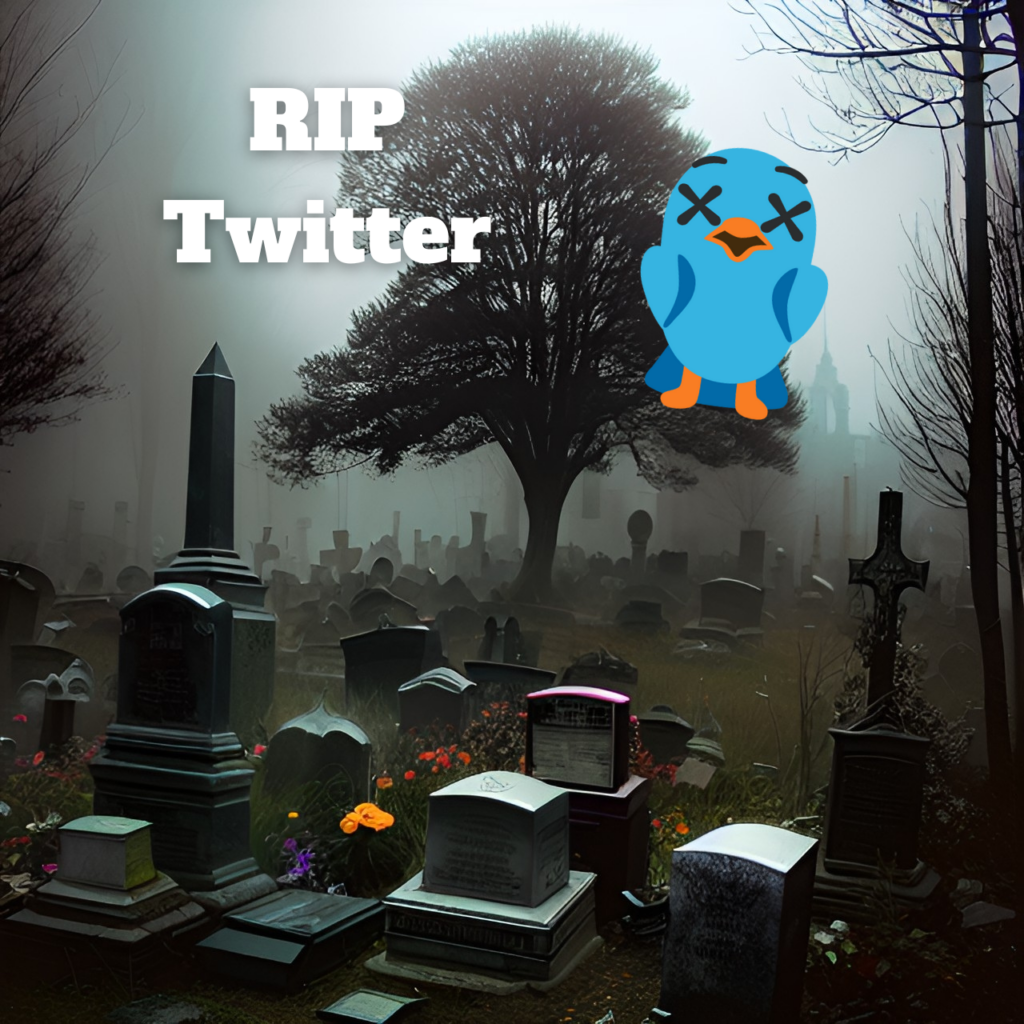
    I’m kind of happy to see this, as it draws a clear line between what Twitter was and what its new owner wants it to be. I wouldn’t want my online identity to be associated with the latter one. No, I haven’t deleted my account nor tweets, because I also don’t believe in changing the world by erasing the past. We can only move forward in this life.

    What comes next?

    Just like there wasn’t a new Google Reader to take over the service that was killed, I don’t believe there will be a new Twitter to take the place of what is now called X. Sure, many will be attempting to build the exact same thing, including the earlier Twitter CEO, or the established social networks like Instagram and TikTok.

    “Insanity is doing the same thing over and over and expecting different results.” So what if some new mobile app comes along and captures the market share for the time that we used to spend on Twitter? The chances of history repeating are high, thanks to the natural life cycle of online platforms that leads to enshittification.

    “Here is how platforms die: first, they are good to their users; then they abuse their users to make things better for their business customers; finally, they abuse those business customers to claw back all the value for themselves. Then, they die.”

    Cory Doctorow on “Tiktok’s enshittification”

    The early days of blogging did not provide everyone an easy onboarding experience nor an streamlined UX for casual content consumption. Yet there was none of this shit. In exchange for all the convenience and endless dopamine shots that the global, proprietary online platforms give us, they will also serve you an ever growing daily dosage of shit on a golden plate.

    At the same time, blogs haven’t technically gone anywhere. No, you’ll never have every TikTok user create their own blog. That is not the goal because there is no one to set the goals but us. If you’re like me, you never even set any goals in life to begin with.

    As long as there is a sense of community being established and ideas are exchanged between people who you wish to interact with – that’s a pretty good life to live online.

    Yet not everything can be a blog post. We can’t pretend to be professional journalists working for major newspapers, writing formal and polished walls of text as the only means of communicating with the outside world. The idea behind social networks isn’t fundamentally broken – only the business model that leads to their inevitable enshittification. What was once commonly called “microblogging” in the distant past has certainly proved its value in the act of idea exchange and information dissemination through peer networks.

    Once I realized that Twitter was over for me, there was a proper incentive to think about what other tools are there for this type of communication. I saw my network exhibit interest in Mastodon and decided to give it a go. I managed to get past the infamous “pick a server” question, created my user account, searched for other interesting accounts to follow and gradually settled in. Today, it feels like a very natural home for one of my many online identities.
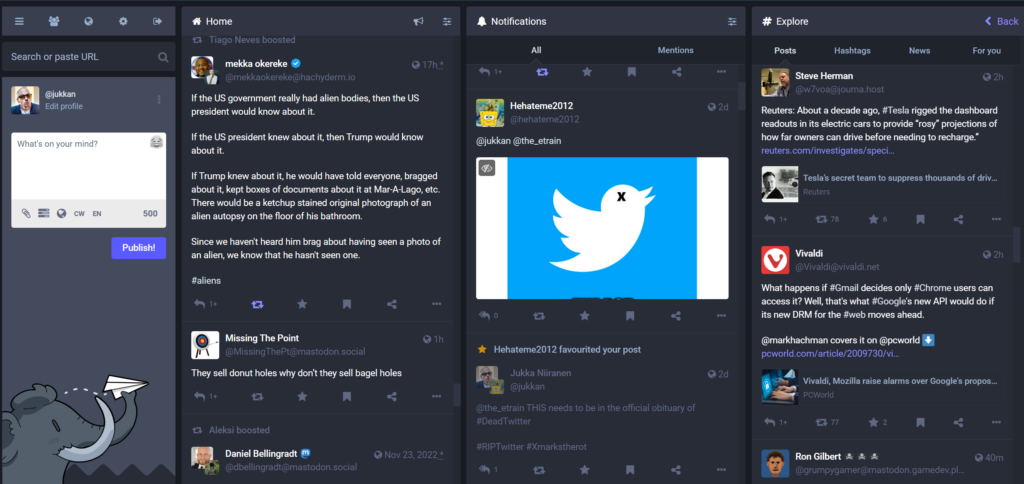
    Mastodon has around 2.1 million monthly active users. As such it won’t be a threat to any of the networks run by publicly listed tech giants. Also many VC funded startups in this market may well be able to burn cash for user acquisition in ways that Mastodon will have no possibility to match – by design.

    In the end, it’s a decentralized social media platform that no single deranged billionaire can acquire. It’s just a bunch of regular folks running a few servers that facilitate the federation of user feed content between them. There are no ads to be found in Mastodon feeds because the whole concept does not exist in that technology. Content isn’t shown to users based on any algorithms because again, that’s not a thing in Mastodon. In both good and bad, what you follow is what you get.

    Hello ActivityPub

    RSS is a protocol. Twitter at some stage talked about their ambition of becoming a protocol for the internet, but quite obviously they didn’t move into that direction. Now, ActivityPub that powers Mastodon and much of the Fediverse is an official web protocol with a W3C stamp on it. It has also gained interest from commercial players like Meta and WordPress.

    Protocols are cool because they are not dependent on any single organization. You can send email from your Microsoft 365 Outlook to a Gmail address and all of the core message content will be similar in both services. The UI, the features and the email experience in general can be different (especially with both MS and Google “reimagining” office applications with their own flavor of generative AI). You can innovate on product development and also the commercial model while still preserving interoperability with other services that use the same protocols.

    So, if ActivityPub is the thing that allows you to both read and publish content on a social network like Mastodon, how does it relate to blogging? Is it just like Twitter you still had to tweet out the links to your new blog posts and make them visible to the followers of your Twitter profile? Well, it’s a bit different – and it’s also still very much work in progress.

    In March this year the ActivityPub WordPress plugin was acquired by Automattic, the folks behind WordPress.com (and also Tumblr). Presumably the experience will become much more integrated with WordPress in the future, but we can already deploy the ActivityPub plugin on our self-hosted WP instances. Here’s what the settings look like on the admin side for my blog:
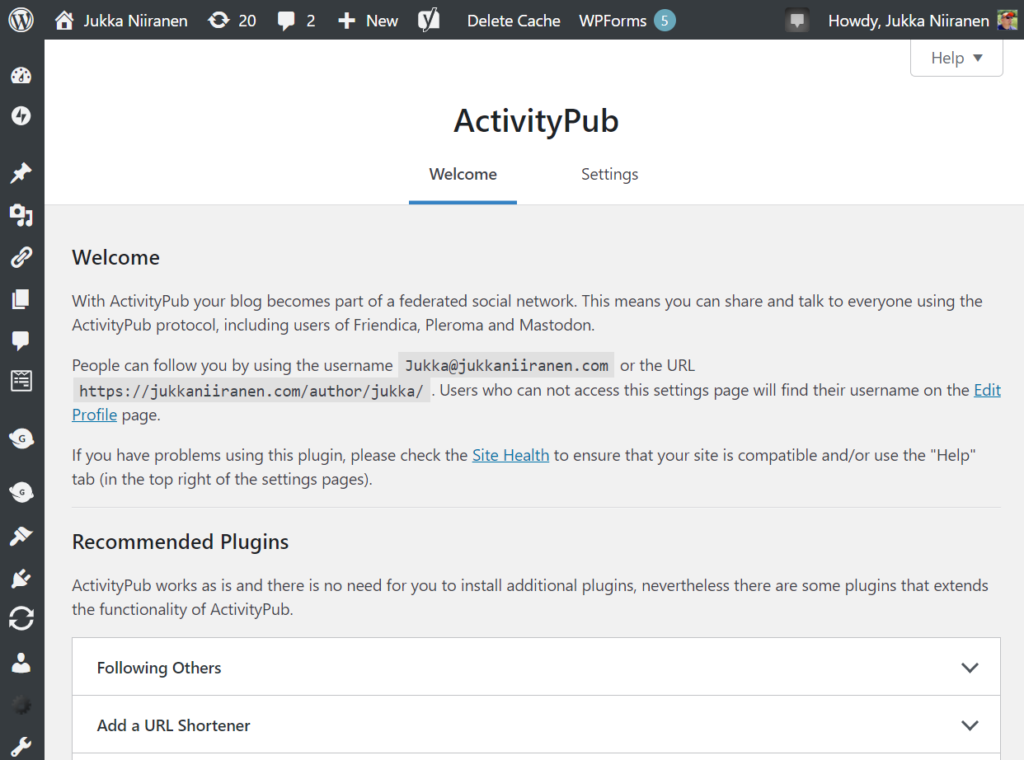
    "People can follow you by using the username Jukka@jukkaniiranen.com or the URL https://jukkaniiranen.com/author/jukka/"

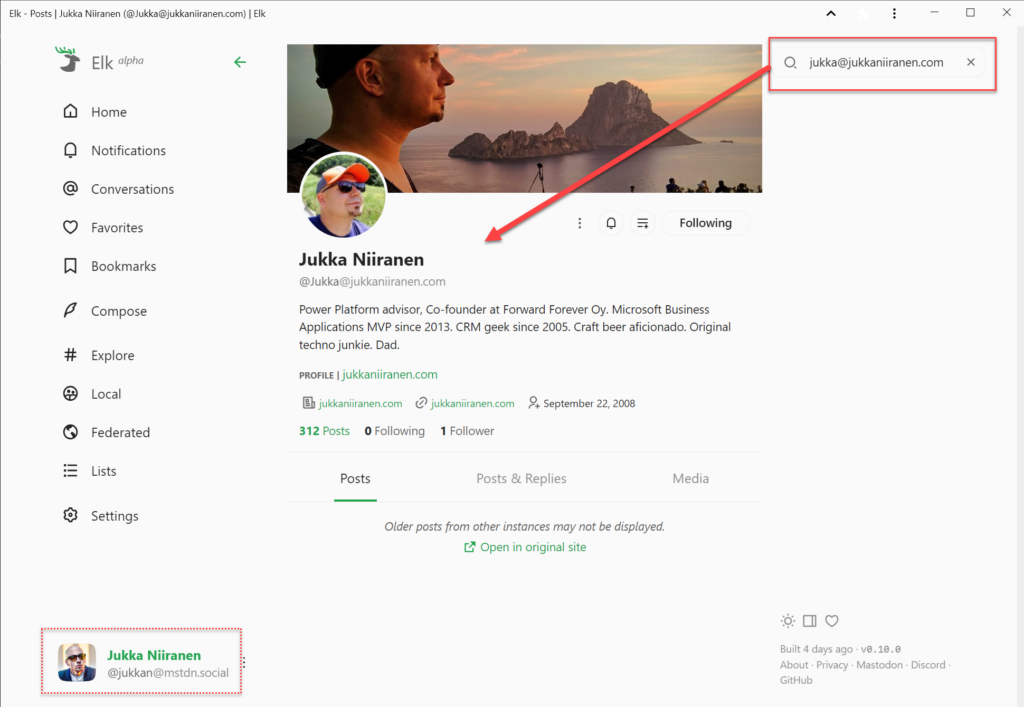
    What’s that all about? It means that when using a service like Mastodon, people can find this blog by searching for “Jukka@jukkaniiranen.com”. As an example, when using the Elk web client for Mastodon and logging in with my @jukkan@mstdn.social account, I can perform this search in the app and land on a profile that represents my blog. It’s an independent thing on the Fediverse that users can follow, even if they don’t care about the rants I post on my “main” profile and just want the long-form content like this blog post.
    It’s kinda cool and confusing at the same time. Which is a lot like setting up a blog was 15 years ago, or what Twitter was in 2009 when I signed up for it. That’s part of the reason why I’m excited about the recent rise of federated online services. You don’t have to be a geek to start using them, but it definitely helps.

    Is ActivityPub the replacement for RSS then? I don’t quite see it that way today. However, for the majority of the current online population who have never subscribed to an RSS feed to begin with, I see a lot of potential in this new protocol to revitalize the social web. To take back control from the mega platforms that are doomed to follow the path of enshittification. To spark up new innovation in both the established web players (WordPress, Mozilla, Medium etc.) as well as make room for new projects to find an audience outside the walled gardens of X, Facebook and the likes.

    Things won’t magically become better with decentralization. Sustainable business models or consumer grade UX aren’t easy to come by with no direct ad revenue. If the popularity of a decentralized service grows, many problems like content moderation or infrastructure scaling will certainly be as hard as on the centralized side. From Twitter to Mastodon, from Instagram to Pixelfed, from Reddit to Lemmy, from YouTube to PeerTube – if the same people move from one technical platform to another then so will the problems caused by people.

    We should not stop moving, though. We should not accept that the one party who holds the most data (generated by the users) gets to decide on the rules. We may not be able to avoid using many closed systems with ad revenue based business models. Yet we must ensure that our content is not captive inside only such systems.

    Evolution is all about competition, about having a choice. For us users of the web to have that choice, we must A) use the power of owning our content, and B) put in the effort to learn and support new tools.

    The best time to start a personal blog was 15 years ago. The next best time is now. The best time to join Mastodon was before the Bird died. Today is another fine day for it. Learn about it from Fedi.tips and follow me (@jukkan@mstdn.social) and this blog (@jukka@jukkaniiranen.com) if you get there!

  • Future stars: Dynamics CRM roadmap news from Las Vegas

    We didn’t yet get a new Statement of Direction or Release Preview Guide for the future releases of Microsoft Dynamics CRM from today’s eXtreme CRM 2012 Las Vegas keynote by Craig Dewar, titled “Microsoft Dynamics CRM – Now and In the Future”. That is scheduled to happen next week, but who wants to wait around for the information that has been shared to the privileged few who attended the eXtreme CRM session?

    Lucky for us who weren’t able to go to Vegas, the best new bits revealed at the session were tweeted out by outstanding #MSDYNCRM community contributors like Neil Benson, Shawn Tabor, Brad Koontz, Bob Hatcher and Eric W Cahoon. Here’s a “best of #eXtremeCRM tweets” collection that tries to summarize what was presented in Dewar’s session.

    Q4 2012: Polaris

    Let’s start with the updates coming in the very near future. The next release is codenamed “Polaris” will be out in Q4 2012, so this is the “Fall 2012” release we saw on an earlier roadmap slide. More specifically, the new functionality will be delivered as a part of Update Rollup 12 during December 2012 for both on-premise and for CRM Online customers.

    Polaris will contain upgrades to the browser UI as seen in the WPC 2012 session in July. It will include the Process Driven Refresh UI and deliver a more “flat” user experience to better match the look & feel of Office 2013. Also, the cross-browser support originally scheduled for Q2 2012 Service Update will now be delivered in December with UR12 and this part will affect also on-premise and hosted CRM environments. The previously delayed custom workflow activity support for CRM Online will be delivered within the same UR12 update schedule.

    New announcements made at the eXtreme CRM keynote for Q4 2012 include click-to-call integration with Lync and Skype (both of which are Microsoft products these days, in case you forgot). CRM Online customers will get a simple Bing Maps integration with maps embedded on the customer forms. Presumably the CRM Online subscription will in the future include a license to use Bing Maps on an internal application whereas customers who’ve bought perpetual server and client licenses from Microsoft need to acquire a separate license to use the mapping functionality through the API (remember: it’s not a free service, like the Bing Maps or Google Maps website).

    Q2 2013: Orion

    The release after Polaris carries the codename “Orion” and is scheduled for Q2 2013. What’s special about this release is that it will be CRM Online only. Whether on-premises and hosted CRM clients will be completely left without updates in Q2 remains to be seen, but the new release cadence suggest only a single major update for on-premises customers per year. The Update Rollup release schedule with an 8 week cycle should still remain unchanged, though, so it’s likely to be a bit of a mixed bag of what’s really “Online only” in terms of new or changed functionality. Update: it’s actually the Q4 2012 Polaris that will be Online only, see the comments at the end from Craig Dewar.

    As I’ve already speculated for a long time, the new Agaves in Office 2013 apps will be used as the means to deliver Dynamics CRM support for Outlook Web Access, both in OWA and MOWA (mobile app). This will finally enable tracking content from your inbox into CRM without having to live with the Outlook desktop client legacy. Also the synchronizing of items from Exchange will be possible on the server side with the Orion release in Q2 2013.

    Yammer integration, which presumably goes much deeper than the current integration solution built by Yammer before being acquired by Microsoft, is scheduled for Q2 2013. Other than this, concreted evidence of bringing social channels into Dynamics CRM was not leaked from Vegas, so we’ll need to wait a bit longer to see how Microsoft intends to deliver on the social story they’ve been promoting for CRM since this time last year. Back when we were still talking about Polaris as the R9 release this was supposed to connect Dynamics CRM with the external communities in a big way, but no major announcements have so far been made on this front.

    Ok, I did spot one physical evidence of social CRM from the Extreme CRM announcements, in the form of a new Social CRM solution built by Sonoma Partners. It’s baked into the updated version of CRM Demo Builder, which now allows you to provision CRM + SharePoint on the same, shared Office 365 platform, thus achieving single sign-on. Whether this particular Social CRM app will be made available to all CRM customers is something I’m not yet sure, but it looks like quite a solid little app for bringing Twitter feeds into CRM by using the same look & feel as the previous Activity Feeds solution. You can promote tweets into new/existing leads, contacts, accounts, cases or opportunities, after which you see the original tweet in CRM as an Activity Feed post. Nothing revolutionary in itself, but a welcome feature, if something like this is actually on Microsoft’s roadmap.

    That’s all of the news I picked up so far from the event by following the social networks. Did I miss any interesting tweet from #eXtremeCRM or an important piece of news? Leave a comment & let’s assemble the pieces of the Dynamics CRM roadmap together!

    Update 2012-09-04: I received clarification on the release roadmap from Craig Dewar himself, here’s the update:

    • “Polaris due Q4 2012 is online only with one exception. There is one capability in Polaris namely cross browser that is of such high interest we will release that capability on premise also.”
    • “Orion due Q2 2013 is online and on premise. It will include all Polaris functionality in addition to many new capabilities.”

    Based on my interpretation of the above, CRM Online customers will get the Polaris functionality first, while on premise and hosted CRM customers receive these updates 6 months later when Orion comes out.

  • Using hashtags in Activity Feed posts to automate processes

    Improving internal collaboration has been the driving idea behind Dynamics CRM Activity Feeds. Even though the efficient usage of stream-like notifications may not be immediately obvious to users who’ve come to think of CRM data as permanent records presented in views, they provide a great enhancement on top of the existing customer data that focuses on answering the “what’s going on right now?” question, rather than the “what/who/how much” types of  queries that CRM systems typically have focused on. Joel Lindstrom wrote a great article on the Customer Effective blog about how Activity Feeds are different from RSS feeds, which I recommend everyone to read.

    Originally launched in the Q4 2011 Service Update (R7), the Activity Feeds solution is about to receive some enhancements in the upcoming R8 release that will allow users to better filter the content of their wall and also click “like” on posts. (Note: contrary to some comments, the “unlike” feature will most likely be simply the undo action of “like”, rather than a real “thumbs down” reaction.) Compared to other social business applications like Yammer, there still doesn’t seem to be built-in support for features such as groups or hashtags that we’ve come accustomed to use on many platforms. I’ve already written about a DIY approach for leveraging custom groups to follow posts on specific topics. Next, I thought I’d see how we could make use of the hashtag concept in Dynamics CRM.

    What’s a #hashtag & what’s it good for?

    Whether you’re an active Twitter user or not, it’s likely you’ve come across a person using the # sign in his or her online writing. What started out as a user driven policy of grouping tweets has later turned into a whole movement that’s gotten both users as well as commercial entities get very interested on following, measuring and encouraging the use of #hashtags on social media channels.

    Twitter allows the users to click on hashtags turned into hyperlinks, thus enabling them to view all recent posts containing the same hashtag. Although Dynamics CRM is a flexible platform for LoB application development, tweaking the default Activity Feeds solution web resources to support this kind of filter functionality wouldn’t be exactly a walk in the park. However, we can certainly explore the concept and see what else the platform might have available for us that could make the Activity Feeds more intelligent. Hmm, how about workflows?

    While the post box on a wall doesn’t currently allow us to include any other “magic characters” apart from the @ symbol used for performing mentions, the pound sign does have one clear advantage: it’s rarely used for other purposes than a hashtag (you might have the occasional shouts of “we are #1!” by excited sales reps appear on the wall after they close a deal, but that’s about it). This means we can quite safely use the # symbol as an identifier for our own little magic words.

    Triggering processes from wall posts

    Suppose you’re browsing through your personal wall on a Windows Phone 7.5 mobile while sipping on a Venti Latte at Starbucks, utilizing the free Microsoft Dynamics CRM Mobile app. You spot an item in your feed that you want to take note for further action once you’re back at your office desk. How are you going to do that?

    While an email inbox is hardly a good way to manage a list of open tasks, Activity Feeds are even worse as action items, because they’re not even meant to be persistent records with read/unread status or flags/categories. The stream flows on as other CRM users perform actions such as winning opportunities and solving support incidents, which means that the item you spotted while enjoying your coffee may well be buried into the depths of history the next time you glance at your wall. Posts are merely notifications about something, not the object itself.

    Instead of resorting to disconnected manual notes, what you could do is track the regarding record of the interesting wall post as a new task on your own list of CRM activities. All we need is the creation of a very simple workflow rule to achieve this. Create a new workflow process on the Post entity and mark it to be started whenever a new Post record is created.

    What the hashtag concept will be used for is evaluating the content of a Post and seeing if the workflow process should be run or not. In our example, let’s use the hashtag #task to identify a Post which we would like to trigger the creation of a new task record. You might also want to check that the Post source is Manual Post instead of Auto Post (more about that later).

    In your workflow rule definition, create a new task record and insert the contents of your post in the subject line. Set the regarding field to be the RegardingObjectId of the Post, owner as the person who created the Post, and a due date of 1 Day After Created On. Save your process, activate it and you’re all set.

    Just type #task and let the system take care of the rest

    In our example, we’ve spotted a Post regarding a new opportunity record. (Ok, so we’re doing this from the web client and not the mobile one, since believe it or not, screen capture on WP7 requires an unlocked device!) We want to mark an action item on the record for us, so we post a new item on the record wall, using the hashtag we defined: “#task Ask Chris for customer references”. Please note that simply commenting a Post will not trigger a workflow, since the PostComment entity is not available for workflows (bummer), so make sure to type a completely new Post on the item of interest.

    After the Post is submitted to CRM database, the workflow is triggered and a new task will have been created on you My Activities view in a matter of seconds. Should you ignore your CRM list once you return to the office (shame on you!), the due date reminder we set on the task will cause your Outlook (and probably also your mobile phone) to alert you about the action item you created for yourself.

    Drive any process with #hashtags

    As you might know, the free mobile client does not allow you to create or update any CRM records, you can only read them on your mobile phone (unless you want to open the somewhat less pretty Mobile Express client). The only exception is Activity Feed Posts, which you can type on your Windows Mobile device and get the data updated into CRM in real time. Together with the creative use of hashtags and workflow processes, we can actually trigger also some other data entry and updates while on the road, as you saw from the #task example.

    While you can’t create a workflow that would update the parent object of the Post, you can create new child items for it. In the example below, we’re creating a new case by using the #case hashtag.

    The steps of the workflow process configuration are as follows:

    • Check if the Post contains the text #case
    • Create a new case record, set the title to post text, set customer as the RegardingObjectId(Post)
    • Create a queue item for the new case and move it to the Support queue for CSR’s to start working on
    • Wait for the case status to change from active to something else
    • Create a new post on the customer wall, containing a summary of the information recorded on the case after its creation
    • To finish the process with confidence on both sides, also send a direct email to the person who initiated the case creation with his/her wall post
    All this process data neatly managed inside Dynamics CRM, just because you typed “#case Send an evaluation license of Product X to customer” on a record wall, with a mobile phone on your one hand and the latte on the other. You might as well have used a similar process to open a new opportunity and start your sales process automation tasks, with a predefined product specific hashtag like #opp_prodX_3m, if you really wanted to impress your colleagues that haven’t yet figured out why Activity Feeds and Auto Posts are a true productivity boost rather than just another new inbox to process.

    A final word of warning: since you probably don’t want a workflow generated Post to trigger any new workflows accidentally, it’s a good idea to always set the right Post Source value (Auto Post, Manual Post) and also filter these in your workflow conditions. As an example, if you post “#case Customer asks for refund” and then later on use it as the case title that gets inserted into a new Post, you’ll soon be stuck in a loop of each case resolution creating a new case…

  • Enterprise gone social – how will CRM fit in?

    Enterprise gone social – how will CRM fit in?

    Call it a revolution, call it a bubble, call it what you want. One thing is for sure: social networks are not going away. Even though it still remains important to be able to manage and measure your sales funnel with the help of some tried & tested SFA tools, segment your customer database to build more effective target groups for campaigns, or share information on customer support enquiries across your helpdesk staff, this functionality will not be considered as important as it was during the last decade. In this new age of connected customers and empowered information workers, companies will be searching for applications and processes that go beyond what CRM has traditionally stood for.

    Let’s take a look at some of the recent news surrounding the world of CRM, to gather evidence of where we might be heading towards.

    Takeways from #SFDC #DF11

    On the last week of July, Salesforce.com held their annual Dreamforce conference in San Francisco. As a person working with Dynamics CRM for a living, it’s a good idea to keep an eye on where the other CRM solution providers are focusing their development efforts on, and SFDC certainly is one of, if not the main competitor that Microsoft has their eyes on. In his opening keynote, Marc Benioff made it very clear where his team’s focus is on, and that is the concept of a social enterprise. I’ll spare you from the marketing flare and instead present a few screenshots captured from the presentation, highlighting the new feature announcements.


    So, what’s in the pipeline for Salesforce.com during the winter 2011/2012 then?

    • Contact profiles will be “social enabled” by default, showing public feeds from networks were your customers are present
    • Data.com, previously known as Jigsaw, will power the social data discovery and data import, in combination with D&B’s database
    • Chatter Now extends the functionality from microblogging to instant messaging with presence information
    • You can invite your key customer contacts to specific Chatter networks, or even publish Chatter on the web as a customer service channel
    • Radian6’s technology will monitor those customer complaints that are not targeted at your helpdesk, enabling you to jump in on the conversation
    • All of this follows you everywhere you go, as touch.salesforce.com promises to deliver a HTML5 client that’ll make your iPad or smartphone a full-fledged social CRM control panel

    Even if you leave away some of the over-the-top scenarios presented, like friending the Coke machine or having network routers tweet you on social networks, it’s still clear that with all the promised functionality at your fingertips (once it’s available and working in a reliable manner), the possibilities for you to design and implement new business processes will be dramatically expanded. Whether companies are able to make use of and, more importantly, make money out of these new possibilities is a different question, but it surely does push the boundaries of CRM as we know it.

    Social CRM is where it’s at

    “Social” certainly is an attractive attribute to include in your product description these days. Gartner, for example, has predicted that the market for Social CRM would reach a total value of one billion dollars by the end of next year. Predicting the future with concrete figures is always a challenge, but it’s even more difficult when people don’t even agree on the definition of the market to be predicted. Several analysts have commented on Gartner’s reports, starting from reminders that an SCRM market may not really exist yet, or they have questioned Gartner’s choice of products included in their SCRM Magic Quadrants as including applications aimed at other functions than what CRM systems traditionally are about – managing customer information, that is.

    (more…)

  • Greetings from Microsoft Convergence 2010 EMEA

    Continuing with the format introduced in 2009, this year’s Microsoft Convergence for the EMEA region was split into three locations: London, Prague and The Hague. Out of all the options, Prague fit our schedules the best, so that became our destination of choice to hear the latest news and buzz around Microsoft Dynamics products.

    With the fairly recent release of Dynamics CRM 2011 public beta, there was certainly a lot for Microsoft to present on the CRM front. Having been working with the product since CTP3 already, I wasn’t expecting too many surprises for myself in the CRM 2011 session contents. It’s still interesting to observe what is being said about the new release and how the customers and partners react to it. There is such a wealth of new, important features included in CRM 2011 (see my walkthrough slides for starters) that you can’t really construct the one right pitch for the product. You could say that there’s something for everyone.

    We saw the first glimpse of CRM 2011 during Kirill’s keynote, when Reuben Krippner showed a bit of Process Dialogs in the Dynamic Business demonstration. From there on, Reuben was a busy man, since he was giving demos in the next four consecutive CRM sessions on the agenda. Great job pulling it off, Reuben! Let’s hope Liverpool picks up their pace in the Premier League, so we can see some more of them in future CRM demos 😉

    Barry Givens held the last CRM session of the day, focusing on data visualization in CRM 2011. Not like we hadn’t seen the charts a few times already during the day, but hey, I always enjoy hearing Barry talk about his favorite topic i.e. analytics in CRM. While the out-of-the-box charts in CRM 2011 certainly do deliver value, you should really look at the broader picture of what the visualization features introduced in the new version truly mean in terms of customization and application design. The charts are actually one alternative method of navigation, due to their tight integration with grids and the drill-down capability. They can be embedded not only on grids but also forms (through sub-grids), bringing visualizations to every part of the CRM UI. Oh, and don’t forget to check out my post about editing the .NET Chart Controls for CRM 2011. Dashboards, on the other hand, are not just an item in the main menu but rather a new form type. By allowing flexible arrangement of embedded components like grids, charts and web resources, the dashboard forms might actually one day become the next generation UI for navigating in Dynamics CRM. You know, something for the future ahead of us when every modern web app must be built in RIA fashion, with Silverlight controls and what have you.

    (more…)

  • Update Rollup 27 has been… Seriously, guys!

    Got a Dynamics CRM blog? Like to tweet about all things Microsoft Dynamics? You’re in luck, because Microsoft is providing you a steady supply of topics in the form of CRM Update Rollups (or UR’s if you prefer acronyms). Right now Microsoft Dynamics CRM 4.0 is on level 13 and will certainly continue to receive plenty more until the end of its support lifecycle. In January 2009 Microsoft stated that they aim to release a new update rollup every 8 weeks. If you multiply 13 x 8, that gives you 104 (two years), which means the actual release schedule is even tighter.

    When a UR comes out, you’ll be certainly well informed about it through the Dynamics CRM community, as this tends to generate a massive number of blog posts, tweets and retweets in celebration of the event. Having new hotfixes is of course important for anyone working with CRM, but has the whole UR phenomena gotten a little bit out of hand by now? The recent tweet by Jerry Weinstock from CRM Innovation highlights the issue perfectly:

    Let’s make one thing clear: there is no newsworthy content in just posting that “Update Rollup X has been released”. Nada. It’s like stating that a new copy of Wired is now available at the news stands.

    I’ve seen a countless number of practically abandoned Dynamics CRM blogs where the author no longer has the time or energy to produce original content. Yet they see it as their duty to keep posting UR notifications one after another. Wow, writing a blog has never been so easy! Ok, so you guys may have way more posts than I do, but do you really think you’re contributing to the CRM community in a meaningful way?

    I’m not saying that UR’s cannot be meaningful topics for a post, but you absolutely must provide some editorial content of your own, in addition to the KB article cut&paste. Tell about your experiences with the update, what was the reason why a particular hotfix was significant for you, what possible problems the UR installation may cause etc. Say something that not every one of us CRM geeks out there wouldn’t already know through their RSS feeds and Twitter lists.

    The amount of great information you can acquire just by following a Twitter hashtag like #MSDYNCRM is truly incredible and I don’t want to play down the value of an active Dynamics CRM community in any way. Quite the contrary, that’s the one thing we should all celebrate. All I’m asking is that the next time you see the news about a new UR, think for a moment how likely it is that all your followers and readers have already received the news through their own channels. And if you RT, at least put a funny twist on it!

    As for the UR release process in general, I propose that Microsoft registers the @UpdateRollup account on Twitter and we can all just start following it. Or better yet, replace the old Announcements section inside Dynamics CRM with a dashboard of all the official MS Dynamics CRM tweets in one convenient place. Of course in CRM 2011 we’ll already be able to configure those dashboards ourselves.

  • Greetings from Microsoft Convergence 2010 in Atlanta – Part 2

    In Part 1 I shared some thoughts and observations on what role cloud computing was playing at Convergence 2010 Atlanta. I also promised to get back on the other hot topic, which should not be a surprise to anyone. No, it’s not XRM. But if we’d follow a similar naming convention, I guess it could be called SocialX, meaning “social anything”.

    If the cloud computing movement is about the shift in technology, then the social web revolution is all about the people and their new forms of behaviour. Sure, it’s powered by some tech innovations from Web 2.0, but it would be a stretch to claim that the source code behind services like Facebook or Foursquare contains the magic ingredients that have caused the eruption of the social media volcano. To prove my point, just take a look at the following slide:

    This “social customer stack” is taken from the Deriving Value from Social Networks session by Nikhil Hasija and Paul Greenberg. It was the best 60 minutes spent during Convergence 2010, hands down (even better than The Return at Tabernackle or The Geeks Band at Hard Rock Café). One particularly great thing about it was that there were absolutely no sceenshots of Microsoft applications, like in all other Convergence presentations. No attempts to push products like the Social Media Accelerator or anything else MS branded. Everything was built around the core message: what has changed since the invention of traditional CRM and why the customer is now in charge.

    (more…)