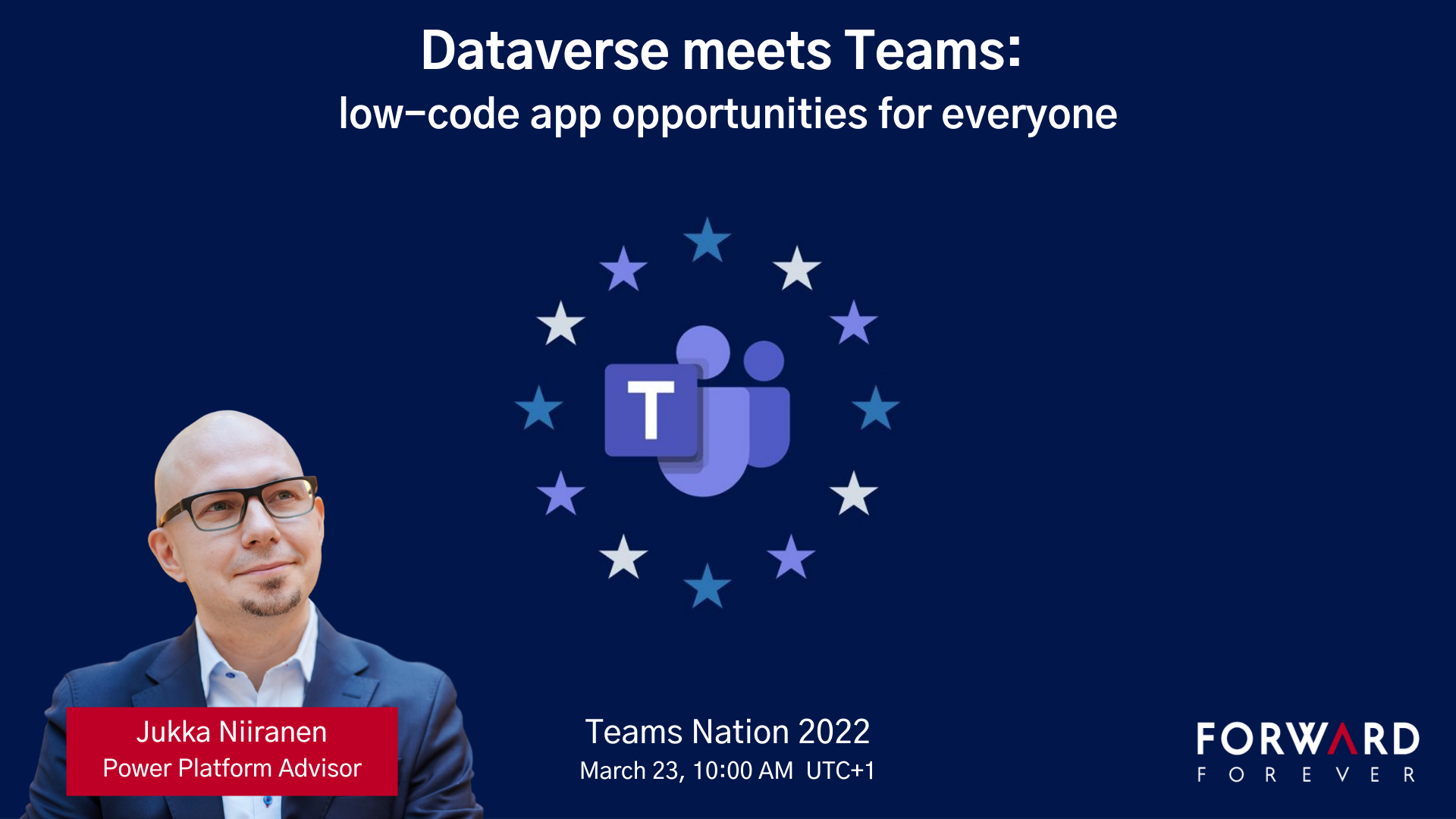
I had the pleasure of attending the Teams Nation conference on March 23rd, alongside more than 4000 Microsoft Teams community members. Not only that, they also allowed a former XRM geek like me to do a presentation on the Power Platform track. So I did.😄
Since I’ve recenly been working a lot with Dataverse for Teams, that was a natural topic to cover in a Teams related event. My session was titled “Dataverse meets Teams: low-code app opportunities for everyone”.
I first explained the big picture of what Dataverse means, the demonstrated three different apps our team has built on top of DV4T. Finally, a few words on the known limitations of the Teams based Dataverse environments and how you need to take them into consideration in your solution architecture design.
The slides are available for download on SlideShare, or you can browse through them in the embedded version below:
If you’re planning to build apps into a Dataverse for Teams environment, then be sure to also check out my earlier blog post on the solution management experience in DV4T.
In the previous post I highlighted some of the recent updates on Dynamics 365 licensing. Now let’s have a look at how the birth of Power Platform has further expanded the licensing options for delivering business applications to customers. Just like before, the content is taken from my session at Dynamics Power 365 Saturday London 2019 and you’ll find the complete slide deck on SlideShare my Slides archive:
PowerApps vs. Dynamics 365 CE licensing
Common Data Service for Apps (CDS) environment is essentially the same as a Dynamics 365 Customer Engagement instance, just without the first party apps from Microsoft. If you can get CDS both via PowerApps license as well as Dynamics 365, then it’s important to understand what the subtle differences there may be. Currently at least these features are missing from a pure CDS environment when you provision it for PowerApps and not Dynamics 365:
There are interesting differences in how the licenses grant you resources when comparing Dynamics 365 CE and PowerApps. On the storage side you get the same starting 10 GB per tenant and as you purchase more user licenses they give you more storage quota. As for the actual instance/environment count, on the Dynamics 365 side you need to pay for additional sandbox and production instances (roughly €125 & €460 per month). PowerApps is far more generous in this sense, as each P2 user license gives you 2 environments. With 100 users you could therefore have 200 environments for your organization, which sound like a ludicrous amount if you’d think of them as CRM instances. That’s where the broader business application scope of Power Platform and the citizen developer mindset clearly differs from the Dynamics way of doing things in a controlled, centralized manner.
One area which Microsoft has left very unclear in their licensing documentation is what level of PowerApps user rights are included in the non-Enterprise Dynamics 365 licenses. A recent presentation finally listed the restrictions that licenses like Team Member, Sales Professional and Customer Service Professional face in their ability to leverage PowerApps. With the new feature that allows embedding canvas apps into model-driven app forms, the rights of all Dynamics 365 licenses now do include access to these embedded experiences. However, running any standalone PowerApps canvas app is NOT included in these cheaper licenses, so you’ll need a separate license for those scenarios (like PowerApps P1, or the rights bundled in Office 365).
Looking at it the other way around, what Dynamics 365 style of functionality you get access to with a PowerApps license, the differences between P1 and P2 can be a bit tricky to understand in real world scenarios. Sure, P1 is limited to canvas apps usage only, but also on that side we have exclusions for restricted entities and complex entities. The concept of “complex business logic” is the real gotcha, though, as enabling real-time workflows or plug-ins for an entity will instantly switch the requirement level to P2 license. Here’s how you might fall into this trap:
For anyone who’s either been building more advanced apps or has planned to do this and has stayed within the PowerApps & Flow licenses bundled in with Office 365 subscriptions, you’ll need to pay close attention to the updated license terms that came into effect on February 1st. In short, usage of custom connectors, HTTP custom actions and on-premises data gateway were moved to PowerApps P1 level and are no longer “free” with Office 365 plans. For a deeper dive into the practical implications of this change, be sure to check out this comprehensive licensing guide to Microsoft Flow and PowerApps by MVP Jussi Roine.
The push for getting organizations to adopt CDS environments as the basis for their PowerApps canvas apps and therefore upgrading their license package to the paid tier of PowerApps P1 will be a milestone Microsoft undoubtedly wants to reach. This can initially be a hard sell if there aren’t that many apps in production use and the cost of these advanced features would have to be absorbed into their business case calculations. However, if this can be viewed as a proper platform story that is about acquiring licenses for the common foundation of hundreds of apps to come, then the math is far more favorable.
Model-driven apps and P2 of course represent another big jump in the relative cost of a single license vs. P1 and “free” Office 365 license. Then again, when viewed from a Dynamics 365 perspective, the ~€34 price of P2 is so much cheaper than a Sales Enterprise app license at €80 (and with none of the Sales Professional limitations) that even building your custom Sales app on top of the platform becomes an interesting scenario. That’s one of the changes that has take place with the Dynamics 365 licensing guide wording, as the earlier restrictions about replicating existing 1st party app features have been removed:
That’s it for the licensing mysteries that I had the pleasure of covering in my 365 Saturday session. Grab the full deck from SlideShare and keep in mind that by the time you read it these licensing terms may well have changed already! For example, the PowerApps licensing page on docs.microsoft.com was updated on Feb 1st and there was a new January 2019 version of the Dynamics 365 Licensing Guide published already.
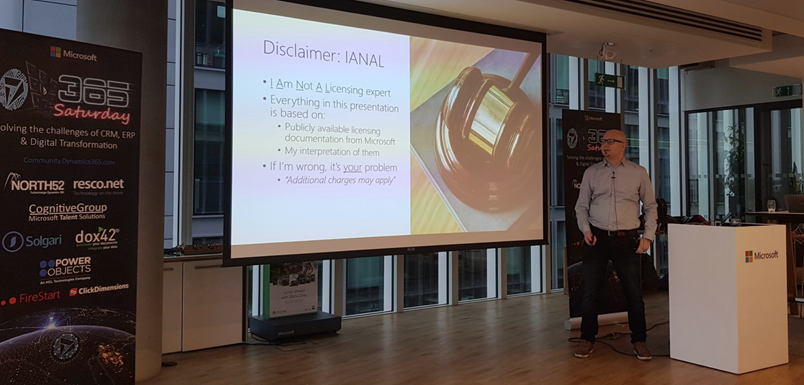
At Dynamics Power 365 Saturday London 2019 I presented on a topic that I had never attempted to cover in any public forum earlier: licensing. In fact, I bet it’s an area most members of the Dynamics 365 community would want to avoid touching at all cost in their sessions. It’s even worse if you’re a technical specialist working for Microsoft, because then you’re under strict guidance on not to make your own statements on an area as delicate as licensing (let alone pricing) and instead direct the customers to talk with a department focusing on these commercial matters.
Yes, it might feel like explaining quantum physics as you travel deeper into the maze of a software product licensing matrix built from license types and feature bullets, accompanied by pages of text full of phrases that feel as if they’re intentionally designed to make you trip over a detail you failed to notice. Then again, this isn’t really that much different from the attention to detail that is required when designing a technical solution made of software bits that must work together. A proper solution needs to be viable both from a technical and commercial perspective, so there’s no point in closing your eyes and hoping that the client forgets to ask about the license requirements.
As with the technical side, you don’t need to memorize all the details that are found in the official licensing documentation. You just need to be aware of how the big picture looks like, what factors may affect the type of license needed and where to search for the exact answer. Like with the product itself, also the licensing model is constantly being updated and you’ll need to keep up with the changes to stay on top of the licensing game. Now when the Dynamics 365 and Power Platform product lines are being united not only on technical level but also commercial, it’s particularly interesting to see how Microsoft will align these two license models.
You’ll find my full deck from the London event already on SlideShare my Slides archive, so feel free to browse through the story. I’ve divided the blog post into two parts where I highlight some of the more interesting graphs, in an attempt to grab your attention before throwing 54 slides of PowerPoint at ya! In part 1 I’ll cover the Dynamics 365 side and the next post talks about Power Platform.
Dynamics 365 recent licensing updates
Licensing enterprise software has never been too simple. As the product suites grow, they tend to accumulate all sorts of weird exceptions to the general rules that used to define the basic licensing model. Whenever a brand new model is introduced, the promise tends to be “we’ve simplified our licensing!” and yet you end up with documentation twice the length of the earlier model. Such is life, and Dynamics 365 Customer Engagement is one part of it. Here are the main concepts you need to understand in order to grasp the details of how the product’s licensing works today:
Even though the anticipated split between Enterprise Edition and Business Edition never materialized for Dynamics 365, we did get some alternatives to the “real” Enterprise plans and apps with the introduction of Sales Professional and Customer Service Professional licenses in 2018. To compensate for the cheaper price, there are a number of limitations imposed on the Professional apps. Some of the features you may have come to take for granted as an XRM core capability are stripped away if you opt for the cheaper license:
There is of course an even cheaper and much more widely used license type: Team Member. Back at the time when Dynamics 365 brand was announced, Microsoft still appeared to be in denial about the business potential of this cloud service as a true application platform and neglected this aspect in their licensing model. As a result, Team Members were granted unlimited rights to custom entities, thus opening a back door for XRM scenarios. Now when the winds have changed with the Power Platform revolution and platform licensing is a thing with PowerApps P2, that door had to be slammed shut with changes to the licensing terms. First, the access to the most central entity of most CRM systems, the account, was limited to read only for Team Members. Second, the use of custom entities was restricted and the following guidance is now given for choosing the right license type:
An important aspect for both Professional and Team Member license holders is that there will soon be more technical enforcement of the limitations for customized scenarios. Specifically, the App Module concept will be used to determine what the user can access. You can have 15 editable custom entities per app and grant Team Member users access to all of these (+ global read rights to all Dynamics 365 entities). However, configuring your own App Module will be off limits, as Microsoft wants to ensure you are really just using the 1st party apps with extensions and not something completely custom – unless you pay for Enterprise apps or PowerApps P2.
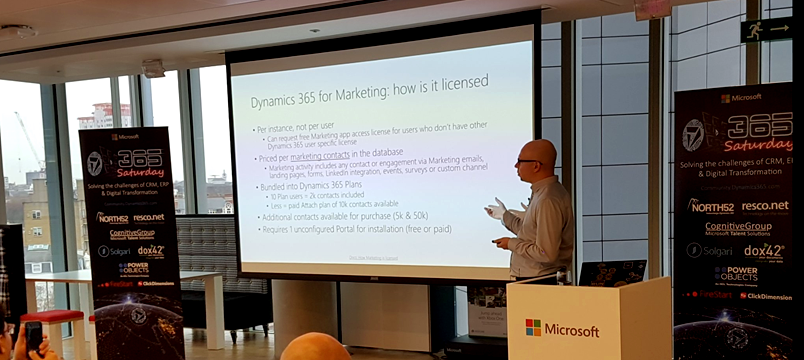
The more recent the apps in Dynamics 365 product family, the more interesting their licensing models appear to get. Dynamics 365 for Marketing launch was of course a big event in 2018 and the per instance licensing model combined with the per contact pricing is a story you’re better off reading from the blog of a fellow MVP. Recently we’ve seen the AI apps march onto the stage and Dynamics 365 AI for Sales already getting a license type available for purchase. Who gets what where isn’t all too clear when these AI powered features are offered via two different application UI’s for both those with an AI license and those with just the Sales Enterprise one:
Stay tuned for part 2 where I’ll dive deeper into the PowerApps side of the licensing pool.
Watch out: the Citizen Developers are coming! They are armed with easy to approach GUI tools like Flow, PowerApps and PowerBI, and they aren’t afraid to connect to any of the 160+ cloud apps that you may or may not know your organization is using to solve everyday business problems that the traditional IT projects have failed to serve.
This is the common story you hear when Microsoft talks about this new generation Business Platform and how it powers the hottest of the hot buzzwords: digital transformation. While it certainly represents a big shift in the capability to deliver new business apps, there is at least an equally significant impact these tools can have to the more centralized efforts of building organization wide solutions for managing business processes and data – meaning CRM system deployment and development. With this in mind, I set out to explore the current state of Microsoft Flow in regards to how it can be used together with Dynamics 365 Customer Engagement. The results of this study and some of my personal thoughts on how Flow changes the way we deliver CRM projects can be found in the following presentation:
In these slides you’ll find information about topics such as:
How does Flow relate to other MS technologies like Common Data Service (CDS)
What traditional CRM process automation scenarios could Flow be leveraged in
Is the new Dynamics 365 V9 capability of embedded Flows the replacement to now deprecated Dialogs
Why Dynamics workflows are still easier to work with than Flows
What licensing and administration considerations do you need to keep in mind with Flow
Microsoft Flow vs. Azure Logic Apps, what should you use where
The actual presentation took place last weekend in Oslo, Norway, where I was invited to speak at the CRM Saturday event. It was the first such event that I had the opportunity to participate in and found it to an awesome experience! I had a great time meeting both the local Dynamics 365 community members as well as spending time with the very knowledgeable speakers and fellow MVPs. A big thanks to Microsoft Norway for graciously hosting us and to the community hero Marius Agur Pedersen for making the event possible in the first place!
If you aren’t yet familiar with the CRM Saturday concept, I suggest you go check it out and keep an eye for future events where Dynamics 365 community members can get together and exchange ideas on how to make the world a better place for CRM professionals and customers alike. Do also keep an eye on the #CRMSaturday hashtag on Twitter for the latest buzz around the events and information shared from the presentations. At least Mohamed Mostafa and Jonas Rapp have also made their sessions’ slide decks available and I’m sure there’s plenty of other blog posts out there that have been inspired by these events.
Last week I had the privilege to talk at the Dynamics CRM Finland User Group meeting in Helsinki (quick recap available in Finnish here). When planning on what topic to choose for my presentation, I tried to think of something that would appeal to a wide audience of CRM users – both experienced consultants as well as key users who might still be relatively new to the product.
The common denominator for the group was, as the name suggest, that we’re all CRM users in one way or another. In this role we interact with the software in a variety of different ways, most likely several times during the course of a typical working day. As information workers, systems like CRM are our tools to get the job done. How effectively we succeed in this is largely affected by how much cognitive effort is needed to use these tools to shape the expected output.
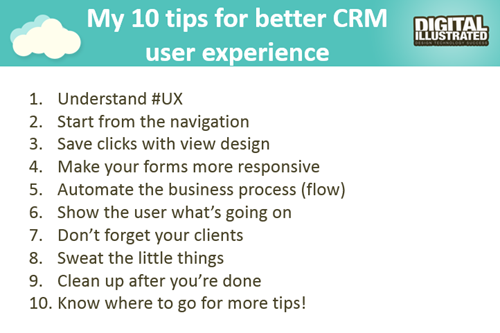
So, I decided to talk about the many ways how we can sharpen our saws when it comes to Dynamics CRM. While every CRM environment is ultimately different from one another, due to the business processes we manage with it, the systems it integrates to, the user groups working with the application and so on, I believe there are still general design guidelines that apply to basically any organization using Microsoft Dynamics CRM. My presentation, “10 Tips for Designing a Great User Experience in Dynamics CRM“, introduces many of these guidelines that I personally try to follow when designing CRM solutions for customers. You can view the embedded presentation below, or if the content is not showing, then go and have a look at it on SlideShare.
While UX has always been an important piece of the puzzle when trying to convince business users that using a CRM system can actually deliver tangible benefits to them, rather than just serve as a management tool for keeping track of what the employees are doing, the launch of the Dynamics CRM 2013 version has really heightened the importance of designing solutions with a polished user experience. This is due to the fact that the refreshed user interface and new customization points available in the UI can be leveraged to deliver a much more usable business application than the CRM systems of the past. But: you also need to plan the flow of user interactions with much more attention to detail, because sloppy customizations will now stick out like a sore thumb.
The good news is that many of the new details in CRM 2013 (and CRM 2015, too) are easy to configure once you know the role of each platform component. You can do so much these days without writing a single line of custom code that the system customizer can easily have his or her plate full of CRM enhancement ideas to implement without ever consulting a .NET developer. That’s why it’s also good to think in advance how to prioritize the areas into which you invest your efforts. This Top 10 list of mine provides one example of such a tool, to help in identifying the low hanging fruit when it comes to making your CRM users happier and more productive with the system. If you have any topics on your mind that I forgot to include on my list, be sure to leave a comment below!
Oh, one more thing: if you’re a Microsoft Dynamics CRM user in Finland and would be interested in networking with other fellow CRM professionals, I’m glad to announce that there’s now a new Yammer network available for you: Dynamics CRM Finland User Group. Whether you’re from a customer or partner organization, please feel free to sign up for this network and come join the planning for future events and other ways to share Dynamics CRM knowledge and experiences with peers. Tervetuloa!
Four weeks ago I released the Part 1 of my Microsoft Dynamics CRM 2011 Walkthrough slides and now it’s time for Part 2: Solution & System Management. Thank you all for the positive feedback from the first part, much appreciated. 🙂
While the first slide deck was focused on how the new CRM 2011 features look like from the system end-user perspective, this time I have taken a look at the toolset available for system customizer, administrator or solution developer. Since I’m not a programmer, I’ll gladly skip the detailed discussion about CRM 2011 platform SDK enhancements (like WCF, OData, REST, LINQ and other hot acronyms) and leave them to the experts. Instead I’ve tried to cover featues that will have an effect on how to design and plan your CRM implementation or custom solution. Just like before, there are plenty of screenshots included, so that also users without access to a CRM 2011 Beta environment can preview how the features appear in the UI.
To summarize my core message after giving this presentation, the following would be my key takeaways from the slides:
Solutions and web resources will challenge both how you’ve built your CRM enhancements and how you have managed them, so invest time in planning your own processes before rushing into the operational tasks
Process automation / work management functionality is becoming an increasingly integrated part of the Dynamics CRM story and 2011 offers great improvements on that front, but remember that it’s still a work in progress area in many ways
You can’t escape the cloud, no matter which deployment model you or your customers are currently using, so at least familiarise yourself with what’s out there
Despite of the 500 new features in CRM 2011, there’s still plenty of room for add-ons and tweaks. The more the platform expands, the more we’ll demand from it
That’s all the slides I have for now, but I’m sure there will continue to be lots of interesting features discovered and news items to discuss before Dynamics CRM 2011 comes out in January (RTW) / March (RTM) next year. I recommend you to keep an eye on the #CRM2011 hashtag on Twitter to follow the community buzz around the upcoming release.
There’s no shortage of great blog posts that give you samples of the new functionality unveiled in Dynamics CRM 2011 Beta, as the buzz around the new version in the CRM blogosphere is just incredible right now (cheers to everyone who’s contributing to it). The problem is that this information is quite fragmented and simply all over the place for a person wanting to understand “what’s new and what does it look like?“. CRM 2011 videos and webcast recordings are also widely available already, but I often find this form of media quite difficult to consume effectively, as browsing and skipping through the long introductions and monologues can get tedious.
What’s my answer then? Well, I’m a PowerPoint guy who likes to present his thoughts in slides, so this was the obvious format for me to start compiling my introductory materials to the brave new world that awaits for us when Microsof Dynamics CRM 2011 becomes available in a few months time. Slides are great for capturing screenshots of the UI and annotating them with callouts, so that’s been my main focus in the presentation; giving a clear view of the new features in a logical order.
These 74 slides are actually just Part 1 of the deck I’ve been building. There’s simply way too much great new stuff (or limitations to be aware of) in Dynamics CRM 2011 to make a very brief introduction, so please bear with me while I walk you through the application.
Part 1 is titled “end-user tools and features” and it’s split into the following topics:
End-user tools and UI enhancements
Outlook client
Form customization options
Auditing
Connections
SharePoint integration
Visualizations
Goals
As you may have guessed already, the second part of the CRM 2011 Walkthrough (that’s still in the making) is going to focus more on behind the scenes changes that will be of interest to consultants and developers who are managing and building CRM/XRM solutions on top of the platform. The planned contents for part 2 is:
Customization menus
UI customization options
Solution management
Web resources
Processes (workflows)
Custom activities
Queue enhancements
Multiple forms per entity
Security features
Stay tuned for updates and let me know if there’s any specific features in CRM 2011 that you would like to see in my slides.