What more could be said about XrmToolBox that hasn’t already been posted online? The year is soon 2026 and XTB remains a critical part of Power Platform – built and maintained by the community.
One area where the long history of XrmToolBox reveals itself is in the user interface of the application itself. As well as the official website of xrmtoolbox.com that is built on a legacy version of Power Pages. Technically, all the information is there. In practice, the UX can be challenging – especially for newcomers to this ecosystem.
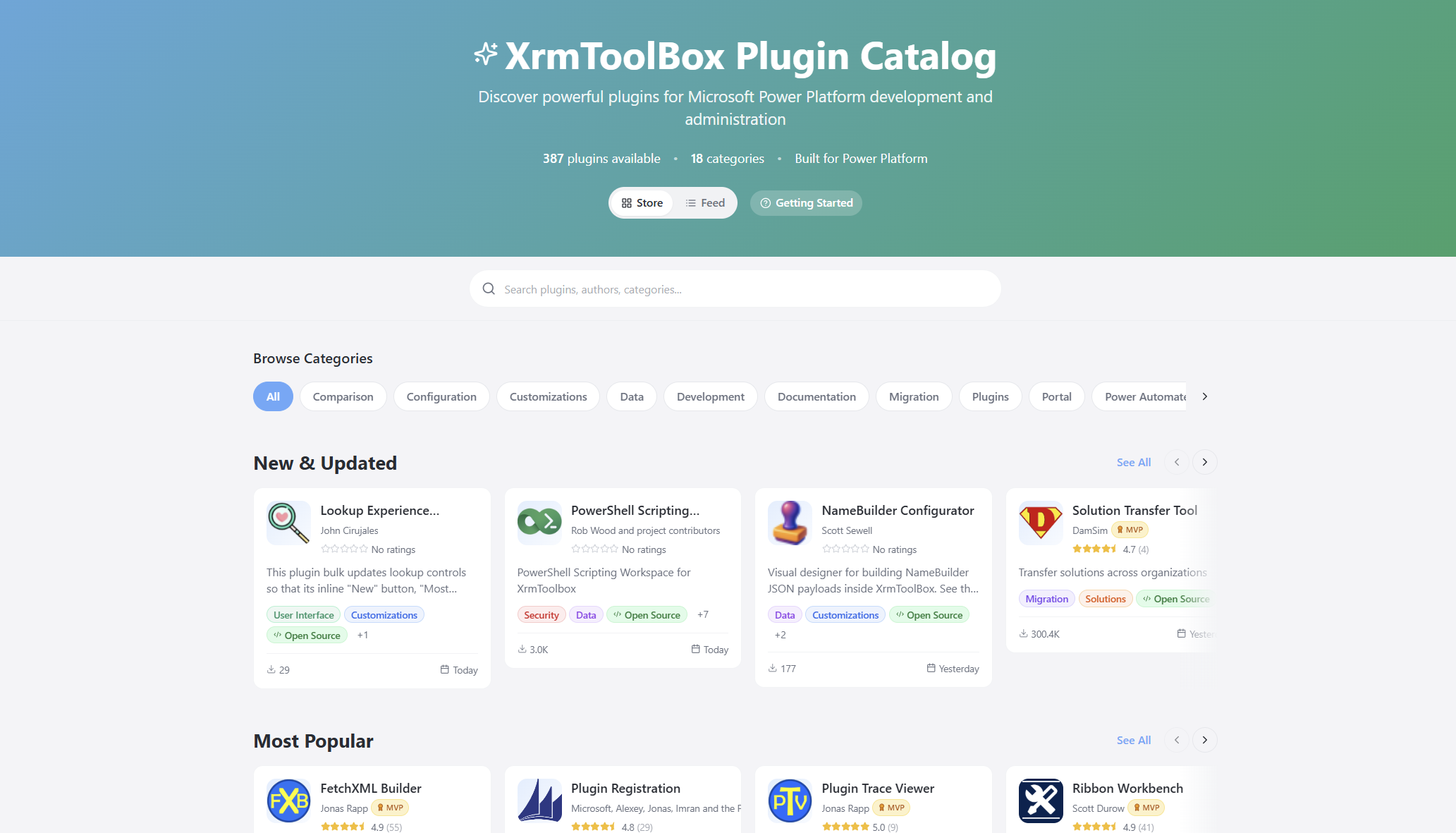
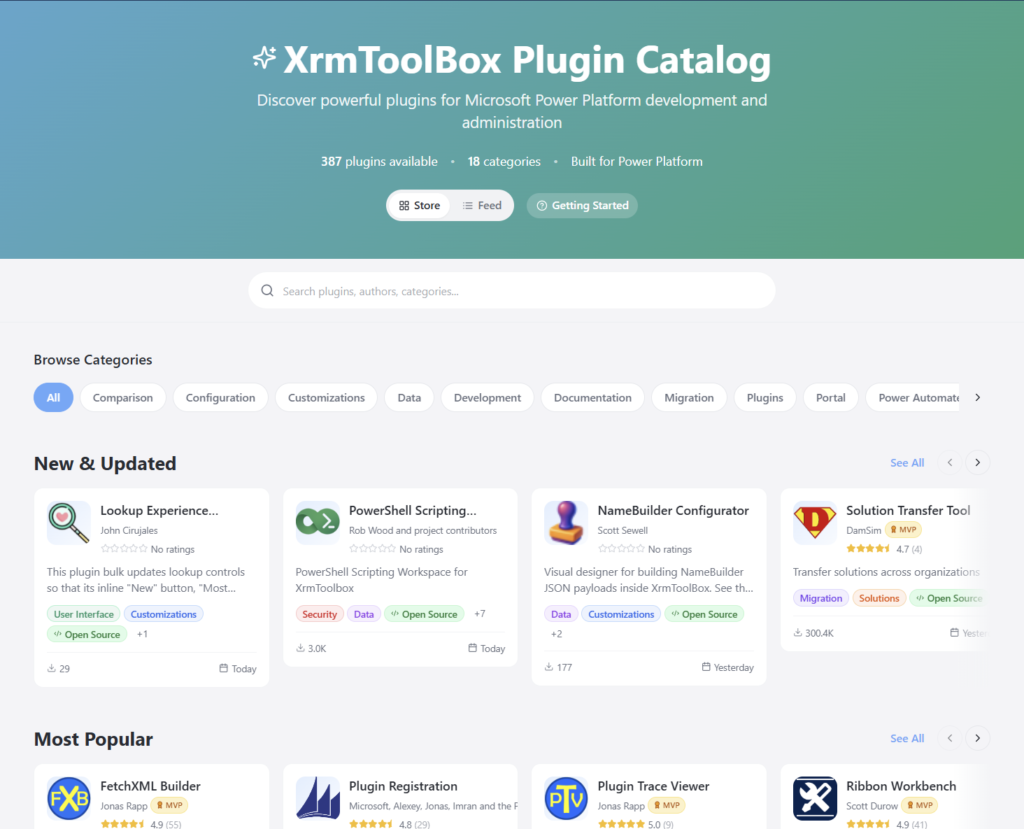
I wanted to see if I could do something about this. That’s how the XrmToolBox Plugin Catalog came to be:
The live site URL is xrm.jukkan.com. In short, it’s a vibe-coded website on top of the list of 387+ XrmToolBox plugins that have been developed and published by various community members. You can browse by category, search by name/description/author, see the latest release notes, discover more plugins from the same author, and so on. There’s even a short getting started section for those who are new to XrmToolBox.
It’s worth noting that there’s no new data used here. All the dynamic information comes from the official Power Pages site of XrmToolBox, via one daily data sync of the Plugins table rows in Dataverse. The XrmToolBox Plugin Catalog is hosted on GitHub pages and the data is pulled via an OData feed using GitHub Actions. So, both are running on acquired Microsoft technology (Power Pages comes from Adxstudio Portals, GitHub comes from… GitHub).
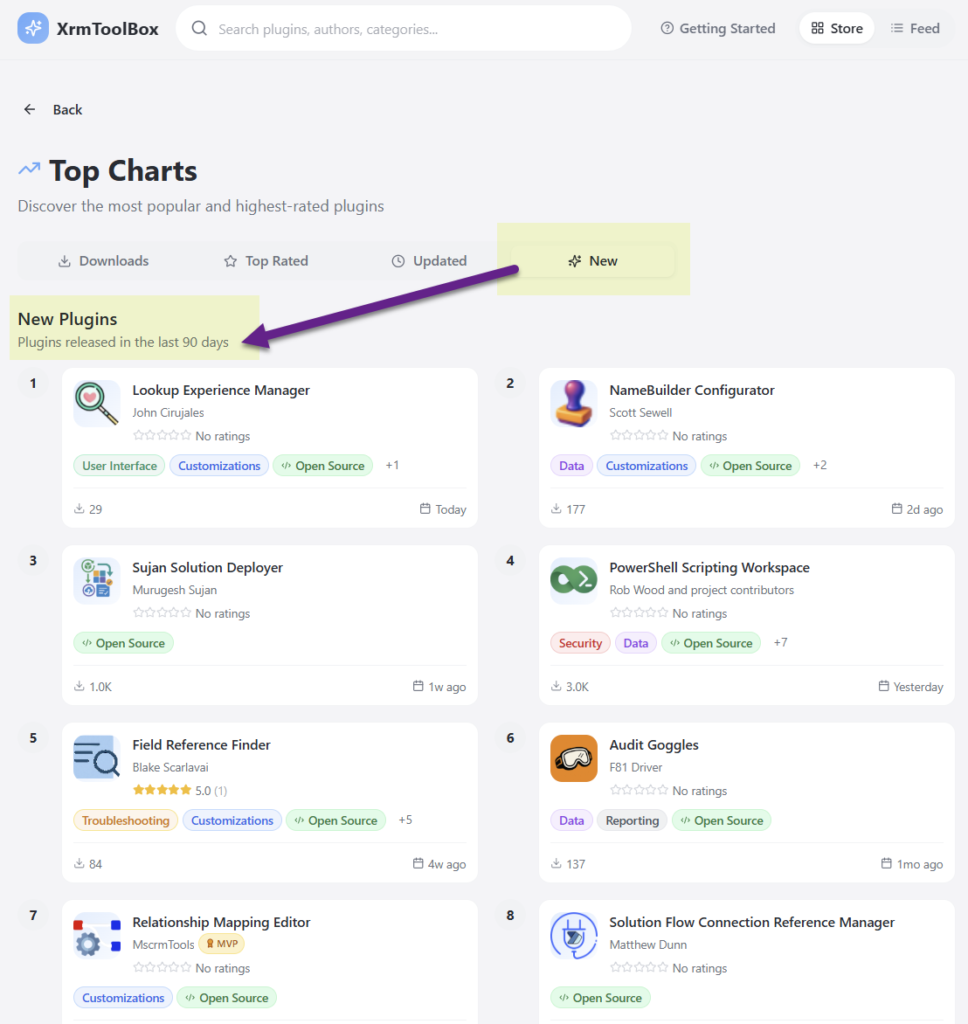
It’s just the same data, presented in a different way. Visually, it’s a React-based site that behaves like you’d expect a website to behave today. But it’s not just about rounded corner boxes and gradients. It’s also about prioritizing content in a way that serves the user better. Such as the Top Charts that allow anyone to check the recently added or updated XrmToolBox plugins from the past 90 days:
I wrote about the launch of XrmToolBox Plugin Catalog in a recent newsletter issue. I didn’t want to repeat myself, yet I was interested in seeing an alternative format for describing the “what”, “how” and “why” of this initaitive. So, I gave the text to Google NotebookLM and asked it to create a presentation out of it. I think it did a pretty nice job:
The site’s repo is on GitHub, obviously. You’re welcome to open an issue there if you encounter problems with the site or have ideas about improvements!
Oh, and don’t forget to support Tanguy Touzard and the makers of all the tools in the ‘Box. The Real Developers who have put in the hard work of writing all the code. Long before LLMs democratized code to such a level where I can today just prompt AI coding assistants and ask them to build pretty websites for me.
In the past, I have written a lot of posts on this blog under the Licensing category. Ever since I moved on to writing my weekly newsletter on beehiiv, there’s been a bit of a conflict in my mind about “where should the licensing stuff go?” Because I acknowledge it’s not necessarily something to casually drop into the weekly articles of Perspectives on Power Platform.
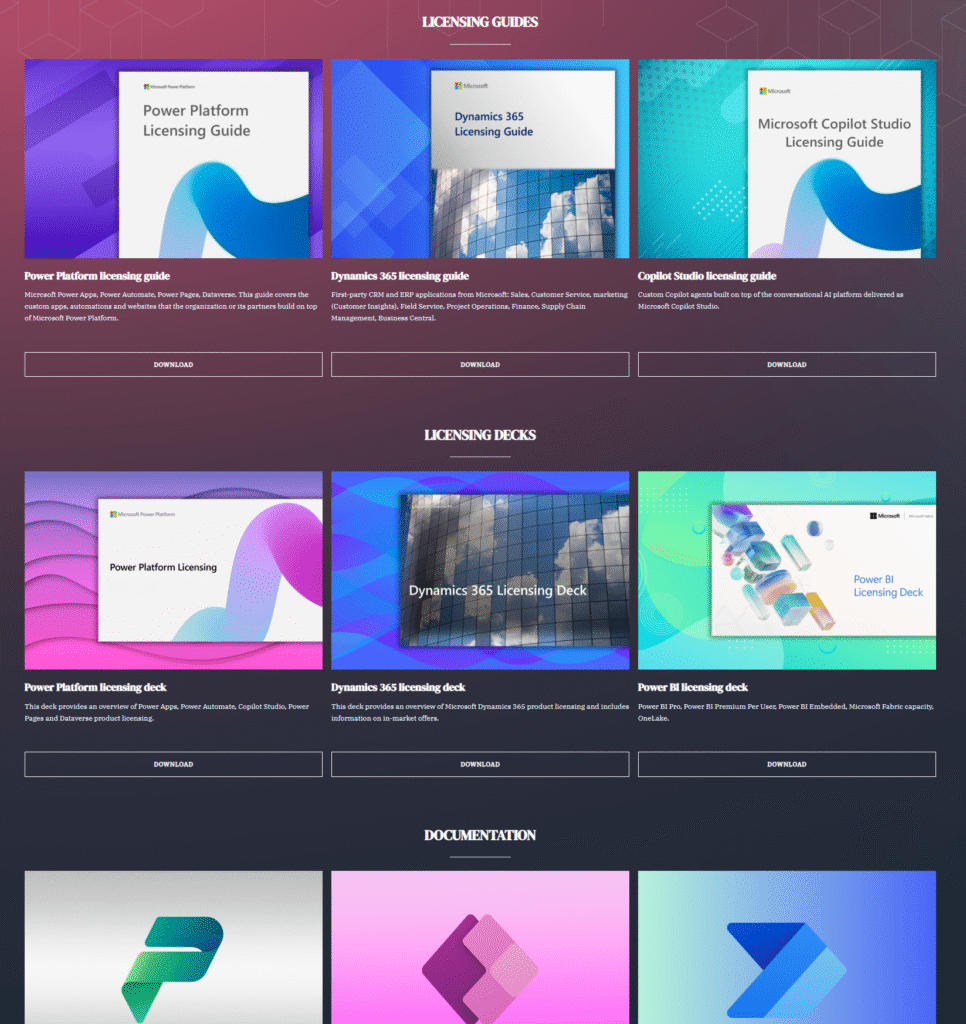
What started out as a fun domain I discovered to be free has now turned into a proper website with both persistent pages as well as blog posts on recent events. True to its name, this site does also provide you the quickest possible way to view the latest licensing guides from Microsoft, via the Resources page:
I figured there’s no point in always going via search engines to the latest guide versions. Or to keep some of the commonly referenced MS Learn pages as bookmarks in my own browser only. Better to just put it out there on the internet.
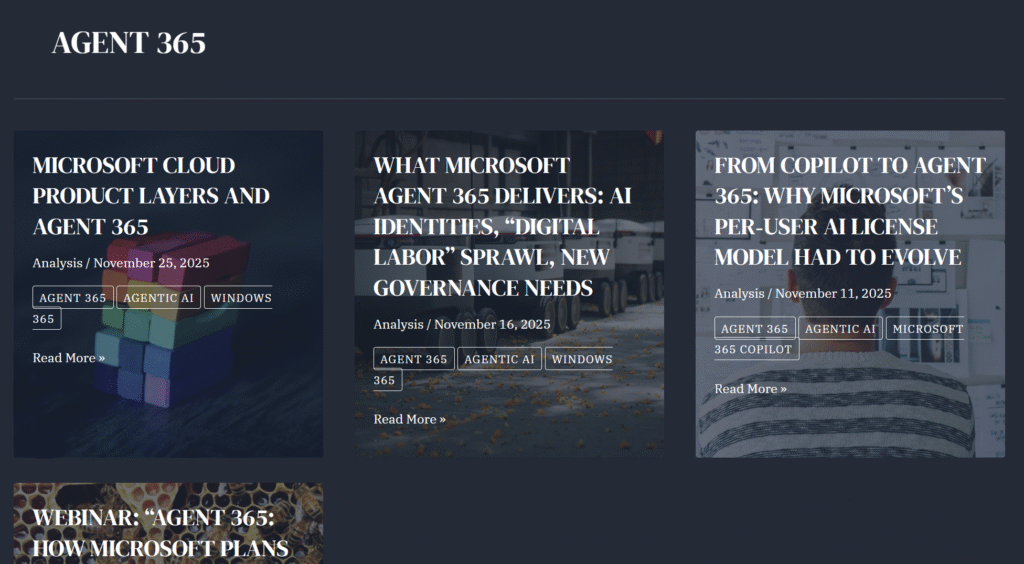
Whenever Microsoft announces something that will shake up their licensing model, like the new per-agent licensing of Agent 365, I will be keeping an eye on the scoops and info leaks as part of this strange hobby that I have. There’s now an obvious place to post these kind of updates, with The Licensing Guide blog section.
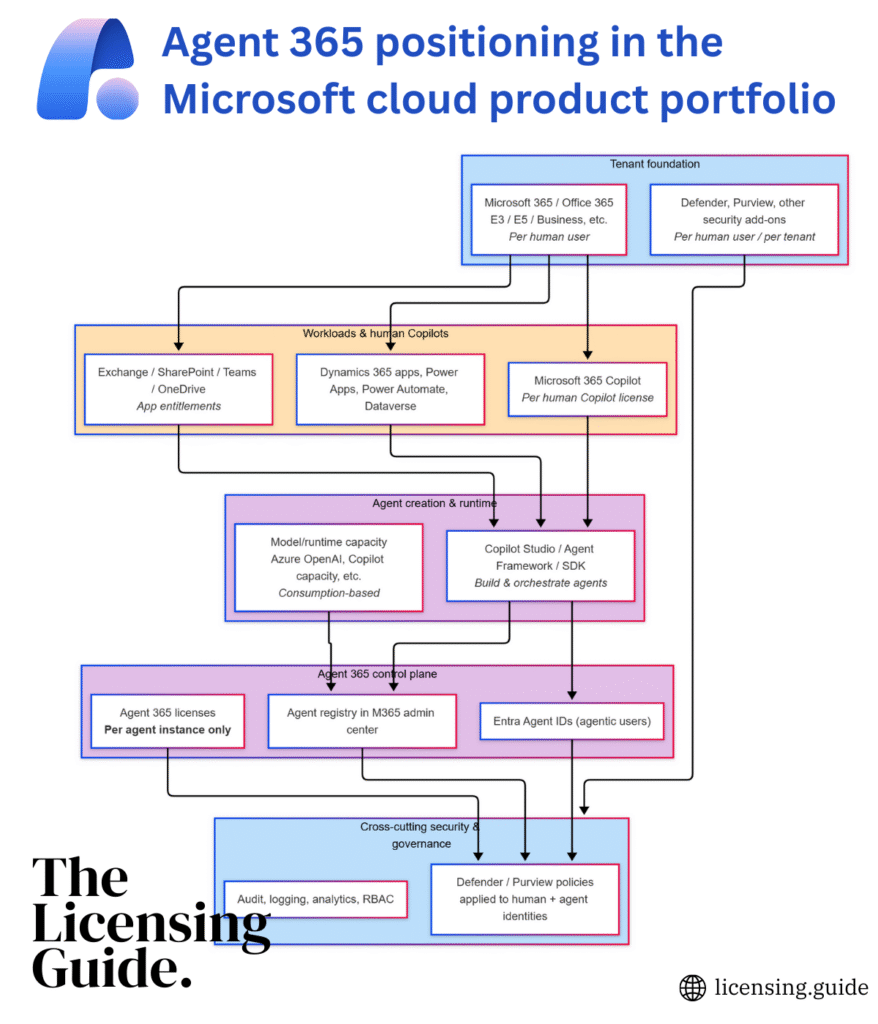
The added benefit of collecting your research into one place is that this makes the data easy to chat about with AI tools. That allows turning the complex new concepts buried in MS marketing lingo into illustrations that explain things without the smoke and mirrors. Such as creating mermaid charts from product documentation. Or constructing alternative FAQ pages from product announcement details and docs, like I did with the A365 FAQ page.
As far as topics in the Microsoft ecosystem go, there’s hardly anything less demonstrable than licensing. Yet occasionally I still get the feeling “I’d want to show this in action”, which is when I might record a quick video and put it on YouTube. Like this latest one about the Dataverse Capacity Calculator I built:
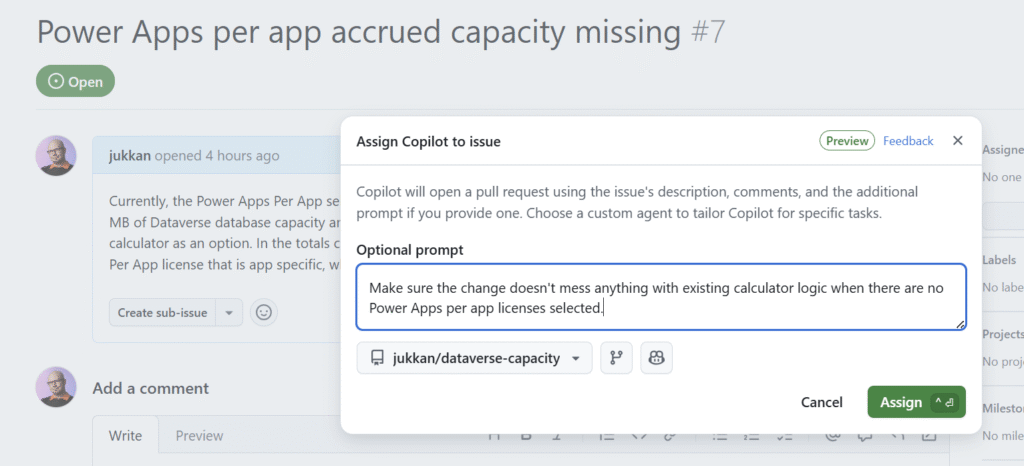
Which gets us to another unlikely combination: licensing + vibe coding. Yet that’s exactly what I’ve done with the above-mentioned Dataverse Capacity Calculator. After having a thorough discussion with my AI assistants about the contents of the latest licensing guide PDFs from Microsoft, I instructed them to “go and build me a calculator with these rules”. Now it’s an actual thing that exists on GitHub. Do I fully trust the output? No, whenever problems are found, I’ll just log an issue and assign it to Copilot.
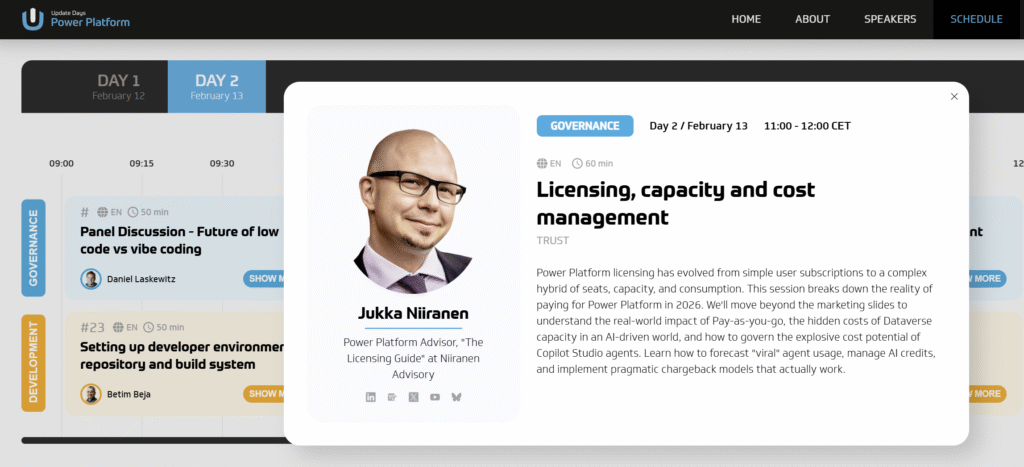
Some might think this isn’t how you should treat serious business topics like software licensing. Yet when I started actively blogging about Dynamics 365 and Power Platform licensing back in 2019, that wasn’t a thing any community member was doing either. These days, you’ll often find licensing-related sessions in community conferences like DynamicsMinds. And even at an upcoming pro-dev conference like Update Days: Power Platform.
I believe the best way to make an impact in this world is to A) find something that people don’t normally do, and then B) just do it. It has been proven to work with citizen development, citizen publishing (i.e. blogging) and all kinds of areas in life.
Remember this, kids: you can be whatever you choose to be. I chose to become the licensing.guide. Because why not? 🦸
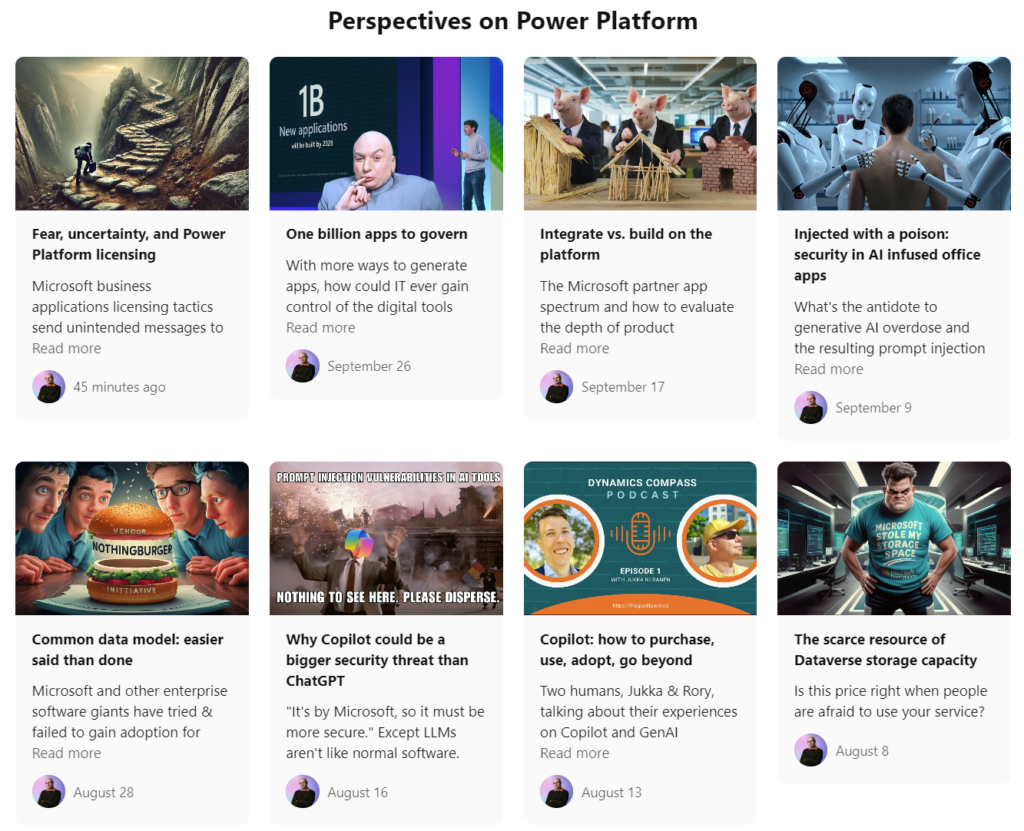
It’s hard to put an exact date on when my Perspectives on Power Platform newsletter was actually launched. In the very first issue, “Start somewhere”, I wrote about my decision to sign up for beehiiv and quickly put in place the foundation on which I could build something.
At that point, in March 2024, I did not yet know what exactly I was going to build. After the health challenges I had just gone through, I knew I needed to stop doing things in a way that kept me from getting better. The 11 years of being in the Microsoft MVP program had taken their toll on my mental wellbeing. Co-founding and promoting a Power Platform consulting company alongside my voluntary community activities turned out to be an unsustainable model.
Not a big surprise, and not anyone else’s fault either. I had chosen this path, now I just needed to find a new path forward. Today, it feels like this is indeed happening.
To write again
After taking a break, I quickly discovered that I still have a burning passion for writing. I just needed the right place and format for it. With Twitter now gone (to s***), I developed a habbit of creating quick posts / hot takes on LinkedIn. Regardless of their algorithm being a similar jerk as any other big social media, I learned to live within the limits imposed there. The higher character limit of a LinkedIn post suited me well, allowing me to express complete thoughts rather than just a couple of sentences.
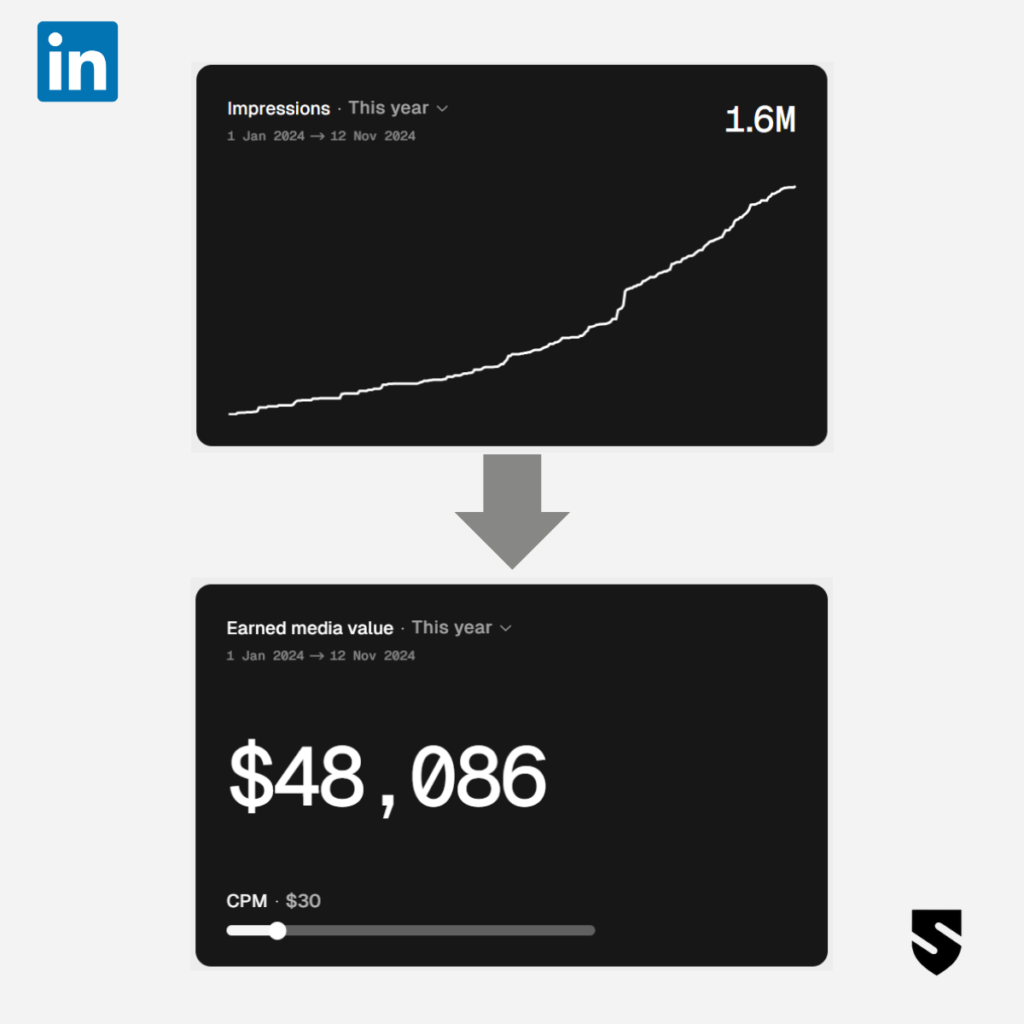
My audience started to grow. Much faster than what I ever experienced on Twitter. At some point, due to the poor analytics that LinkedIn themselves provide, I chose to pay for a 3rd party tool, Shield Analytics. The most important feature turned out to be the ability to search for my past posts (yes, LinkedIn is terrible with basic content management). As a nice bonus, it draws charts on how the engagement levels are doing compared to previous time periods. You could even simulate what a similar audience reach would cost you if you paid for it via sponsored content campaigns rather than just writing catchy posts.
Social media companies are not your friends, though. They aim to own the content that is created by the users and choose how/when it is presented. More importantly, they want to own your network – so that they can charge money for selling it back to you, should you want to reach them with your message. Connections, followers – those are just numbers shown to keep you hooked on the potential audience.
Newsletters, on the other hand, are about forming the direct connection between the publisher and the subscriber. Algorithms won’t determine who sees what – the humans on both ends get to choose that. I think it’s a much healthier basis for communication, rather than relying on the gamification mechanisms in social networks that can change on a whim.
While the themes that I write about may be the same regardless of the channel, the newsletter offers me a way to think deeper. I’ve developed the habbit of looking at what I personally react to online, what my network is saying, what type of social posts I create – then analyzing it from the different perspectives as part of writing my long form Perspectives into the newsletter.
I feel that it’s started to work pretty well. I’ve allowed myself to take time in exploring new themes around GenAI and cybersecurity, as well as reflecting on the past/present/history of Power Platform. Many of the topics are either the result of talking with new people or they have resulted in new connections being formed. Those are crucial KPIs in the end. 1) Does it feel meaningful to myself? 2) Does it activate others to do something new? And last but not least: 3) does it gain traction from the online audience in general?
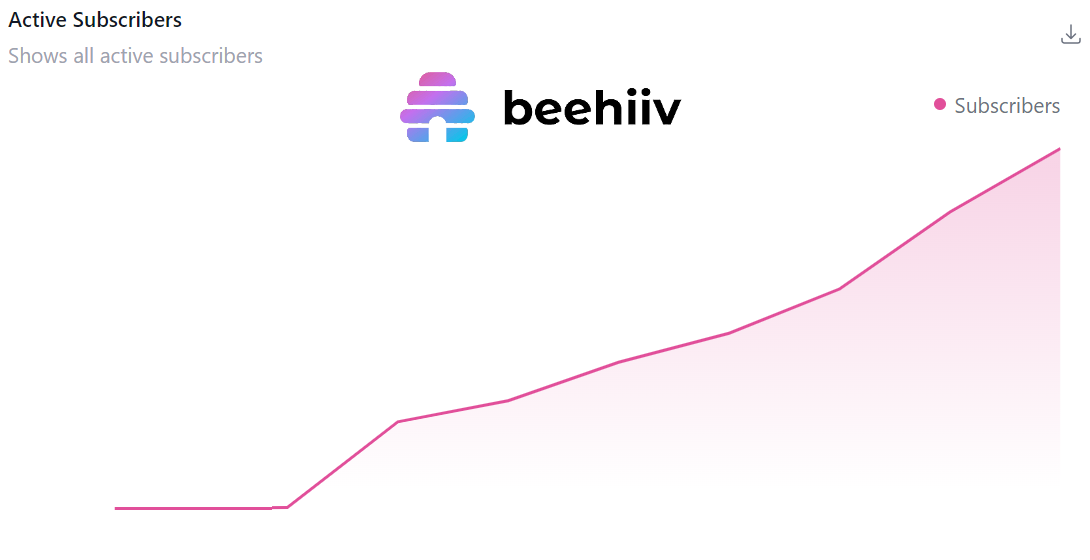
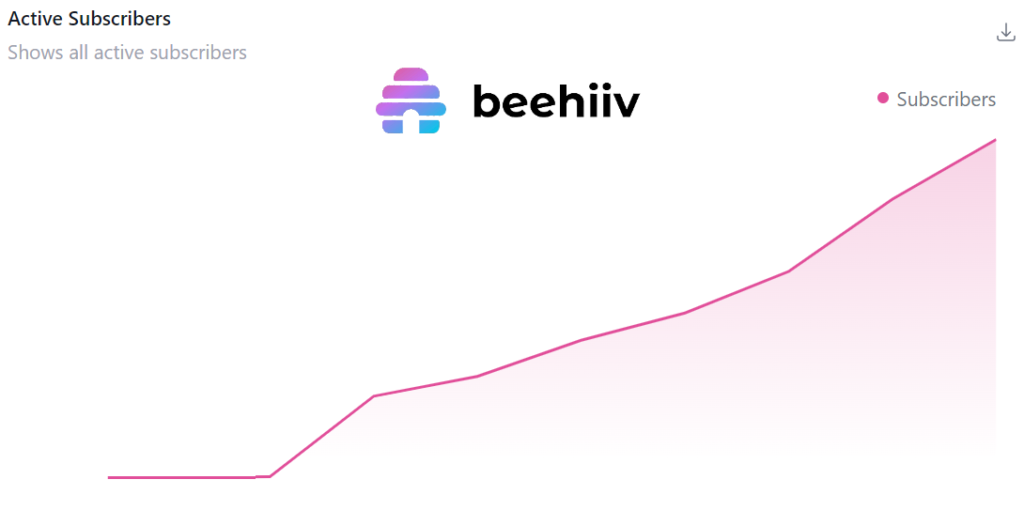
I’m not going to disclose the exact stats on how many readers there have been for the newsletter. Let’s just say that I’ve been delighted to see a constant flow of new subscribers that have intentionally said “yes, please, send me more emails like this”. It feels special, every single time.❤️
More recently I’ve had the courage to say “if you want to read this article, please do me a favor and create a free subscriber account”. After all, this ability to stop just any AI bots from scraping your content and using the data for providing answers without zero attribution to the original source was one stated reason why I chose to transition from blogging to writing a newsletter.
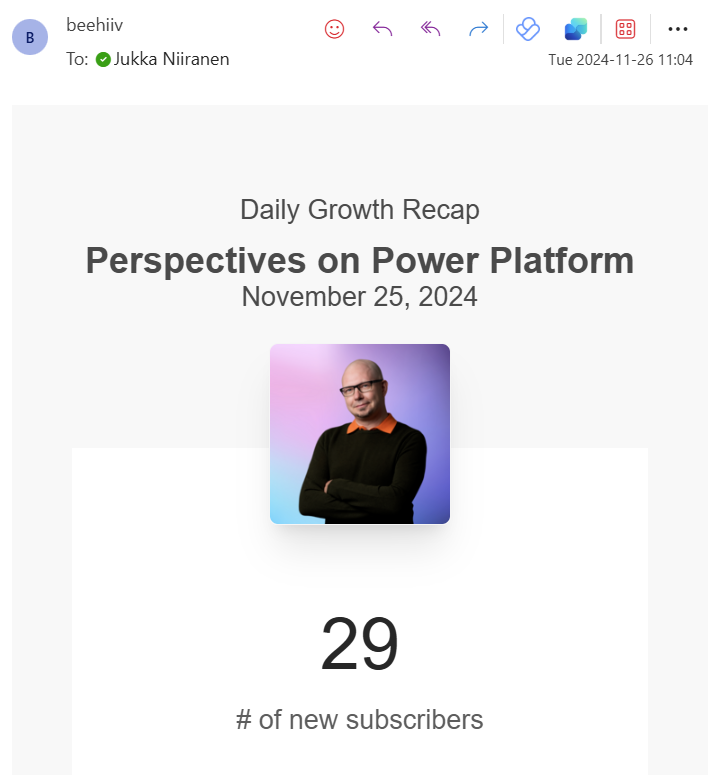
The conclusion is: these walls do work. If on a normal day I’d get a beehiiv daily growth recap message with 2-4 new subscribers, requesting a login can make that grow 10x.
Is AI really eating the tech blogging world then? I believe it is happening on some level. This insighful article from MVP Tony Redmond who runs sites like Office365ITPros.com explains the impact that LLM generated answers to tech questions are having on website traffic. If you used to have a business that relied on people discovering your site via “how to” queries on Google, that model is becoming less and less viable every day.
The tools that shape us
Regardless of what we as individuals think about generative AI, it exists. It changes the world around us, whether we use it for a particular task or not. I haven’t yet fallen in love with Microsoft 365 Copilot, but I talk a lot with my ChatGPT every single day. It has become a virtual personal advisor in exploring areas that are less familiar to me in technology, business and life. It would be difficult to live without it. But does it replace online searches, though?
I have already mostly abandoned Google. However. I did not replace it with AI, but rather a search engine that I pay for with money – not with my data and privacy. Kagi has been an awesome experience that not only meets my everyday search needs; they also sent me a beautiful yellow T-shirt! I’ve learned that an ad-free search engine that doesn’t try to actively deceive me into clicking sponsored links is still highly useful in the year 2024.
These shifts in user behavior resulting from advancements in the field of AI will mean more & more people question whether their de facto digital tools they’ve relied on are the right choice anymore. This is happening all around me. Even on this very place where I am now writing this text and you are presumably reading it (unless you are one of the remaining RSS feed fans): WordPress.
I have been a WordPress user for as long as I remember. Well, okay, so I do still remember my initial blogging experiments with Blogger and Drupal. Once I went with WP, though, there was never a true reason to look elsewhere. It did everything I needed, and was able to adapt to whatever new requirements I came up with. Not only did it serve as a personal blog engine, it also powered many professional websites along my journey.
When all you’ve got is a WP hammer, every problem looks like a blog post nail. While being a versatile and broadly used platform means there is a huge community around it to give tips, build plugins and sort of keep all your options open – you are still thinking within that WP box. You keep publishing openly available blog posts as web pages, like you’ve done for 16 years already. You can’t just stop doing what you’ve always done, right?
The big wake up call for WP bloggers came from the mothership. The founder of WordPress has shown that even though the wordpress.org side is operating as a non-profit, the commercial arm of wordpress.com has the ultimate control over the software. The public dispute that Matt Wullenweg started in September by calling WP Engine “a cancer for WordPress” has since escalated into a complete collapse of trust in WP.
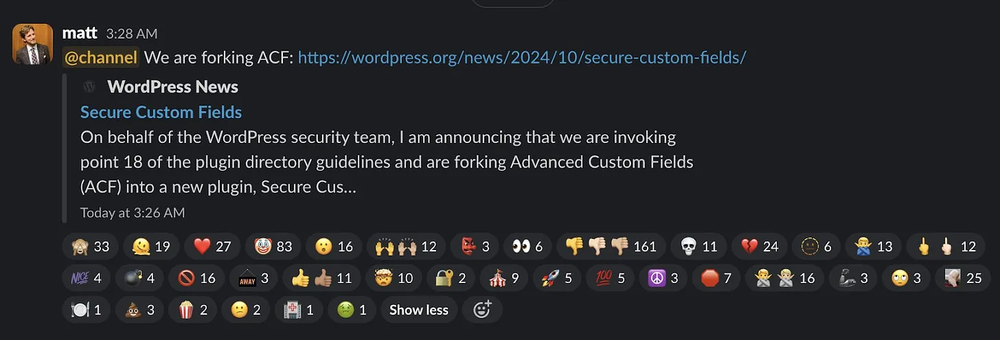
Automattic (the creator of WordPress, led by Matt) and WP Engine are both big hosting providers for WP sites. Now, they’re only talking through lawyers, with WP Engine having sued Automattic for “abuse of power, extortion and greed”. In response, Matt and Automattic decided to literally steal a commercial plugin developed by WP Engine and publish it as their own. It’s the craziest thing I’ve seen in the CMS space yet the proof is everywhere in the source code.
With beehiiv, I had already taken the first step to publish content somewhere outside of the WP kingdom. During the past few months, there’s been a steady stream of product updates that make me miss the WP ecosystem less and less. Most importantly, I feel that the mechanism of a newsletter is providing a better connection not just between me & my subscribers – it also makes me want to write more. That’s not exactly a plugin you could just add to a WordPress blog. It’s about a whole different product design approach.
Will I still be maintaining this WP blog then? That’s a good question. Since my regular content posting is on the newsletter site anyway, I technically could get everything I need from a static website. Briefly exploring the world of SSG’s (static site generators), I tried spinning up a Hugo site, running on Netlify. However, I very quickly realized that the Git repo driven content management workflow was not something I would replace my WP site with.
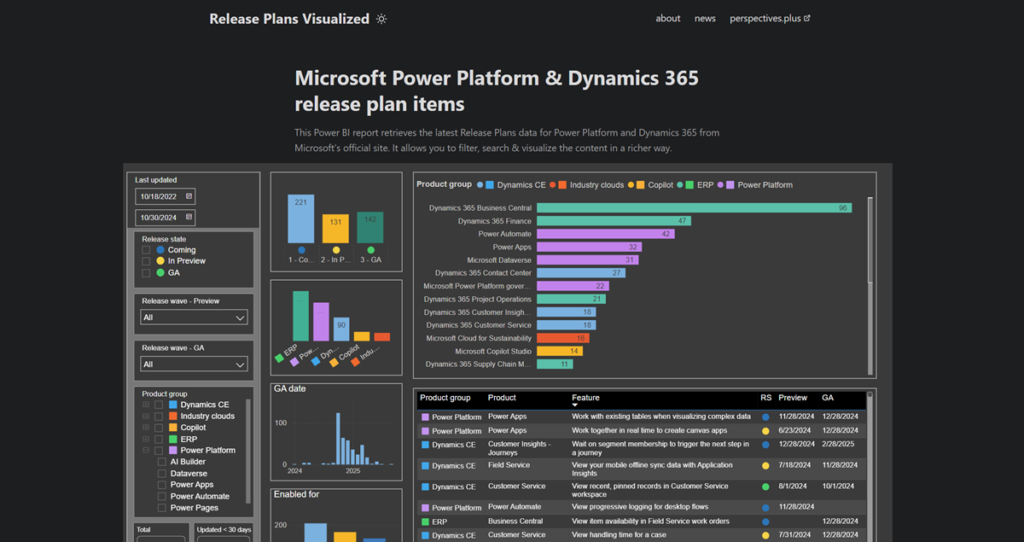
I decided to give this SSG approach a go in a different context, though. When developing an alternative way to visualize the release plans for Power Platform and Dynamics 365 than what Microsoft’s own Release Planner site offers, I ended up publishing releaseplans.net as a Hugo website. Now, that site lives as a GitHub repo for the source code, while I do the content updates in Visual Studio Code.
I have of course already covered this topic in my newsletter:
I’m in the process of creating a “proper” website for my company, Niiranen Advisory Oy. That will also not be a WP site but something different. Stay tuned for an update in the not too distant future.
What’s coming next
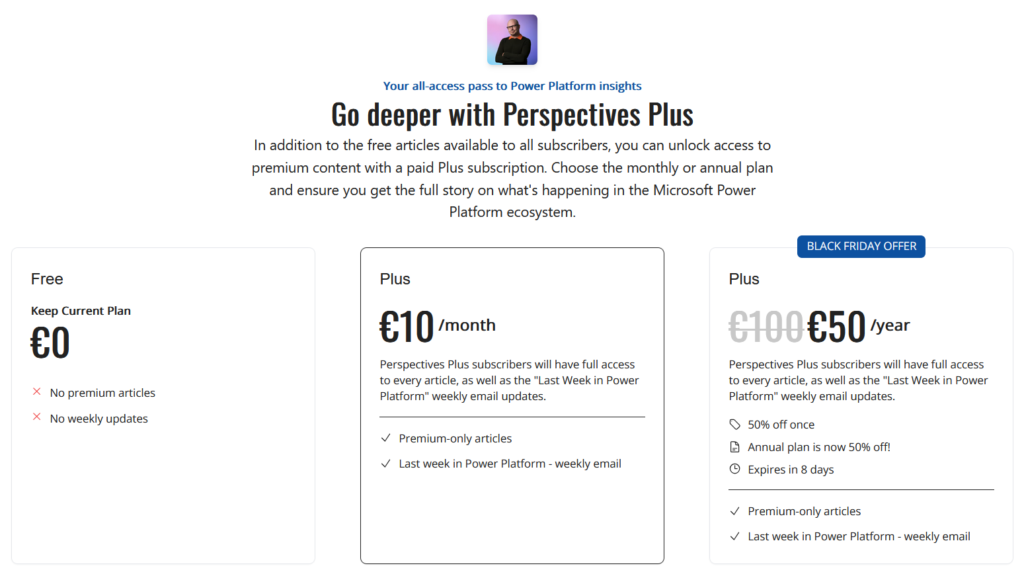
The idea behind the domain perspectives.plus was always to make space for something more than just a direct replacement of this blog. Today, that idea has reached the state where Perspectives Plus is a real thing anyone can subscribe to:
There will always be a free version of the newsletter available. In addition, I will keep on sharing as much as humanly possible on social media channels like LinkedIn, Mastodon and Bluesky. Because that’s just who I am and how I work: with extreme transparency.
What the paid version of Perspectives Plus offers is a commitment from me to the subscribers. Rather than merely using these publishing platforms as my own strange form of public therapy, I will now aim to deliver something worth paying for. Right now, it will consist of weekly emails covering recent news and events in our ecosystem (see free example issue). There will also be premium-only articles that dive deeper into the persistent challenges and possibilities in and nearby Microsoft Power Platform. Leveraging my lessons learned and observations made during my 19 years with this ecosystem.
It is again the start of a new phase for me. Previously it wouldn’t have been either possible or sensible for me to launch a paid newsletter. Now it is, so it has to be done. Then, make adjustments along the way as you learn more about what the audience wants and what I can deliver.
This is also the first time ever since I can launch an actual Black Friday offer!🎉 For a limited time, you can get 50% off the annual subscription price of Perspectives Plus. Tell your friends and family that this is the perfect Xmas present for them (if they happen to work with Microsoft technology, that is). Use this offer link.
One final tool related thing. In the last 4 years that I was in charge of creating the everyday visuals for social content of a boutique consulting company, I learned to enjoy Canva. It’s a great example of a citizen tool that allows people with little professional skills yet enough determination to create graphics for whatever purpose. So, to close things off for this blog post, enjoy the promotional video clip I created for spreading the Black Friday offer message in my social feeds:
In this age of online commerce, and especially when selling digital subscription services, one might think that the online storefronts of large corporations would contain accurate product descriptions. Or that at least it wouldn’t take many years for incorrect information to get fixed.
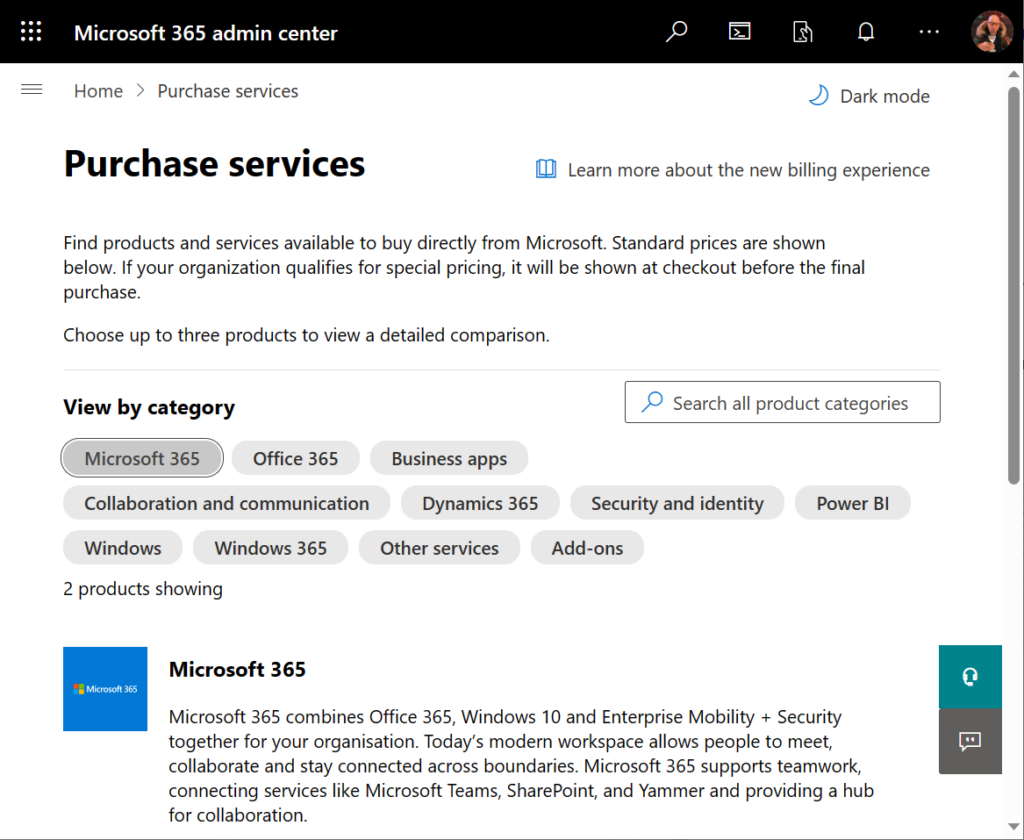
Neither of these assumptions are correct when dealing with Microsoft 365 admin center’s online store, a.k.a. the “purchase services” tab. The detailed information that is shown to customers who are looking to purchase Power Apps licenses is not valid in this portal. It hasn’t been valid for close to 4 years now.
During the past couple of years, I’ve tried every imaginable channel for contacting Microsoft about this. I’ve reached out to MS partner forums dedicated to licensing information. I’ve posted into Microsoft MVP program related forums dedicated to MS Business Applications licensing information. I’ve reached out directly to the product team who owns Power Apps.
Nothing has helped in getting this information fixed. Which means that I must assume it will never get fixed. The only way to communicate about this to the people who suffer from it (customers, partners) seems to be in writing a blog post like this.
Let’s take a look at the online commerce experience for someone who’s got a Microsoft 365 tenant and wants to purchase Power Apps licenses directly from Microsoft. In this scenario we want to specifically understand the options provided in the subscriptions called “Power Apps per user plan” and “Power Apps per app plan”.
Finding Power Apps products from Microsoft 365 admin center
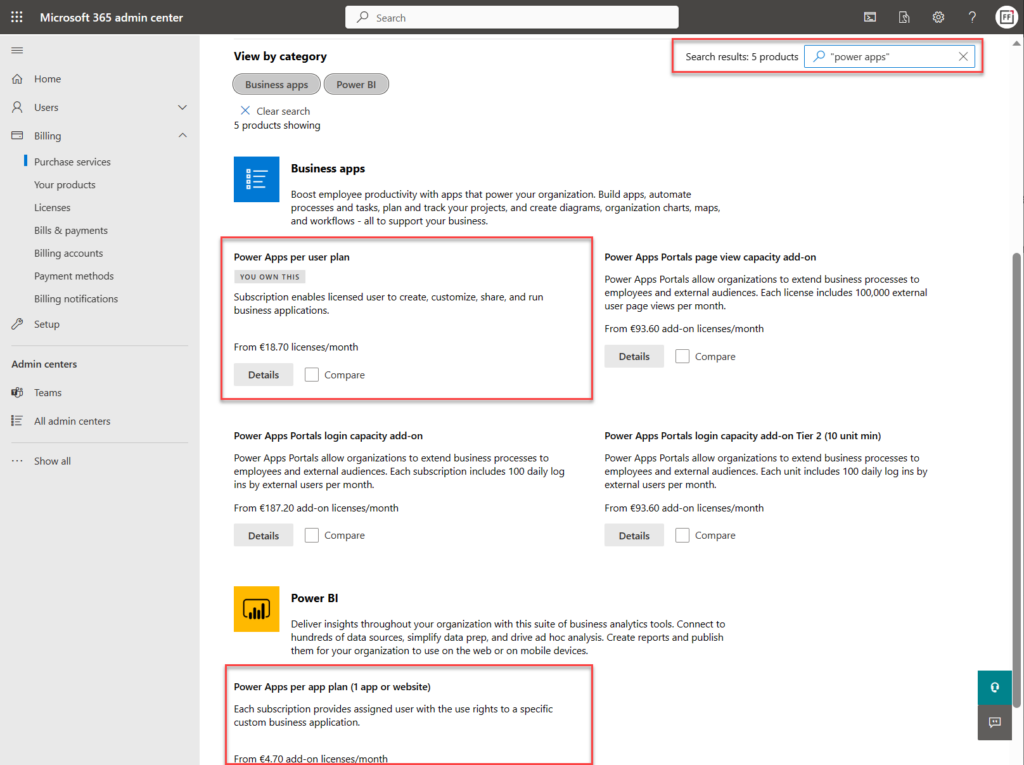
The first hurdle will be in finding the products. One might think that Power Apps would be listed under the “Business apps” category (since there isn’t a category called “Power Platform”). However, we only find the Power Apps per user plan from that category.
Let’s try a text search. Searching for “Power Apps” (or the old name variation “powerapps”) gives us the results we were after, yet in a surprising place:
Why on earth would the per app plan be categorized under “Power BI”? Well, for the same reason I need to write this blog post. The product information under Microsoft 365 admin center is simply wrong in many cases. This specific miscategorization has been in place for several months now, as an example.
Comparing Power Apps product features in Microsoft 365 admin center
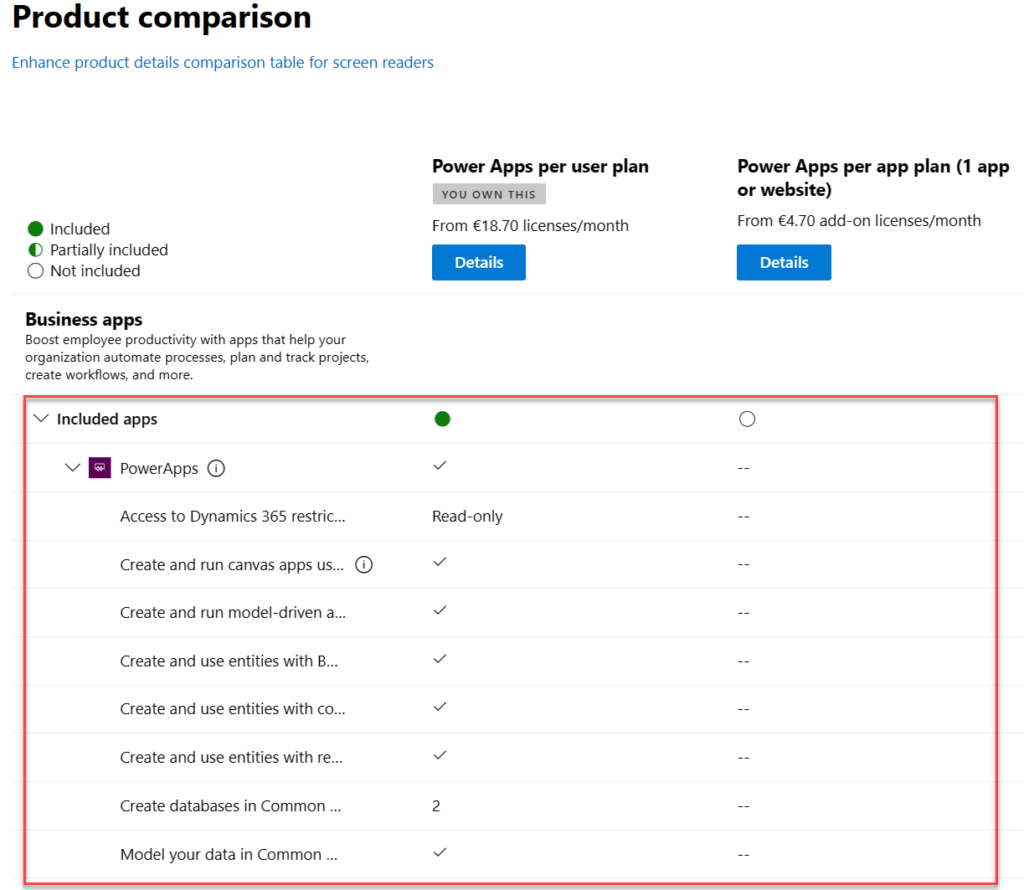
Now what we’ve got the 2 Power Apps SKUs (“stock keeping units”) on the same results page, we can tick the “compare” box on them. Upon opening the comparison page, this is the result we get:
There is absolutely nothing right about these product features. Even the product name and icon in the comparison section are outdated. They refer to the old SKUs of PowerApps Plan 1 and PowerApps Plan 2, which were replaced by the Power Apps per app plan and Power Apps per user plan on October 1st, 2019.
The problem is, someone responsible for the commercial information managed in the Office 365 / Microsoft 365 online store didn’t understand this change was not simply a rebranding. You can’t just replace “Plan 1” with “Per App” and get away with it. Someone truly missed the memo of Charles Lamanna when he announced the change on July 25th, 2019.
“We are also removing feature and capability differentiation across the paid, standalone PowerApps and Flow user-based plans. All customers will be able to benefit from the full features of the services, regardless of which plans they purchase. Key concepts like complex entities, or model-driven applications, will no longer be available in only some of the licenses.”
Taken from “New licensing options for PowerApps and Microsoft Flow standalone paid plans” on Power Apps product team blog
Let’s look at the list of features that are presented in Microsoft 365 admin center ~4 years later and see what errors we can spot:
“Access to Dynamics 365 restricted entities.” It used to be read-only for Plan 2 and no access for Plan 1. Today, the entities (nowadays renamed “tables”) categorized as restricted are read-only for any Power Apps license. Also, everything else has full CRUD rights.
“Create and run canvas apps using common data service for apps”. First of all, “Common Data Service (CDS) for Apps” as a term was replaced with Dataflex…sorry, Dataverse, quite some time ago already. Both Per App and Per User today have identical right to using this, unlike what the comparison table claims.
“Create and run model-driven apps using Common Data Service for Apps”. Showing this as not available in Per App is entirely false. As anyone reading the memo from Charles would have spotted: “Key concepts like complex entities, or model-driven applications, will no longer be available in only some of the licenses.”
“Create and use entities with Business Rules and async workflows”. Available in both Per User and Per App licenses, unlike what the product comparison table says.
“Create and use entities with code add-ins”. Sigh… See above.
“Create and use entities with real-time workflows”. Oh come ON! See above.
“Create databases in Common Data Service for Apps (per user)”. Ooh, what an ancient relic this line is! Saying that Power Apps per user plan allows you to only create 2 databases has no basis whatsoever in the current licensing model. Customers can create as many Dataverse environments (meaning CDS / XRM databases) as their available storage capacity permits. Furthermore, today anyone can create up to 3 Developer environments for themselves, without having any premium Power Apps license.
“Model your data in Common Data Service for Apps”. Does anyone still want me to explain to them that there’s no difference between Per User and Per App entitlements here? No? Good. You got the memo then.
Closing thoughts
For those of use who have been tracking the platform evolution of MS Business Applications over the years, it’s pretty much business as usual to encounter MS materials and information that reference outdated versions of products. The names change, the icons change, the licensing models change – this happens all the time and we’ve come to expect it already.
If you don’t have prior experience on the commercial aspects of Microsoft’s product stack, though – this can be highly confusing. Imagine that you’re trying to compare different low-code application platform vendors and the information provided by the online store is like what we’ve seen above. Not the best way to build trust and convince customers that the pricing model is transparent.
Why does this happen then? Why aren’t the product details updated in customer facing portals? Well, I don’t think anyone intentionally wants to mislead the audience here. I believe it’s simply a reflection of how inside a huge corporation like MSFT it can be very difficult to coordinate such updates. Every time some product gets “reimagined” there must be a million places that would need attention internally at Microsoft (us partners surely feel the impact, too). Sometimes the friction in the systems may just be too great to overcome, such as in commerce engines like Microsoft 365 or technical dashboards like the Azure portal.
Power Platform products and pricing
If you’re interested in seeing the Power Platform product prices on a single page, take a look at a summary that I’ve created for my own reference: Price points of Power Platform. I can’t promise it to be always up to date either, but at least I have a lot less bureaucracy to overcome than the official channels.😁
Last time when the 2022 Release Wave 2 was announced, I wrote about why you should not pay too much attention to these bi-annual release plans. Instead I was encouraging everyone to start using the Release Planner website that listing all the planned and recently launched features as a roadmap site with no artificial boundaries between “waves”.
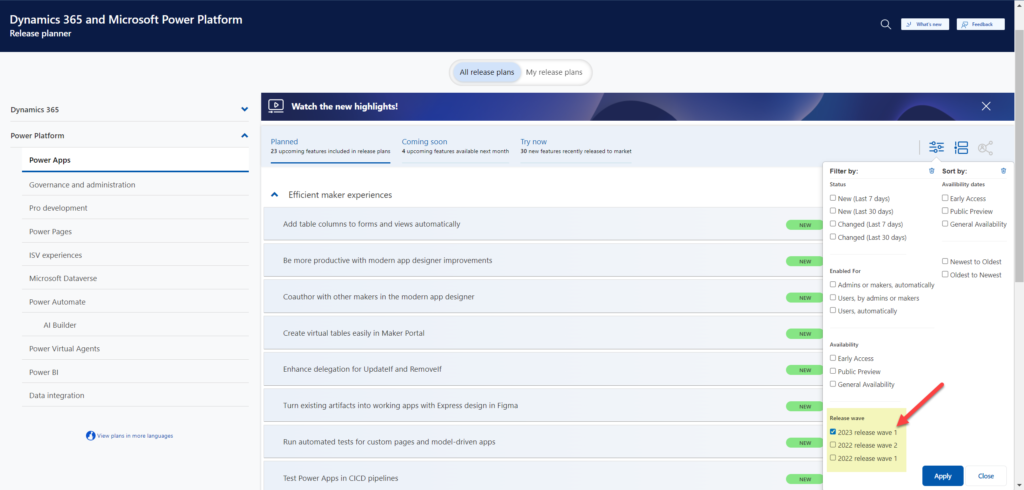
Now when the 2023 Release Wave 1 materials were launched today, Microsoft defaulted to pointing people to this Release Planner site (here’s the Power Platform 2023 RW1 link). Of course the challenge with that approach is that all the hot new stuff is just behind one small “release wave” filter in the list:
There are still some usability challenges with the Release Planner site that have kept me browsing through the Microsoft Docs Learn when looking for release item information. So, here’s the “switch to classic” bookmark that will take you to the MS Learn edition of the same release wave information: https://learn.microsoft.com/en-us/power-platform/release-plan/2023wave1/
There was now a nice higlights video made on the Power Platform 2023 Release Wave 1 launched on the very same day as the release plans were published. The challenge with this kind of material is that you can’t really show realistic demos about features that might be launched half a year from now, so keep that in mind when watching the video.
As always, there’s a lot to digest in the plan and you might therefore be interested in reading the hand picked top items by some trusted folks in the Power Platform community. As a purely subjective opinion, here are the top 5 items in 2023 RW1 that I was initially most excited about when reading through the plan.
Fluent UI everywhere
We’ve seen the concepts and components from Microsoft’s Fluent Design System introduced here and there when it comes to Power Apps and Dynamics 365 app UIs. The Power Platform Creator Kit has brought Fluent UI controls available to canvas apps built by advanced makers. Demos of the future model-driven app UI have included features like dark mode that are familiar from the more modern product UIs on the Microsoft 365 side. Now with 2023 RW1 there should finally be a wider roll-out of these modern controls for the MS low-code application platform, too.
You may remember that small tweaks to the model-driven UI have been taking place in pretty much every release wave. This update should be a lot more impactful than the previous ones – which is why it will be rolled out behind an opt-in switch initially. You can expect some things to break in the process, so it may take a while before MS will dare to push it out to all users by default.
Canvas apps, on the other hand, have been living in a split reality for a long time already. Dataverse for Teams based Power Apps have used the Fluent UI controls since forever, causing friction for app development across Teams vs. full Power Platform environments. Hopefully this coming update will now bridge the gap and get us closer to the dream of “Run One UI”.
Responsive canvas pages design experience
The one place where model-driven apps have felt clearly superior to canvas apps in their UI capabilities has been the responsiveness of the screen layout. Their many constraints on adjusting how the menus and forms can (or rather can’t) be configured have in turn made it amazingly simple to adjust to different screen sizes. The platform handles it out of the box, the maker doesn’t have to worry about it much at all.
Building responsive canvas apps has been technically possible, yet something that feels quite tedious. I’ve mostly had to deal with responsiveness in apps built in Dataverse for Teams, where worrying about which fields, columns and buttons fit onto the screen when surrounded by the Teams UI chrome has been one of the unavoidable everyday frustrations.
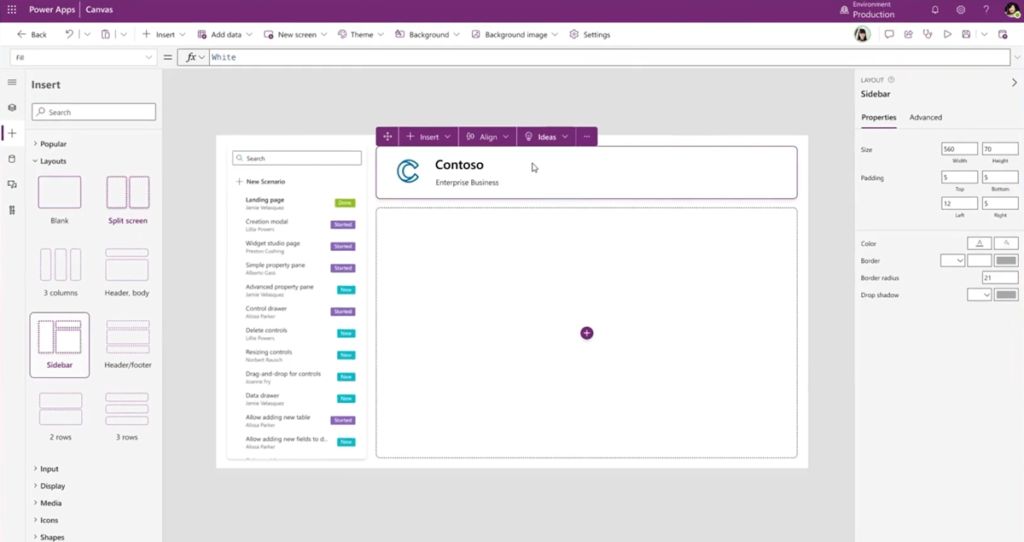
2023 RW1 release plan gives us a glimmer of hope by showing a screenshot of the coming responsive layouts and spacer tools in the canvas studio. The ability to resize controls and spacing directly in the authoring canvas could greatly reduce the effort needed in achieving sufficient levels of app UI responsiveness. Not on the same level as model-driven for sure, yet it could offer a decent compromise between precise control positioning and responsive reflow of controls on the page.
Control system administrator role assignment
No matter how granular the security model in Dataverse is, this granularity has vanished when you go up to the admin roles. Every Global Admin or Power Platform Admin will automatically be granted the sysadmin role for every Power Platform environment in the tenant. While it makes sense that people with powerful roles get wide access, it is often not desirable that such user accounts would by default see all data, be it via UI or API. After all, usually the admin roles need the power to change settings and work on the metadata – not the actual business data managed in Dataverse.
Now MS is promising that customers will be able to manually assign the System Administrator role to appropriate users in the environment. This is a very welcome feature to have control over the auto assignment, even though we don’t yet know now exactly what process will be built around this. Also keep in mind that certain governance features like this might get bundled into the Managed Environments capability, which would limit its available to premium licensed users only. Let’s see how it goes.
Personal environments with Dataverse
It has already been possible for users to sign up for the Power Apps developer plan – as long as they are aware such a thing exists and find the right path to acquire it. Now MS is going to promote these type of environments to Power Platform makers much more prominently within the product. They will be called “personal environments” and the idea is to lower the barrier for all makers to experience premium capabilities like Dataverse.
Unlike trials, personal environments won’t expire. Unlike sandboxes, the makers won’t need help from the Power Platform admins of the tenant to get a personal environment provisioned. There will be new governance capabilities introduced that give admins the possibility to disable this feature if required, yet hopefully most organizations wouldn’t need to introduce such a limit. Personal environments don’t consume tenant level capacity, so as long as there’s a solid governance plan in place to apply DLP policies, the risks should be fairly low with these personal environments.
Check out this Power CAT Live video for more details about the developer plan and its enhancements (YouTube embedding disabled by Microsoft): https://youtu.be/yXRSnN2AWTs
Paginated reports editing on the web
Back in 2006 when I got introduced to the technology that later became Power Platform, the one area that struck to me as incredibly difficult was report creation. SQL Server Reporting Services had just replaced Crystal Reports with a native Microsoft technology in the stack. While there was plenty of advanced features available for summarizing data, the number of hoops you had to jump through to get any of the business data from the relational database onto a PDF output made sure that only the bare minimum number of reports were ever created.
The age of Power BI unlocked this precious data from the enterprise reporting tools and allowed basically anyone to slice & dice it to their heart’s content. Yet the paginated report design tools didn’t seem to evolve quite as rapidly. Neither was there much (well, any) progress made on the Word mail merge side for making it easier to produce documents with dynamic data. Recently many Makers have gone ahead with Power Automate and used HTML as the intermediate format on the road toa PDF output. None of these methods have really been very citizen friendly.
Is this about to change now? In 2023 RW 1 Microsoft is going to allow you to create and share paginated reports on the web, through a WYSIWYG design experience. “Create invoices, financial statements, and other operational reports with low code, drag-and-drop experiences on the web. You can share these in a variety of formats or just print them out!” That sure sounds like something most customers would prefer over the existing options for using dynamic data in documents. Let’s see how far this first iteration of the new editor in Power BI will get us once it arrives in the summer.
What’s missing from the plan?
To better understand the direction of Microsoft products, you should not just get excited about the features MS actively advertises. You should also search for things that are not mentioned. This will help in seeing behind the product marketing hype and making smarter decisions on your own investments of time and other resources.
Microsoft Teams doesn’t get much love in the Power Platform release plan. On the Power BI side there is the new teams meetings integration and enhancements to multi-tasking in the Power BI app for Teams. Power Automate touches on Teams in the sequential approvals feature. And that’s pretty much it. No word whatsoever on whether MS plans to keep investing in Dataverse for Teams, for example, which seems to have been largely abandoned after the initial launch 2 years ago.
If we ignore AI Builder, there aren’t too many mentions of products delivering shiny new features with the help of AI. Given how much talk there has been about Microsoft investing billions of dollars more into OpenAI and bringing ChatGPT features into their existing products, this could surprise the reader. Now, it’s important to understand that these release plans for the release waves are hardly ever the place where big splashy announcements like that are made. They are more about the incremental improvement of existing products.
Remember: new things will appear into the release wave between now and September 2023 (end of the wave). Similarly, we can expect a certain percentage of items in the release plan get delayed, postponed to a future release wave or cancelled entirely. Remember to keep an eye on those changes on a regular basis, instead of just studying the Power Platform roadmap twice a year.
Of the things that were added to the plan during the 2022 release wave 2, Cards for Power Apps does not exist at all in the new release plan. Does that mean it’s “done and ready”? No, it’s just sitting in the release plan from the previous round with no GA date and still a lot of things to be improved before being ready for real life use.
Looking at much higher profile initiatives on the same area, Microsoft Loop still doesn’t seem to be a thing either. ContextIQ is mentioned on the Dynamics 365 Business Central release plan, though. It’s kinda amazing that BC will now be the first Dynamics 365 product to actually deliver on the “no additional license required when working in Teams”promise from 1.5 years ago.
It’s time for the second Thinking Quarterly digest. This post is a collection of my writings on LinkedIn between October – December 2022. It’s both a way for me to reflect back on my thoughts from recent months as well as a chance for the subscribers of this blog to catch up on my short posts from social networks.
These were the topics I wrote about during Q4 of 2022:
Power Platform evolution
Power Platform governance
Power Platform security management
Power Platform maker tips
Power Platform adoption
Power Platform licensing
Community tools
AI
Twitter
iPad
After 14 years of actively using Twitter, it now seems inevitable that my presence there will become much more limited. The company’s acquisition by Elon Musk has resulted in such severe erosion of trust in the platform that it’s hard to see it ever fully recover from this.
In the meantime, I’m exploring what the Fediverse has to offer for content sharing and forming of online communities. If you’re also curious to see whether social networks could actually thrive without turning into walled gardens, please do follow me on Mastodon: @jukkan@mstdn.social.
Power Platform evolution
Microsoft is planning to introduce “Power House” apps for customers with premium licensing: [view on LinkedIn]
“The future is a tangled mess of different technologies together.” Listen to this great Power CAT Live episode to hear what Charles Lamanna thinks is the future of IT: [view on LinkedIn]
900+ connectors available already on Power Platform, here’s how to keep track of them: [view on LinkedIn]
Power Platform governance
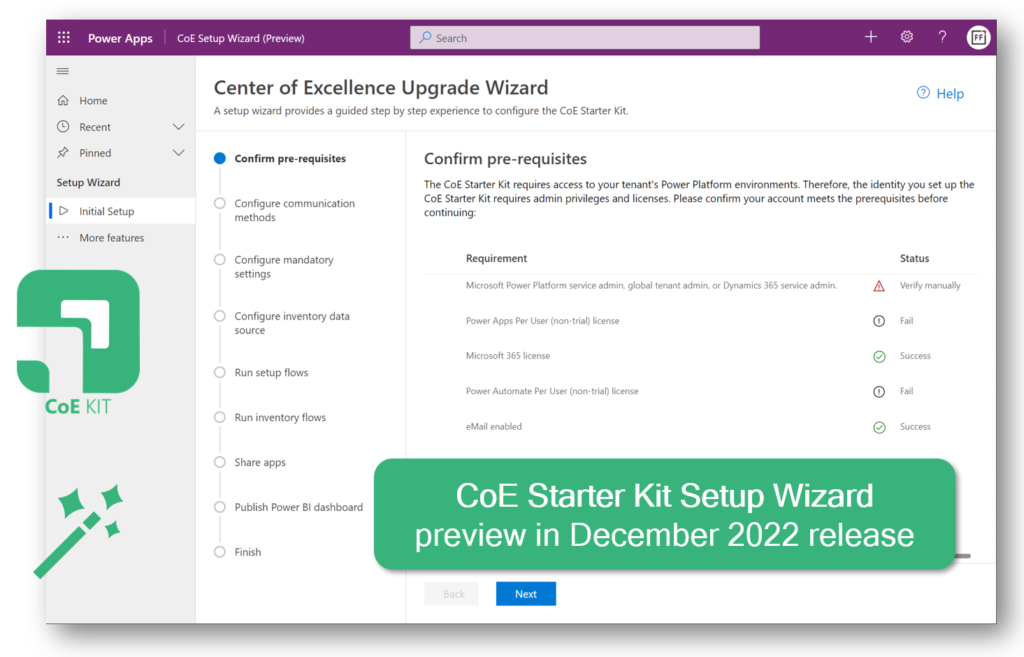
Possibly the biggest single update to CoE Starter Kit ever: the Setup Wizard considerably lowers the barrier for deploying and updating CoE components. [view on LinkedIn]
Have you realized how much content there is available in the CoE Starer Kit documentation: [view on LinkedIn]
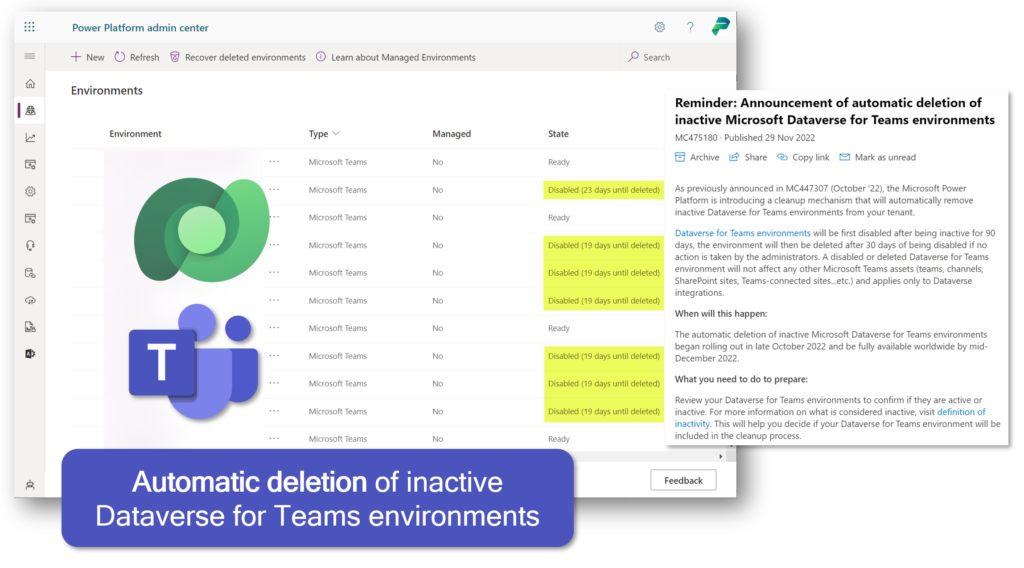
Creating Dataverse for Teams has been fast & easy, whereas managing their lifecycle has been more challenging. The new built-in deletion policies will help in cleaning up unnecessary environments from the tenant: [view on LinkedIn]
Power Platform security management
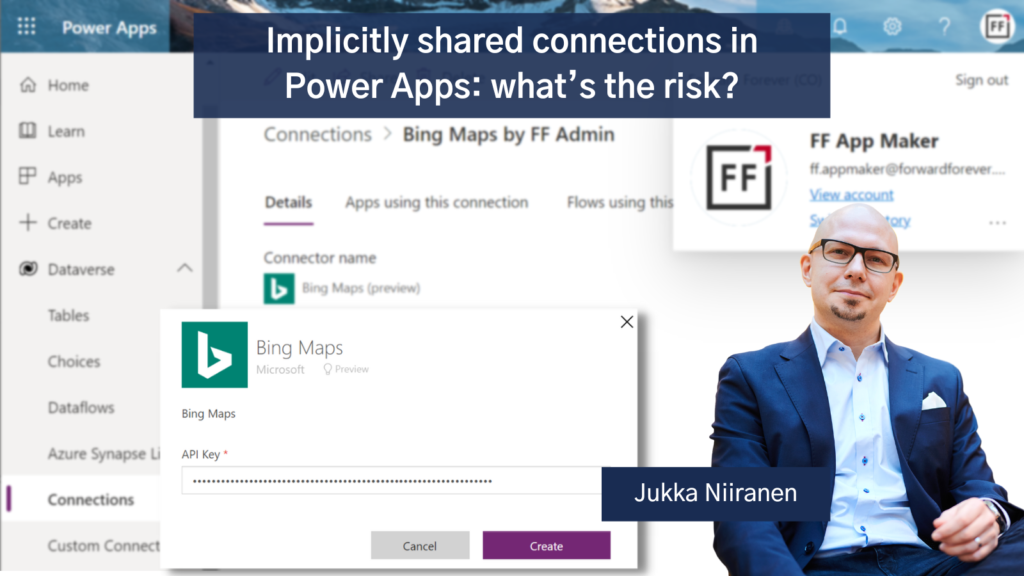
Many customers and app makers are unaware of the risks involved with implicitly shared connections that use shared credentials for all users of the app’s connector. So, I had to write a blog post about it: [view on LinkedIn]
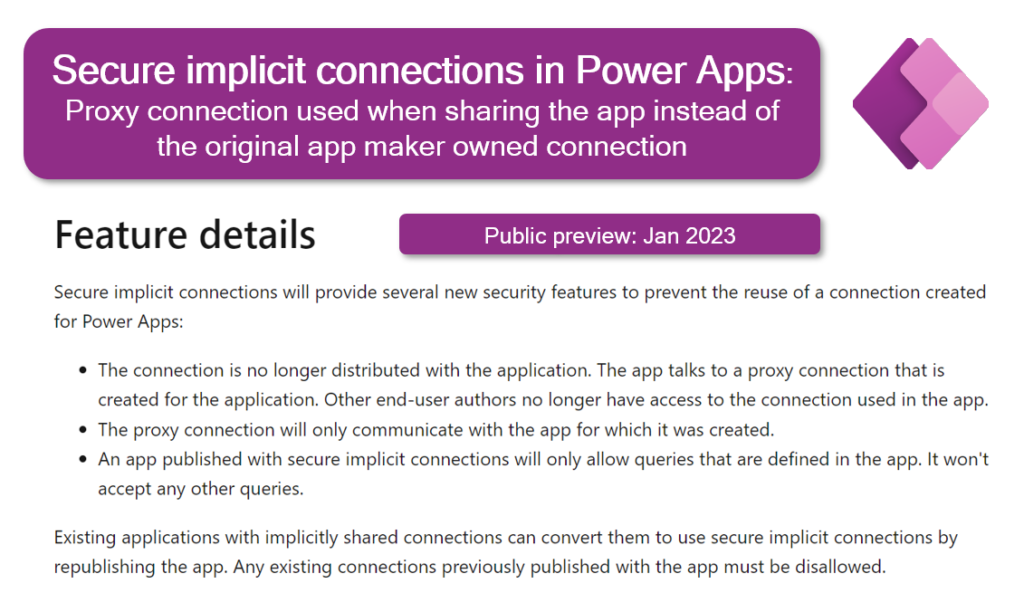
Luckily Microsoft is working on a new feature that would introduce additional security layers on top of implicitly shared connections: [view on LinkedIn]
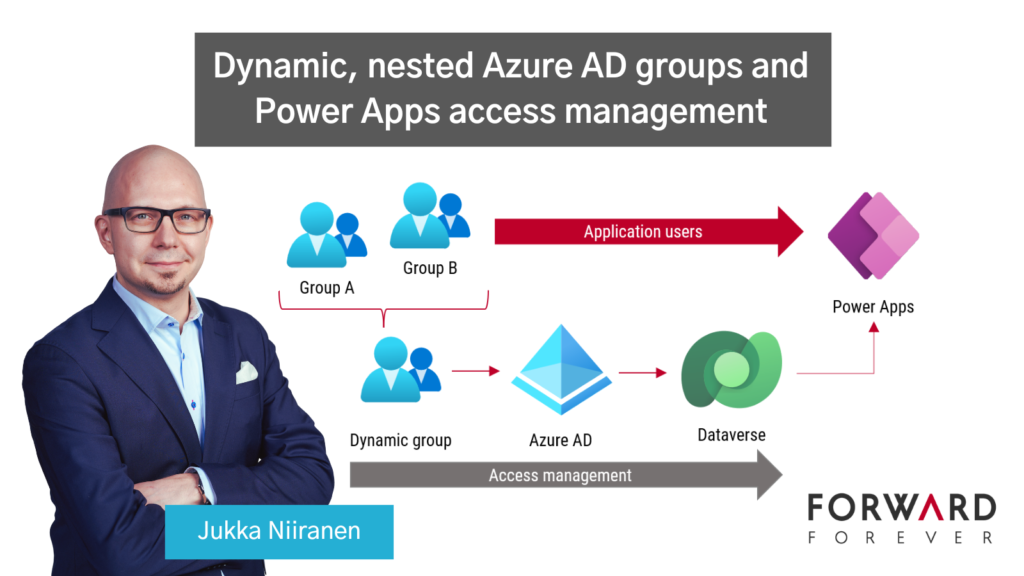
Azure AD groups offer capabilities that all Power Platform admins should be aware of. In this blog post I introduce how dynamic, nested security groups can streamline Dataverse and Power Apps access management: [view on LinkedIn]
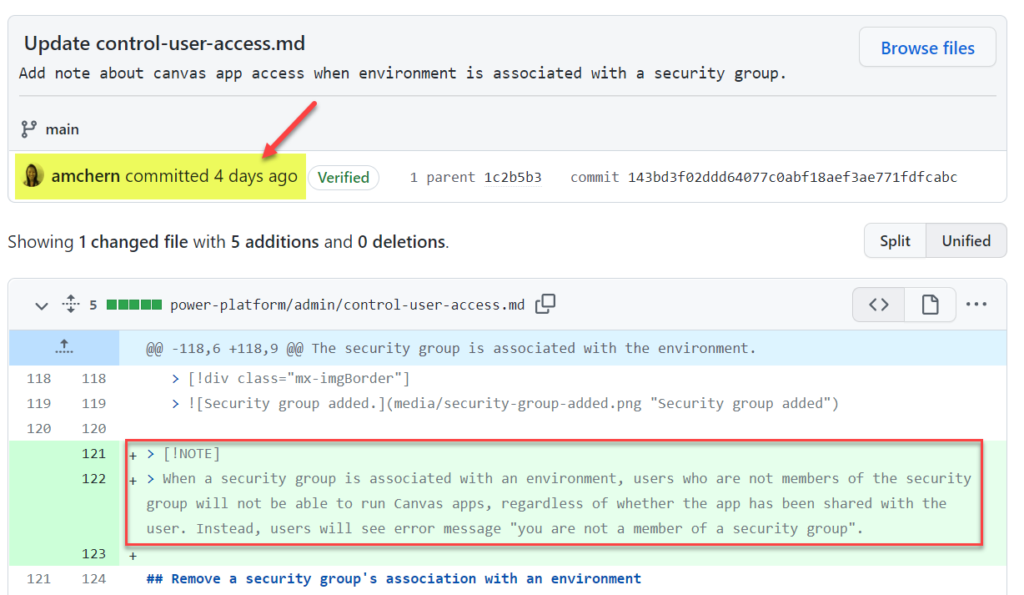
Microsoft made a change to how the security group of a Power Platform environment impacts users of canvas apps: [view on LinkedIn]
Power Platform maker tips
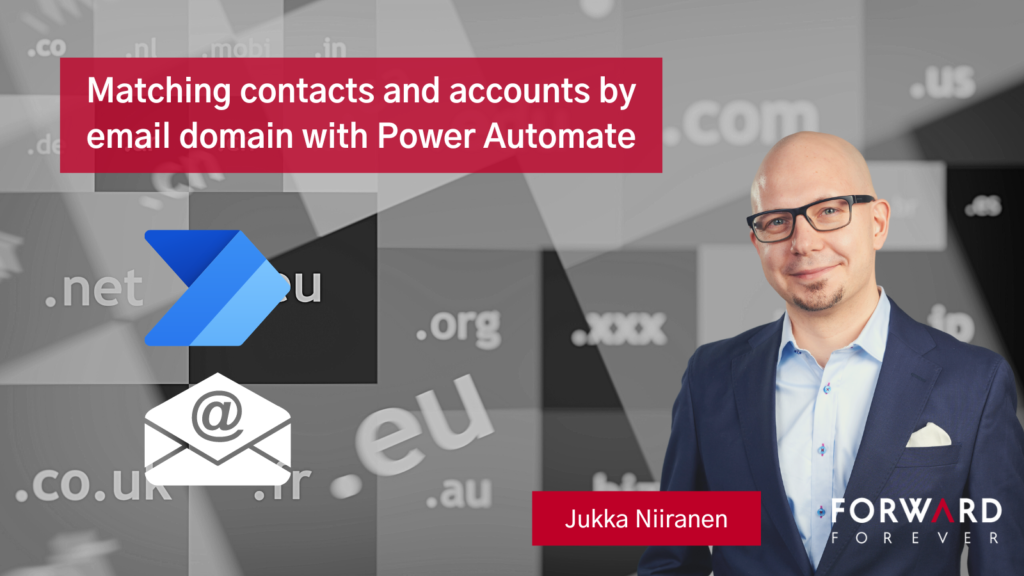
Wouldn’t it be great if your CRM system could identify the right parent account for a contact record based on it’s email domain? This blog post will show you how to achieve it with Power Automate: [view on LinkedIn]
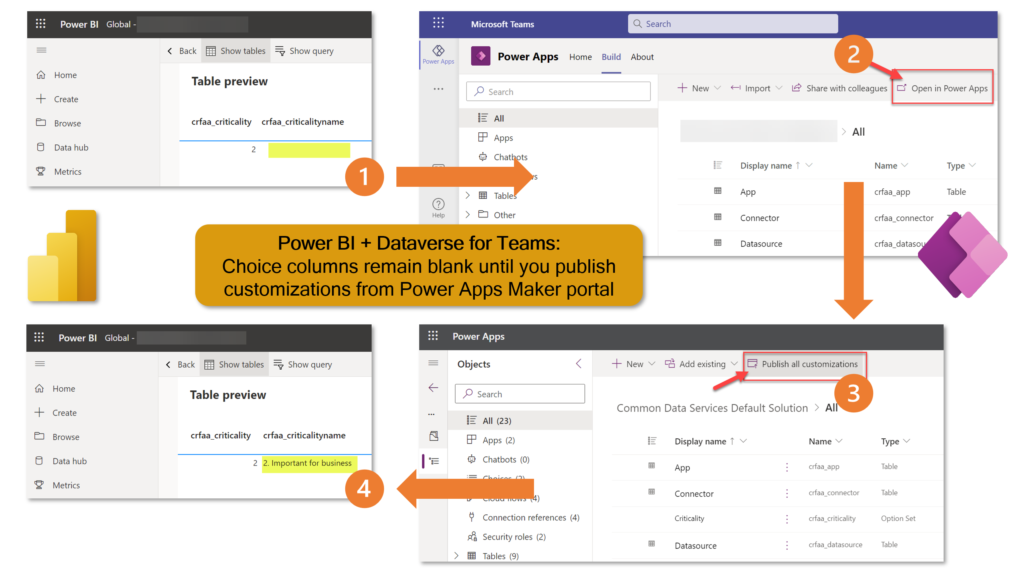
When using the Dataverse TDS endpoint as the data source for your Power BI report, make sure that you have explicitly published the table metadata before building your reports. Yes, even in Dataverse for Teams where the solution publishing option is well hidden: [view on LinkedIn]
Power Platform adoption
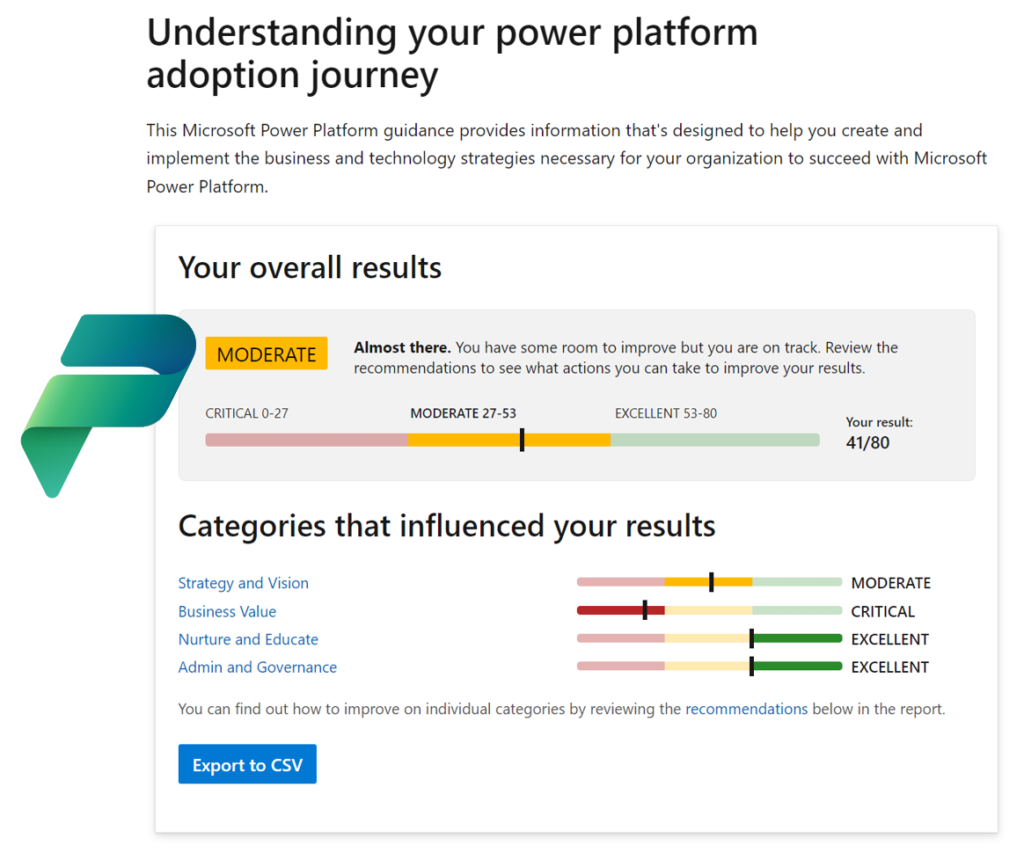
New assessment from Microsoft, helping you measure how far along are you on the Power Platform adoption journey: [view on LinkedIn]
Power Platform licensing
With the ever changing naming and licensing policies of Power Platform, it was time for me to update my earlier blog post that collects all the key price points into a single article: [view on LinkedIn]
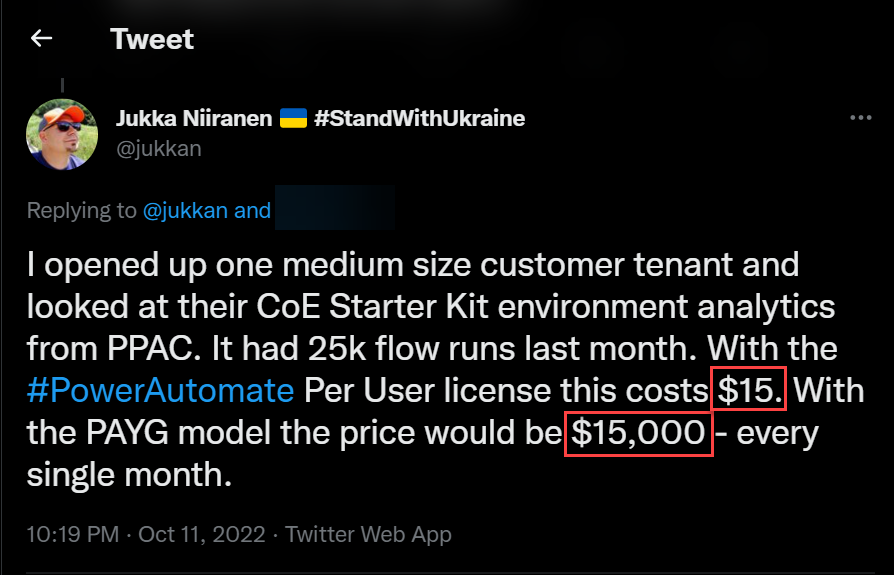
Whatever you do, you should NEVER use the Power Automate pay-as-you-go plan with the CoE Starter Kit service account that is running the daily sync flows. It’s an easy yet extremely costly mistake to make: [view on LinkedIn]
As Power Apps Portals are replaced with Power Pages, the new pricing model may incur surprising cost increase for anonymous website visitor scenarios: [view on LinkedIn]
Microsoft suggests using adaptive cards to avoid having to provide premium licenses to all users who need to update the CoE Starter Kit inventory data managed in Dataverse. Are the responses to these cards sent by a premium licensed flow really a possible workaround or not? [view on LinkedIn]
Community tools
XrmToolBox is 10 years old! It’s the original low-code development UI for what later became Power Platform and its just as valuable today as it was a decade ago: [view on LinkedIn]
Microsoft Teams
Using Teams for collaboration across tenants continues to be a struggle: [view on LinkedIn]
AI
ChatGPT may not yet have access to live internet information, yet it has already illustrated what amazing opportunities await for us once these generative AI models are incorporated into the toolkit used for building apps: [view on LinkedIn]
Twitter
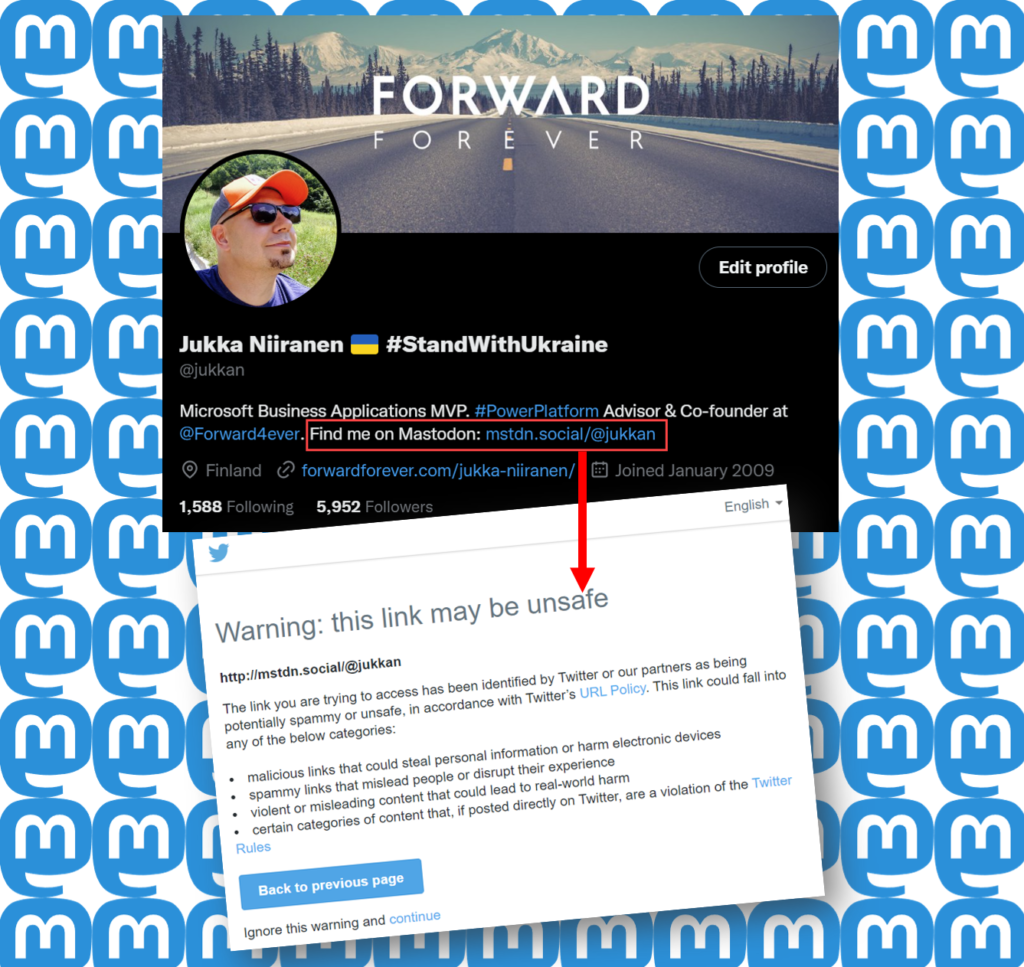
Twitter blocks users from posting links to Mastodon and other social networks in a futile attempt to stop its users from discovering there is (better) life outside Twitter: [view on LinkedIn]
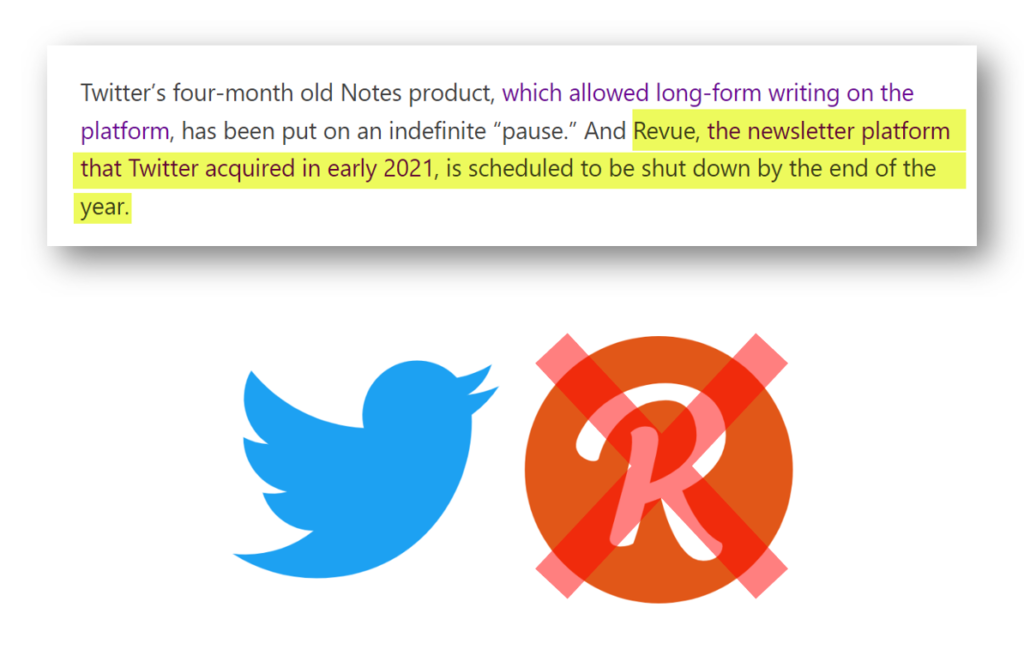
Twitter acquired the email newsletter service Revue 2 years ago. Now they’ve killed it, at a time when competing newsletter products like Substack are seeing big growth. Unfortunately for content curation there’s nothing quite like Revue out there to replace it: [view on LinkedIn]
iPad
I work on a Windows PC and use Android on my phone, yet I’ve always wanted to have at least some experience on what’s going on inside the world of Apple. The time had come to upgrade my iPad to a newer model – before it became even more expensive: [view on LinkedIn]
One key incentive for me to purchase an M1 iPad Pro was to get access to the Stage Manager feature in iPadOS 16 that promises to bring near freeform window management into Apple’s tablets. Based on my initial tests, the experience is as jarring as what Windows 8 Start screen did to PC desktops: [view on LinkedIn]
If I had to choose only one blog I could follow in the Microsoft Business Applications ecosystem, it would be Steve Mordue’s blog.
Why this blog? Because you’ll learn more about the true business of BizApps in Steve’s blog than you would from reading all the partner channel materials MS puts out there.
It’s not just the unfiltered opinions and provocative comments from Steve that make the content unique. He manages to get Microsoft leaders like Charles Lamanna or Ryan Cunnigham speak openly about product roadmap and business strategy whenever he has a chat with them. It’s the kind of material you couldn’t hear from anywhere else – at least not without an NDA.
When MVPs used to get together
One unfortunate impact that COVID has had on the Microsoft MVP program is that our annual MVP Summit events have gone virtual. Even though the world is slowly opening up to physical events again, at the same time the world economy is sinking. This has pushed even the biggest tech corporations like Microsoft to announce cuts on their internal travel, training and event budgets. This means the next Summit, which will be my 10th, is probably done over Teams again.
It’s better than nothing, of course. The Microsoft product team members do put in effort to share their plans with the MVPs and are open to receiving feedback from us, since the protective shield of the NDA agreement covers both digital and physical worlds. Making things digital can also help scale the amount of tech content that can be made available as well as the means through which to consume it.
What the virtual events cannot in any meaningful way compensate for is the lack of informal interactions between MVPs. When you can’t go grab a drink with the smartest people in the business together at JOEY Bellevue, a large part of the Summit is wiped away. Sure, the product group interactions are valuable, but the MVP-to-MVP interactions are priceless.
No, you can’t replicate this in the virtual Summits. When you’re first sitting 6-8 hours alone in front of your computer, from 6pm onwards after your normal working day, staring at the Teams screen – trust me, you’re in no mood for “virtual drinks” after that.
Events quickly turn into non-events due to the lack of any changes in the physical surroundings. No travel costs, no jetlag, only a little loss of billable work during the week – it’s all very productive, to the point where you start asking yourself: why did I ever consider this “fun”? It sure helps to contribute to the feeling of being constantly tired.
Time to move forward again
You shouldn’t become too bitter about things not being what they used to be. The older you get, the more stuff like this is going to come at you every single day. You don’t have to like it, and you certainly are entitled to feel what you feel about it. That’s where our entitlements pretty much end, though.
Choosing how we react to change is pretty much the essence of life – and business as well. This is an area where both me and Steve seem to have similar ideology that drives our behavior. If you know the only certain thing in life (and business) is constant change, it’s better to be someone who’s pushing that change to happen instead of becoming the object that must endure the change pushed upon it.
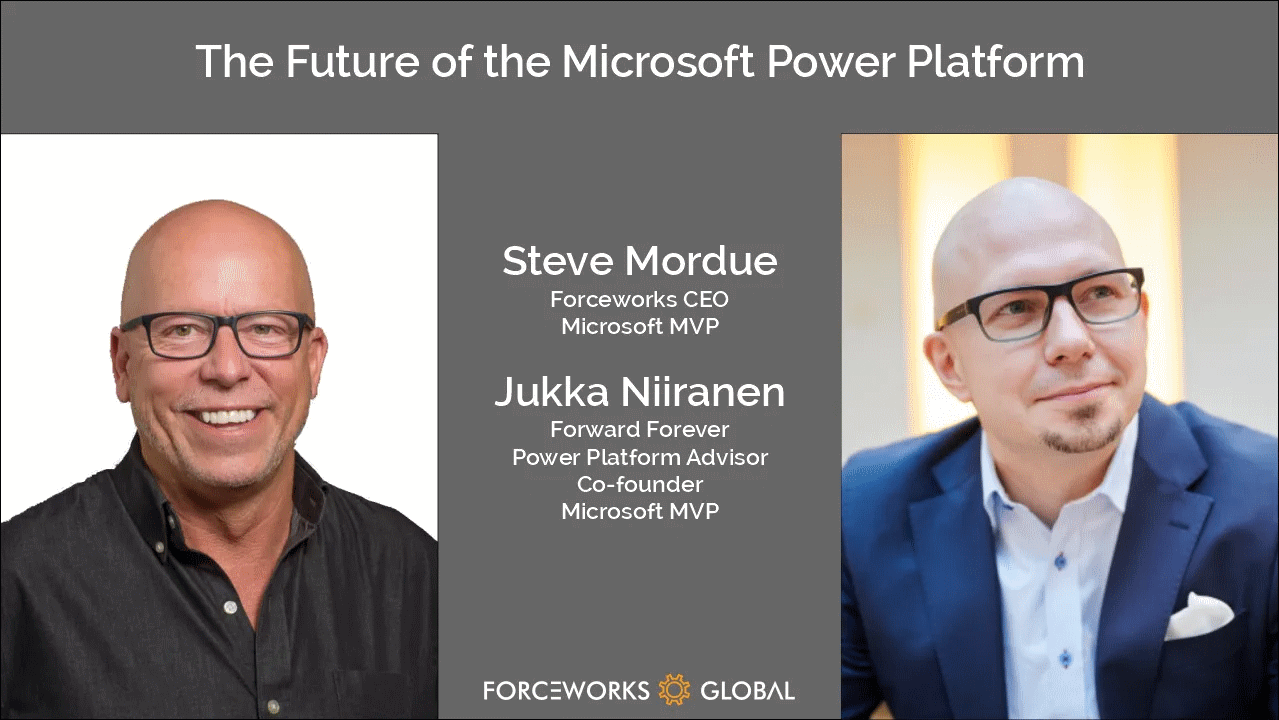
So that’s one thing we share in addition to our hairstyle. With nothing more as a prepared agenda, we opened up Teams and stated recording a session on Steve has a chat with Jukka. It’s as close to an MVP-to-MVP informal interaction you can get to without flying to Redmond.
You can listen to the audio track on Steve’s website or on Spotify / Apple Podcasts. Alternatively, you can watch two BizApps MVP baldies on your screen for one hour via the embedded Vimeo clip below:
https://vimeo.com/742784310/7101b864c1
Some of the topics we discuss with Steve include:
How different the world looks like when you choose to go all-in on Power Platform instead of being a Business Applications generalist
The struggle of convincing customers that a $5 app can actually give them more value than a $95 app
How to get the IT on board with the citizen developer movement and turn governance into an enabler instead of a blocker
What would be the ideal support model for a platform-first business that would reduce the customer/vendor tension and get everyone on the same side
Why Dynamics 365 partners have very little financial incentives to move their capacity into true low-code business
The difficulties in making the Fusion Team story sound attractive enough for pro-devs to find their place in the low-code world
Why Teams is the most important platform Microsoft has and why it isn’t yet quite the right platform for wide scale business applications usage
That’s just a few things I remember off the top of my head, after our awesome chat session. So, if you’re interested in hearing what us two loudmouths think the future of Microsoft Power Platform is – you know what to do.
There’s no sponsors in any of these chats nor either one of our blogs, so I’ll just leave you with two commercial call-to-actions:
Check out RapidStart CRM to experience what you can do with just a $5 Power Apps Per App license (the CRM part comes free, courtesy of Steve).
To keep up with what our 100% Power Platform focused team of pretty amazing experts is doing, subscribe to the Forward Forever Monthly newsletter.
It’s that time of the year again when Microsoft have published their plans for the upcoming 2022 Release Wave 2 for Power Platform and Dynamics 365. “How exciting! New PDF documents with hundreds of pages to read!”
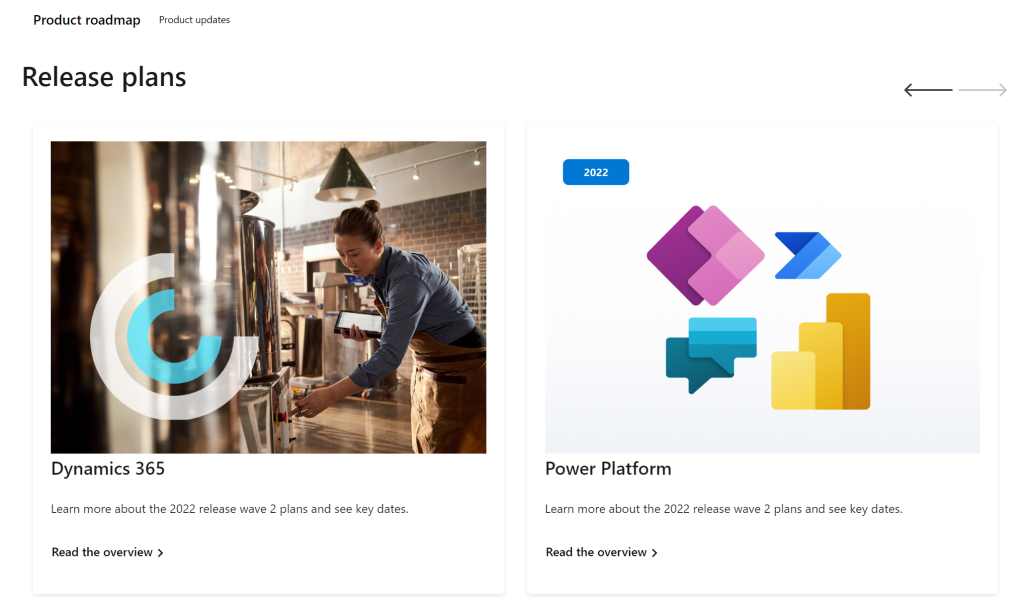
I’m sure many of you have learned to skip the static PDF files by now and instead add bookmarks to quickly get to the online version of these plans. Like these:
That’s much better, but it isn’t really optimal either. I don’t know about you, but personally I’ve had a hard time getting very excited about the new Release Plan drops for a couple of years now. There’s just something not quite right with this “wave” model.
Everything changes, always
Don’t get me wrong. It’s great that the Power Platform community members are curating their own top lists from these Release Plans twice a year. There’s plenty of value in seeing what items people are actually excited about, not just reading MS corporate style “excitement” on everything included in the Plan.
Yet the reality is this: the contents of these Releases Plans is likely to reflect less than 50% of what will actually be delivered into the products over the course of the wave. If you need proof, then check out the most important page of the online Release Plans: change history.
At any given time, Microsoft product teams are working on several new features and enhancements that they are not yet ready to disclose. They’ll get added to release plan later (or sometimes launched without it). As a very recent example, Managed Environments was announced as a preview feature on the same day as the 2022 wave 2 plans came out. The feature is not yet in either wave 1 or wave 2 documentation. It’s very natural that the product marketing’s need for making feature specific big announcements is a higher priority. After all, diligently maintaining the long list of similar release items won’t bring that much attention to any single feature.
Then there’s the inevitable reality of planning / estimating in software development. Things can get delayed due to too optimistic estimates, dependencies to other items/products, changes in MS product strategy, acquisitions, and so on. Ultimately the Release Plans are just a publicly visible backlog of what the team is working to deliver. It’s better not to get too excited about any specific feature on the list – often those will be the ones that get eventually postponed / removed…
While it’s kinda nice that we have a steady rhythm of 2 release waves per year that can be easily communicated to customers, the reality is more messy. These waves are forcing an artificial structure onto the ongoing product development work. Remember: the “wave” is not any actual release in itself. October 2022 will deliver a tiny fraction of the items listed in the 2022 wave 2 plan, as the wave lasts for 6 months.
While the waves themselves are sequential, Microsoft’s communication model has overlap for the waves. The fact that the wave 2 plans are first announced when there’s still 3 months worth of wave 1 to go (until end of September) can make it complex to keep track of items. You can’t tell whether a feature is in the product roadmap just by looking at the latest plan since it might be in the previous pipeline still. Here’s one example:
— Jukka Niiranen mstdn.social/@jukkan (@jukkan) July 13, 2022
If only we had a more dynamic view into the Power Platform and Dynamics 365 product backlog, without these artificial “waves” to confuse us…
Say hello to the Release Planner website!
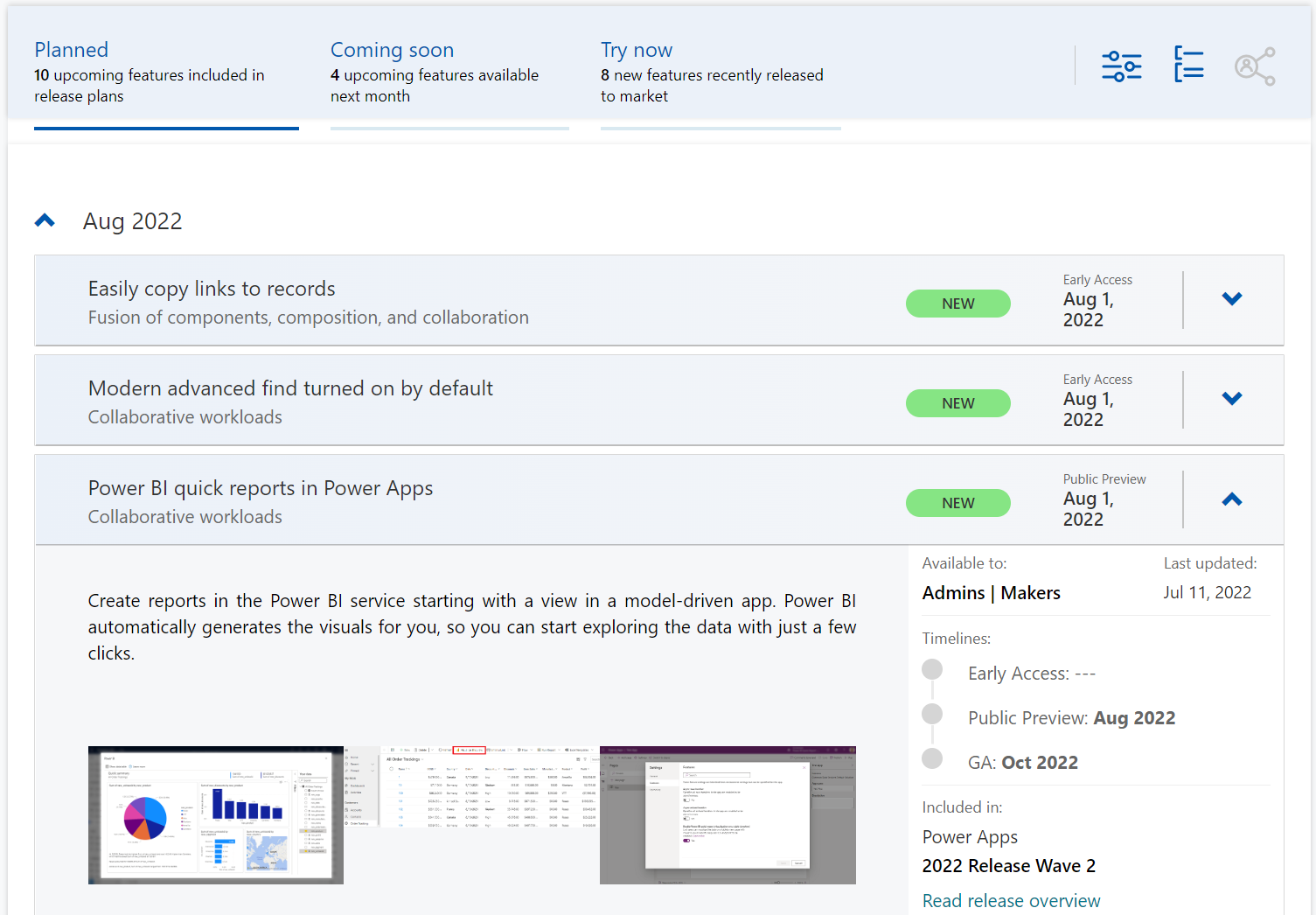
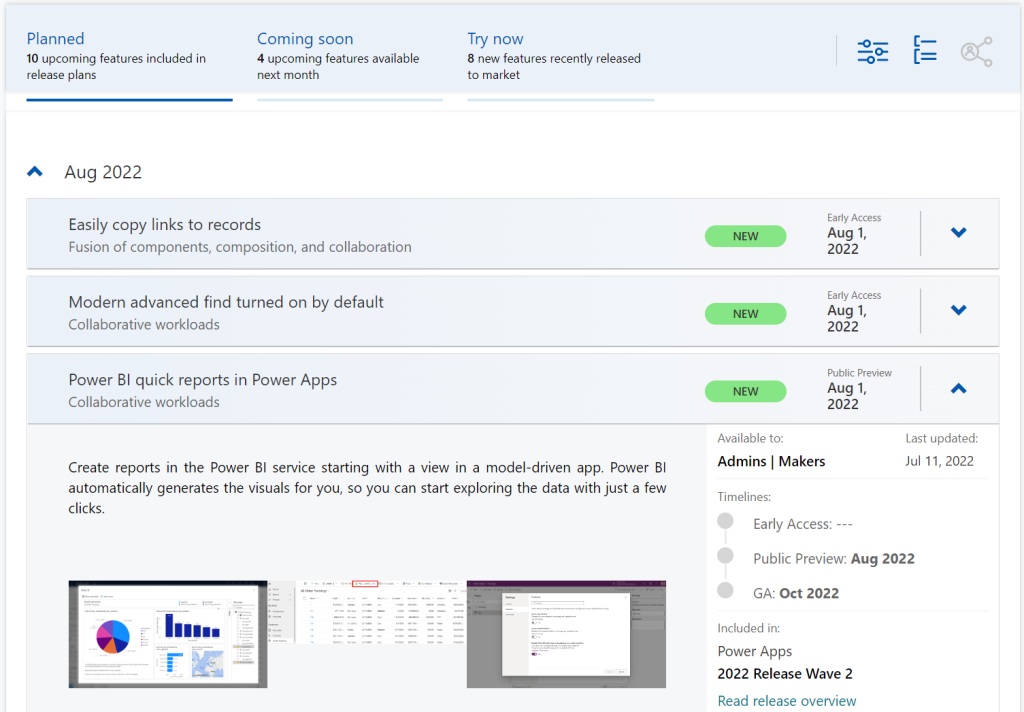
Although it’s still a preview in itself, the Dynamics 365 and Microsoft Power Platform release planner is already a very worthy rival to the familiar Release Plans. If you’re familiar with the Microsoft 365 roadmap, then this a similar website that provides the current state of what features are being planned, rolling out or recently delivered.
The data on release items is largely identical to what the official release plans already offer. However, it’s not wrapped within the wave concept, meaning everything can be found under a single site.
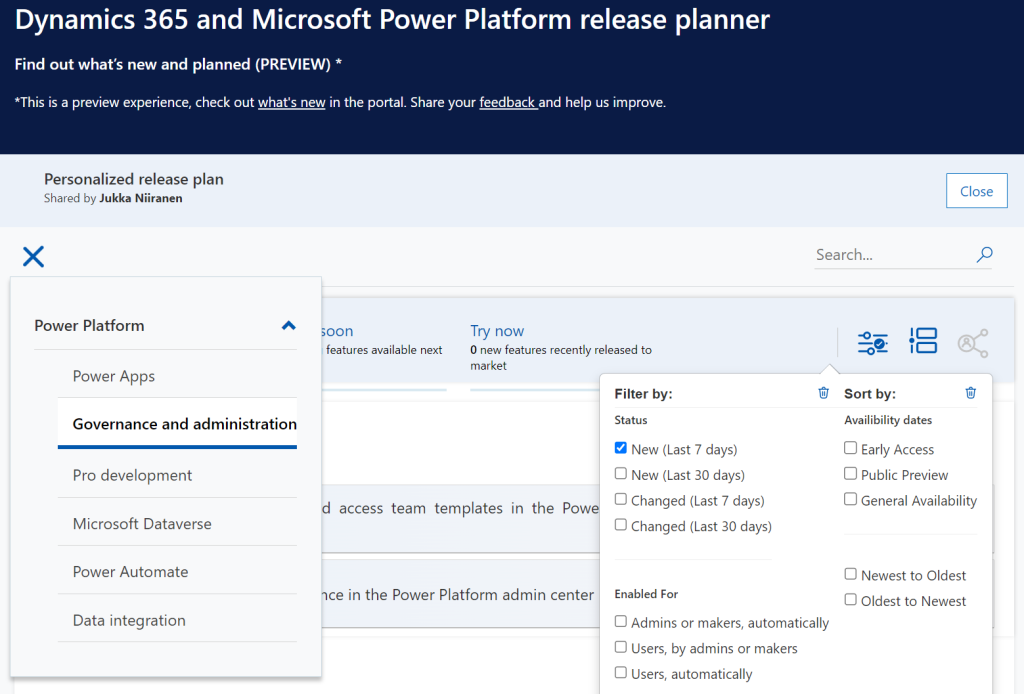
There have been recent enhancements made to the Release Planner (listed here). Searching the release plan items with keywords is now possible. There’s a change history to reflect updates made to delivery milestones (i.e. delays in early access / preview / GA dates). Finally, filters and sorting options have been introduced, so you can view only the latest additions (7/30 days) or updated items across Dynamics 365 and Power Platform.
Since the Release Planner is a Power Apps Portal Power Pages website instead of a Microsoft Docs site, it is much easier to implement such features that are intended for working with a list of records. Docs is great for documentation of course, as well as version control through its GitHub back end.
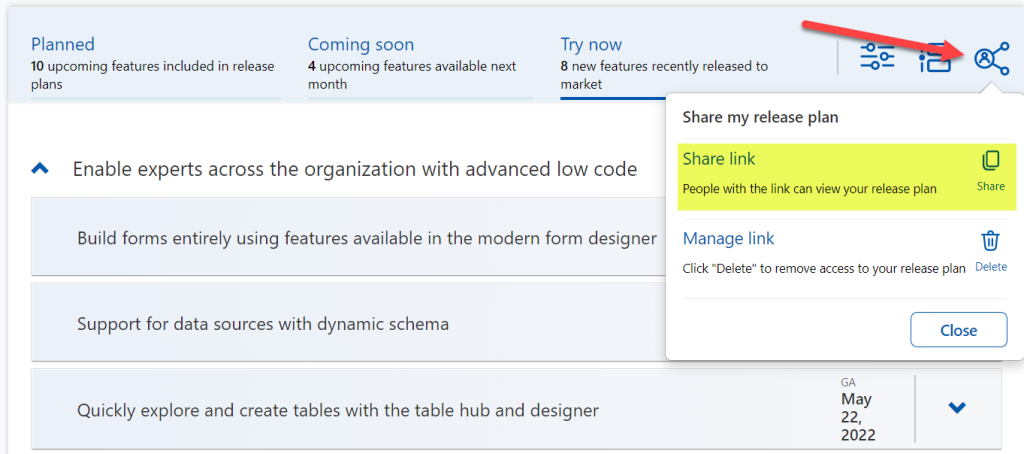
One really neat feature in Release Planner is the personalization option. When I log into the site, I have the ability to pick items into “my release plan”. Essentially its a way to create a list of favorite items to follow. Because let’s face it: we all focus on some corner of Power Platform or Dynamics 365, not the entire MS BizApps cloud. Creating a personal release plan also provides an option to copy a public share link for it:
Using a short URL service, I can now create an easy to remember link that will always take me to the list of Power Platform release plan items I’ve flagged for myself to follow. You can of course have a look at it, too:
With this link, I can now spend less energy on A) remembering if an item has been in wave 1 or 2, and B) stop hunting through the change history page for status updates. Oh, and it also works fairly well on a mobile device, whereas trying to navigate the legacy release plans on MS Docs seems to be impossible (at the moment at least, on Android/Chrome).
Of course any dynamic website is only as good as the underlying data that is used for rendering it. At the time of viewing, there seem to be tens of release plan items from 2022 wave 1 that have not yet been updated to reflect the current status. The Release Planner site says they should be available/GA when in reality they’ve been delayed, postponed or even cancelled. This is something that technology in itself won’t fix. I hope as Microsoft’s release planning process matures beyond thinking about “waves” we’ll see more up to date information in the Release Planner site, too.
Did you know?
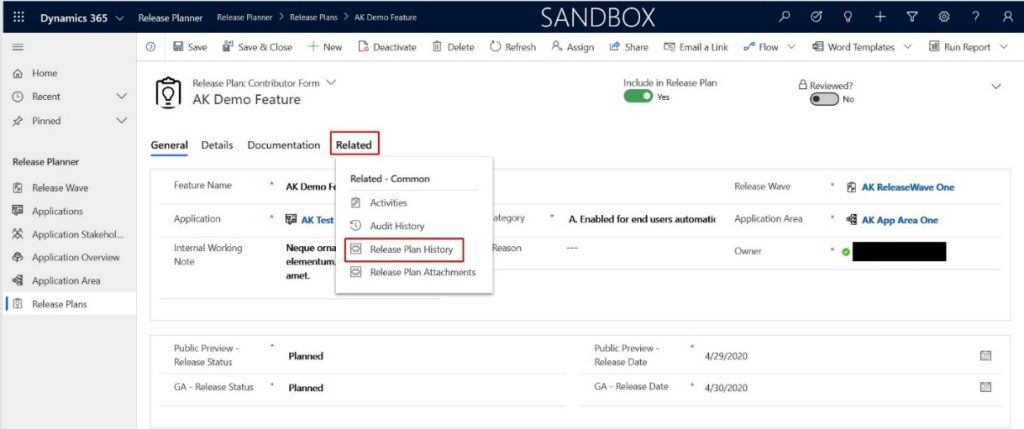
This Release Planner isn’t the first step for Microsoft to use the Power Platform to manage the product development of the very same platform. Already back in 2019 the process and tools used by the BizApps team for release planning was published in a blog post. There’s a sample app on GitHub that contains a solution with the tables, forms, plugins, PCF controls, cloud flows etc. for deploying your own copy of the release management tools.
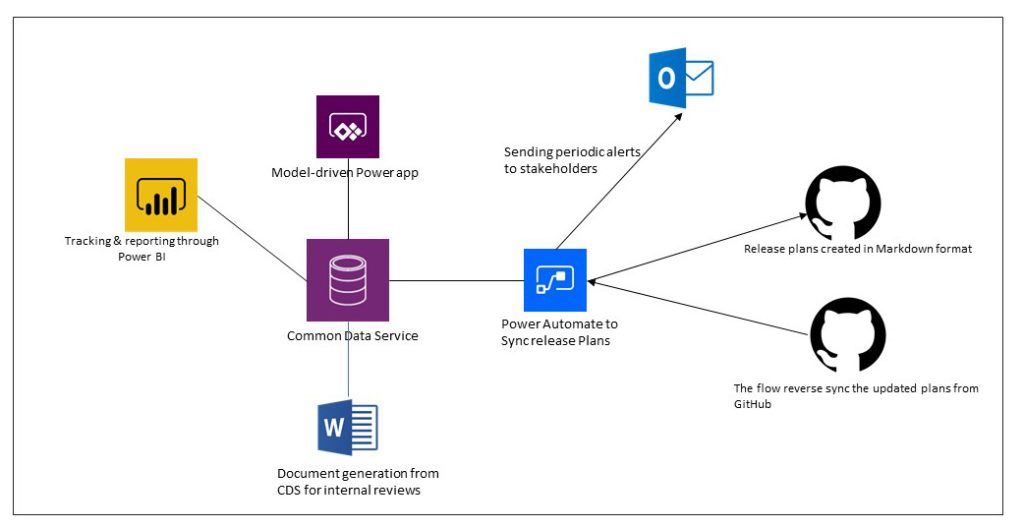
This process was designed to dynamically produce outputs from the release items data managed in Dataverse. Both the release plan document as a Word output as well as the Docs pages as markdown files on GitHub were generated with Power Automate cloud flows:
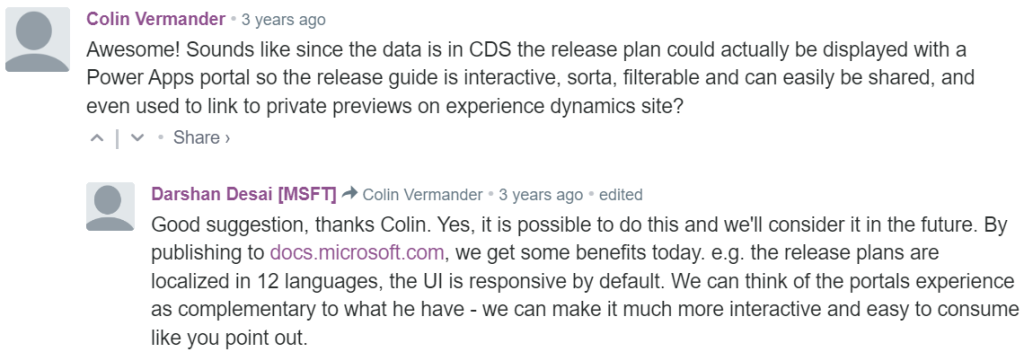
Since the solution was built on top of a solid platform designed for managing business process data, there were of course other opportunities to leverage it. As was pointed out in the comments section of the 2019 blog post, by a certain ex-MVP (now at MSFT) with a long history on Portals in the form of Adxstudio:
Which brings me back to an even more ancient blog post of mine, from 2015, called XRM Strikes Back. Inspired by Microsoft’s acquisition of Adxstudio, I argued why in the long term it would be a more successful strategy for MS to bet on the platform, rather than trying to integrate SaaS products from outside the ecosystem into the Business Applications portfolio.
Success doesn’t happen overnight either way. Looking at the XRM based acquisitions, Adxstudio is now the 5th product in the Power Platform family, with the new name Power Pages. FieldOne Sky turned into Dynamics 365 Field Service that has quite a solid position in the market (from what I know). Mojo Surveys evolved into Dynamics 365 Customer Voice, which may not have an extensive roadmap right now, yet it’s still widely used by the customers we are working with at least.
Back in 2011 when Dynamics CRM Online itself was used for managing the Dynamics CRM Online launch website, backed by (Windows) Azure, so might have considered that a crazy thing to do with a business application platform like XRM. Well, who’s laughing now?!?😁
Did you know that #MSDYNCRM website content @ http://crm.dynamics.com is managed with #MSDYNCRM itself? http://bit.ly/ehOP7p @Adxstudio#XRM
— Jukka Niiranen mstdn.social/@jukkan (@jukkan) March 14, 2011
The journey up to this point has been long, but that’s exactly what such low-code application platform journeys are for customers, too. Microsoft is now in the process of also migrating their third party Ideas sites for product feedback into the Dynamics 365 Customer Service Community portal template (meaning Power Pages). The Power Automate Ideas site is moving there next week. Dynamics 365 Ideas already lives on this platform, so I’d imagine other products will soon follow. Another piece of the digital feedback loop coming together, through the power of the platform.
Recently I was invited to the Demystifying Enterprise Innovation podcast run by AgilePoint. The podcast host Sharjeel Sohaib is interviewing experts from the field of digital process automation technologies and low-code platforms.
Our topics covered not only the Microsoft specific technology in Power Platform but also the broader market around low-code/no-code platforms. How are they impacting the lives of citizen developers? What should organizations do to drive the low-code tools adoption? Where is the technology underneath these platforms heading towards?
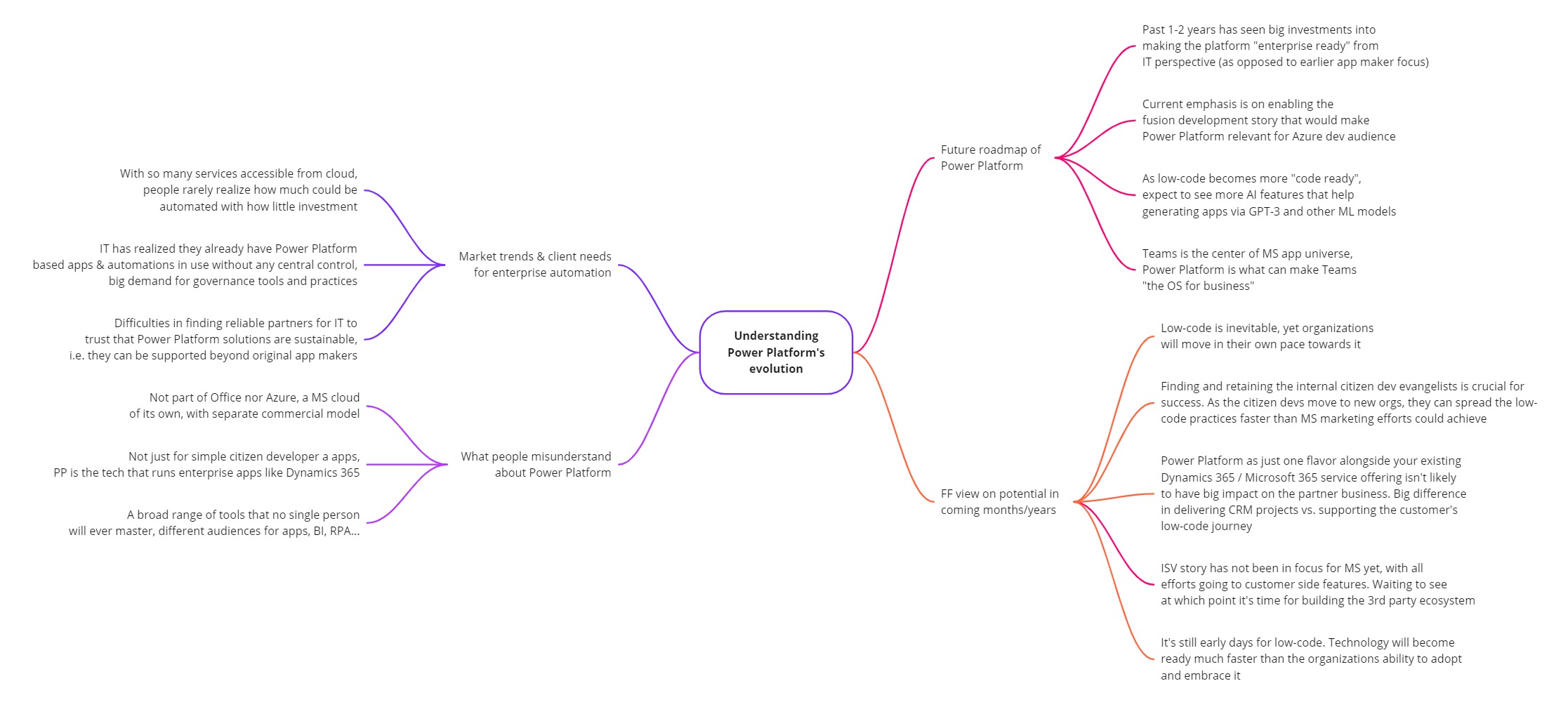
This turned out to be quite a comprehensive “state of Power Platform in 2022” type of a discussion. I guess that’s just what tends to happen when someone asks me a question about it. Below is the mind map of what I planned to cover in the podcast episode (click for a bigger image):
You can listen to the end result on your favorite podcast service – assuming it is either Spotify or Apple. The detailed show notes with a few quotes from me are available on the Transistor.fm page for the Demystifying Enterprise Innovation podcast.
Notes and thoughts
In the podcast episode we start by discussing my own journey as a citizen developer from 20 years ago, learning about CRM / marketing automation processes at a large B2C company (Nokia). This path then lead me to different Dynamics CRM consulting roles, and most recently going all-in with Power Platform in 2020.
Being on the citizen side from day one instead of starting my career in formal IT projects has been undoubtedly one of the key reasons why I’ve found the low-code movement to be so close to heart. To me, the ability to democratize code is a much more worthy goal than just trying to get sales people to enter more information into the CRM database.
Sure, such business apps may be the “what” but citizen development is the “why”. The way Microsoft has managed to infiltrate the existing toolkits of these citizens by bundling Power Apps and Power Automate into Office 365 is the prime reason why things have moved along so fast in this space. Merging PowerApps with XRM 4 years ago is what allows them to still keep moving fast today, even as more complex enterprise IT requirements now need to be met when the apps originally built by citizen devs are becoming more & more business critical.
Despite of this move towards enterprise processes, bottom-up innovation is still what excites me the most. Grandiose digital transformation programs with their top-down agendas may have the big funding behind them, yet I believe the net impact from small apps built by citizens motivated to fix practical issues in their daily working lives is going to be greater in total. Teams as a platform is a story that may cause problems for us more experienced MS BizApps practitioners, and still this kind of simplification is definitely needed when you really want to scale low-code in practice.
Power Platform governance topics are where I spend the majority of my working days on right now. When delivering our Power Platform governance advisory services, I’ve seen how difficult it can be for the IT organization to get a handle on citizen driven apps and automations – at least if no one was there to educate them on how Power Apps & Power Automate administration works in practice.
This is not so much a challenge of the technology not being available. Rather it is the new roles and alignment of IT alongside the citizen developers that poses the biggest barrier for companies to feel safe enough to fully embrace what this corner of the MS cloud can offer them. The same gradual increase in maturity that has happened with Office 365, Azure, and also Power BI from the “power family” – all of it seems inevitable for Microsoft’s low-code products, too.
This is why we’re now seeing less new maker focused features right now and a bigger push for admin & governance capabilities in Power Platform. The next big target for MS is in formalizing the fusion development story for low-code, to get the professional developers on board this new way how customer organizations address the growing demand for digital solutions that can’t all be met with custom code alone.
The ISV opportunity in Power Platform has not yet been a true focus area for Microsoft. Their emphasis has been on the internal transformation of organizations via citizen developer solutions. Yet many MS partners are naturally interested in the huge opportunity of the low-code movement. They’d love to become a part of this new ecosystem where the number of low-code developers is growing by 40% every year. However, there’s a lot of work ahead before the mainstream wave of ISVs could be onboarded to Power Platform, both from commercial and technical perspective.
We can’t just take the good ol’ Dynamics business model and apply it to Power Apps since the platform is designed to empower bottom-up innovation distributed all across the organization (who’s gonna do the top-down purchase decision on your project?). Neither can we make the Office style assumption that all these tools would be common to all information workers (justifying the premium licenses requires stepping outside the generic productivity story and quantifying the value from business specific processes). Experience from the other MS clouds is definitely a major advantage from an ecosystem insights perspective. At the same time, if you just sprinkle a bit of Power Platform technologies on top of your existing business model and projects, you can’t expect to see any radical growth or shift in how your customers are engaging with you.
At Forward Forever we’ve been lucky to get the chance to educate several MS partner companies on the practicalities of developing apps for Power Platform in 1:1 coaching sessions over the past two years. It has affirmed our belief that this low-code movement is an infinite game where we aren’t competing against other players. There’s no sense in trying to be the winners once the final whistle blows. Rather we should do our best to keep the game going, helping the whole league around us to grow and build an audience (even a fan base) who wants to see us succeed.
There are no winners or losers in an infinite game; there is only ahead and behind.
Simon Sinek
In addition to advising customers and partners on how to succeed with Power Platform, we’ve also invested resources into building products on top of it. Our offering in this field has recently reached a point where our Sustainability Action Pack is now listed on Microsoft AppSource for everyone to see. It’s a solution template that provides tools to drive environmental actions, make progress transparent and help organizations reach their social, environmental and climate targets (see SECAP).
Power Pages, Power Apps, Power Automate, Power BI – the whole MS low-code stack is being used when we’ve delivered the solution to municipalities in Finland. The big difference compared to Azure based applications, for example, is that the end product truly runs on the customer’s platform. Modifying and extending our Sustainability Action Pack functionality can be done by business users – as long as they’ve got the willingness to learn how Power Platform works.
This might have been just marketing talk a decade ago. Today the reality is that the persons who are willing and able to use these low-code tools to shape your business applications are likely to be among your most valuable employees. They probably haven’t been hired for this exact role, yet the organization should acknowledge the positive impact that they’re able to achieve by adopting Power Platform tools and thus adapting your tools to deliver better business outcomes. Otherwise they may quickly find a new place to work where such evangelism is appreciated.
From the outside, as a consultant/advisor, we can only show you the direction to take. The real adoption journey for low-code relies on empowering internal personnel to build new things that create business value. Ownership of your own tools is the biggest difference in mindset when it comes to the traditional Dynamics business applications versus the new breed of Power Platform solutions. This is the revolution in low-code – the technology part is just evolution.
For more of my thoughts on Microsoft Power Platform evolution / low-code revolution, go and check out the podcast episode:
I had the pleasure of attending the Teams Nation conference on March 23rd, alongside more than 4000 Microsoft Teams community members. Not only that, they also allowed a former XRM geek like me to do a presentation on the Power Platform track. So I did.😄
Since I’ve recenly been working a lot with Dataverse for Teams, that was a natural topic to cover in a Teams related event. My session was titled “Dataverse meets Teams: low-code app opportunities for everyone”.
I first explained the big picture of what Dataverse means, the demonstrated three different apps our team has built on top of DV4T. Finally, a few words on the known limitations of the Teams based Dataverse environments and how you need to take them into consideration in your solution architecture design.
The slides are available for download on SlideShare, or you can browse through them in the embedded version below:
If you’re planning to build apps into a Dataverse for Teams environment, then be sure to also check out my earlier blog post on the solution management experience in DV4T.