
Tag: linkedin

  • Thinking Quarterly, Q4/22

    Thinking Quarterly, Q4/22

    It’s time for the second Thinking Quarterly digest. This post is a collection of my writings on LinkedIn between October – December 2022. It’s both a way for me to reflect back on my thoughts from recent months as well as a chance for the subscribers of this blog to catch up on my short posts from social networks.

    These were the topics I wrote about during Q4 of 2022:

    • Power Platform evolution
    • Power Platform governance
    • Power Platform security management
    • Power Platform maker tips
    • Power Platform adoption
    • Power Platform licensing
    • Community tools
    • AI
    • Twitter
    • iPad

    After 14 years of actively using Twitter, it now seems inevitable that my presence there will become much more limited. The company’s acquisition by Elon Musk has resulted in such severe erosion of trust in the platform that it’s hard to see it ever fully recover from this.

    In the meantime, I’m exploring what the Fediverse has to offer for content sharing and forming of online communities. If you’re also curious to see whether social networks could actually thrive without turning into walled gardens, please do follow me on Mastodon: @jukkan@mstdn.social.

    Power Platform evolution

    Microsoft is planning to introduce “Power House” apps for customers with premium licensing: [view on LinkedIn]
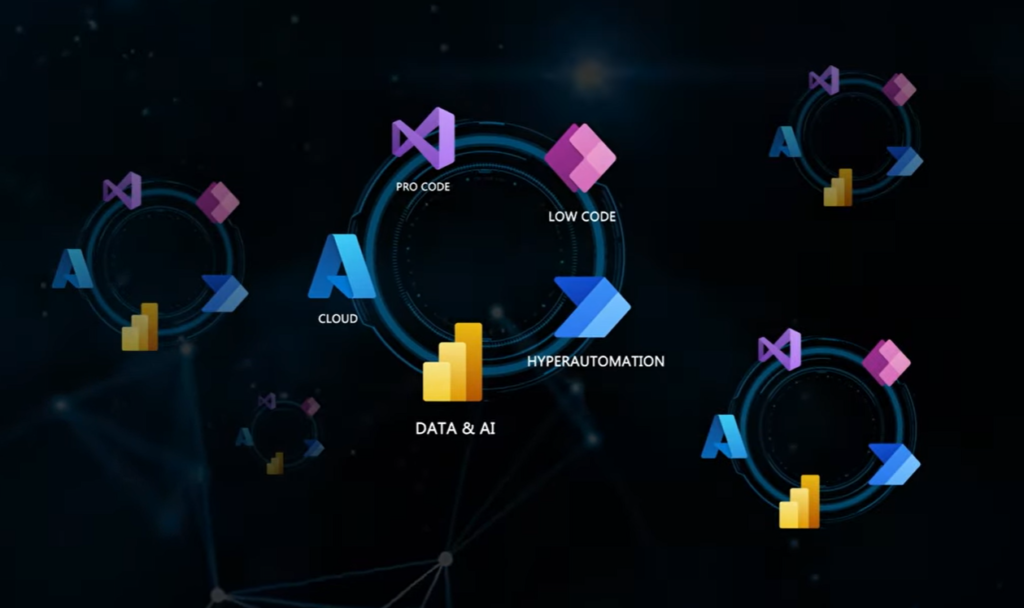
    “The future is a tangled mess of different technologies together.” Listen to this great Power CAT Live episode to hear what Charles Lamanna thinks is the future of IT: [view on LinkedIn]

    900+ connectors available already on Power Platform, here’s how to keep track of them: [view on LinkedIn]

    Power Platform governance
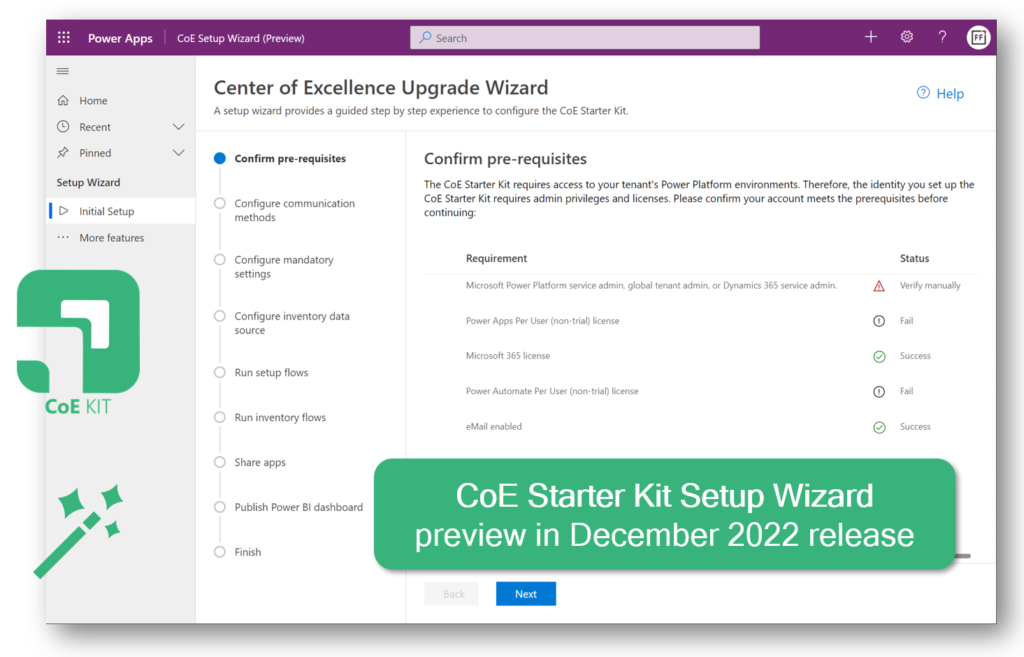
    Possibly the biggest single update to CoE Starter Kit ever: the Setup Wizard considerably lowers the barrier for deploying and updating CoE components. [view on LinkedIn]
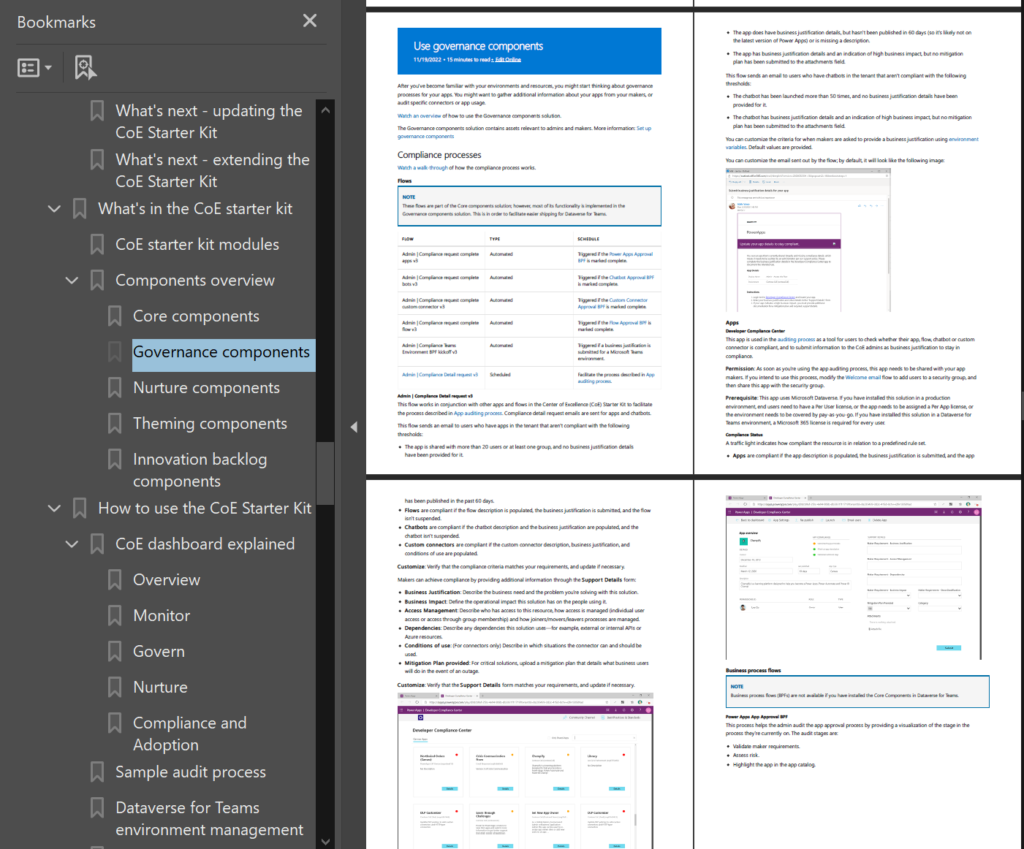
    Have you realized how much content there is available in the CoE Starer Kit documentation: [view on LinkedIn]
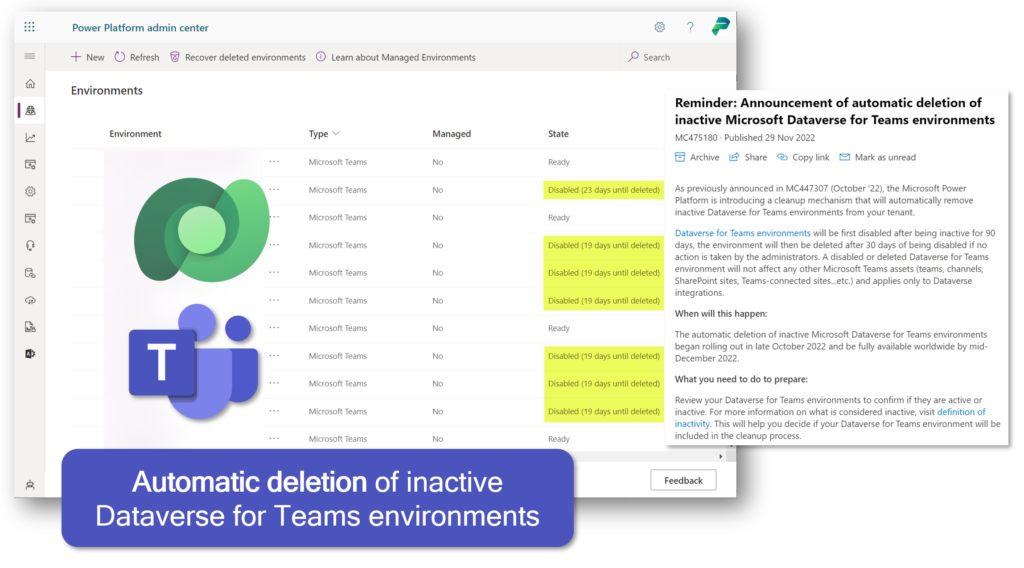
    Creating Dataverse for Teams has been fast & easy, whereas managing their lifecycle has been more challenging. The new built-in deletion policies will help in cleaning up unnecessary environments from the tenant: [view on LinkedIn]

    Power Platform security management
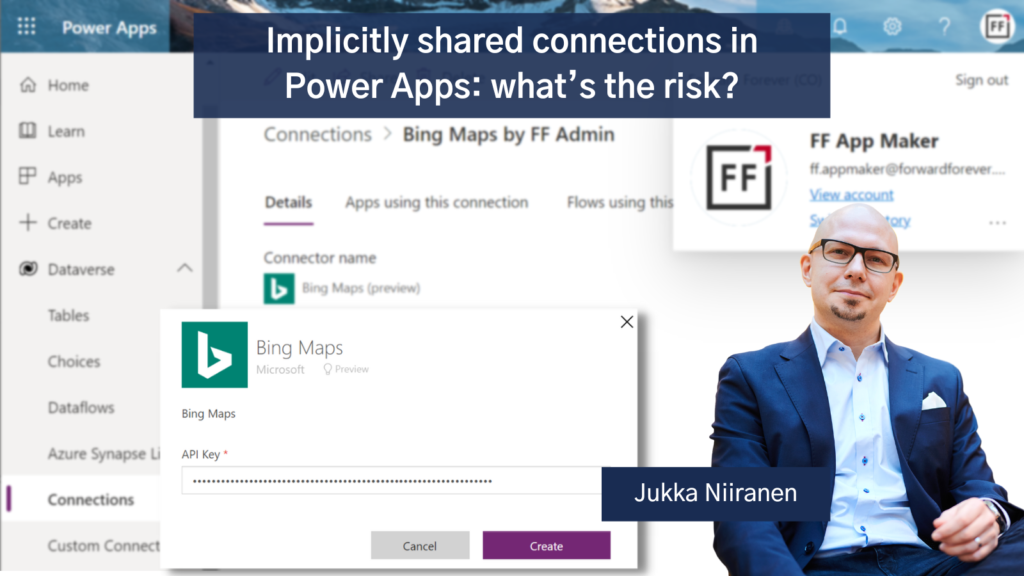
    Many customers and app makers are unaware of the risks involved with implicitly shared connections that use shared credentials for all users of the app’s connector. So, I had to write a blog post about it: [view on LinkedIn]
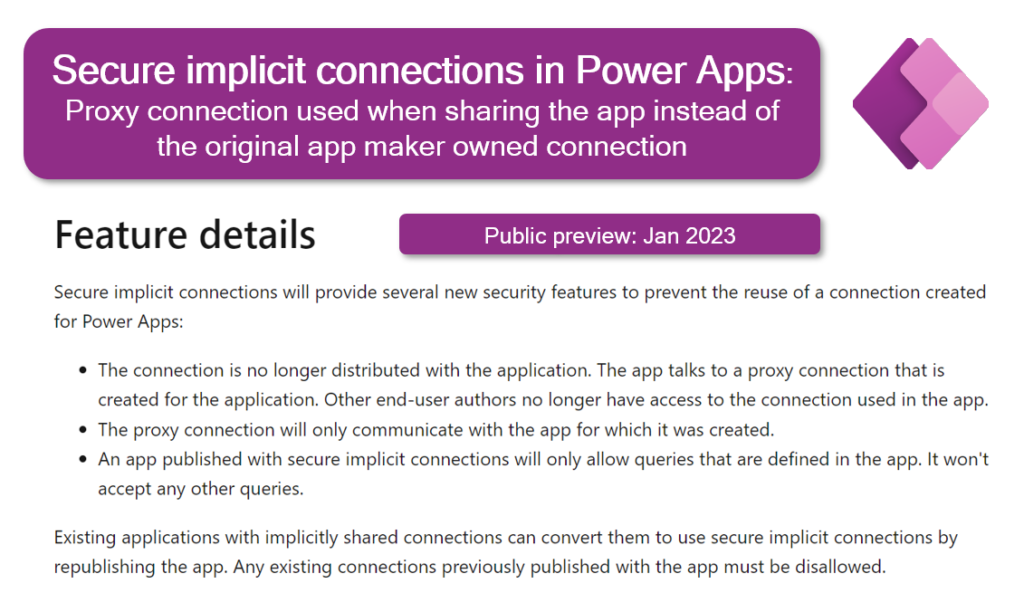
    Luckily Microsoft is working on a new feature that would introduce additional security layers on top of implicitly shared connections: [view on LinkedIn]
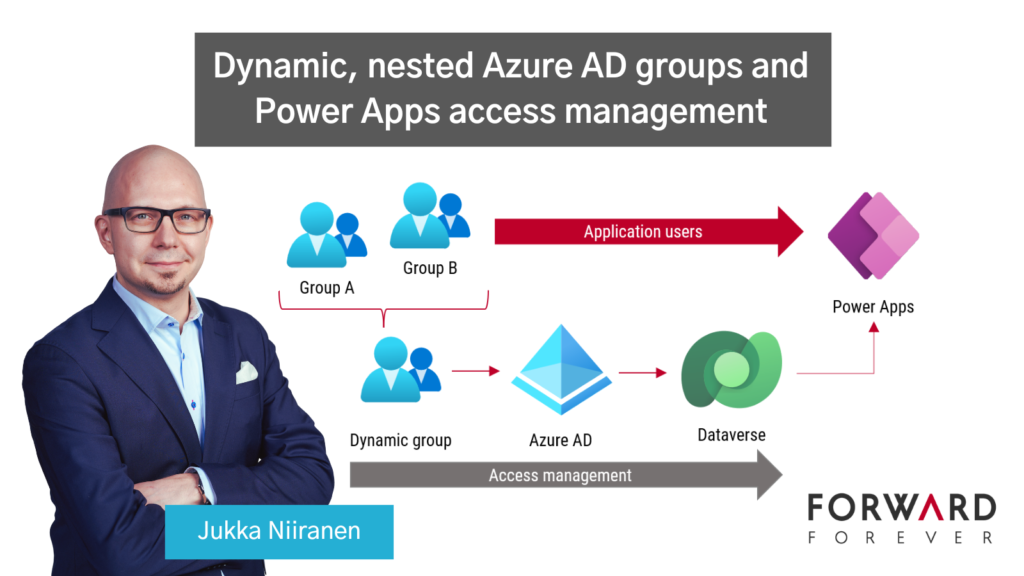
    Azure AD groups offer capabilities that all Power Platform admins should be aware of. In this blog post I introduce how dynamic, nested security groups can streamline Dataverse and Power Apps access management: [view on LinkedIn]
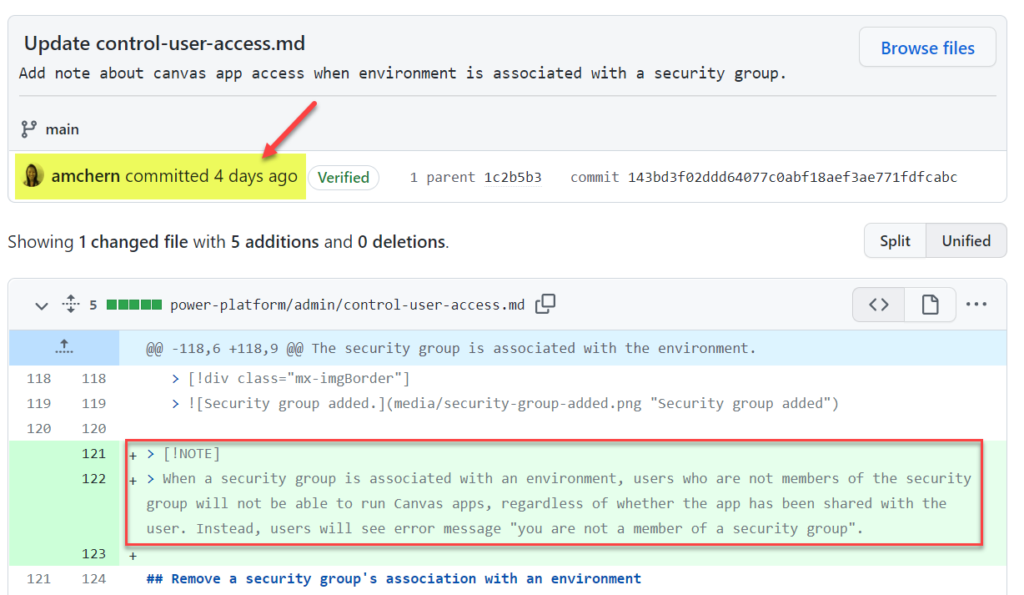
    Microsoft made a change to how the security group of a Power Platform environment impacts users of canvas apps: [view on LinkedIn]

    Power Platform maker tips

    Wouldn’t it be great if your CRM system could identify the right parent account for a contact record based on it’s email domain? This blog post will show you how to achieve it with Power Automate: [view on LinkedIn]
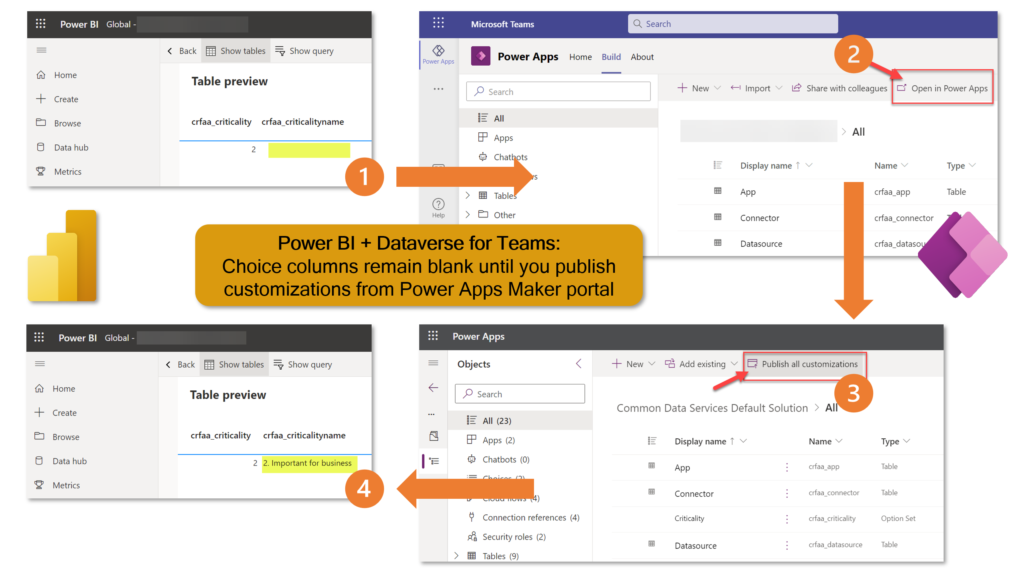
    When using the Dataverse TDS endpoint as the data source for your Power BI report, make sure that you have explicitly published the table metadata before building your reports. Yes, even in Dataverse for Teams where the solution publishing option is well hidden: [view on LinkedIn]

    Power Platform adoption
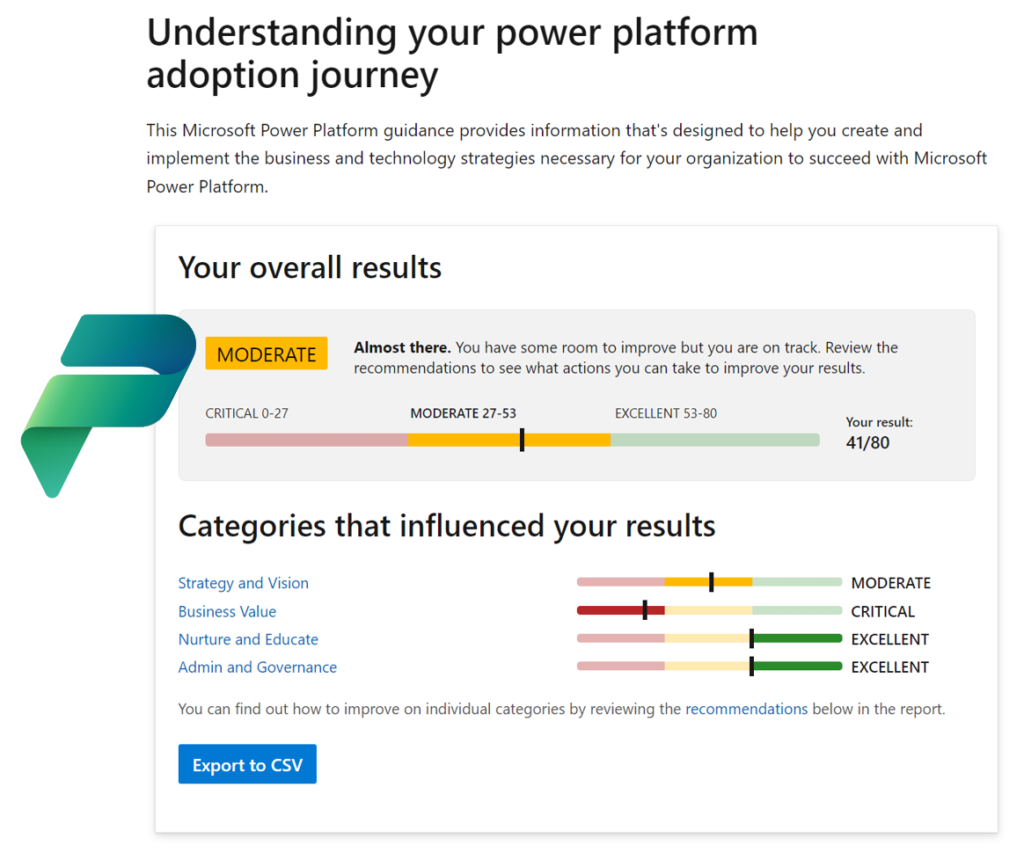
    New assessment from Microsoft, helping you measure how far along are you on the Power Platform adoption journey: [view on LinkedIn]

    Power Platform licensing
    With the ever changing naming and licensing policies of Power Platform, it was time for me to update my earlier blog post that collects all the key price points into a single article: [view on LinkedIn]
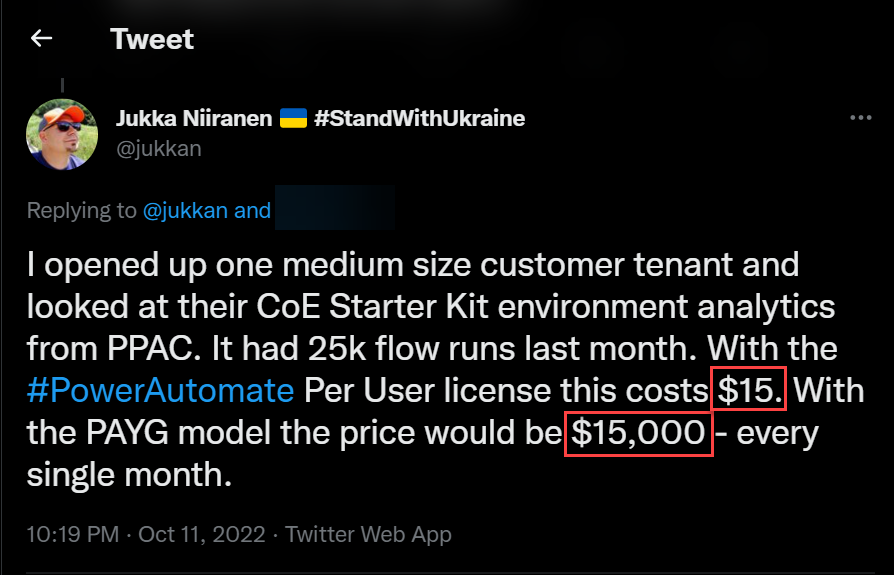
    Whatever you do, you should NEVER use the Power Automate pay-as-you-go plan with the CoE Starter Kit service account that is running the daily sync flows. It’s an easy yet extremely costly mistake to make: [view on LinkedIn]

    As Power Apps Portals are replaced with Power Pages, the new pricing model may incur surprising cost increase for anonymous website visitor scenarios: [view on LinkedIn]
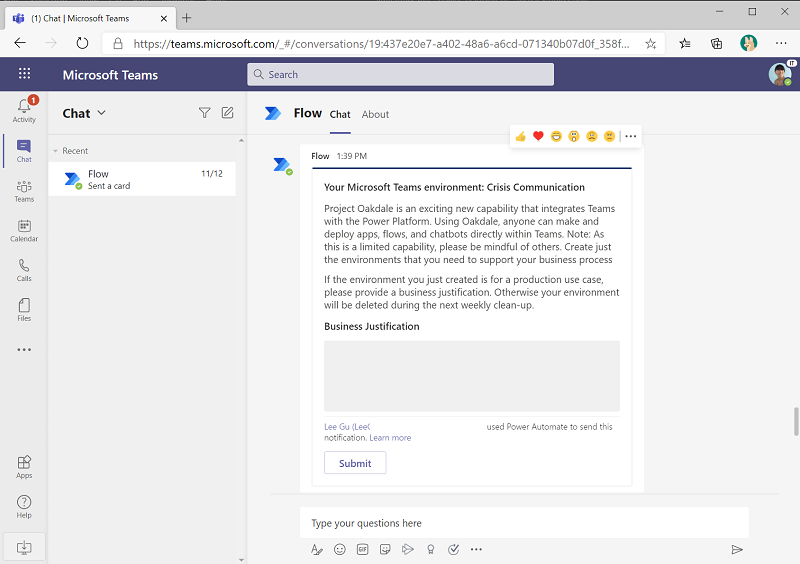
    Microsoft suggests using adaptive cards to avoid having to provide premium licenses to all users who need to update the CoE Starter Kit inventory data managed in Dataverse. Are the responses to these cards sent by a premium licensed flow really a possible workaround or not? [view on LinkedIn]

    Community tools
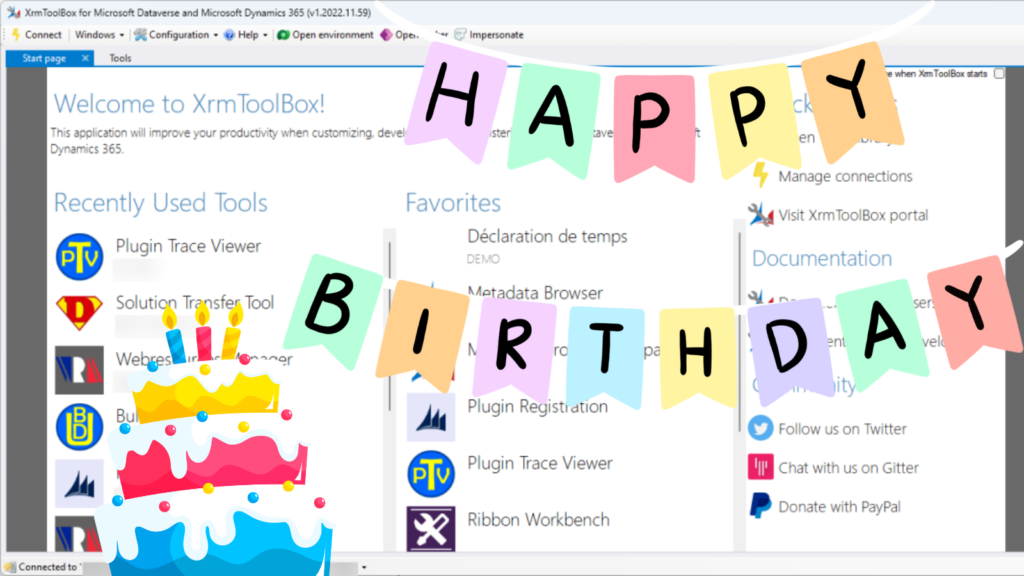
    XrmToolBox is 10 years old! It’s the original low-code development UI for what later became Power Platform and its just as valuable today as it was a decade ago: [view on LinkedIn]

    Microsoft Teams
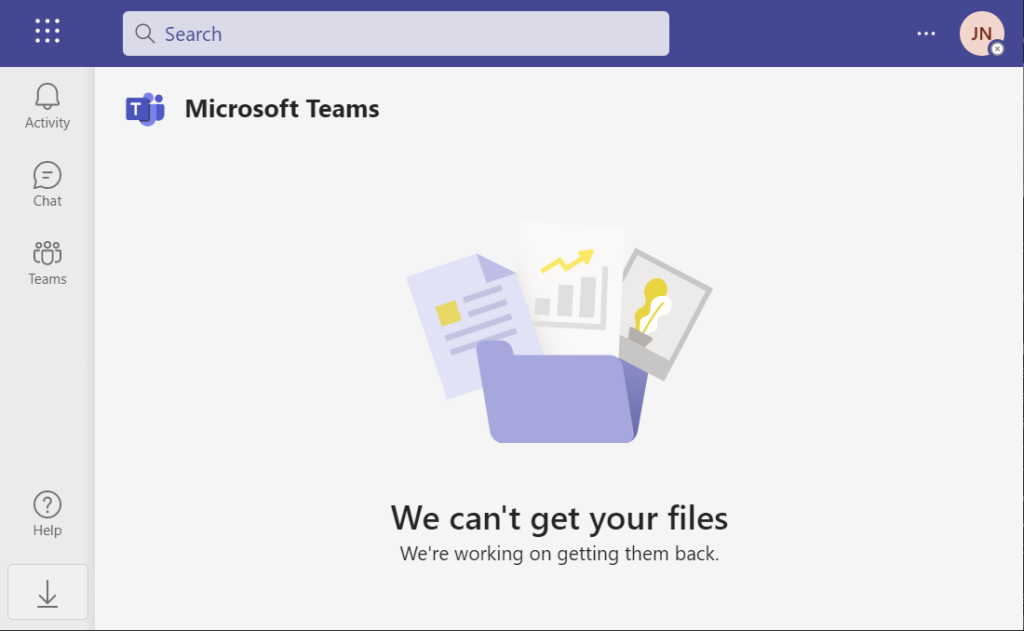
    Using Teams for collaboration across tenants continues to be a struggle: [view on LinkedIn]

    AI
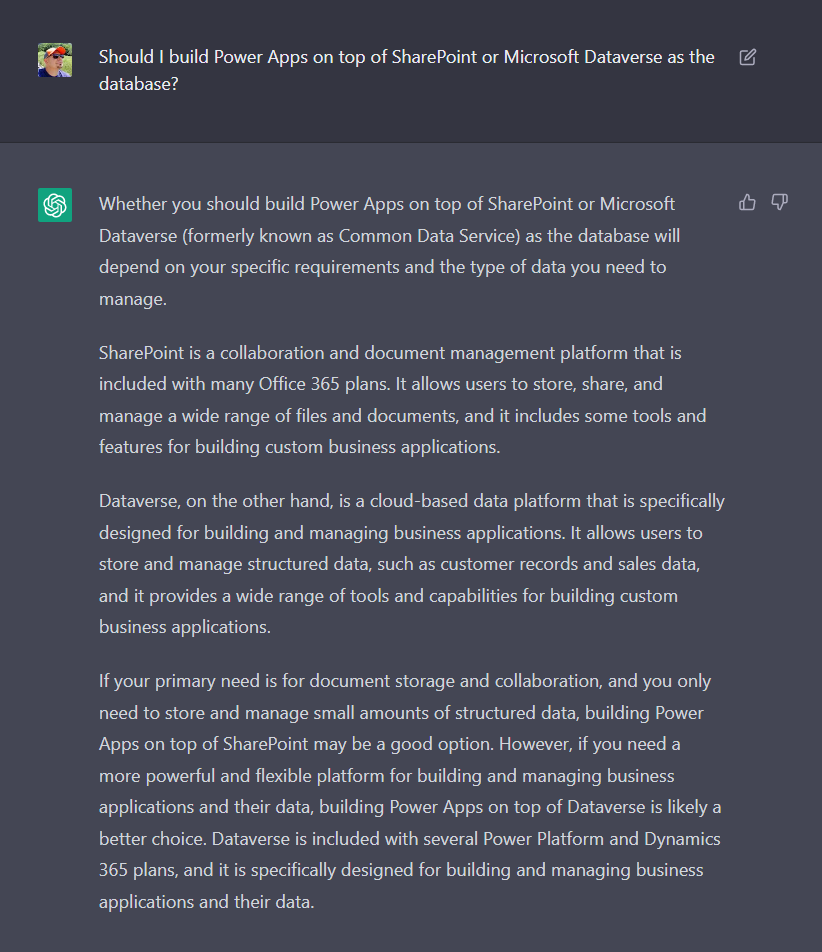
    ChatGPT may not yet have access to live internet information, yet it has already illustrated what amazing opportunities await for us once these generative AI models are incorporated into the toolkit used for building apps: [view on LinkedIn]
    Twitter

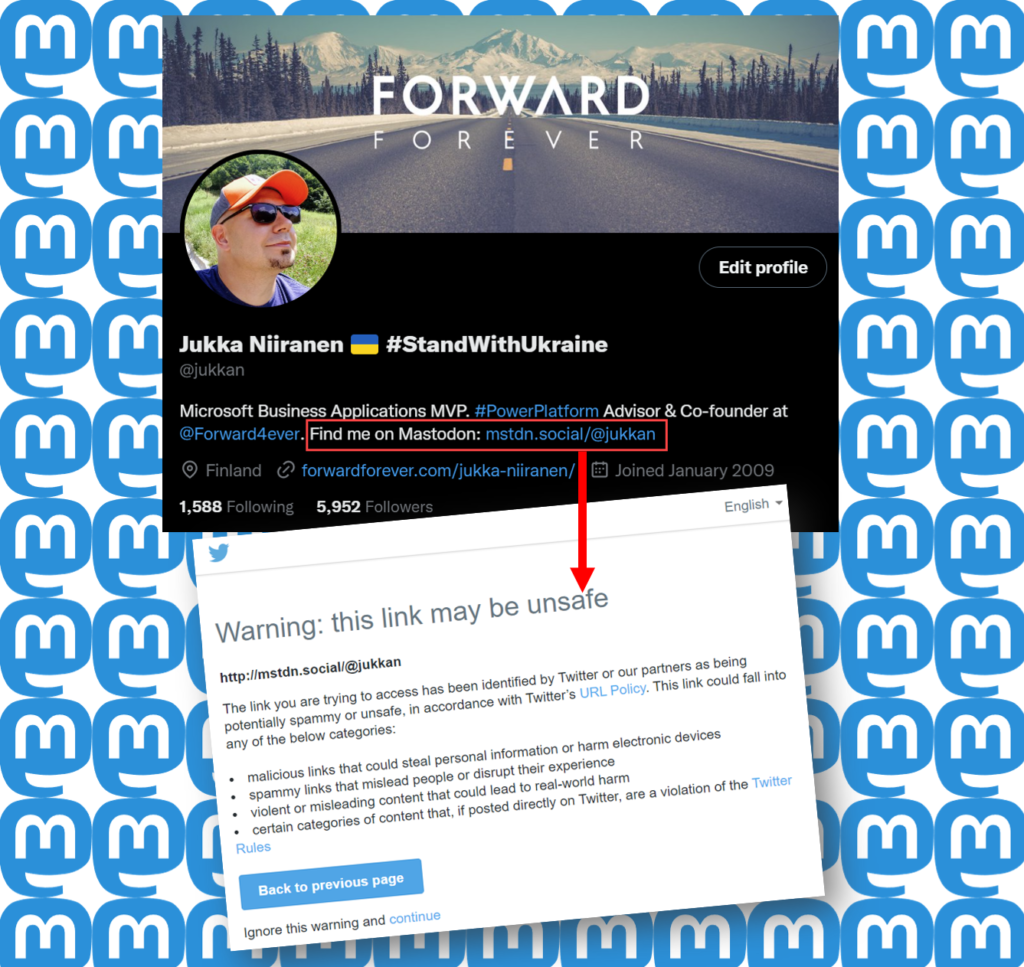
    Twitter blocks users from posting links to Mastodon and other social networks in a futile attempt to stop its users from discovering there is (better) life outside Twitter: [view on LinkedIn]
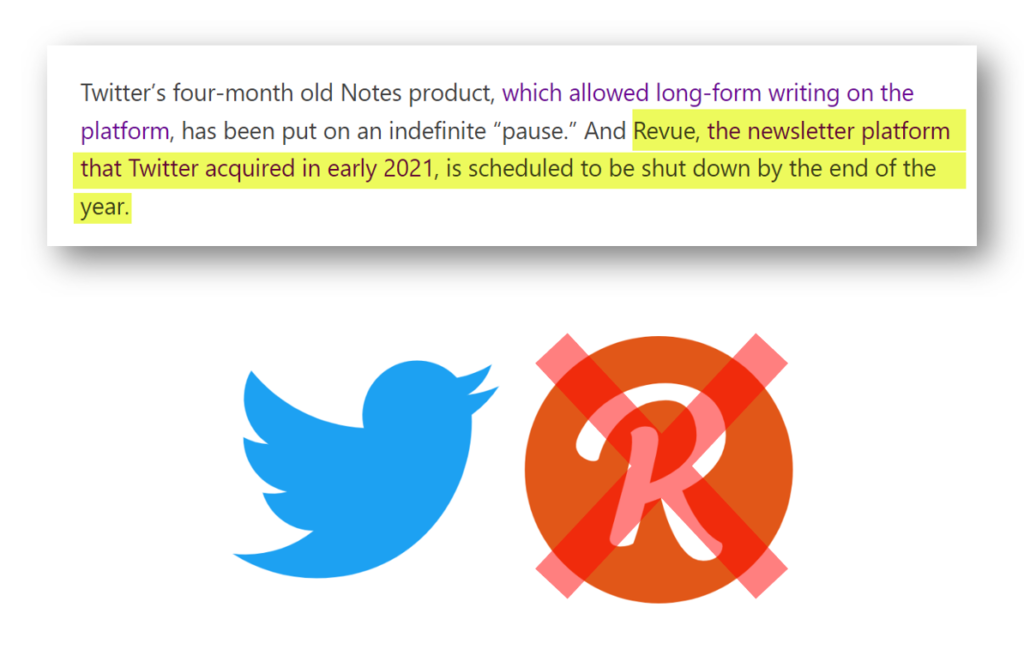
    Twitter acquired the email newsletter service Revue 2 years ago. Now they’ve killed it, at a time when competing newsletter products like Substack are seeing big growth. Unfortunately for content curation there’s nothing quite like Revue out there to replace it: [view on LinkedIn]

    iPad
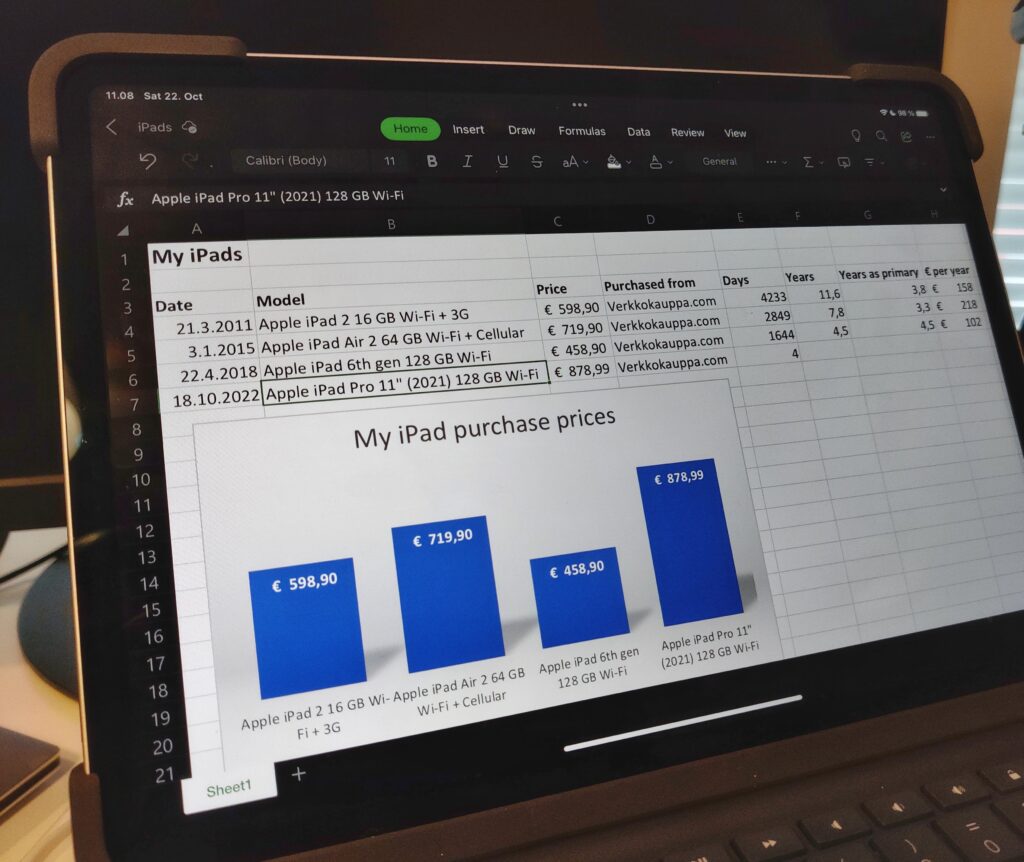
    I work on a Windows PC and use Android on my phone, yet I’ve always wanted to have at least some experience on what’s going on inside the world of Apple. The time had come to upgrade my iPad to a newer model – before it became even more expensive: [view on LinkedIn]
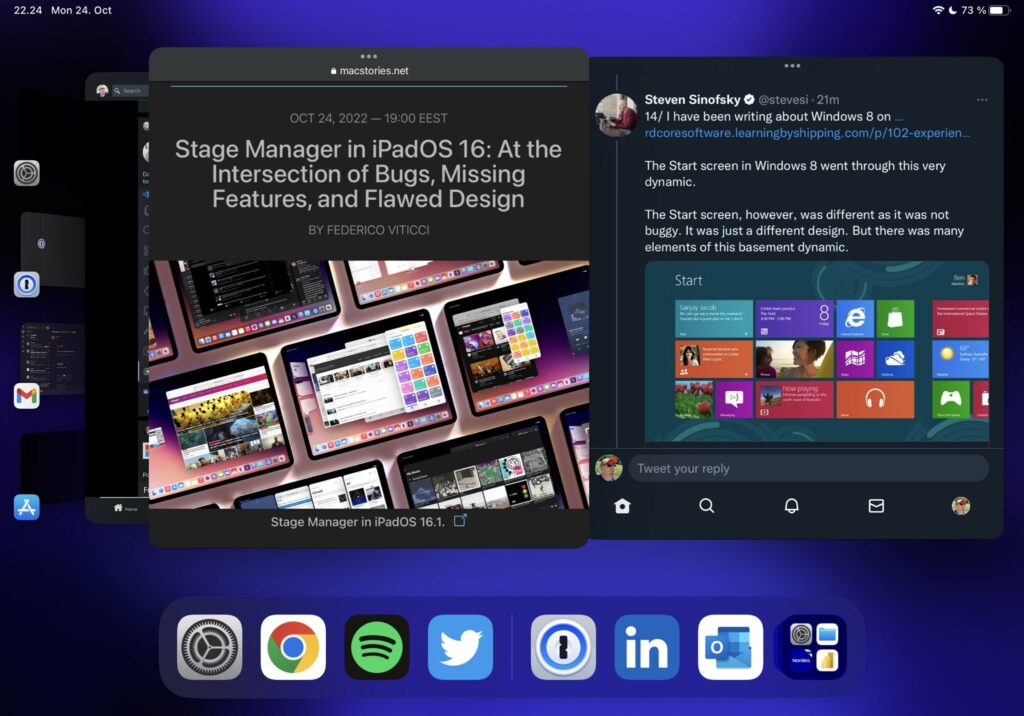
    One key incentive for me to purchase an M1 iPad Pro was to get access to the Stage Manager feature in iPadOS 16 that promises to bring near freeform window management into Apple’s tablets. Based on my initial tests, the experience is as jarring as what Windows 8 Start screen did to PC desktops: [view on LinkedIn]

    (Header photo by Jon Flobrant on Unsplash.)
  • Spring in The Dynamics 365 World

    Spring in The Dynamics 365 World

    The recent Business Forward event with a keynote from Satya Nadella served as the launch event for the Spring 2017 wave of Dynamics 365 product functionality. If you didn’t catch the live stream, you can see the recordings of the various presentations here. Of if you just wants some snacks from the event, why not take a look at my Storify collection of tweets shared on the event backchannel:

    Let’s explore some of the most exciting pieces of news that we know about the upcoming release.

    I’d Like To Add You To My Professional Network on LinkedIn

    LinkedIn is naturally a big focus for Microsoft, after paying some seriously big money for the network. The first commercial offering from MS on the sales side seems like more of an evolutionary step in bringing the LinkedIn Sales Navigator product closer to Dynamics 365 Customer Engagement. The familiar iFrames will still be how LinkedIn content is displayed in the context of accounts and opportunities, but now also the activities from LinkedIn will show up on the standard Social Pane of Dynamics 365 entities.

    If you think of the old “democratizing social” message we’ve heard with capabilities like Microsoft Social Engagement offered at no extra charge, LinkedIn won’t follow exactly the same pattern. The bundle of Sales Navigator + Dynamics 365 Sales App (not Plan) now called Microsoft Relationship Sales solution still comes with a price tag that will not lead into everyone having unlocked LinkedIn tools and network data at their disposal. Not a huge surprise, since why would you give away this “new oil” for free to customers who’ve just bought the car from you? Those target groups who see value in these sales acceleration tools may still find this to be a better deal than the earlier offers.

    The other new product seems to be a bigger step forward as MS enters the Human Capital Management (HCM) game with their Dynamics 365 for Talent app. Again, the foundation here is sure to have a lot of the LinkedIn recruiter functionality covered in a new coat of Dynamics paint, but at least based on the Business Forward live demo this looks like quite a thorough paint job. The sales guys will apparently still be kept largely in the familiar LinkedIn territory in terms of the user experience, but Talent seems like an “authentic” MS app following their design language.

    There probably won’t be so much beef in Talent for the XRM people, but the ERP integration with existing AX/Operations HR features surely has great potential.

    It’s The Insight That Counts

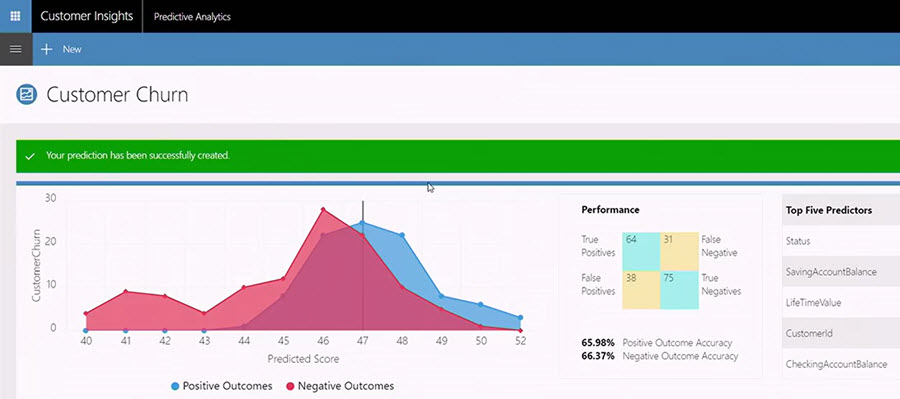
    Talking about other Dynamics products outside of the XRM platform, one new entrant into the scene that has been popping up quite frequently on the recent slides is Dynamics 365 Customer Insights. Judging by what MS showed to the industry analysts at the BF event, there will be some UI changes from the current Preview that will bring this closer to Dynamics and further away from the initial “Azure Customer Insights” version that we saw last fall.

    It’s been a bit difficult to evaluate the true capabilities of the Customer Insights application up until now, since actually connecting it with Dynamics 365 data hasn’t been possible earlier. Once all the Azure Data Lake and other elements that this application depends on are fully available across different regions, perhaps we’ll soon get some hands-on experience to contrast with all the big words that have been associated with Customer Insights so far. At least all the segmentation and visualization features appear to be much more targeted towards real life CRM scenarios than some of the more generic analytics capabilities in products like Power BI.

    Speaking of which: I almost missed this announcement, but Power BI now as a connector to Customer Insights, which opens up some new scenarios. If the various analytics options didn’t have your head spinning yet, then the new Power BI Premium with on-prem server deployment options might just do the trick.

    What About XRM?

    Looks like there are shiny new applications coming for the Dynamics 365 product portfolio, some of which are leveraging the Common Data Service (CDS) as the backbone. It makes a whole lot of sense to use the latest technology for brand new apps, but that doesn’t mean the XRM platform would have been forgotten. To get a glimpse of what the Spring release will be introducing on this front, you can head over to the Dynamics 365 Roadmap site and pick an XRM based app like Sales, then see the “In Development” lane. Below are a few examples of the items currently listed:

    • Virtual Entities. “With Virtual Entities, System Customizers and Developer have the power to build complex business applications to view external data in Dynamics 365 at runtime without having to make multiple copies of the data.”
    • Portal interaction tracking. “Track your customer’s interactions with your Portal and funnel it to Dynamics 365 Customer Intelligence to plot a 360 view.”
    • Support Azure AD-B2C for Portal authentication using a single sign-on (SSO) configuration.
    • Source code for Portals. “A one time release of Portals code will be released to the Microsoft Download Center under MIT license for developers to download. This feature enables Portals to be deployed to Dynamics 365 on-premise environments, and allows developers to customize the code to suit their specific business needs.”

    Expect to see the list grow as we move closer to the planned release date. A lot of great features have already been presented in MS events, like in-context Flows in Dynamics 365, or improvements to the user experience. If you want to be the first to gain access to the upcoming features, then be sure to check out the recently announced Dynamics 365 Insider Program.

  • LinkedIn, Dynamics CRM and Social Selling

    LinkedIn, Dynamics CRM and Social Selling

    LinkedInA significant share of Dynamics CRM systems tend to be implemented for B2B sales scenarios. In the age of social selling, digging up information about the person you’re about to call will quite often involve looking up his or her LinkedIn profile. With this in mind, surely everyone’s running a tight integration between their customer relationship management system and the LinkedIn network, right? Well, based on my personal experience, quite often it tends to be one of those requirements that come up during the sales phase but then get phased out from the actual go-live of a new CRM system.

    The question of “how to integrate Microsoft Dynamics CRM with LinkedIn” has been making the rounds in various forums for as long as I’ve been involved with the product. Now that you’ve potentially arrived here in search for an answer (thanks, Google!), I thought I’d collect a few pieces of information and personal thoughts on the subject. If you have any experiences to share regarding using Dynamics CRM in the social selling scenarios, please do leave a comment in the box below.

    The Quick Way

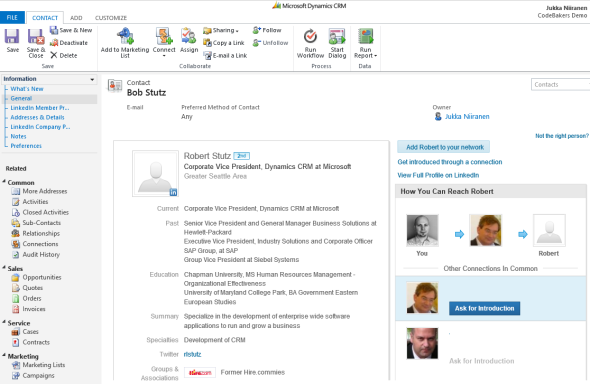
    As always with information systems, there’s integration and then there’s “integration”. If you can meet the requirement by just surfacing a bit of content from LinkedIn inside a Dynamics CRM form, then here’s a great article from Salesmetrix that shows you the steps to integrate the LinkedIn Member Profile badge onto a CRM contact form. By adding a simple web resource and signing up for a LinkedIn API key you can show the contact’s job title and picture from LinkedIn alongside your CRM data, like this:

    CRM_contact_LinkedIn_profile_widget_small

    Why is this not the perfect solution? Well, did you notice the step require for copy-pasting the URL to the contact’s LinkedIn profile field before the profile badge is shown? Yeah, that’s the bit that your sales people are most likely not going to perform. Getting them to even enter the minimum required details on their leads and opportunities into a CRM system can be a major struggle, so introducing a complex operation like this into the process is going to require plenty of sales skills from the implementation consultant to convince the users that there’s a tangible benefit for them in filling in all the blanks on the contact form.

    That’s of course not anything that couldn’t be overcome with a little bit of further development. One example for performing the profile search dynamically based on name fields on the CRM records can be found from Nicolae Tarla’s blog. Coincidentally, Nicolae has also recently released the Microsoft Dynamics CRM 2011 Scripting Cookbook that contains a few examples of lightweight social network integrations in the final chapter. Building proper social profile discovery services will require more than mere Javascript, but for showing LinkedIn Member Profile Plugin and Company Insider Plugin in the CRM UI you probably don’t need to invest a whole lot of time in developing a working solution.

    You could choose an even more simplified approach and just add a button on the contact form’s ribbon to open LinkedIn search page with pre-filled values. A URL like http://www.linkedin.com/vsearch/p?firstName=Jukka&lastName=Niiranen&company=CodeBakers will get you onto my LinkedIn profile faster than manually entering the same search terms. You can study the LinkedIn URL Query Parameters to see the kinds of variables that could be used. There’s also a post on the old CRM Online Team blog that shows you how the button would have been added back in the CRM 4.0 days. (While building your URL’s, do remember to handle special characters and spaces in contact and account names.)

    The problem with all these type of solutions is that if you’re not paying for them (on a continuous basis), you can’t expect them to remain working forever. Several variations of the LinkedIn and Dynamics CRM integration techniques have come and gone, such as Marco Amoedo’s CRM 4.0 LinkedIn Company Insider Widget hover link and Leon Tribe’s & Matt Wittemann’s Five-Minute Integration Between Dynamics CRM and LinkedIn. All fine solutions in their time, but as the API’s and applications keep changing, the need for re-developing solutions to the same problem remains.

    The Official Way

    A company like LinkedIn surely wouldn’t have missed the chance for monetizing the data they’ve accumulated into their network by selling it to B2B sales people who are using a system like Microsoft Dynamics CRM, now would they? Of course not, which means “there’s an app for that”LinkedIn for Microsoft Dynamics CRM.

    The product requires a Sales Plus or Sales Executive subscription for LinkedIn, which start from €28.95 per user per month. If you’re like me, you probably receive frequent “special offers” for a free month of LinkedIn Premium. This time I decided to activate the offer and use it for test driving the Dynamics CRM solution. The deployment process was quite straightforward for a CRM Online environment as no further configuration was needed apart from installing the solution file. After that, this is how you’ll see LinkedIn company profile and people data on the account form:

    LinkedIn_DynamicsCRM_company_profile_small

    On the contact form we have tabs for both Company Profile and individual Member Profile.

    LinkedIn_DynamicsCRM_member_profile_small

    For some reason the lead form doesn’t get any LinkedIn components added on it, so you’ll need to qualify the lead to an account and contact before being able to leverage the integration.

    Not every CRM user needs to have the subscription, but unless they do, they’ll not be able to see the premium content on the account or contact forms. Therefore you’ll probably need to manage role based forms for different user groups by creating a specific LinkedIn security role for those who have the Sales Plus subscription.

    Unfortunately the solution from LinkedIn hasn’t yet been updated to be compatible with the cross-browser world of Polaris / Update Rollup 12, so using it on Chrome, Firefox or Safari isn’t supported. Also Internet Explorer 10 fails to render any content in the iFrame and LinkedIn recommends downgrading to IE9, so if you’re running Windows 8 you’ll need to run Dynamics CRM in IE7 Compatibility View to make use of the solution. No release schedules for an updated solutions were available when I asked about this from LinkedIn support. Needless to say, running CRM Online with the new Polaris process forms isn’t supported with the LinkedIn add-on.

    The Ultimate Way?

    What if we are really determined to get the most out of this wonderful source of “free” information that is LinkedIn? Wouldn’t we want to pour all the data into our own CRM database and preferably also synchronize it with the latest updates available from different online directories?

    (more…)

  • Enterprise gone social – how will CRM fit in?

    Enterprise gone social – how will CRM fit in?

    Call it a revolution, call it a bubble, call it what you want. One thing is for sure: social networks are not going away. Even though it still remains important to be able to manage and measure your sales funnel with the help of some tried & tested SFA tools, segment your customer database to build more effective target groups for campaigns, or share information on customer support enquiries across your helpdesk staff, this functionality will not be considered as important as it was during the last decade. In this new age of connected customers and empowered information workers, companies will be searching for applications and processes that go beyond what CRM has traditionally stood for.

    Let’s take a look at some of the recent news surrounding the world of CRM, to gather evidence of where we might be heading towards.

    Takeways from #SFDC #DF11

    On the last week of July, Salesforce.com held their annual Dreamforce conference in San Francisco. As a person working with Dynamics CRM for a living, it’s a good idea to keep an eye on where the other CRM solution providers are focusing their development efforts on, and SFDC certainly is one of, if not the main competitor that Microsoft has their eyes on. In his opening keynote, Marc Benioff made it very clear where his team’s focus is on, and that is the concept of a social enterprise. I’ll spare you from the marketing flare and instead present a few screenshots captured from the presentation, highlighting the new feature announcements.


    So, what’s in the pipeline for Salesforce.com during the winter 2011/2012 then?

    • Contact profiles will be “social enabled” by default, showing public feeds from networks were your customers are present
    • Data.com, previously known as Jigsaw, will power the social data discovery and data import, in combination with D&B’s database
    • Chatter Now extends the functionality from microblogging to instant messaging with presence information
    • You can invite your key customer contacts to specific Chatter networks, or even publish Chatter on the web as a customer service channel
    • Radian6’s technology will monitor those customer complaints that are not targeted at your helpdesk, enabling you to jump in on the conversation
    • All of this follows you everywhere you go, as touch.salesforce.com promises to deliver a HTML5 client that’ll make your iPad or smartphone a full-fledged social CRM control panel

    Even if you leave away some of the over-the-top scenarios presented, like friending the Coke machine or having network routers tweet you on social networks, it’s still clear that with all the promised functionality at your fingertips (once it’s available and working in a reliable manner), the possibilities for you to design and implement new business processes will be dramatically expanded. Whether companies are able to make use of and, more importantly, make money out of these new possibilities is a different question, but it surely does push the boundaries of CRM as we know it.

    Social CRM is where it’s at

    “Social” certainly is an attractive attribute to include in your product description these days. Gartner, for example, has predicted that the market for Social CRM would reach a total value of one billion dollars by the end of next year. Predicting the future with concrete figures is always a challenge, but it’s even more difficult when people don’t even agree on the definition of the market to be predicted. Several analysts have commented on Gartner’s reports, starting from reminders that an SCRM market may not really exist yet, or they have questioned Gartner’s choice of products included in their SCRM Magic Quadrants as including applications aimed at other functions than what CRM systems traditionally are about – managing customer information, that is.

    (more…)