Tag: Licensing

Licensing of Microsoft’s Power Platform and Dynamics 365 products.

  • Application/Platform Separation in New PowerApps Licensing Model

    Application/Platform Separation in New PowerApps Licensing Model

    Ever since Spring 2018 when the XRM and PowerApps platforms merged on a commercial level, I’ve found myself spending an ever increasing number of hours per week involved in licensing discussions and scenario planning. My initial exploration of the platform licensing back then came to the conclusion that many of the crucial details for actually determining what you can & can’t do with PowerApps licenses vs. Dynamics 365 CE licenses were simply not available at the time. Obviously this was not an ideal starting point for Microsoft to start pushing their Power Platform into new business areas that should see it capture the next 10 million developers from outside the traditional CRM field. But still, it is the legacy that came with the underlying platform that was designed to be sold as Sales, Service, Marketing etc. solutions delivered via traditional enterprise projects via partners that mostly had started back in the Microsoft Business Solution (MBS) days. What can you do about that, huh?

    This year at the Inspire 2019 partner conference, Satya Nadella framed the role of Business Applications and Power Platform in particular with the following numbers:

    (Click here to watch this segment of his Inspire 2019 Corenote.)

    If there are indeed 500 million new apps that will be created in the coming five years, then those sure ain’t gonna emerge from the MBS style business model and development methodology. Today the world is full of both cloud service providers that offer low-code/no-code tools for building your own apps very rapidly, as well as savvy power users who are interested in seeing if they could take their Excel workbook desktop wizardry to the next level with these cool new tools that promise to deliver modern apps for this smartphone era. Since MS has obviously identified this new business potential that Power Platform can unlock for them, are they going to let the prior licensing model of Dynamics 365 stand in their way? Probably not.

    It just so happens that Inspire 2019 was also the place where the upcoming licensing changes for both Dynamics 365 and Power Platform were introduced to the partner audience. Since Inspire is a public conference that anyone can attend, it also meant that any customers paying attention to the Microsoft ecosystem are already aware of the changes announced to take effect on October 1st, 2019. The slide decks for both sessions are available for download on the Inspire website for a more detailed look. On the PowerApps blog there is also a summary of these changes, which is nice. What’s really nice is that the comments section is open, which often isn’t the case for corporate announcements related to licensing (is it even a “blog” if there is no reader interaction opportunity given?). The product team has been responding to a lot of the feedback around the topic, which makes me optimistic about the possible fine tuning of the licensing model to align with what the outside world thinks about it.

    Pay per App

    As with licensing always, there’s far too many details in the Inspire 2019 news to cover in one blog post. Maybe I’ll eventually do a revised version of my “Demystifying Dynamics 365 & Power Platform Licensing” session from January, but right now I want to focus on one aspect: the price of an App. This is something the new PowerApps licensing model highlights in particular:

    In short, what Microsoft will do in October is to retire the earlier PowerApps P1 and P2 plans and introduce new “Per App” and “Per User” plans. Nothing (major) is going to change with how the rights bundled into Office 365 and Dynamics 365 licenses work. The “Per User” plan will be the same price ($40) and mostly the same capabilities as the earlier P2, whereas the earlier “lite edition” of PowerApps P1 at $7 will be discontinued completely.

    “What?!? How can they just take away the $7 plan and push everyone to buy a license that’s almost six times the price of that?” Yes, this is the hardest part about the changes, no doubt. I was a bit surprised to see this as the direction where Power Platform is heading, given how the citizen developers who’ve been playing around with the seeded Office 365 PowerApps license should rather be pushed into learning more about CDS, solutions and all those “real” application development tools that P1 previously offered. Nevertheless, after letting the new model sink in for a few days, I believe that this pricing mechanism makes a lot more sense than the earlier version.

    A fundamental problem with the current P1/P2 divide was that it attempted to draw the line on app complexity. There were limitations like the inability to attach real-time custom business logic (workflows, plugins) on entities that were used by PowerApps P1 license holders. This was particularly problematic when operating within CDS environments that also serve as the Dynamics 365 CE app database (yes, they’re all CDS now): any developer or 3rd party app registering a plugin step on an entity like account would instantly have put all P1 users attempting to access it out of compliance with the license terms. Also the rights on “complex entities” and “restricted entities” differed between P1 & P2. Sounds complex? Yup. I had to write a blog post for demystifying these PowerApps “starter” plan capabilities just to get my head around on where the lines were drawn.

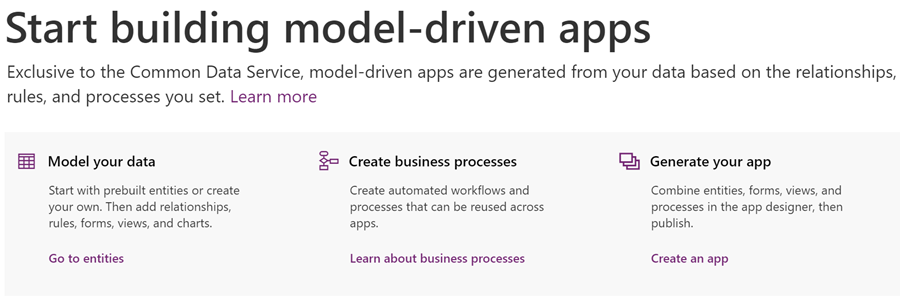
    Something that would have eventually become a big problem with the old P1 definition was that it only allowed the users to run Canvas apps. Sure, those pixel-perfect mobile-first applications are what most people think PowerApps is made of, but that is a view of the world that needs to be deprecated. Model-driven apps are just as important area of what Power Platform represents (on CDS in particular), but that capability was reserved for P2 license holders only. Given that Microsoft is aiming to remove all of these artificial limitations between app types and eventually get all PowerApps customers to Run One UI, keeping P1 users locked from this future app convergence simply wasn’t a viable option anymore.

    (more…)
  • PowerApps “Starter” Plans Capabilities Demystified

    PowerApps “Starter” Plans Capabilities Demystified

    There are many ways to get started with PowerApps on the cheap. What I mean by cheap here is the types of licenses that have certain limitations on what you’re allowed to do with the PowerApps platform and apps, in exchange for their lower cost. In other words, “less than PowerApps P2 capabilities.” In this article I’ll try to illustrate what these limitations are, especially when working with data in the Common Data Service (CDS).

    As was announced already one year ago, PowerApps Plan 2 at $40/user/month is the official platform SKU that allows you to build and run highly complex custom applications, on top of the same platform that also powers Dynamics 365 Customer Engagement (CE) applications. If you have a license for any CE Enterprise App or Plan, you’ve also got the full power of PowerApps P2 at your disposal. As long as you can afford to fork out at least $95/user/month, then you’ll get both the first party Dynamics 365 App plus the unlimited platform usage, which of course is the best scenario in terms of how to digitally transform your business processes with the help of MS Cloud.

    When building custom PowerApps, often times the audience that would need to have access to these apps is much larger than your team of sales people who would use the CRM application manage customer interactions and sales pipeline, for example. The apps may be replacements of legacy Excel sheets or even paper forms, which are not all that complex when compared to full Enterprise Sales applications, and they might not even be used that often per single user. However, you may still need to enable each and every employee in the organization to use the application to complete the task it’s designed to manage.

    For these kind of scenarios the licenses should preferably fall more into the Office 365 (or Microsoft 365) territory, so that they can be standardized as the tools that all information workers in the company have at their disposal. Luckily there is a plan called “PowerApps for Office 365” that already provides the basic capabilities for app building and usage bundled into the license that almost everyone has these days. The limitations are that it’s really meant only for working within the Office 365 stack of services. The next level up from there, PowerApps Plan 1, is also priced at $7/user/month which is only a fraction of the price of Enterprise Sales App, for example. Here you get access to CDS and various types of connectors to other systems where your business data may reside.

    Up until this point, the PowerApps plans and capabilities line up nicely into a stacked Venn diagram with these layers:

    Where it starts to get more complex is the Dynamics 365 CE licenses that are below the Enterprise Apps and Plans. These do NOT include the PowerApps P2 capabilities but a different plan called “PowerApps for Dynamics 365 Applications”. In the CE product portfolio, this plan is included with the following licenses:

    • Dynamics 365 for Team Members ($8)
    • Dynamics 365 for Customer Service Professional ($50)
    • Dynamics 365 for Sales Professional ($65)

    You should look into the PowerApps & Flow Licensing Guide to get the full details about what the limitations for different plans are. Now, since these type of long documents aren’t great at highlighting what the “gotchas” in the licensing model are, here’s my attempt at drawing a picture around these lower end PowerApps plans and key capabilities. Please note that I’m only covering the Team Member license here when referencing the “PowerApps for Dynamics 365 Applications” plan, as it’s more in line with the price range of the aforementioned “starter” plans.

    Let’s start from the left, meaning the one capability that is included even in the “PowerApps for Office 365” plan: run standalone Canvas apps. For some peculiar reason, this is not allowed for users with the “PowerApps for Dynamics 365 Applications” plan. The only thing that they can do is “run extended first-party Dynamics 365 (Model-driven) apps within the context of the application use rights”. So, an embedded Canvas app on the account entity form is allowed, but launching any app directly from either web.powerapps.com or the PowerApps mobile app is forbidden.

    This leads to an interesting scenario, because essentially the “PowerApps for Dynamics 365 Applications” plan doesn’t give the users the right to run any type of app that says “PowerApps” in the header bar. Only the applications with “Dynamics 365” branding are within the boundaries of this plan, which makes you wonder why it even need to be a plan in the PowerApps licensing model when the Dynamics 365 licensing should in theory cover it.

    (more…)
  • Demystifying Dynamics 365 & Power Platform Licensing: Part 2

    Demystifying Dynamics 365 & Power Platform Licensing: Part 2

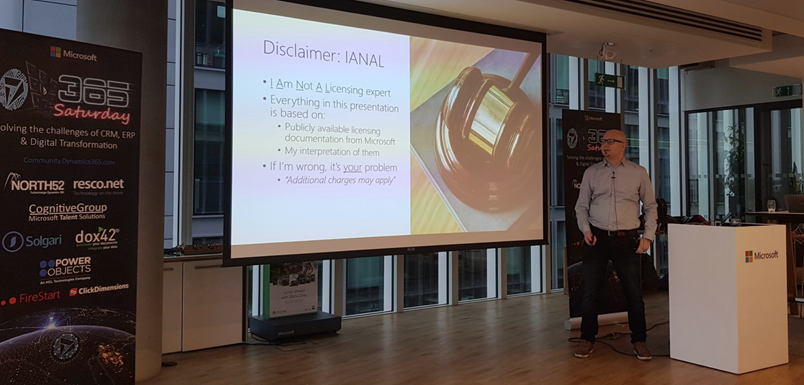
    In the previous post I highlighted some of the recent updates on Dynamics 365 licensing. Now let’s have a look at how the birth of Power Platform has further expanded the licensing options for delivering business applications to customers. Just like before, the content is taken from my session at Dynamics Power 365 Saturday London 2019 and you’ll find the complete slide deck on SlideShare my Slides archive:

    PowerApps vs. Dynamics 365 CE licensing

    Common Data Service for Apps (CDS) environment is essentially the same as a Dynamics 365 Customer Engagement instance, just without the first party apps from Microsoft. If you can get CDS both via PowerApps license as well as Dynamics 365, then it’s important to understand what the subtle differences there may be. Currently at least these features are missing from a pure CDS environment when you provision it for PowerApps and not Dynamics 365:

    There are interesting differences in how the licenses grant you resources when comparing Dynamics 365 CE and PowerApps. On the storage side you get the same starting 10 GB per tenant and as you purchase more user licenses they give you more storage quota. As for the actual instance/environment count, on the Dynamics 365 side you need to pay for additional sandbox and production instances (roughly €125 & €460 per month). PowerApps is far more generous in this sense, as each P2 user license gives you 2 environments. With 100 users you could therefore have 200 environments for your organization, which sound like a ludicrous amount if you’d think of them as CRM instances. That’s where the broader business application scope of Power Platform and the citizen developer mindset clearly differs from the Dynamics way of doing things in a controlled, centralized manner.

    One area which Microsoft has left very unclear in their licensing documentation is what level of PowerApps user rights are included in the non-Enterprise Dynamics 365 licenses. A recent presentation finally listed the restrictions that licenses like Team Member, Sales Professional and Customer Service Professional face in their ability to leverage PowerApps. With the new feature that allows embedding canvas apps into model-driven app forms, the rights of all Dynamics 365 licenses now do include access to these embedded experiences. However, running any standalone PowerApps canvas app is NOT included in these cheaper licenses, so you’ll need a separate license for those scenarios (like PowerApps P1, or the rights bundled in Office 365).

    Looking at it the other way around, what Dynamics 365 style of functionality you get access to with a PowerApps license, the differences between P1 and P2 can be a bit tricky to understand in real world scenarios. Sure, P1 is limited to canvas apps usage only, but also on that side we have exclusions for restricted entities and complex entities. The concept of “complex business logic” is the real gotcha, though, as enabling real-time workflows or plug-ins for an entity will instantly switch the requirement level to P2 license. Here’s how you might fall into this trap:

    For anyone who’s either been building more advanced apps or has planned to do this and has stayed within the PowerApps & Flow licenses bundled in with Office 365 subscriptions, you’ll need to pay close attention to the updated license terms that came into effect on February 1st. In short, usage of custom connectors, HTTP custom actions and on-premises data gateway were moved to PowerApps P1 level and are no longer “free” with Office 365 plans. For a deeper dive into the practical implications of this change, be sure to check out this comprehensive licensing guide to Microsoft Flow and PowerApps by MVP Jussi Roine.

    The push for getting organizations to adopt CDS environments as the basis for their PowerApps canvas apps and therefore upgrading their license package to the paid tier of PowerApps P1 will be a milestone Microsoft undoubtedly wants to reach. This can initially be a hard sell if there aren’t that many apps in production use and the cost of these advanced features would have to be absorbed into their business case calculations. However, if this can be viewed as a proper platform story that is about acquiring licenses for the common foundation of hundreds of apps to come, then the math is far more favorable.

    Model-driven apps and P2 of course represent another big jump in the relative cost of a single license vs. P1 and “free” Office 365 license. Then again, when viewed from a Dynamics 365 perspective, the ~€34 price of P2 is so much cheaper than a Sales Enterprise app license at €80 (and with none of the Sales Professional limitations) that even building your custom Sales app on top of the platform becomes an interesting scenario. That’s one of the changes that has take place with the Dynamics 365 licensing guide wording, as the earlier restrictions about replicating existing 1st party app features have been removed:

    That’s it for the licensing mysteries that I had the pleasure of covering in my 365 Saturday session. Grab the full deck from SlideShare and keep in mind that by the time you read it these licensing terms may well have changed already! For example, the PowerApps licensing page on docs.microsoft.com was updated on Feb 1st and there was a new January 2019 version of the Dynamics 365 Licensing Guide published already.

  • Demystifying Dynamics 365 & Power Platform Licensing: Part 1

    Demystifying Dynamics 365 & Power Platform Licensing: Part 1

    At Dynamics Power 365 Saturday London 2019 I presented on a topic that I had never attempted to cover in any public forum earlier: licensing. In fact, I bet it’s an area most members of the Dynamics 365 community would want to avoid touching at all cost in their sessions. It’s even worse if you’re a technical specialist working for Microsoft, because then you’re under strict guidance on not to make your own statements on an area as delicate as licensing (let alone pricing) and instead direct the customers to talk with a department focusing on these commercial matters.

    Yes, it might feel like explaining quantum physics as you travel deeper into the maze of a software product licensing matrix built from license types and feature bullets, accompanied by pages of text full of phrases that feel as if they’re intentionally designed to make you trip over a detail you failed to notice. Then again, this isn’t really that much different from the attention to detail that is required when designing a technical solution made of software bits that must work together. A proper solution needs to be viable both from a technical and commercial perspective, so there’s no point in closing your eyes and hoping that the client forgets to ask about the license requirements.

    As with the technical side, you don’t need to memorize all the details that are found in the official licensing documentation. You just need to be aware of how the big picture looks like, what factors may affect the type of license needed and where to search for the exact answer. Like with the product itself, also the licensing model is constantly being updated and you’ll need to keep up with the changes to stay on top of the licensing game. Now when the Dynamics 365 and Power Platform product lines are being united not only on technical level but also commercial, it’s particularly interesting to see how Microsoft will align these two license models.

    You’ll find my full deck from the London event already on SlideShare my Slides archive, so feel free to browse through the story. I’ve divided the blog post into two parts where I highlight some of the more interesting graphs, in an attempt to grab your attention before throwing 54 slides of PowerPoint at ya! In part 1 I’ll cover the Dynamics 365 side and the next post talks about Power Platform.

    Dynamics 365 recent licensing updates

    Licensing enterprise software has never been too simple. As the product suites grow, they tend to accumulate all sorts of weird exceptions to the general rules that used to define the basic licensing model. Whenever a brand new model is introduced, the promise tends to be “we’ve simplified our licensing!” and yet you end up with documentation twice the length of the earlier model. Such is life, and Dynamics 365 Customer Engagement is one part of it. Here are the main concepts you need to understand in order to grasp the details of how the product’s licensing works today:

    Even though the anticipated split between Enterprise Edition and Business Edition never materialized for Dynamics 365, we did get some alternatives to the “real” Enterprise plans and apps with the introduction of Sales Professional and Customer Service Professional licenses in 2018. To compensate for the cheaper price, there are a number of limitations imposed on the Professional apps. Some of the features you may have come to take for granted as an XRM core capability are stripped away if you opt for the cheaper license:

    There is of course an even cheaper and much more widely used license type: Team Member. Back at the time when Dynamics 365 brand was announced, Microsoft still appeared to be in denial about the business potential of this cloud service as a true application platform and neglected this aspect in their licensing model. As a result, Team Members were granted unlimited rights to custom entities, thus opening a back door for XRM scenarios. Now when the winds have changed with the Power Platform revolution and platform licensing is a thing with PowerApps P2, that door had to be slammed shut with changes to the licensing terms. First, the access to the most central entity of most CRM systems, the account, was limited to read only for Team Members. Second, the use of custom entities was restricted and the following guidance is now given for choosing the right license type:

    An important aspect for both Professional and Team Member license holders is that there will soon be more technical enforcement of the limitations for customized scenarios. Specifically, the App Module concept will be used to determine what the user can access. You can have 15 editable custom entities per app and grant Team Member users access to all of these (+ global read rights to all Dynamics 365 entities). However, configuring your own App Module will be off limits, as Microsoft wants to ensure you are really just using the 1st party apps with extensions and not something completely custom – unless you pay for Enterprise apps or PowerApps P2.

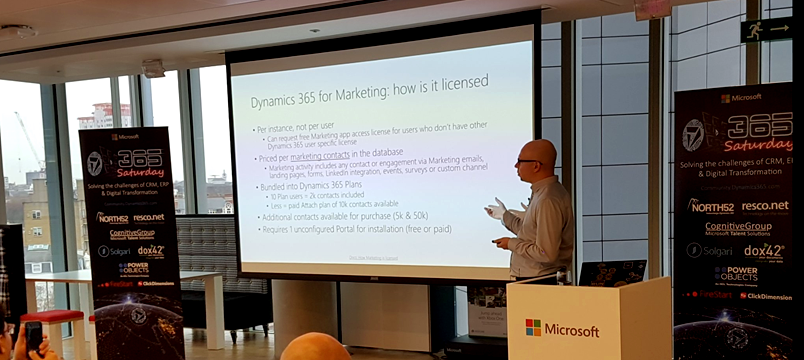
    The more recent the apps in Dynamics 365 product family, the more interesting their licensing models appear to get. Dynamics 365 for Marketing launch was of course a big event in 2018 and the per instance licensing model combined with the per contact pricing is a story you’re better off reading from the blog of a fellow MVP. Recently we’ve seen the AI apps march onto the stage and Dynamics 365 AI for Sales already getting a license type available for purchase. Who gets what where isn’t all too clear when these AI powered features are offered via two different application UI’s for both those with an AI license and those with just the Sales Enterprise one:

    Stay tuned for part 2 where I’ll dive deeper into the PowerApps side of the licensing pool.

  • Exploring CDS for Apps Platform Licensing (PowerApps)

    Exploring CDS for Apps Platform Licensing (PowerApps)

    When Microsoft originally made the Spring 2018 release announcement for Business Applications products and essentially promoted XRM to be the Common Data Service for Apps, they didn’t yet disclose the finer details about how the CDS for Apps license model would work outside the Dynamics 365 Apps and Plans that we’re familiar with. On May 1st the details were revealed alongside the blog post “Which PowerApps plan do I need for model-driven apps and CDS for Apps”.

    In his earlier blog post, Frank Weigel announced that PowerApps Plan 2 officially became the platform SKU for CDS for Apps. In the updated PowerApps pricing page we can see that actually the license types and prices have effectively remained the same as they were before Spring 2018 release:

    The changes are mostly on the new Model-driven App side (formerly XRM), but since there’s now also a wealth of server-side functionality made available for PowerApps via the new CDS for Apps concept, it also affects the Canvas Apps designers. Let’s dive into the details and explore the license model from a few different angles.

    PowerApps for the Productivity Folks

    A customer who’s got Office 365 will already have the specific PowerApps license type included in that subscription. As stated by the Licensing overview page over on docs.microsoft.com, this allows them to create and run applications within the context of this service (O365), as well as connect to “common cloud services including Box.com, Facebook, and many more”. Not D365 and not CDS, but that still covers a lot of interesting scenarios for building an app to replace a manual process that used to run on email or Excel.

    Since it never was a “pure business app” like Dynamics 365 CRM and ERP products, PowerApps has grown into a highly versatile tool that connects with the more mainstream Microsoft services. You can embed them into a wide variety of places within your MS Cloud environment, like on Power BI dashboards or modern SharePoint pages. For your data collection forms, they are InfoPath on steroids. An Office 365 customer might therefore get pretty far with just mashing up the UI’s of different apps and storing data into less structured places like SharePoint lists or OneDrive files.

    If they’d like to introduce more solid capabilities for relational data modeling, process automation and granular security management, the PowerApps Plan 1 would unlock this scenario for €5.90 per user. With this the data could be managed in CDS for Apps database, a much more robust back end for a business application than simple lists in the Office tools. The users still couldn’t access any Dynamics 365 style UI, since Plan 1 doesn’t grant the access to Model-driven Apps. You would need to construct the required lists, forms, navigation and client side logic with the traditional PowerApps “maker” experience and publish it through the same channels as what the Office 365 users already have access to.

    This Plan 1 approach could be viewed as the first step up from the starting point where a knowledgeable power user or “citizen developer” had built a PowerApp with the license they already had via Office 365 and now the app needs to be adopted more widely within the organization. The new admins and designers of the app would need a Plan 2 license for €33.70 but the users could be assigned the cheaper Plan 1 license for €5.90 a piece. It shouldn’t be too difficult a business case to build if there’s real demand for the app and it either saves time or money in some business process that used to be a painful manual operation before Microsoft Cloud came along. If things work out well, these same P1 licensed users can then go and use any number of apps that the P2 power users design for them, since each P2 gets 2 databases with it and no limits on how many PowerApps you have on top of those.

    PowerApps for the Dynamics Crowd

    Dynamics 365 has a powerful, growing set of first party Apps from Microsoft, but sometimes there isn’t an app for that particular business process you’re looking to digitally transform with the help of MS Cloud. This is where the power of the platform comes to rescue and saves you from custom software development and maintenance efforts. Earlier this platform was called “eXtended Relationship Management” (XRM) but now we refer to it as the Common Data Service for Apps. We don’t even need to buy a Dynamics 365 license for it anymore, since we could just use PowerApps Plan 2 instead.

    What sets Plan 2 apart from Plan 1 is that you can work with the application data via the Model-driven App UI that is automatically generated for you when you design your data model. Sure, you’ll need to configure the details of it to deliver a pleasant UX, but you’re not forced into pixel-perfect design work of the Canvas App. Navigation is provided for you, there’s the full search capability, you can quickly configure dashboards, Business Rules can make your entity forms adapt to field data values, and so on. With the new Unified Interface your Model-driven App will adapt to any screen size, and the solution framework ensures you can easily transport your customizations across environments. The Model-driven sample apps will give you a quick idea of what a non-Dynamics 365 app on CDS might look like.

    There are limitations, though, and you’ll find them listed on the “license requirements for entities” page on CDS for Apps documentation. As mentioned, P1 users can’t access the Model-driven App UI, but they also aren’t authorized to access a Canvas App that runs on a CDS for Apps instance and uses entities that have real-time workflows or plug-ins associated with them. These require a P2 license, which unlocks the full XRM style functionality of the platform.

    Now, just because the Dynamics 365 first party Apps from Microsoft are built on the same platform as your custom Model-driven Apps, that doesn’t mean a PowerApps P2 license would fully cover their usage. There’s a list of restricted entities that are used in MS apps like Sales, Customer Service, Field Service, that you aren’t allowed to touch without the proper Dynamics 365 license. For example, you’re free to work with leads and opportunities, but you can’t use cases or knowledge articles in your custom PowerApps – because Microsoft said so.

    For an overview of the different license types and privileges, be sure to check out the great blog posts and ever so slick videos that MVP Scott Durow has created for explaning the topic of PowerApps to those of us who’ve got a Dynamics background.

    PowerApps vs. Dynamics 365 License Model

    Just because we now have something declared as Platform SKU on a Microsoft blog post doesn’t mean we get to skip the finer details laid out in the Dynamics 365 Licensing Guide. Anyone working on the partner side must have experienced the amount of documentation that goes into performing changes to the licensing practices of Dynamics products. (Remember that deck about transition from Dynamics CRM to Dynamics 365? Of course you do, how could you ever forget…) I’ve got a feeling that we’re going to see more licensing related information emerge about the new PowerApps Model-driven Apps offering in the near future, as this initial announcement raises many questions that need to be answered before customers and partners can fully embrace the new platform opportunities. (more…)

  • What’s An “App” in Dynamics 365 Anyway?

    What’s An “App” in Dynamics 365 Anyway?

    Everywhere you look you see apps these days. Or more truthfully, you’ve been seeing them for ages already. Even in this blog I used the term “applification” over 2 years ago already, so it’s fair to say we’ve been living on the planet of apps for a long time by now. As catchy as those three letters are, the overuse of the term has some side effects that may lead to confusion when people refer to something as an “app”. With Dynamics 365 Customer Engagement (a.k.a. XRM), this danger is very real, since the term has been used in quite a carefree way when naming the different components found in the platform.

    In this blog post I’ll try to provide some clarity for those that are less familiar with the various dimensions that a Dynamics 365 app can have. I will go through the places in which apps can be found and explain their intended usage scenarios. Then in a follow-up post I’ll dig deeper into the architecture of how apps relate to solutions and the XRM customization capabilities in the latest V9 version.

    Mobile Apps

    Since smartphones are to blame for the app craze, we might as well begin by doing a search in the iOS App Store. With the term “Dynamics 365” on my iPad I get a list of various different apps I could install on the device. The top there results present a row of apps from Microsoft, but they are all built on completely different architecture.

    The first result named “Microsoft Dynamics 365” is the actual “CRM” app, meaning the one that’ll give you roughly the same features as you’ll find on Dynamics 365 Customer Engagement when accessed via a browser. Once the Unified Interface is fully developed, the mobile & the web will be almost identical, but currently it’s likely that you’ll see a somewhat different experience on mobile than what the browser UI looks like. You’ll find the app’s setup guide here.

    The seconds result is “Dynamics 365 Unified Ops”. Yes, it’s also by Microsoft, even though the name doesn’t include the corporate brand this time. Now, if you’re looking for the CRM capabilities then don’t get mislead by the app’s description talking about mobilizing your business processes. This is the mobile ERP application and you’ll need the “cloud AX” environment to use it for anything. No, Dynamics 365 isn’t “unified” on the level yet that you’d have just one client for CRM & ERP, but most people probably wouldn’t need a phone app that huge anyway. If you’re into ERP, read more about the Unified Ops mobile app here.

    The third result is “Field Service- Dynamics 365”. Although the app developer info on iOS says “Microsoft Corporation” this is actually the mobile app developed by Resco & licensed by Microsoft to be offered as a part of the Dynamics 365 for Field Service app license. It operates by connecting to the “CRM” instance and using its customer data, but the configuration is separate from the customizations you might have done to your Dynamics 365 Customer Engagement environment. The user guide for this app can be found here, while the customizers will find information about installing the Woodford solution for changing the app configuration here.

    App for Outlook

    For as long as Dynamics CRM has been around, the integration to Outlook has been one of its main selling points against alternative CRM products. The CRM Client for Outlook has served us well over the years but the time has come to lay it to rest and replace the Client with the App. The change is far more significant than what Microsoft’s product naming here would suggest, with “Dynamics 365 for Outlook” being the legacy client for your PC and “Dynamics 365 App for Outlook” referring to the lightweight app that will work on pretty much any device.

    Unlike the mobile apps, the App for Outlook isn’t something that a normal end user can (typically) download and configure for themselves. A system administrator or system customizer must take care of the deployment steps, which may include switching over to server-side synchronization, approving user mailboxes (with O365 Global Admin rights) and finally pushing the app to either selected or all eligible users under the menu Settings – Dynamics 365 App for Outlook.

    As of the first week of 2018, the Dynamics 365 App for Outlook in V9 is still in Preview mode, so a sysadmin needs to enable it from the System Settings – Previews tab. This is because the earlier app has been replaced with a completely new app in this release, built on UCI (Unified Client Infrastructure) that is used in the new Unified Interface. This will actually turn the previously feature limited Outlook sidebar app into a full Dynamic 365 Customer Engagement app that has similar capabilities as the mobile app mentioned above.

    Dynamics 365 App Modules

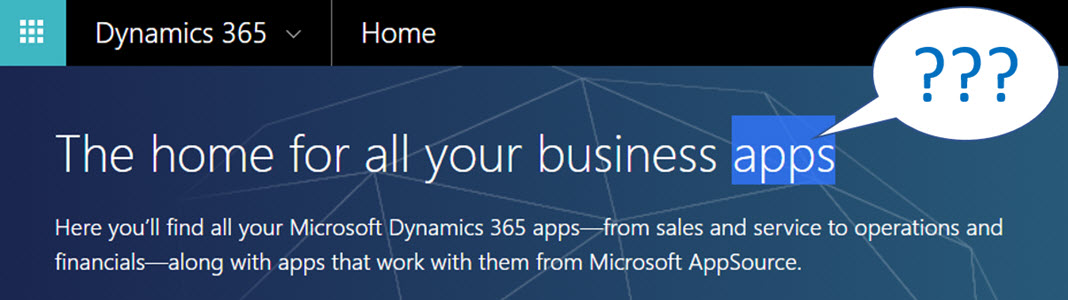
    When you’re logged in to Office 365 and you click on the Dynamics logo in the app launcher, you’ll be taken to the Dynamics 365 home page at home.dynamics.com. Depending on your environment’s configuration, you’ll see a few or a whole number of rectangular icons on this page. Those are all “apps”, but not like the previously described mobile or Outlook apps. More importantly, not all of them are necessarily Dynamics 365 Apps either. Huh?

    The explanation is that the Dynamics 365 home page lists also your Office 365 tenant’s PowerApps apps (which probably should be just called “PowerApps” to make my head hurt less while reading that). Aside from those, the list will include apps from all across your Dynamics 365 Customer Engagement instances, so if you have sandboxes for development and testing purposes, the very same app name & description may appear here multiple times. Furthermore, if you’re also using the ERP side of Dynamics 365, the home pages covers them as well.

    In the Customer Engagement world an app module is basically a subset of the components you can find within a single instance. It can include navigation, dashboards processes, entity views, forms and charts. Aside from a few app specific configuration items, it doesn’t really add anything that you wouldn’t have in the “full” XRM instance already. They are a way of controlling what contents of that particular instance is visible to the end user.

    Each XRM instance has by default at least one app, which will be called “Dynamics 365 – custom” unless you rename it in the System Settings menu. In addition to this, there can be N apps built and configured via the App Designer, or provided as readymade apps from Microsoft, like Field Service in the screenshot. Both the old web apps and the new Unified Interface apps will be present here if your instance is V9+. With so much going on here, I personally try to avoid ever navigating to the Dynamics 365 Home page and just store the direct URLs in my browser’s bookmarks bar where I’m in total control of how the apps are named and organized neatly into folders.

    Microsoft AppSource

    If you feel like you don’t have enough apps on your Dynamics 365 Home page, you can click the “+” icon that says “Find more apps that work with Dynamics 365”. This will open a modal window of AppSource, filtered down to the apps that are designed for, integrated with and some even built on top of the Dynamics 365 platform. Many of these will be built by partners (ISVs) but some of the content is authored by Microsoft themselves, either as officially supported solutions like the Social Selling Assistant, or as “accelerator” style solutions from Microsoft Labs with no warranty or promise of future support like Attachment Management.

    The AppSource apps are closest to the concept that the word “app” was associated with when the iPhone’s App Store was launched ten years ago. These may be small extensions to the common CRM feature set, like a Marketing Calendar component for visualizing campaign records, or integrations between Dynamics 365 and a standalone service like Adobe Sign. Just like in a smartphone app store, some items are completely free of charge while others will cost you dearly. Since we’re dealing with enterprise systems here instead of individual mobile devices, some services allow you to do a test drive in a sandbox completely isolated from your organization’s Dynamics 365 instances, like the CPQ solutions from Experlogix and PROS.

    What can be confusing about AppSource in the Dynamics 365 context is that probably the majority of the apps available in AppSource will not actually result in a new app icon being added to your Dynamics 365 home page. This is because up until V9 and the Unified Interface there wasn’t really a proper presence for the App Module in the XRM platform, so the world is only slowly adjusting to this new reality. I’ll delve into this very topic in my next blog post.

    Dynamics 365 App Licenses

    The concept of an app exists not only in the visible UI and logical platform component containers but also in the contractual world of software licensing. If you go to the Dynamics 365 Pricing page and download the Licensing Guide PDF, you’ll see the detailed way in which the rights of a licensed App user are defined in relation to the features provided by the XRM platform. There are in total 176 occurrences of the word “application” in this document, so don’t expect a quick answer. However, since XRM still largely follows an “honor system” where it’s up to the system administrator to limit the security roles of a user to match those to the rights given to him or her via the assigned Dynamics 365 license type, you’re going to have to understand the concepts.

    Even though you can purchase and assign a user a license for Dynamics 365 for Sales, i.e. an app license, this doesn’t mean that the only thing this user would see or would be legally allowed to access would be the Sales app icon on the Dynamics 365 home page. They can be allowed to view the entire contents of any XRM instance in that particular Office 365 tenant, thanks to the first row in the above table (“all Dynamics 365 Enterprise Edition data”). They could access the “Dynamics 365 – custom” app to look around the whole suite of features in Customer Engagement. They could leverage the Dynamics 365 App for Outlook to track emails to records. But if you misconfigure their security roles and allow them to track emails against case records (a Customer Service app feature), you are in breach of the licensing contract.

    Alright, that’s about as many “app” mentions as I can reasonably fit within one blog post. Next time I will take a look at Apps from a system customizer perspective.

  • Top 3 Themes for Dynamics 365 in 2017

    Top 3 Themes for Dynamics 365 in 2017

    The first day of the new year is a good moment to reflect on what 2017 gave us (or didn’t give) in the Dynamics 365 business. Here are the top 3 themes that came to my mind when I looked backed at the last 12 months of news, releases and overall directions coming from Microsoft.

    Business Applications

    A major theme that emerged this year and found its way into most of the communication coming from Redmond was Business Applications. Those two words on their own of course don’t mean anything very revolutionary, but it’s rather the way in which they were used to broaden the context of Microsoft’s business software beyond just Dynamics that’s of greater significance. If 2016 was the year when CRM and ERP were commercially bundled into Dynamics 365, then in 2017 the scope began to reach further beyond that. At the start of the year the XRM platform was given the Customer Engagement name, with the absolute minimum fanfare allotted for the occasion, so the true focus for product marketing was obviously somewhere else.

    Looking around at what specific software products sit alongside Dynamics 365 in the high level MS technology stack illustrations, it’s quite logical that we’re now seeing the “Power Suite” tied into pretty much every commercial narrative around Microsoft’s business cloud. More precisely, the technology grouped under this suite with no official name is very central to the story being told to both business and technical decision makers for one reason: its purpose is to connect the big three MS clouds. Office 365, Dynamics 365 and Azure are all equal beneficiaries from the toolkit that is provided by PowerApps, Flow, Power BI, CDS and their numerous connectors.

    On an everyday level it may still not be all that common for the real life CRM solutions to heavily rely on the Power Suite technology, like using MS Flow instead of D365 workflows. Because it was first rolled out as a power user focused set of tools for an individual information worker rather than something you’d deploy across a large organization, the practical as well as perceived maturity of this technology has formed a barrier of sort for full-on adoption. The long term outlook for it does look bright in my opinion, however. There’s only so much that Dynamics 365 as a platform can do on its own (be it the XRM, AX or NAV flavor), but if you can connect it with the outside world of MS and non-MS services without the traditional integration development effort, that opens up the door to a world of possibilities. I’m pretty sure customers will be interested in taking a step through that doorway and having a look around during 2018.

    App/Plat Separation

    Taking a few steps down from the higher level clouds and diving into the platform formerly known as XRM, 2017 was a busy year. This didn’t really come as a surprise to me, since I had a wonderful opportunity to get a peak at what the product team had planned for this calendar year already in the last MVP Summit in November 2016. My initial reaction to it was “are you guys SERIOUSLY going to push all of this out in the next release?” Well, a clear majority of the planned features and changes was indeed shipped during 2017 eventually, although the naming of V9 as the “July 2017 Update” didn’t turn out to be such a great idea.

    There were massive changes introduced to XRM (which I’ll continue to call for what it is), both above and beneath the surface. Rolling out Unified Interface initially to the mobile devices and eventually to every UI is going to change the client side of XRM in ways that are even greater than the previous user experience overhaul in CRM 2013. Opening up the client UI to custom extensions with the Custom Control Framework (CCF) sometime later (hopefully in 2018) is a major step in enabling and encouraging the reuse of configurable UI controls for data visualization. Finally, the App/Plat Separation that has moved the previously built-in application features of Sales, Service etc. into optional solution packages is now turning XRM into the type of generic application platform that it has earlier often been depicted as – in the technical decision maker slide decks from MS, at least.

    The combined effect of this transformation which materialized largely in V9 is that XRM should now be a lot more future proof. Having the individual applications as their own packages is a bit like how at one point in the late Windows Phone operating system’s lifecycle the Office apps needed to be separated from the OS, so that they could be serviced and updated without having to ship a new WP build. (Naturally I hope that the fate of D365 will be considerably more glorious than that of WP.) The new UI controls in CCF that now aren’t tied to a single app feature but can rather consume any data coming from XRM database or from external sources via Virtual Entities are bound (pardon the pub) to be more useful in delivering solutions to varying customer needs. Sharing the same client framework across different devices and embedded apps is going to reduce the amount of effort needed to get these solution features in the hands of different user groups.

    Licensing Model

    Sometimes the planned features take a little longer to ship than was originally estimated, which certainly is no surprise to anyone working in the business of software. Other times it turns our that what you initially promised to deliver isn’t actually going to meet the needs of the outside world after all. The delays experienced in getting V9 out to the customers represent the former scenario, while what happened to the Business Edition is an example of the latter.

    There’s no denying that with the growth of the platform and all the new cloud services attached to it, Dynamics CRM had grown from humble beginnings to enterprise scale in the recent years. Therefore the idea of labeling the suite as a true enterprise product and building a different lightweight offering for the needs of smaller CRM environments probably made a lot of commercial sense when MS announced the Dynamics 365 branding with the Enterprise and Business licensing plans to the world in WPC 2016. Only the practical problem remained of how to actually mold a new offering out of the big suite – at least without taking several shots at one’s own foot while setting up constraints for customization and expansion for those customers who’d initially start their exercise from the lower end of the license pool.

    Those 14 months from announcement to eventual cancellation of a separate Business Edition were filled with confusion on all sides – from partners to customers, and probably within Microsoft, too. Although this did leave an unfortunate stain on the year 2017 for Dynamics 365, the long term outcome from the decision to NOT roll out an artificially separated lower tier may turn out to be a better choice after all. It’s all still wide open on how the promised “lower price point” licenses and apps will be packaged, but at least it sounds to me like MS has acknowledged they need to build bridges instead of walls around the growing set of applications in Dynamics 365. For instance: just take a look at the documentation of the upcoming Dynamics 365 for Marketing application and tell me if it looks like an SMB only -product that no existing (Enterprise) customers would have any use for? Exactly. Sanity must prevail and customers be given a chance to license the technology that best fits their needs.

    Hello 2018

    What can we expect to see from Dynamics 365 in this new year then? There are no definite product roadmaps from Microsoft that would publicly disclose what’s planned for be released in which year, since the software business no longer operates on the type of schedule that we saw when products were shipped in shrink wrap every 2-3 years. It now looks more like a mesh of forever updating cloud applications and web services that move along according to their own backlogs and team velocity. Given that the real business applications that customer organizations deploy are a combination of several products that in turn use a variety of back end services, who can actually tell when a certain feature will be “ready”? For example, Dynamics 365 for Marketing utilizes Customer Insights, which in turn relies on the following Azure services:

    • Azure Data Lake Store
    • Azure Data Lake Analytics
    • Azure HDInsight (Spark, Phoenix, HBase)
    • Azure SQL Database
    • Azure Key Vault
    • Azure Secret Store
    • Azure Event Hub
    • Azure Stream Analytics
    • Azure Redis Cache
    • Azure Service Fabric
    • Azure Active Directory
    • Azure Monitoring
    • Azure Metrics
    • Azure Websites
    • Azure Service Bus
    • Azure Storage

    That’s what the future is made of, and that’s why it is so unevenly distributed. We may well see MS announce the next Dynamics 365 Customer Engagement capabilities before existing customers are even able to update their instances to V9. The specific points in time where a particular capability is 1) announced, 2) in private preview, 3) in public preview, 4) available for new environments and 5) deployed for live customer environments may therefore be spread out over a time period that makes even assigning a proper year to it challenging at times – let alone a calendar month like “July 2017”. In this light, I’m personally mainly expecting to see how the above three themes from 2017 will play out as they get closer to impacting the real life scenarios of customer organizations all over the globe that get to put it all into action in their digital business processes.