Tag: Ignite

  • How Microsoft Teams can scale up low-code: my 5 min explanation

    How Microsoft Teams can scale up low-code: my 5 min explanation

    At the virtual Microsoft Ignite 2020 event I had chance to join many fellow Finns in our FIgnite session and spend 5 minutes on highlighting a topic that I considered to be important in the MS ecosystem right now. It turned out to be an easy choice to make.

    Project Oakdale (briefly known as Dataflex) is bringing the low-code/no-code functionality from Power Platform into the hands of pretty much all the information workers leveraging Microsoft 365 tools in their day-to-day job. This is not so much about any single technical feature as it is a change in mindset about who the app makers should be. So, I set out to explain this my 5 minute presentation titled How Power Platform Now Empowers All Teams Users.

    https://www.youtube.com/watch?v=Dj_IH4yq1dE

    This is all part of the larger Microsoft Teams as a platform story that I covered in my previous pre-Ignite blog post. It’s no surprise that MS has created much more content around this topic than you could have ever expected to see on Power Apps or Power Automate as independent technologies. It’s a sign of the size of the audience to which this “no cliffs” application platform message is now targeted at.

    Will the inclusion of “CDS Lite” in the Microsoft Teams subscriptions prove to be a gateway drug that makes Common Data Service a household name in Microsoft 365 customer organizations? And if so, what will the actual brand name be for Project Oakdale once wre’re past the preview phase? Time will tell!

  • Ignite 2018 & The Power of Microsoft’s Platform

    Ignite 2018 & The Power of Microsoft’s Platform

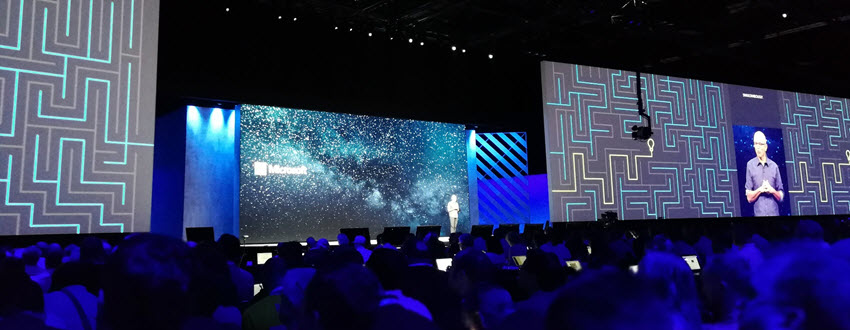
    Just like last year, I was fortunate to be able to escape the chilly Finnish autumn weather to sunny and warm Orlando this September, to attend the Microsoft Ignite 2018 conference. This time my visit to Florida did not contain a whole lot of sunlight, though, as my stay in that region was focused strictly on the days of the event, which meant I was mostly wandering back and forth the endless corridors of Orange County Convention Center. With 1600+ sessions crammed into 5+1 days, you’re always going to have a packed agenda at a conference like Ignite where 30,000 fellow Microsoft geeks are swarming around to gather the latest announcements and demos from their favorite technologies and evangelists.

    I’ve written a summary over on LinkedIn of what were the main themes I picked up from Ignite this year. In short, Power Platform was front and center in the story of how Microsoft is further helping organizations to digitally transform their business processes. Not just from the traditional CRM and ERP scope of Dynamics 365 but on a much broader scope that speaks to the audiences that might not have otherwise ended up exploring how PowerApps, Flow, Power BI and CDS can connect their existing Office tools into a more automated flow of data through predefined pipes – as opposed to the more free-form processes that information workers previously had to agree on, to efficiently collaborate with their colleagues.

    On the one end we saw a lot of praise for the unlikely heroes that have managed to pick up a toolkit like PowerApps without any developer background or formal position in IT, and build applications that their organizations have adopted into their day to day routines. Even though these citizen developer scenarios may not seem all that complex for professional software people, the key lesson is that these manual processes would have been unlikely to get digitalized with off-the-shelf or custom built software anytime soon. Making the tools for digital problem solving accessible to the people who intimately know the problem is what’s really shortening the time to value, which in turn drives the growth of the community around the Power Platform. It’s not capped by the number of companies looking for a CRM deployment project, rather it’s fueled by the amount of data and cloud based services that make this data available to the platform via connectors.

    At the other end of the spectrum there was the true enterprise scale where this data needs to be harnessed with advanced tools and technologies to remain competitive in today’s global business. AI is the kind of buzzword that cloud was in the beginning of this decade, but in the same way as cloud computing became an everyday commodity, we’re bound to see if not artificial intelligence (AI) but at least machine learning (ML) algorithms find their way into everyday tools in the very near future. All of the major apps in the Dynamics 365 CE suite recently received their AI extensions that aim to bring intelligence built into the packaged applications, not just via Cognitive Services from Azure that developers and data scientists must plug into the business applications. Another example of the enterprise application providers’ focus on squeezing more value out of data was the Open Data Initiative by Microsoft, SAP and Adobe that took the center stage in the opening keynote were the three CEO’s explained why it’s in their best interest to help customers “deliver unparalleled business insight from their behavioral, transactional, financial, and operational data.” It’s really interesting to see that the Common Data Model (CDM) may be evolving into something that actually connects applications across big tech vendors.

    Among all these tech giants, there was also a 20 minute slot where an ordinary Dynamics 365 guy like me got a chance to tell a bit about what we’re building in this small country of ours. My session was called “Onboarding customers to Microsoft Dynamics 365 for Sales via PowerApps” and you can catch the YouTube recording of the session or just check out the slides if you’re interested in knowing how we at Elisa aim to make use of the Power Platform as part of our product offering. It was the first time for me to be a speaker at an event the scale of Ignite, so a big thanks to Microsoft for providing me this exciting opportunity!

    Even though Ignite wasn’t really a Dynamics 365 themed event like the Business Applications Summit a couple of months earlier, there were a lot of interesting demos about the brand new functionality rolling out as a part of the October 2018 release shortly. I compiled some of the highlights tweeted out on the #MSIgnite hashtag during the event onto this Wakelet collection for you to check out if you missed the live event excitement.

    Just like in previous Microsoft conferences, the learning doesn’t stop with the closing of the venue doors. The Ignite on demand sessions provide a library of videos and slides that you definitely should be browsing through to keep up with the latest news around what’s coming to Microsoft Business Applications and the many connected products. Now, if you just happen to be located in Helsinki next week, then I have to promote the brand new Finland Dynamics User Group (#FDUG) and our very first Meetup event on October 18th where I’ll be doing a “whole Ignite in 30 minutes” summary of what I found most interesting in the various Power Platform related sessions I attended. See you there!

  • Postcards from Microsoft Ignite 2017, part 2

    Postcards from Microsoft Ignite 2017, part 2

    Back to Florida again – at least on a mental level. In part 1 of my Microsoft Ignite conference diary I described the overall setting of Dynamics 365 in the context of the Business Applications story. This time let’s have a look at some of the details on what the XRM platform can do now and in the near future. The live tweet content can be found from my #MSIgnite Storified collection part 2, but here’s the story behind those social posts.

    The GA (general availability) target of Dynamics 365 Customer Engagement V9 was set to the week after Ignite. This was indeed the case, as I didn’t even have a chance to arrive back home from Ignite before I had my first V9 trial instance running the in the cloud. People who had participated in the Dynamics 365 Insider program were already granted access to the preview instances of this major release but now each and every new trial is provisioned with the V9 bits. A few days later there also was an official blog post that announced the availability of “Dynamics 365 October service update”. The naming of course is a bit confusing, since up until this point Microsoft had stuck to the “July 2017 Update” name – and that’s what still shows up in the D365 Admin Center UI. Don’t you agree that life would be much simpler if we’d all just use the version numbers instead of marketing names? Oh, and if we had the KB article already available for the 9.0.0.1103 GA build, that would be even sweeter.

    After the initial Preview Executive Briefing sessions for V9 that were conducted before the summer holiday season, Ignite was the place where the next big presentation on Unified Interface took place (at least to my knowledge). Oren Ryngler and Linda Simovic took us through a detailed demo of all the UX goodies that V9 has to offer. Unfortunately the slide deck is not available for download even for Ignite attendees, but you can view the full recording of the presentation on YouTube. I bet that even if you participated in the preview program, you’d be hard pressed to recall all the wonderful details packed into the Unified Interface. Principles like “Gradual exposure to complexity”, AI capabilities like Grid Recommendations or the new chart types are something you can expect to discover in the video.

    There was another excellent session where Linda discussed what the underlying motivations behind the Unified Interface initiative (or “Unified Client Infrastructure” / UCI) were. Even more interesting was the quick peak at the Custom Control Framework (CCF) that is a significant benefit unlocked by UCI. Described as “extensibility framework for building UI components that visualize data”, we’ve already heard that Microsoft has been busy rebuilding everything in the default app UI as Custom Controls (“but if it’s default then how can it be custom?” Ah, never mind the semantics…). What we don’t yet have is a definitive date for when the APIs for building true Custom Controls will be opened up to customers and partners. What’s REALLY interesting is that the product team’s roadmap includes a “Control Gallery” marketplace for viewing and purchasing these as solutions. If it all works out, then the Unified Interface in V9 is just the start of the true transformation of XRM UI into something more than fields and grids on an entity form.

    While the UI story is always going to get far more social media coverage due to fancy screenshots from the visible application, there’s a lot more bubbling under in V9 than just the promise of a Custom Control Framework. Matt Barbour presented the Microsoft Dynamics 365 CE Platform Update for Developers, delivering a concise “what you need to know” package for people working with XRM solutions or API based extensions. Now that everything in the OoB apps has been separated from “system” into actual solutions, managing the dependencies via solution segmentation is actually a big deal. Why it’s even a bigger thing from application maintenance perspective is that the next V10 major version will ONLY accept V9+ solutions – so start getting used to them right away. In addition to the earlier announced V9 platform enhancements of Virtual Entities and Multi-Select Option Sets, we also received a “one more thing” with Auto Number fields! Thousands of custom numbering solutions can finally be put to rest, at least after you install the Auto Number Manager for XrmToolBox to access the configuration options for this new native field type.

    There were several shorter sessions in the Expo area of Ignite that offered practical tips for how to do more with less when it comes to Dynamics 365 Customer Engagement. While I remain firmly in the no-code territory myself, the PowerShell scripting capabilities available in the new Online Management API or the more familiar Microsoft.Xrm.Data.PowerShell module demonstrated by Shwan Dieken and Sean McNellis from the PFE team open up automation capabilities even I can easily relate to. Don’t forget to check out this huge link list put together by Shawn & Sean for the latest admin tips & tricks you need to be aware of. Over on the MVP powered sessions of Ignite, George Doubinski also showed a wealth of automation tips to reduce manual labor for Dynamics pros. What I bet you didn’t know how easy the integration of Dynamics 365 Customer Engagement with a WordPress website can be, thanks to the plugin developed by George & Co at AlexaCRM.

    Like I wrote on the back of my first Ignite postcard, the Business Applications story that Microsoft wants to tell us consists of a lot more than just Dynamics 365 these days. While it’s been all too easy to disregard the earlier sales pitch for PowerApps and Flow as just a citizen developer fable that doesn’t apply when working on Real Projects, they are gradually gaining the types of ALM capabilities that put them higher up on the list of tools to consider for solving customers’ business problems. While there were some disappointments, like the continuing non-story of Adobe Marketing Cloud + Dynamics 365, you could easily find yourself thinking “hmm, that’s actually pretty cool” while watching the demos for this “Power platform” of non-XRM business tools. Even though CDS still largely is “a box to connect other boxes on a PowerPoint”, the added features like embedded PowerQuery and the accompanying new data sources give us a sign that progress is being made.

    As always, the big questions is about when’s the right time to jump in to the new technology if you want to deliver successful customer projects with it. Events like Microsoft Ignite are great for calibrating your own perceptions and expectations, not just via the official product demos but also the community response to them. I know I walked away from the conference with a far better understanding of what Microsoft is pursuing with their latest product development investments – even though I’ll need to review a bunch of the session recordings to actually grasp the finer details of each individual technology.

  • Postcards from Microsoft Ignite 2017, part 1

    Postcards from Microsoft Ignite 2017, part 1

    Greetings from the Sunshine State! This Fall I was fortunate enough to have chance to attend my first ever Microsoft Ignite conference in Orlando, Florida. Staying true to my habits, I did tweet out quite a lot of content from the live event with #MSIgnite hashtag. If you missed that stream, feel free to revisit the collection over at Storify, where I curated a story called “#MSIgnite 2017: Business Applications”. (Unlike with the V9 preview, I’ve decided to refrain from embedding the infinite scroll version of the story into this blog post. You’re welcome!) Here’s a little written summary on my thoughts about the event’s contents.

    If you’ve been to or kept an eye on Microsoft Ignite before, you’ll know that it’s an event that has traditionally catered the more mainstream product lines like Office 365 and Windows. I did not expect any major announcements from the Dynamics 365 team at Ignite, so my intention was to explore the broader story around MS Business Applications. Most of us who are working in cloud environments with Dynamics products must be well aware of how much there is going on around the core XRM platform (still the best name for it), but rarely do we have a chance to focus on something that isn’t directly linked with the sales/service/marketing processes of CRM system development projects.

    That’s a bit of a shame, since at the end of the day that’s precisely where Microsoft’s big competitive advantage lies. The whole really is greater than the sum of its parts in this occasion, and if the size of the Ignite conference would be used as the yardstick, I’d say the whole is actually HUGE. Sure, it wasn’t anywhere near Dreamforce in terms of the attendee count, but if you’re not looking for a rock festival to hang out with your business partners but rather want to deepen your understanding of the current and future capabilities of a cloud technology platform, it doesn’t need to get any larger than this. I reached my 10k step target each day just walking between the sessions, which tells you the Orange County Conference Center floor space was truly put into full use in trying to fit in the complete MS business technology stack. You sometimes literally had to take a shuttle bus from one side of the conference to the other to make it to the sessions in time!

    The biggest piece of news for D365 was already from the earlier week’s Directions North America 2017 event, where Microsoft admitted that after 1 year of waiting, there was not going to be a Business Edition release of the XRM based apps at all. Or even for the ERP side of the house – at least from a product naming perspective. While none of the technology investments made in preparation of Business Edition was actually cancelled, it’s understandable that this caused a lot of stir among the Dynamics ecosystem. Without going deeper into the topic, I believe MS made the right choice and it’s only a shame it took them so long after the initial Dynamics 365 rebranding announcement to find the right path forward. While we wait for the new licensing model details, we still remain in a product naming limbo that was also very much present in any Dynamics related session at Ignite. You must remember that what we’re experiencing in the XRM space ain’t nowhere near the amount of confusion that our ERP colleagues must go through. Godspeed, Dynamics X!

    Of course the story is no longer just centered around what to call your CRM & ERP platforms. In practically all the Ignite sessions that touched my field of work, the solutions being demonstrated were always mashups of several MS technologies. Clearly the intention was to underline the possibilities of seamless integration between the latest cloud apps from almost any two product teams. Yeah, I hate the word buzzword “seamless” as much as any experienced IT consultant does, but my point is that it seems like the phase of inventing new MS cloud products has reached an end and now the focus is truly on ensuring they can connect with one another. This also means challenging the assumptions of what the role of each product is in the customer’s solution architecture. Instead of using XRM as the UI for business data presentation, could a better result be reached via a Power BI dashboard that has embedded Visio process visualization and PowerApps screens with record level drill-down? Possibly yes, and these alternatives are what MS wants us to actively explore.

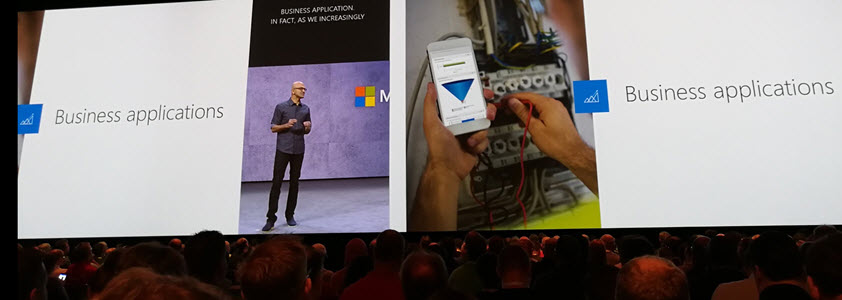
    The floor space given to PowerApps at Ignite 2017 made it the clear headline product in the Business Applications track. Maybe it was just my session schedule planning, but it felt like all roads eventually lead to PowerApps. It’s of course a very neat way to demonstrate the benefits of having your business data in systems that are easily accessible by these low-code/no-code apps. What was somewhat confusing to hear, though, was that the current “UI first” approach of designing PowerApps on a free canvas was promised to get a new model-driven app design option alongside it. You know, with entity based forms, server-side business logic and even Business Process Flows. “But wait, weren’t those the defining characteristics of an XRM app?” Bingo. It literally was a set of Dynamics CRM customization UI screenshots snatched into a PowerApps roadmap presentation. These two paths are converging quickly now and you’re going to want to keep an eye on what the next chapter in the Business Applications has in store for us.

    I’ll need to go lie down in a brief coma now to recover from the jetlag caused by a Miami-Helsinki flight (cheers to Finnair for offering the direct connection, though!). I promise make a return with part 2 in a few days time, as there is a lot more souvenir sweets to digest from Microsoft Ignite 2017.