It’s now roughly one year since Microsoft launched the concept of Power Platform. It’s been extremely interesting in the past 12 months to watch how this new platform strategy starts to play out in the world outside Redmond, as the pieces of this grand puzzle begin to become visible here and there. Having worked in the MS ecosystem on customer & partner side for 14 years now and coming from the Dynamics CRM side originally, this is the biggest single shift I have witnessed in their product strategy to date.
Putting all the puzzle pieces together is surely not easy for anyone who isn’t devoting a sizable share of their time on consuming information from the various events, announcements, blog posts and documentation released by Microsoft. The thing that really makes it tricky is that this Power Platform thing isn’t confined inside a single bucket. It’s not Dynamics 365, it’s not Office 365, it’s not Azure. It’s all of them and yet none of them. Every MS partner and every customer decision maker will increasingly run into the product messaging, but they’ll hear it presented in a different way – and most likely interpret it uniquely based on what their background is.
The only reason Microsoft would be investing so heavily in building and promoting the Power Platform is that they see a massive new business opportunity in it. As Steven Guggenheimer wrote in his recent blog post:
“The Business Applications Total Addressable Market (TAM) is predicted to be at $125B by 2022, and 57 percent of this will be driven by ISVs. Dynamics 365 and the Power Platform are an important area of investment for the company, and represent a significant growth opportunity for partners in this market.”
Accelerating opportunities for ISVs with new programs and technology – Steven Guggenheimer
Big numbers, but that’s what they always are in these grandiose statements about global market potential. What I need to understand when talking with customers, partners and internal stakeholders at our company about the strategic direction of Power Platform is from where specifically might this growth come from? To help these discussions I ended up drawing the following diagram about the four different dimensions where I see this Microsoft application platform strategy creating new business:

The way I see it, the growth will happen both A) inside Microsoft’s product offering and B) the outside world of customers and partners, within 1) the traditional business process management scenarios as well as 2) those processes that you wouldn’t have tried solving with any CRM style application/platform in the past. Let’s dive into each of these areas and I’ll explain what the impact of Power Platform might be in generating new business to run on top of this new Microsoft aPaaS (Application Platform as a Service) foundation.
1. Dynamics products
Let’s start from the most familiar ground. The place where the most concrete changes resulting from the Power Platform strategy have been felt during the past year must be Dynamics 365, and the Customer Engagement apps specifically. The platform formerly known as XRM is in the process of being replaced by what is sometimes referred to as “PowerApps platform”, although that may not be any official term that would stick. Regardless of the marketing lingo, the customizers and developers of Dynamics 365 CE solutions are right now facing a lot of pressure to adopt brand new concepts and tools that will replace those ~10 year old building blocks that XRM solutions were made out of. Compared to the earlier transition from on-premises to Online products, that may well have been a much easier shift to adjust to than this new Power Platform whirlwind that’s moving everything around on its path, from licensing to UI to SDK.
From the perspective of the internal Microsoft world, the Dynamics product teams have previously been somewhat captive of the CRM legacy that came along with the XRM platform. As a commercial software product, it wasn’t originally built to be a pure platform, rather the design choices and customer requirements drove it more towards being an extendable CRM application first and platform second. In the process of migrating Dynamics 365 CE Online to run on Azure services, the platform and the applications were separated from one another. To balance things off, there’s also been a huge unification process initiated with the client side technologies, where the target is to remove the barriers between Model-driven and Canvas apps, to Run One UI. The platform tools like PowerApps Component Framework (PCF) now give also the internal product teams a far more agile path forward in deciding what kind of features and experiences the specific apps like Sales or Customer Service should contain. What this means is that the stagnation period where everyone had to just wait for the new platform capabilities to become available may be coming to an end and in the next release waves we can expect a significant growth in new app functionality being shipped to Dynamics 365 customers. In other words, a growth in application depth.

Alongside this internal platform development, another huge benefit that Dynamics 365 as a business has gotten from the new direction at Microsoft is the closer connection with the Azure teams. A few years ago there was still the MBS silo to keep up the walls between CRM & ERP business and the mainstream MS product business, which explained a lot why we didn’t see so much of the Azure innovation trickling down to the business applications built by the same corporation. Now the tables have truly turned as we’ve witnessed all of the new applications like Dynamics 365 for Marketing betting heavily on the very latest Azure services. AI is getting infused into every product at Microsoft, but it also gives birth to brand new products like Sales Insights or Virtual Agent for Customer Service. To link all this with the Power Platform story, it’s important to understand that this platform side is what eventually allows customers and partners to customize these new apps and services to meet their real life business requirements. The growth potential in this Dynamics products segment is being amplified by the fact that PowerApps, Flow, Power BI and CDS give it the extension points needed for going beyond packaged SaaS apps. The growth in Dynamics 365 app portfolio width is therefore driven by the Power Platform connectivity with Azure.
2. Other Microsoft products
While the merger of Dynamics 365 CE and PowerApps platforms is a great boost for the Dynamics products, that’s not the only area within Microsoft that is touched by the Power Platform strategy. Office 365 has of course been the biggest product display window for PowerApps and Flow, due to how services like SharePoint and OneDrive have been deeply integrated with these tools. There is a Microsoft 365 Business Applications partner program that interestingly enough doesn’t seem to align with the “actual” Microsoft Business Applications group’s activities at this moment, as it sits within a different organizational box, the Modern Workplace solution area. When you think about the origins of how the previous generation apps for information workers were often built on top of the ubiquitous SharePoint Server, this arrangement does make sense, but I wouldn’t expect these separate boxes to remain forever in place. After all, what’s been happening to PowerApps recently in terms of commercial success is “like SharePoint all over again” (according to Charles Lamanna), so all roads here lead to the Power Platform being the growth engine for Office 365 and Microsoft 365 to reach further into the customers’ information management needs.
(more…)





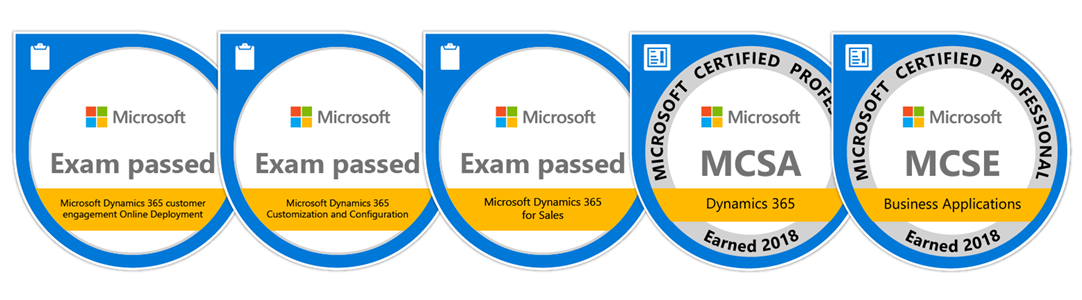


 That’s probably what you’d really want to learn from this post, right? Unfortunately, no one can be told what the right path to MCSE is. You have to see it for yourself.