Tag: Common Data Model

  • United at last: Dynamics 365 Dual-write goes GA

    United at last: Dynamics 365 Dual-write goes GA

    On March 27 2020, Microsoft announced that the Dual-write feature is generally available. After being in preview for over a year, the functionality itself isn’t necessarily a surprise to anyone who’s actively following what’s taking place in the Dynamics 365 product portfolio. The GA does however mark a milestone where it makes sense to reflect on what the broader impact of Dual-write is to business applications built on top of Microsoft Power Platform.
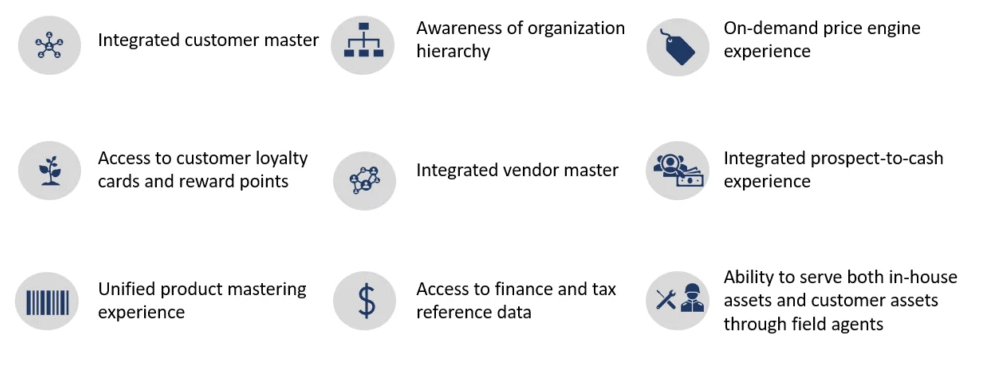
    The very short answer to “what is Dual-write” would be that it’s a built-in feature for making business data available across Dynamics CRM & ERP products without any additional integration tools. It may come as a surprise to people outside the MS ecosystem that even though the Dynamics 365 brand was announced already in the summer of 2016, the practical work of bringing the different apps from this product suite together has not yet changed that much from the early days of custom integration projects. Putting things into context, the effort to unify the 1 CRM & N ERP products in Microsoft’s portfolio originally targeted its first deliverables in 2004 (as “Project Green”). This proved to be impossible (or rather not feasible from a business perspective) in the on-premises era, but now when the Dynamics products are services hosted in the global MS cloud, the unification has actually been doable.

    Dual-write isn’t your everyday CRM-ERP integration, though. It is a near real-time synchronization of data between the Finance and Operations database and the Common Data Service that powers the low-code application and automation development story of Power Platform. Looking at the even broader data story that Microsoft is building around it’s business apps, BI and AI capabilities, we can also see that Dual-write is just one of the mechanisms that will move business data around:
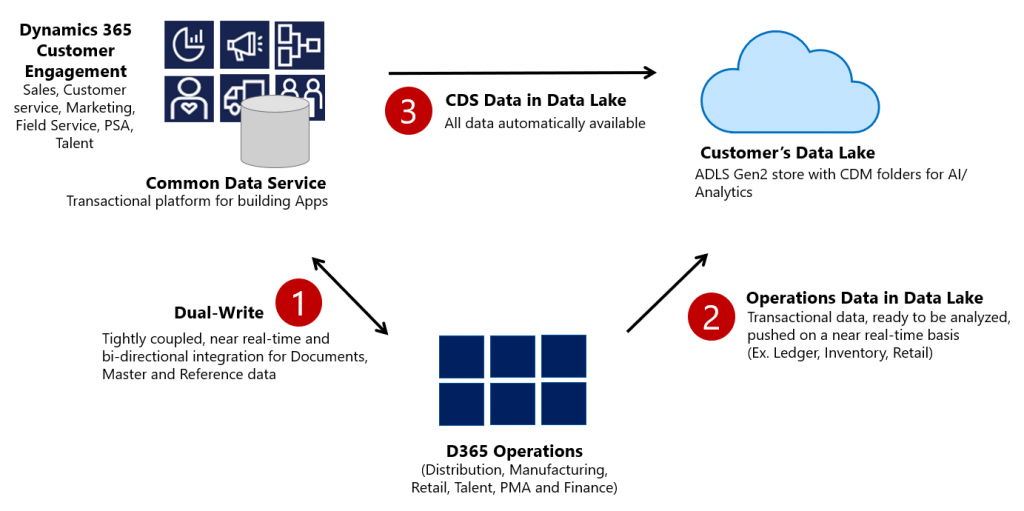
    Taken from the Ignite 2019 session “Common Data Service with Dynamics 365 Finance and Operations”, this slide highlights the role of Azure Data Lake Gen2 in the analytical features that will be offered both as preconfigured features from Microsoft as well as customer specific implementations, to derive new insights from the business data. When it comes to the more operational side of doing business in the digital world, having the SCM and Finance app data available in CDS is what opens up plenty of new interesting scenarios. What if anyone could easily build Power Apps that work directly with the enterprise master data from ERP like customers, products and pricing information? If CDS indeed could lower this data integration barrier and bring task based experiences with pixel-perfect Canvas apps into the hands of frontline workers, that could surely be a transformative service worthy of its name. Not just a single database like XRM was but a connecting layer across many Microsoft cloud technologies.

    In order to bring the ERP data into CDS, Microsoft needed to design harmonized data models that align with what used to be the independent products of Dynamics CRM and Dynamics AX originally and define how the schema of each system maps to the other. As an example, the CRM product data model has understandably been considerably more limited than that of an actual ERP application. Now with Dual-write, these two must come together in a unified product experience:
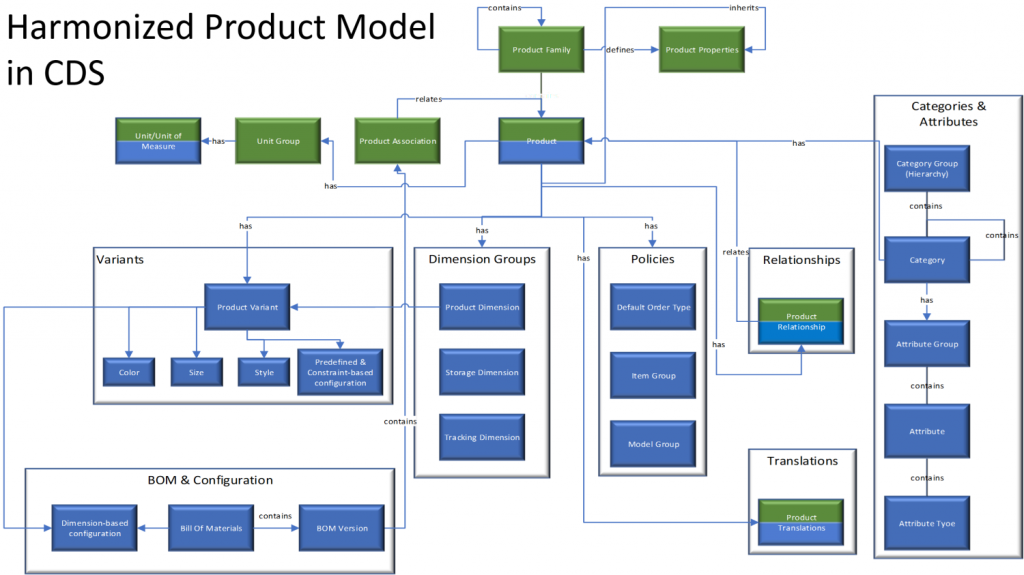
    No two businesses operate exactly alike when it comes to data and processes, so the logic of Dual-write has been built to allow no-code configuration to adjust the details of specific implementations. However, this new depth of application integration within the Dynamics 365 portfolio now means that you should have very good reasons if you decide to deviate from the standard model. Let’s look at Microsoft’s guidance for the above mentioned product data model as an example:

    The dual-write entity maps for products have been designed to flow data one-way only, in near-real time from Finance and Operations apps to Common Data Service. However, the product infrastructure has been made open to make it bi-directional if required. Although you can customize it, it’s at your own risk, as Microsoft does not recommend this approach.

    Anyone who’s worked with Dynamics CRM / Dynamics 365 Customer Engagement implementations in the past has surely come across the need to extend or modify the overly simplistic product and pricing data model that hasn’t been flexible enough to accomodate many real life sales scenarios. Jumping from such a customized environment in production use into Dual-write may not be all that easy, nor will the new data model defined by Microsoft just magically solve everyone’s problems. Dynamics 365 consultants working on data integration between systems aren’t likely going to be out of jobs just yet.

    Whether you’ll be jumping into deploying Dual-write or not, everyone needs to educate themselves on the implications of this new piece in the Dynamics 365 puzzle. From the DW documentation, have a look at the chapter “What does dual-write mean for users and architects of CRM products?” to understand why. There will be several new concepts introduced over on the CDS side like “company” and “party” that will affect all apps built on top of it – such as Dynamics 365 Sales, Marketing or Customer Service. Foundational elements like how customers of the organization or the internal units within that organization are defined have different data models in CDS vs. FinOps, so it’s important that everyone working on either side will use the new common documentation for Dual-write as the starting point to try and understand eachother’s perspectives on the world.
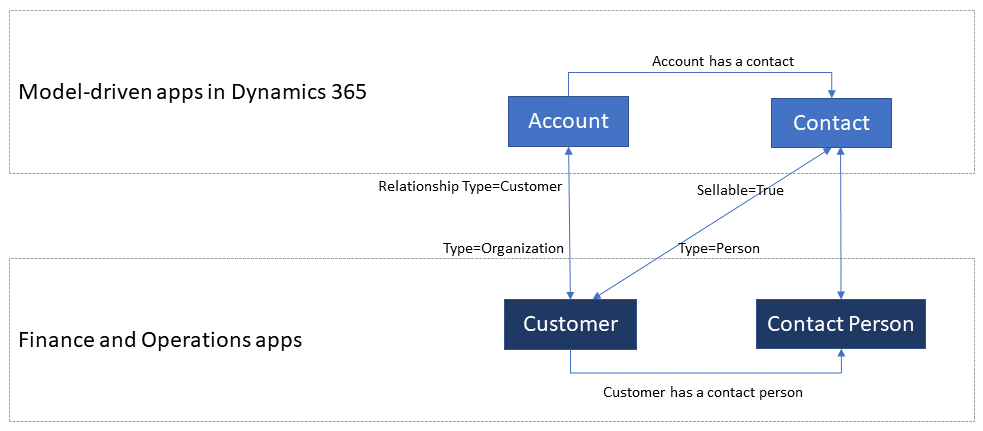
    There are also other dimensions affecting future solution architecture listed out in the documentation. According to MS, initially Dual-write will be shipped as separate solutions (notice that DW is solution-aware right from GA, highlighting the role of CDS as the cross-product ALM foundation in Power Platform). “In future releases, those solutions will become part of Common Data Service”, which I presume translates to every Dynamics 365 customer getting the core components, regardless of whether they already have Finance and Operations apps deployed in their tenant or not. Data types in CDS are also about to get extended to accomodate the enterprise ERP needs arising from this out-of-the-box FinOps integration.

    Of course not everyone is using the ERP solution based on AX, Finance & Operations, Unified Operations, Finance/SCM or whatever name Microsoft comes up next for it. A large share of the customer base will be a better fit for Dynamics 365 Business Central, which isn’t at least publicly yet targeted with Dual-write. Is there going to be an impact to SMB implementations where CDS is part of the solution architecture in some way and is this going to be positive or negative? According to the documentation, “in future releases, concepts in model-driven apps in Dynamics 365 (for example, customer, contact, quotation, and order) will be scaled to mid-market and upper-mid-market customers.” If Microsoft is really aiming to have a Common Data Model that should serve not just all Dynamics 365 products but also software providers from outside the immediate MS ecosystem, there are bound to be trade-offs between the complexity of the required schema for enterprise ERP and the ease of use for how citizen developers can tap into the Common Data Service for building simple business apps.

    Finally, there’s the ever interesting licensing aspect, of course. From the Ignite 2019 presentation, we can find the following statement on Dual-write licensing implications:

    When Microsoft customers (ISV, Partners, End Users, etc.) possess a valid Dynamics 365 for Finance and Operations license, they are entitled to replicate data between the Common Data Service and Dynamics 365 for Finance and Operations.  This entitlement does not include capacity consumed by the replicated data; if necessary, this is purchased separately.  This entitlement does not include use rights for the Dynamics 365 for Customer Engagement applications, including Sales, Service, Marketing, etc; if necessary, this is purchased separately.

    I’m expecting that the upcoming versions of the Dynamics 365 Licensing Guide would include documentation about the licensing scenarios for Dual-write, as at the time of writing there isn’t any public guidance available yet to address the concerns of multiplexing that inherently arise from the real-time synchronization of ERP data into CDS.

    As we know, having Power Apps licenses allows you to read all of CDS data. If you read through the GA announcement of Dual-write and its documentation, you’ll notice that MS is following its own guidance and not mentioning Customer Engagement even once, since CE now refers to on-premises software only. The new term, “Model-driven apps in Dynamics 365”, is a representation of Microsoft app teams themselves ship as the Sales app, Customer Service app and so on. When it comes to the customer specific business apps tailored to their needs, meaning Power Apps, these can be Model-driven or Canvas, ranging from simple “one click” mobile experiences to advanced information worker UI’s for desktop environments. They are all backed by the Common Data Service and running on the Microsoft Power Platform. How will these custom apps be treated in the licensing documentation that traditionally assumes customers would just be using the Dynamics 365 Apps as-is rather than adapting them to their unique needs and real life processes? This remains to be seen.

    Now that we are gradually getting over the age old divide between CRM and ERP, I hope the next area of unification would be a common licensing story that doesn’t draw artificial lines between Dynamics 365 and Power Apps. Splitting these into different licensing guides and different pricing publication formats isn’t all that helpful for the customers nor the partner ecosystem. A Common Data Service based on a Common Data Model should preferably be backed by a Common Licensing Model, don’t you think?

  • First impressions on Power Platform 2020 Release Wave 1

    First impressions on Power Platform 2020 Release Wave 1

    It’s that time of the year again when all us Microsoft Business Applications geeks are blessed with two huge documents to consume: the Release Plans for both Power Platform and Dynamics 365. While I gotta say that it’s awesome to have this level of transparency on what specifically is in the next 6 month release cycle, the amount information does feel overwhelming – at least if you’re trying to cover more than a few specific products within the stack.

    Ultimately we should at least aim to have a general idea of how each piece of the BizApps puzzle is evolving. Especially the Power Platform side is very relevant for anyone who’s not strictly focused on training/delivering/administering just a single app from the Dynamics 365 portfolio, because this is your low-code toolkit for making those applications meet the real life needs of customers. Unlike with past CRM projects, the customization tools are not part of single server installation, rather they can be discovered from all around the Microsoft cloud.

    To make the Release Plan easier to digest, I’ve picked out the new/improved features that jumped out when I went through it for the first time. Instead of the PDF versions (which are coming a bit later anyway), I prefer the online documentation, so below are links to each of those items for you to drill deeper into – and also keep track of possible changes to the original plan.

    I’ve added my comments on why I consider these to be the most important items in the Release Plan. Time will tell how they actually land and what the impact will be. It’s going to be fun to review this list October 2020 when Wave 1 is over!

    Power Apps

    Single mobile app player for Canvas & Model: very much needed in order to break free from the assumption that Model-driven apps are only for Dynamics 365 customers.

    Offline improvements: the need for accessing data without a live connection is still very real in mobile scenarios. What is somewhat of a bummer is that the efforts here are targeting Model-driven apps only for now.

    Modern solution explorer makeover: Yes! There are a lot of areas where app maker productivity could be improved, so it’s great to see investments are being made here.

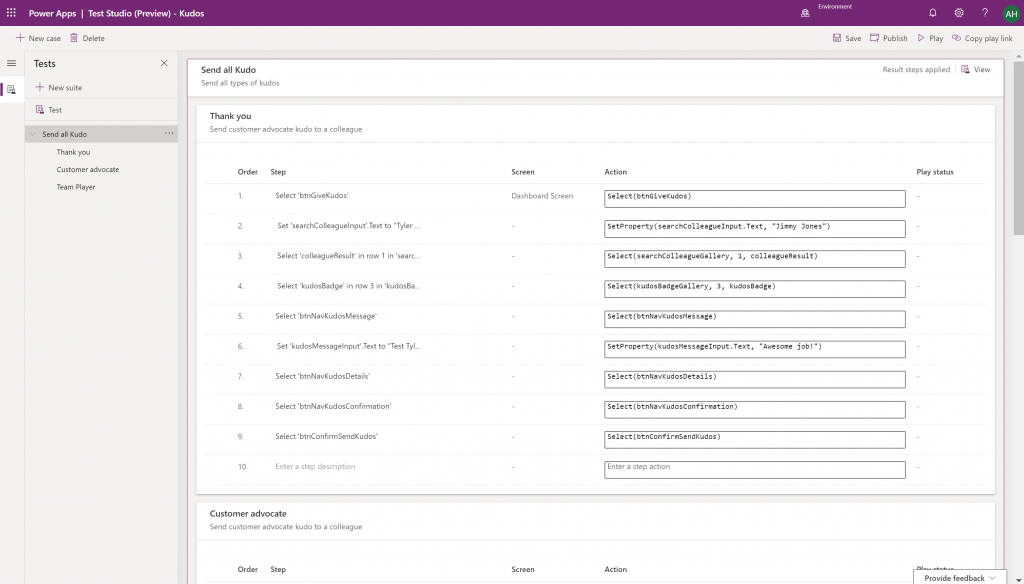
    Canvas app Monitor tool & Test studio GA: the wave of the future. Low-code app development isn’t going to be restricted to personal productivity scenarios, we’ll have much of the same needs as in the pro dev side.

    Azure Application Insights telemetry in Canvas: a great example of how the existing tools from Azure should be harnessed to offer shortcuts for Power Apps makers.

    Generate app from data with responsive layout for phone and tablet: it’s been an awkward limitation before to only support phone layouts. The bigger story is in bringing out these templates for how to actually make Canvas apps responsive, as it has been quite a mountain to climb for citizen developers. In 2020 Wave 1 we’ll also see a preview of the awaited responsive Canvas app pages.

    Canvas Components GA: very impactful stuff here. Component libraries, solution awareness, support for galleries and forms, using collections and media files. These are big steps in bringing the two app types of Canvas and Model-driven closer together.

    Power BI embed component in Portals: oh yeah, there’s that third app type, too… Definitely looks a lot more approachable than the current embed experience. As for Portals extensibility for pro devs, the CRUD Web API sure made Nick Doelman excited, so keep an eye on that one.

    Unified Interface enhancements: important for many Dynamics 365 experiences. Forms as modal dialogs in particular looks useful, better filters are about closing the gaps to legacy web client, search in this view is an age old requirement.

    Improved themes reflecting modern Microsoft Fluent themes: UI matters, the power of the Apps is not just in the logic, data and automation. MS should be more aggressive here when competing against other low-code development platforms.

    Power Automate

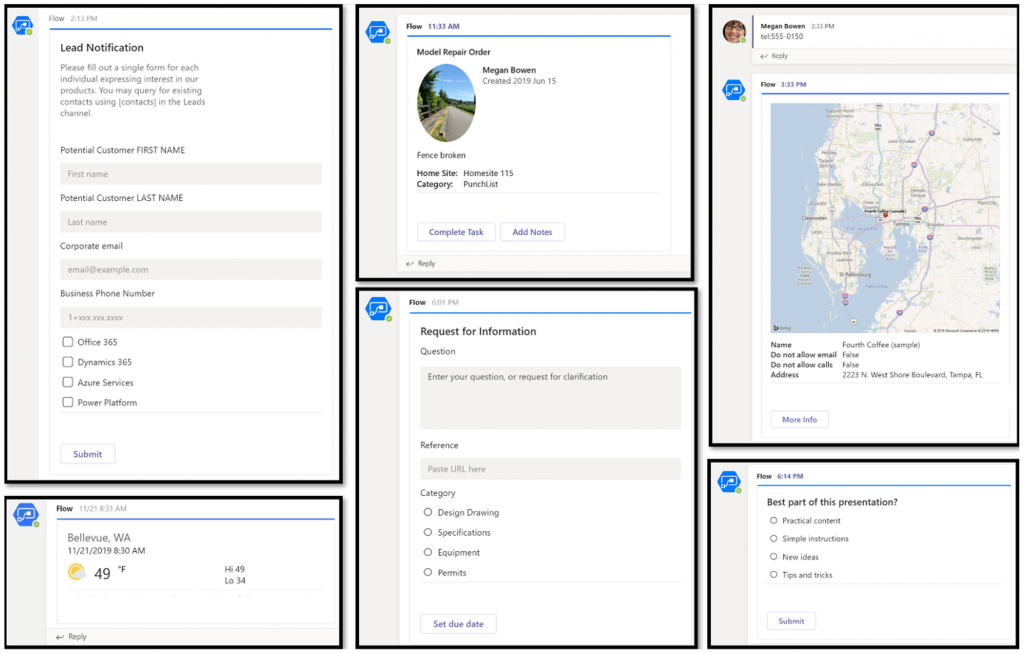
    Interactive adaptive cards: we’ve surely been waiting for this. Very important for bridging the user experiences across different tools in different MS clouds (Office, Dynamics, Power Apps). Could 2020 be the year of the Adaptive Cards? Potentially yes, if you look at how Teams & Power Automate can make use of this feature.

    UI Flows solution awareness: aligning RPA with the common shipping vehicle of Power Platform. Being a new preview feature, there’s of course a lot of other parts moving around still, but the important bit from a platform play perspective is getting everything to play nice with solutions (including non-UI Flows…)

    Use business process flows in Office 365 apps: interesting yet logical step. From a process automation perspective there’s no reason to keep BPF functionality tied too closely with the familiar CRM sales process stages mentality. Again, it’s the platform that counts.

    Power Platform governance and administration

    Environment life cycle support: much needed in the real world implementations. To be able to test new standard and custom features in complex business systems, copying and deleting environments needs to be compatible with all the platform components used. Power Automate, Canvas apps etc. have to support healthy ALM patterns for enterprise development scenarios.

    User access diagnostic experience: again, very much needed for keeping larger environments operating the way IT would want them to. The process of managing access to applications should be isolated from the actual app maker tools or features specific for Dynamics 365 admins, to ensure there’s help available on a broad enough level when users encounter problems.

    Admin connectors & PowerShell cmdlets Generally Available: because they need to be. Low-code Application Platforms for enterprise customers will have to provide automation tools for not just app creation but app governance and administration. If the number of business apps within an organization will explode thanks to these tools, trying to scale the old admin practices isn’t going to be the answer.

    Bring your own data lake: allowing customers to control their own adoption metrics for Power Apps. Just like the GUI for admin tools might not meet the requirements of all organizations, it makes sense for Microsoft to allow customers to also take the telemetry data from apps and use Azure services to put it into their own reporting context.

    Power BI

    Paginated reports enhancements: the next generation SSRS has been a long time coming. The new features like API to render a paginated report to any format (e.g., PDF, Excel) and subreport support will bring the cloud reporting powers of Power BI close to what you could do in on-prem 15 years ago. They might not be the coolest of features, but for many CRM scenarios these “pixel perfect” A4 outputs are still a very practical solution.

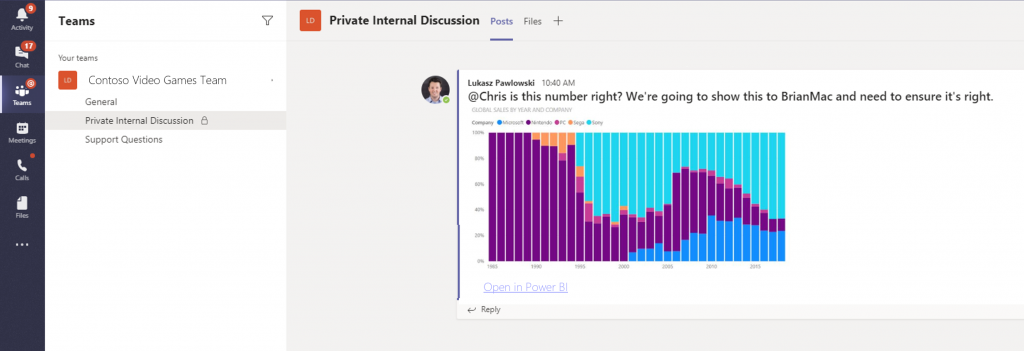
    Copy and paste visuals into other applications: supporting the modern flow of information. If the paginated reports represent the PC era way of working, then being able to grab a part of your analysis and quickly paste it to a conversation in Teams with a link back to the full report is the way today’s information workers expect these cloud apps to work with one another.

    Data lineage GA & enhancements: when cross-referencing data from anywhere is a breeze, how can you tell if the analysis is actually accurate? The lineage visualization is an effective way to illustrate how this modern world of self-service BI operates and bring tools to do meta-analysis on what’s the actual source of the truth being presented to you.

    Power Virtual Agent

    Add a Power Virtual Agents bot into Power Apps canvas app: because bots are not just for customer service. Internal scenarios for app users would be very interesting, although the starting price for using bots is probably going to scare most customers away.

    Adaptive Cards: see my comment in Power Automate section.

    Single Sign-On: if attempting to go beyond generic website chat popups, strong identity management features are a must.

    Pass context to a bot from the calling site: “Hi, how may I help you?” That’s not how a smart agent would initiate the chat, so after identity comes context management. Bridging the gaps between apps is where I see bots being particularly powerful, so URL query string support is a good start for making this happen.

    AI Builder

    Power Automate integration: building the Cognitive Service for citizen developers. The patterns from Azure need to become more accessible in the BizApps frame of reference.

    New models like anomaly detection and receipt scanning: making AI Builder ready for business. Training AI for unique data sets is one thing, but where I believe wider adoption will start is through these more “ready to go” scenarios.

    Common Data Model

    Empower out-of-the-box analytics: delivering on the promise of CDM. It’s all just theory until we see Microsoft deliver on those promises about making it easier to integrate data sources and analytics/AI via a common semantic model.

    CDM visualization and management experience: making CDM more than a GitHub repo. “Increased focus on growing the Common Data Model ecosystem requires enabling users to work with Common Data Model in their native data environments, such as Power Query, Insights Apps, Synapse, and Power BI.” Yes, it certainly does.

  • The Real Common Data Service Emerges

    The Real Common Data Service Emerges

    When Microsoft announced one year ago that XRM would become CDS v2.0 (officially Common Data Service for Apps), there wasn’t yet any big system redesign implemented to make this a physical reality. Today we are much further down that road where CDS truly becomes a Service that has less and less to do with the familiar XRM databases that we’ve previously been working with. In this blog post I’ll explore the three data related dimensions that give us an indication of where CDS is heading as a part of the Microsoft Power Platform.

    CDS is now Dataverse!

    While reading this article, you can translate the term “Common Data Service” to now refer to its new name, Microsoft Dataverse. See this post for comparison between CDS vs. Dataverse.

    Dynamics 365 Storage Model Changes

    As a part of the April 2019 release train, MS is changing the way how data storage is managed for both Dynamics 365 and PowerApps customers. It hasn’t been an official feature bullet on the release notes document, but that doesn’t mean its significance would be any less than what the shiny apps demonstrated in the April 2nd Virtual Launch event have.

    A new version of licensing guides for Dynamics 365 and also for PowerApps and Flow (for the first time ever!) was released in April. This outlines the commercial impact of the new model to customers, which is probably what most of us will have first paid attention to. Yeah, whenever the pricing mechanism of a widely used MS cloud service changes, it will be a big deal. What makes it even trickier is that MS considers storage as a “subscription add-on” for which they don’t publicly disclose any per GB list prices. I’m not entirely sure this model is beneficial for their ambitions of turning Power Platform into an actual foundation for building third party and customer specific apps, but I guess the shadow of the old CRM and ERP world still looms above this world when it comes to licensing and pricing practices.

    Let’s forget licensing for a moment and focus on the technical changes for Dynamics 365 online environments. All of the existing data that used to be stored in the Azure SQL relational database will in the future be divided into three specific storage types: database, file, log. This should have no immediate impact to customers, as the migration will be taken care of by MS. Their promise is that nothing should change in the way how users and developers work with data, since the APIs that govern access to this data will remain unaffected.

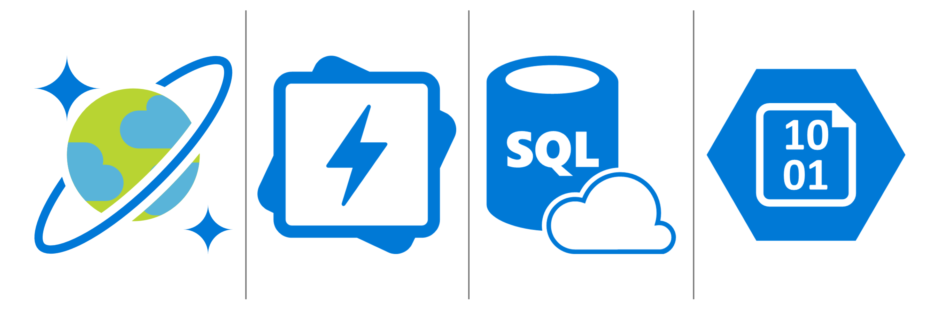
    File data will be in Azure blob storage, as this is the most efficient way to handle miscellaneous documents, images and other “stuff” that may end up inside a typical Dynamics 365 system via features like email tracking that carries over the attachments. Why would you ever store this in a relational SQL database to begin with? Well, the simple reason is that the original on-prem architecture of XRM had no other secure place to put these items, so it was all lumped up there. Now when CDS is a native cloud service, there are much more options available.

    Log data will be in Cosmos DB. This will probably offer a more suitable architecture for managing things like plugin trace logs, audit data and other items of similar nature. What should be noted is that Microsoft’s plans don’t just stop at this IT admin activities level. In a recent podcast by MVP Mark Smith, we heard the General Manager of Power Platform, Charles Lamanna, describe this storage type to be designed as the future place for other types of observational data, too. Charles referred to things like IoT device sensor data, which should give you an idea of how this again is data that is A) relevant to many CRM use cases and B) in no way optimal to be stored inside that relational XRM database.

    One significant and very welcome change that is introduced as a part of this new model is that there will no longer be any license cost tied to the number of instances you have in the cloud. Previously you had to buy add-on licenses for acquiring production and non-production (sandbox) instances for developing, testing, training and in general managing your complex Dynamics 365 online environment. Once the new subscription terms kick in, you’ll have the ability to create as many instances as you like, provided that you have sufficient database capacity available. A major driver behind this change is surely the PowerApps side, in which the licensing terms already granted any user with PowerApps P2 license to create 2 CDS environments for their applications. (For more details, see my presentation on Demystifying Dynamics 365 & Power Platform licensing.)

    In the short term, this storage model change should not result in much functional changes for the Dynamics 365 customers. Depending on when your current subscription renewal date is, the new terms will be applied either at that point in time or the renewal after that (if you choose to hold on to the old model for one more subscription period). Any new customer will likely be leveraging the new pricing model starting from April 2019.

    It’s important to understand that the actual data storage technology change and the commercial terms that are applied are not tied to one another. Migration of your Dynamics 365 data to the new database/file/log model will probably take place much sooner than what you’ll see in your subscription fees. Refer to the admin documentation on Common Data Service storage capacity for details on how you’ll be able to analyze and manage your storage consumption in this new model.

    Diving Into The Data Lake

    When looked at purely from the storage license model changes for Dynamics 365 customers, the story would end here, with the three storage types. However, the bigger picture of how data is used as a part of the Customer Engagement systems that cover various digital touchpoints is much broader. Or should I say “bigger” as in Big Data? As much as I dislike the casual use of tech marketing hype terms like Big Data and Artificial Intelligence, there’s no escaping the fact that the familiar world of CRM systems founded on SQL databases is being disrupted by what machine learning models and big data systems can offer today.

    (more…)
  • CDM: New Data Model For The Common Good?

    CDM: New Data Model For The Common Good?

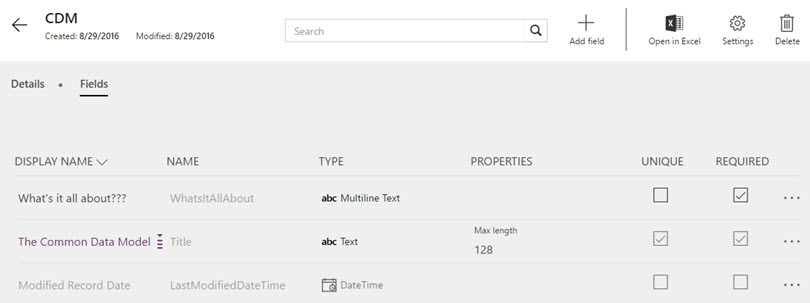
    The first new component of the upcoming Dynamics 365 platform that has reached a stage of public preview is the Microsoft Common Data Model (CDM). Available via PowerApps, CDM can be provisioned in your Office 365 tenant with only a few clicks, so there’s little reason for not having a look an early look at it. In fact, you only need to sit back and relax while watching CRM MVP Scott Durow walk you through a first look at the Common Data Model:

    So, there you have it! That’s what CDM looks like when accessed via the PowerApps web management UI. Any questions?

    Yeah, I actually do have a couple.

    How will this work with CRM and AX?

    What we have available in the preview is pretty much the most straightforward part of the very big puzzle to put together, meaning a database on Azure with some preconfigured tables and data model management tools. We do not yet know much about how the Dynamics CRM and Dynamics AX functionality will be linked to CDM as part of the Dynamics 365 cloud platform, so there’s plenty room for speculation, which honestly is mostly what I’m about to do here. In a way I’m just continuing on the theme of my previous post about Dynamics 365 and its potential implications for XRM, to pass the time as we wait for Microsoft’s plans to be revealed in more detail.

    Right now the only way to push data into CDM is a Flow. If you’ve ever played with automation tools like IFTTT or Zapier, then you’ll quickly grasp the idea of Microsoft Flow. The application itself shouldn’t be underestimated just because of its current simplistic demo scenarios that usually are along the lines of “when a new row is added to a SharePoint list, send an email to this address”. Built on top of Azure Logic Apps, there’s actually a next generation BizTalk type of cloud integration platform under the hood, which should provide plenty of future potential for advanced messaging solutions to orchestrate business processes across a number of different systems.

    Flow_copy_CRM_account_to_CDM

    Once Dynamics 365 Enterprise arrives and gives us the features of CRM and AX in one seamless cloud environment, there’s naturally going to be a need for something a lot more than a “build your own” type of Flow integration. Keeping the Sales and Operations apps of D365 in sync with the customer and transaction data managed in the process of making an delivering a sale involves a fair amount of business logic. If you’ve ever designed and developed a custom integration for this type of a scenario, you’ll know the requirements can quickly grow a bit hairy. Assuming Microsoft can come along and say “we’ll take care of that hairy part, don’t you worry about it” then who could resist it?

    The reason CDM exists is that there will be more than one physical database in the Dynamics 365 suite. It’s not all XRM, which means you can’t find the Operations app entities inside your CRM solution files. For the business processes to work seamlessly, someone needs to keep those database closely in sync with one another. From reading through the Common Data Model tutorials, we can see that at least as of now, Flow is not the system that can handle it:

    “Today, when you use Microsoft Flow to import data or export data, it is not a full synchronization service. Whenever an object is added to one service, it will be imported into the other system. However, that means if an object is deleted from one system it will not be deleted in the other system.”

    So, the sync part is still in the “To Be Implemented” bucket. So is security, since the passing of a record from CRM to CDM via Flow will not carry over any details about who should have the rights to do some CRUD work on it. Again, it may not sound like such a mission impossible to build. However, if you’ve ever faced the requirement in a Dynamics CRM project to implement SharePoint document library integration with account records that includes not just linking the folders but also enforcing the account access rights on the documents, you’ll know the struggle is real. Sure, a collaboration solution like SharePoint has very different security concepts than a system designed for structured business records management like CRM or ERP. But if Microsoft hasn’t been able to offer OoB synchronization of access rights across Dynamics CRM and SharePoint despite of the clear business demand for it, maybe we’d be foolish to expect that it will all be seamless inside the Dynamics 365 world either.

    The thing here is that unless the solution provided by Microsoft is going to be fairly advanced, it might not be an actual solution. It’s like the old saying from the dawn of the internet:

    Some people, when confronted with a problem, think “I know, I’ll use regular expressions.” Now they have two problems.

    When confronted with the need to integrate processes across two different cloud business applications, there’s always the danger of someone rushing into thinking “I know, I’ll build a database in the middle to unify the process data”. So we end up with three cloud business applications… Now, I’m not saying that Microsoft wouldn’t have the type of application architecture masterminds working on the Dynamics 365 platform that can solve these complex problems when developing a new product. I’m just afraid that things may still turn out a bit more complex in reality than the marketing pitch for the new product launch might lead people to believe.

    What limitations will this impose on customization?

    The one reason why many of us love the capabilities of the Dynamics XRM platform is the awesome flexibility it offers us to customize the application to meet the specific needs of customers. And by “customize” I actually mean “configure”, since these days you can build such amazing features for business users without writing a single line of Javascript or C#. With Dynamics 365 now promising to deliver so many preconfigured apps for different departments’ needs, as well as making them all work together, I bet some of us are thinking about whether there’s a potential threat to the platform’s flexibility buried in the new approach Microsoft is taking. (more…)