Tag: business applications

  • The future of Power Platform – Steve has a chat with Jukka

    The future of Power Platform – Steve has a chat with Jukka

    If I had to choose only one blog I could follow in the Microsoft Business Applications ecosystem, it would be Steve Mordue’s blog.

    Why this blog? Because you’ll learn more about the true business of BizApps in Steve’s blog than you would from reading all the partner channel materials MS puts out there.

    It’s not just the unfiltered opinions and provocative comments from Steve that make the content unique. He manages to get Microsoft leaders like Charles Lamanna or Ryan Cunnigham speak openly about product roadmap and business strategy whenever he has a chat with them. It’s the kind of material you couldn’t hear from anywhere else – at least not without an NDA.

    When MVPs used to get together

    One unfortunate impact that COVID has had on the Microsoft MVP program is that our annual MVP Summit events have gone virtual. Even though the world is slowly opening up to physical events again, at the same time the world economy is sinking. This has pushed even the biggest tech corporations like Microsoft to announce cuts on their internal travel, training and event budgets. This means the next Summit, which will be my 10th, is probably done over Teams again.

    It’s better than nothing, of course. The Microsoft product team members do put in effort to share their plans with the MVPs and are open to receiving feedback from us, since the protective shield of the NDA agreement covers both digital and physical worlds. Making things digital can also help scale the amount of tech content that can be made available as well as the means through which to consume it.

    What the virtual events cannot in any meaningful way compensate for is the lack of informal interactions between MVPs. When you can’t go grab a drink with the smartest people in the business together at JOEY Bellevue, a large part of the Summit is wiped away. Sure, the product group interactions are valuable, but the MVP-to-MVP interactions are priceless.

    No, you can’t replicate this in the virtual Summits. When you’re first sitting 6-8 hours alone in front of your computer, from 6pm onwards after your normal working day, staring at the Teams screen – trust me, you’re in no mood for “virtual drinks” after that.

    Events quickly turn into non-events due to the lack of any changes in the physical surroundings. No travel costs, no jetlag, only a little loss of billable work during the week – it’s all very productive, to the point where you start asking yourself: why did I ever consider this “fun”? It sure helps to contribute to the feeling of being constantly tired.

    Time to move forward again

    You shouldn’t become too bitter about things not being what they used to be. The older you get, the more stuff like this is going to come at you every single day. You don’t have to like it, and you certainly are entitled to feel what you feel about it. That’s where our entitlements pretty much end, though.

    Choosing how we react to change is pretty much the essence of life – and business as well. This is an area where both me and Steve seem to have similar ideology that drives our behavior. If you know the only certain thing in life (and business) is constant change, it’s better to be someone who’s pushing that change to happen instead of becoming the object that must endure the change pushed upon it.

    So that’s one thing we share in addition to our hairstyle. With nothing more as a prepared agenda, we opened up Teams and stated recording a session on Steve has a chat with Jukka. It’s as close to an MVP-to-MVP informal interaction you can get to without flying to Redmond.

    You can listen to the audio track on Steve’s website or on Spotify / Apple Podcasts. Alternatively, you can watch two BizApps MVP baldies on your screen for one hour via the embedded Vimeo clip below:

    https://vimeo.com/742784310/7101b864c1

    Some of the topics we discuss with Steve include:

    • How different the world looks like when you choose to go all-in on Power Platform instead of being a Business Applications generalist
    • The struggle of convincing customers that a $5 app can actually give them more value than a $95 app
    • How to get the IT on board with the citizen developer movement and turn governance into an enabler instead of a blocker
    • What would be the ideal support model for a platform-first business that would reduce the customer/vendor tension and get everyone on the same side
    • Why Dynamics 365 partners have very little financial incentives to move their capacity into true low-code business
    • The difficulties in making the Fusion Team story sound attractive enough for pro-devs to find their place in the low-code world
    • Why Teams is the most important platform Microsoft has and why it isn’t yet quite the right platform for wide scale business applications usage

    That’s just a few things I remember off the top of my head, after our awesome chat session. So, if you’re interested in hearing what us two loudmouths think the future of Microsoft Power Platform is – you know what to do.

    There’s no sponsors in any of these chats nor either one of our blogs, so I’ll just leave you with two commercial call-to-actions:

    • Check out RapidStart CRM to experience what you can do with just a $5 Power Apps Per App license (the CRM part comes free, courtesy of Steve).
    • To keep up with what our 100% Power Platform focused team of pretty amazing experts is doing, subscribe to the Forward Forever Monthly newsletter.

  • Application/Platform Separation in New PowerApps Licensing Model

    Application/Platform Separation in New PowerApps Licensing Model

    Ever since Spring 2018 when the XRM and PowerApps platforms merged on a commercial level, I’ve found myself spending an ever increasing number of hours per week involved in licensing discussions and scenario planning. My initial exploration of the platform licensing back then came to the conclusion that many of the crucial details for actually determining what you can & can’t do with PowerApps licenses vs. Dynamics 365 CE licenses were simply not available at the time. Obviously this was not an ideal starting point for Microsoft to start pushing their Power Platform into new business areas that should see it capture the next 10 million developers from outside the traditional CRM field. But still, it is the legacy that came with the underlying platform that was designed to be sold as Sales, Service, Marketing etc. solutions delivered via traditional enterprise projects via partners that mostly had started back in the Microsoft Business Solution (MBS) days. What can you do about that, huh?

    This year at the Inspire 2019 partner conference, Satya Nadella framed the role of Business Applications and Power Platform in particular with the following numbers:

    (Click here to watch this segment of his Inspire 2019 Corenote.)

    If there are indeed 500 million new apps that will be created in the coming five years, then those sure ain’t gonna emerge from the MBS style business model and development methodology. Today the world is full of both cloud service providers that offer low-code/no-code tools for building your own apps very rapidly, as well as savvy power users who are interested in seeing if they could take their Excel workbook desktop wizardry to the next level with these cool new tools that promise to deliver modern apps for this smartphone era. Since MS has obviously identified this new business potential that Power Platform can unlock for them, are they going to let the prior licensing model of Dynamics 365 stand in their way? Probably not.

    It just so happens that Inspire 2019 was also the place where the upcoming licensing changes for both Dynamics 365 and Power Platform were introduced to the partner audience. Since Inspire is a public conference that anyone can attend, it also meant that any customers paying attention to the Microsoft ecosystem are already aware of the changes announced to take effect on October 1st, 2019. The slide decks for both sessions are available for download on the Inspire website for a more detailed look. On the PowerApps blog there is also a summary of these changes, which is nice. What’s really nice is that the comments section is open, which often isn’t the case for corporate announcements related to licensing (is it even a “blog” if there is no reader interaction opportunity given?). The product team has been responding to a lot of the feedback around the topic, which makes me optimistic about the possible fine tuning of the licensing model to align with what the outside world thinks about it.

    Pay per App

    As with licensing always, there’s far too many details in the Inspire 2019 news to cover in one blog post. Maybe I’ll eventually do a revised version of my “Demystifying Dynamics 365 & Power Platform Licensing” session from January, but right now I want to focus on one aspect: the price of an App. This is something the new PowerApps licensing model highlights in particular:

    In short, what Microsoft will do in October is to retire the earlier PowerApps P1 and P2 plans and introduce new “Per App” and “Per User” plans. Nothing (major) is going to change with how the rights bundled into Office 365 and Dynamics 365 licenses work. The “Per User” plan will be the same price ($40) and mostly the same capabilities as the earlier P2, whereas the earlier “lite edition” of PowerApps P1 at $7 will be discontinued completely.

    “What?!? How can they just take away the $7 plan and push everyone to buy a license that’s almost six times the price of that?” Yes, this is the hardest part about the changes, no doubt. I was a bit surprised to see this as the direction where Power Platform is heading, given how the citizen developers who’ve been playing around with the seeded Office 365 PowerApps license should rather be pushed into learning more about CDS, solutions and all those “real” application development tools that P1 previously offered. Nevertheless, after letting the new model sink in for a few days, I believe that this pricing mechanism makes a lot more sense than the earlier version.

    A fundamental problem with the current P1/P2 divide was that it attempted to draw the line on app complexity. There were limitations like the inability to attach real-time custom business logic (workflows, plugins) on entities that were used by PowerApps P1 license holders. This was particularly problematic when operating within CDS environments that also serve as the Dynamics 365 CE app database (yes, they’re all CDS now): any developer or 3rd party app registering a plugin step on an entity like account would instantly have put all P1 users attempting to access it out of compliance with the license terms. Also the rights on “complex entities” and “restricted entities” differed between P1 & P2. Sounds complex? Yup. I had to write a blog post for demystifying these PowerApps “starter” plan capabilities just to get my head around on where the lines were drawn.

    Something that would have eventually become a big problem with the old P1 definition was that it only allowed the users to run Canvas apps. Sure, those pixel-perfect mobile-first applications are what most people think PowerApps is made of, but that is a view of the world that needs to be deprecated. Model-driven apps are just as important area of what Power Platform represents (on CDS in particular), but that capability was reserved for P2 license holders only. Given that Microsoft is aiming to remove all of these artificial limitations between app types and eventually get all PowerApps customers to Run One UI, keeping P1 users locked from this future app convergence simply wasn’t a viable option anymore.

    (more…)
  • Winter in July: Release Notes for Next Dynamics 365 Version

    Winter in July: Release Notes for Next Dynamics 365 Version

    While I’m over in Finland enjoying the biggest and longest heatwave ever, some of my fellow MVPs and Dynamics 365 community members were attending the first ever Microsoft Business Applications Summit this week on the other side of the globe in Seattle. As much as I would have enjoyed sitting in cold & dark conference rooms instead of trying to hide from the burning sunlight, this time I had to rely on the others to share the latest news from #MSBizAppsSummit while I attempt to enjoy the summer vacation.

    A large share of the conference’s announcements are covered in the October ’18 Release Notes, which you can download in PDF format right here. This is a massive “drop” that follows the format of what we already saw with the previous April ’18 release. Even though it’s been made available during the summer heat, it’s actually a list of features that Microsoft intends to (mostly) make available between October 2018 and March 2019. So, winter came early this year, which is a positive thing, since now we have several months of advance notice of what’s in the product team’s pipeline. These release notes essentially replace the earlier roadmap.dynamics.com website, which in itself was kinda cool (running on top of Dynamics 365 Portals and all) but didn’t communicate the actual road ahead all that well. So, these twice a year PDF releases with ongoing updates to their detailed content is the thing you need to pay attention to now.

    One small but notable difference is that Microsoft is no longer calling it “Dynamics 365 Release Notes” but “Business Applications Release Notes”, which together with the Summit’s name reflects the new context in which we all should approach whatever parts of the toolkit we use in our end user solutions. Recently also the Microsoft Most Valuable Professional program updated its terminology, and now the previous Business Solutions MVPs are in the Business Applications MVP category.

    The previous April 2018 release was the first time when we saw the new organizational structure of Microsoft Business Applications Group (“BAG”) bringing previously separate product offerings under one roof, with CRM & ERP products being represented in the same release notes list as PowerApps, Flow, Power BI. That also was the time when things like the Common Data Service for Apps were announced as replacements for what XRM previously stood for. However, from a raw functionality level there appeared to be a greater urgency in reaching GDPR compliance before the May 25th deadline than to actually push out new integrated features for the CDS for Apps platform.

    Reading through the October 2018 release notes, this time it’s very different. There are huge steps being take to bring together the “ex-XRM” technologies with the newer products and make it truly one Power Platform. Here are selected highlights:

    • PowerApps Canvas Apps and Flows can now been included inside CDS for Apps solutions, giving them the ALM story for enterprise grade deployment across different dev/test/UAT/prod instances. This clearly makes them no longer a “power user” focus tool but a building block for credible business applications.
    • PowerApps Canvas Apps can be embedded inside the model-driven app entity forms. The traditional UI of XRM apps that was generated from metadata will get a touch of pixel-perfect design options that the Canvas Apps have always been about. This ability coincides with the new options to freely set the app size instead of earlier phone/tablet format limitations.
    • Flow is promised to reach parity with async workflows. Even though the transactional capabilities of real-time workflows (similar to plug-ins) is not yet within October 2018 scope, that’s one bold step to make the XRM workflows history and move their logic into Flows.
    • Power BI reports & tiles can be embedded onto CDS for Apps entity forms and the record context as well as any record attribute can be passed to them for data query and visualization filtering. Surely pretty much anyone has at one time wished “gee, wouldn’t it be sweet if instead of working with this limited ASP.NET chart XML from Dynamics CRM 2011 we could leverage those modern Power BI charts instead”. Well, that day is getting closer!
    • PowerApps Canvas Apps will FINALLY offer native support for lookups, option sets and datetime fields. For anyone who’s tried to replicate pretty much any CRM functionality with PowerApps, this will have been a very early stumbling block. Not so easy to solve with separate product teams inside MSFT apparently, but within the new Business Applications Group these gaps for real life solutions can now be filled.
    • There will be a single mobile “player” for both Model-driven Apps and Canvas Apps. When previously the Dynamics 365 Customer Engagement mobile app for Unified Interface and the PowerApps apps lived behind separate app icons on your phone, soon the users may no longer see any difference when switching between different business applications.

    These are only a few items in the long list of upcoming features that the 239 pages of October 2018 release notes contain. A lot of important unification is also taking place in the author and admin experience of how Dynamics 365 Customer Engagement apps, CDS for Apps platform, PowerApps Canvas Apps and Flow can be used together for your solution design needs. Similarly, a lot of advances are being made on the UCI front, with the legacy web client being more and more replace with Unified Interface. Then there’s the whole CDS for Analytics side of things coming up, with promises for new AI apps and capabilities. You’re going to need to read through a wealth of blog posts to grasp the full spectrum of what Microsoft is planning to launch, so a good place to start is the Scott Durow Top 10 favourite features in this release.

    The April 2018 release for Dynamics 365 CE was a bit of a surprise due to the fact that it wasn’t officially a major release like v10 or even v9.1, instead it was only a v9.0.2 update. Deployed automatically to your v9 instances, with no CDU process to schedule the update from the available time slots. Now in July we got a confirmation from Microsoft that this reflects the way all future updates will be rolled out, in the blog post Modernizing the way we update Dynamics 365. Looking at how the Power Platform will increasingly be consisting of functionality that isn’t found in the “XRM server”, the automatic updates make a whole lot of sense. It remains to be seen how the remaining on-premises customers will be serviced with the updates and to what extent there will be feature parity. At least we now got a confirmation at the Business Applications Summit 2018 that there will be a new on-prem release this fall, so there appears to be a plan to bring things like UCI available for those who still prefer to run their own business application servers.

  • Exploring CDS for Apps Platform Licensing (PowerApps)

    Exploring CDS for Apps Platform Licensing (PowerApps)

    When Microsoft originally made the Spring 2018 release announcement for Business Applications products and essentially promoted XRM to be the Common Data Service for Apps, they didn’t yet disclose the finer details about how the CDS for Apps license model would work outside the Dynamics 365 Apps and Plans that we’re familiar with. On May 1st the details were revealed alongside the blog post “Which PowerApps plan do I need for model-driven apps and CDS for Apps”.

    In his earlier blog post, Frank Weigel announced that PowerApps Plan 2 officially became the platform SKU for CDS for Apps. In the updated PowerApps pricing page we can see that actually the license types and prices have effectively remained the same as they were before Spring 2018 release:

    The changes are mostly on the new Model-driven App side (formerly XRM), but since there’s now also a wealth of server-side functionality made available for PowerApps via the new CDS for Apps concept, it also affects the Canvas Apps designers. Let’s dive into the details and explore the license model from a few different angles.

    PowerApps for the Productivity Folks

    A customer who’s got Office 365 will already have the specific PowerApps license type included in that subscription. As stated by the Licensing overview page over on docs.microsoft.com, this allows them to create and run applications within the context of this service (O365), as well as connect to “common cloud services including Box.com, Facebook, and many more”. Not D365 and not CDS, but that still covers a lot of interesting scenarios for building an app to replace a manual process that used to run on email or Excel.

    Since it never was a “pure business app” like Dynamics 365 CRM and ERP products, PowerApps has grown into a highly versatile tool that connects with the more mainstream Microsoft services. You can embed them into a wide variety of places within your MS Cloud environment, like on Power BI dashboards or modern SharePoint pages. For your data collection forms, they are InfoPath on steroids. An Office 365 customer might therefore get pretty far with just mashing up the UI’s of different apps and storing data into less structured places like SharePoint lists or OneDrive files.

    If they’d like to introduce more solid capabilities for relational data modeling, process automation and granular security management, the PowerApps Plan 1 would unlock this scenario for €5.90 per user. With this the data could be managed in CDS for Apps database, a much more robust back end for a business application than simple lists in the Office tools. The users still couldn’t access any Dynamics 365 style UI, since Plan 1 doesn’t grant the access to Model-driven Apps. You would need to construct the required lists, forms, navigation and client side logic with the traditional PowerApps “maker” experience and publish it through the same channels as what the Office 365 users already have access to.

    This Plan 1 approach could be viewed as the first step up from the starting point where a knowledgeable power user or “citizen developer” had built a PowerApp with the license they already had via Office 365 and now the app needs to be adopted more widely within the organization. The new admins and designers of the app would need a Plan 2 license for €33.70 but the users could be assigned the cheaper Plan 1 license for €5.90 a piece. It shouldn’t be too difficult a business case to build if there’s real demand for the app and it either saves time or money in some business process that used to be a painful manual operation before Microsoft Cloud came along. If things work out well, these same P1 licensed users can then go and use any number of apps that the P2 power users design for them, since each P2 gets 2 databases with it and no limits on how many PowerApps you have on top of those.

    PowerApps for the Dynamics Crowd

    Dynamics 365 has a powerful, growing set of first party Apps from Microsoft, but sometimes there isn’t an app for that particular business process you’re looking to digitally transform with the help of MS Cloud. This is where the power of the platform comes to rescue and saves you from custom software development and maintenance efforts. Earlier this platform was called “eXtended Relationship Management” (XRM) but now we refer to it as the Common Data Service for Apps. We don’t even need to buy a Dynamics 365 license for it anymore, since we could just use PowerApps Plan 2 instead.

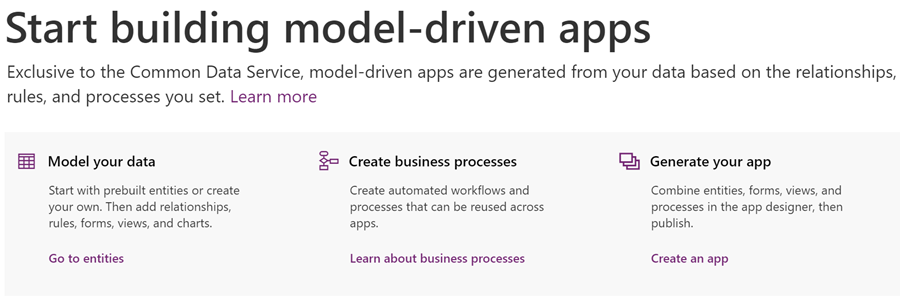
    What sets Plan 2 apart from Plan 1 is that you can work with the application data via the Model-driven App UI that is automatically generated for you when you design your data model. Sure, you’ll need to configure the details of it to deliver a pleasant UX, but you’re not forced into pixel-perfect design work of the Canvas App. Navigation is provided for you, there’s the full search capability, you can quickly configure dashboards, Business Rules can make your entity forms adapt to field data values, and so on. With the new Unified Interface your Model-driven App will adapt to any screen size, and the solution framework ensures you can easily transport your customizations across environments. The Model-driven sample apps will give you a quick idea of what a non-Dynamics 365 app on CDS might look like.

    There are limitations, though, and you’ll find them listed on the “license requirements for entities” page on CDS for Apps documentation. As mentioned, P1 users can’t access the Model-driven App UI, but they also aren’t authorized to access a Canvas App that runs on a CDS for Apps instance and uses entities that have real-time workflows or plug-ins associated with them. These require a P2 license, which unlocks the full XRM style functionality of the platform.

    Now, just because the Dynamics 365 first party Apps from Microsoft are built on the same platform as your custom Model-driven Apps, that doesn’t mean a PowerApps P2 license would fully cover their usage. There’s a list of restricted entities that are used in MS apps like Sales, Customer Service, Field Service, that you aren’t allowed to touch without the proper Dynamics 365 license. For example, you’re free to work with leads and opportunities, but you can’t use cases or knowledge articles in your custom PowerApps – because Microsoft said so.

    For an overview of the different license types and privileges, be sure to check out the great blog posts and ever so slick videos that MVP Scott Durow has created for explaning the topic of PowerApps to those of us who’ve got a Dynamics background.

    PowerApps vs. Dynamics 365 License Model

    Just because we now have something declared as Platform SKU on a Microsoft blog post doesn’t mean we get to skip the finer details laid out in the Dynamics 365 Licensing Guide. Anyone working on the partner side must have experienced the amount of documentation that goes into performing changes to the licensing practices of Dynamics products. (Remember that deck about transition from Dynamics CRM to Dynamics 365? Of course you do, how could you ever forget…) I’ve got a feeling that we’re going to see more licensing related information emerge about the new PowerApps Model-driven Apps offering in the near future, as this initial announcement raises many questions that need to be answered before customers and partners can fully embrace the new platform opportunities. (more…)

  • Top 3 Themes for Dynamics 365 in 2017

    Top 3 Themes for Dynamics 365 in 2017

    The first day of the new year is a good moment to reflect on what 2017 gave us (or didn’t give) in the Dynamics 365 business. Here are the top 3 themes that came to my mind when I looked backed at the last 12 months of news, releases and overall directions coming from Microsoft.

    Business Applications

    A major theme that emerged this year and found its way into most of the communication coming from Redmond was Business Applications. Those two words on their own of course don’t mean anything very revolutionary, but it’s rather the way in which they were used to broaden the context of Microsoft’s business software beyond just Dynamics that’s of greater significance. If 2016 was the year when CRM and ERP were commercially bundled into Dynamics 365, then in 2017 the scope began to reach further beyond that. At the start of the year the XRM platform was given the Customer Engagement name, with the absolute minimum fanfare allotted for the occasion, so the true focus for product marketing was obviously somewhere else.

    Looking around at what specific software products sit alongside Dynamics 365 in the high level MS technology stack illustrations, it’s quite logical that we’re now seeing the “Power Suite” tied into pretty much every commercial narrative around Microsoft’s business cloud. More precisely, the technology grouped under this suite with no official name is very central to the story being told to both business and technical decision makers for one reason: its purpose is to connect the big three MS clouds. Office 365, Dynamics 365 and Azure are all equal beneficiaries from the toolkit that is provided by PowerApps, Flow, Power BI, CDS and their numerous connectors.

    On an everyday level it may still not be all that common for the real life CRM solutions to heavily rely on the Power Suite technology, like using MS Flow instead of D365 workflows. Because it was first rolled out as a power user focused set of tools for an individual information worker rather than something you’d deploy across a large organization, the practical as well as perceived maturity of this technology has formed a barrier of sort for full-on adoption. The long term outlook for it does look bright in my opinion, however. There’s only so much that Dynamics 365 as a platform can do on its own (be it the XRM, AX or NAV flavor), but if you can connect it with the outside world of MS and non-MS services without the traditional integration development effort, that opens up the door to a world of possibilities. I’m pretty sure customers will be interested in taking a step through that doorway and having a look around during 2018.

    App/Plat Separation

    Taking a few steps down from the higher level clouds and diving into the platform formerly known as XRM, 2017 was a busy year. This didn’t really come as a surprise to me, since I had a wonderful opportunity to get a peak at what the product team had planned for this calendar year already in the last MVP Summit in November 2016. My initial reaction to it was “are you guys SERIOUSLY going to push all of this out in the next release?” Well, a clear majority of the planned features and changes was indeed shipped during 2017 eventually, although the naming of V9 as the “July 2017 Update” didn’t turn out to be such a great idea.

    There were massive changes introduced to XRM (which I’ll continue to call for what it is), both above and beneath the surface. Rolling out Unified Interface initially to the mobile devices and eventually to every UI is going to change the client side of XRM in ways that are even greater than the previous user experience overhaul in CRM 2013. Opening up the client UI to custom extensions with the Custom Control Framework (CCF) sometime later (hopefully in 2018) is a major step in enabling and encouraging the reuse of configurable UI controls for data visualization. Finally, the App/Plat Separation that has moved the previously built-in application features of Sales, Service etc. into optional solution packages is now turning XRM into the type of generic application platform that it has earlier often been depicted as – in the technical decision maker slide decks from MS, at least.

    The combined effect of this transformation which materialized largely in V9 is that XRM should now be a lot more future proof. Having the individual applications as their own packages is a bit like how at one point in the late Windows Phone operating system’s lifecycle the Office apps needed to be separated from the OS, so that they could be serviced and updated without having to ship a new WP build. (Naturally I hope that the fate of D365 will be considerably more glorious than that of WP.) The new UI controls in CCF that now aren’t tied to a single app feature but can rather consume any data coming from XRM database or from external sources via Virtual Entities are bound (pardon the pub) to be more useful in delivering solutions to varying customer needs. Sharing the same client framework across different devices and embedded apps is going to reduce the amount of effort needed to get these solution features in the hands of different user groups.

    Licensing Model

    Sometimes the planned features take a little longer to ship than was originally estimated, which certainly is no surprise to anyone working in the business of software. Other times it turns our that what you initially promised to deliver isn’t actually going to meet the needs of the outside world after all. The delays experienced in getting V9 out to the customers represent the former scenario, while what happened to the Business Edition is an example of the latter.

    There’s no denying that with the growth of the platform and all the new cloud services attached to it, Dynamics CRM had grown from humble beginnings to enterprise scale in the recent years. Therefore the idea of labeling the suite as a true enterprise product and building a different lightweight offering for the needs of smaller CRM environments probably made a lot of commercial sense when MS announced the Dynamics 365 branding with the Enterprise and Business licensing plans to the world in WPC 2016. Only the practical problem remained of how to actually mold a new offering out of the big suite – at least without taking several shots at one’s own foot while setting up constraints for customization and expansion for those customers who’d initially start their exercise from the lower end of the license pool.

    Those 14 months from announcement to eventual cancellation of a separate Business Edition were filled with confusion on all sides – from partners to customers, and probably within Microsoft, too. Although this did leave an unfortunate stain on the year 2017 for Dynamics 365, the long term outcome from the decision to NOT roll out an artificially separated lower tier may turn out to be a better choice after all. It’s all still wide open on how the promised “lower price point” licenses and apps will be packaged, but at least it sounds to me like MS has acknowledged they need to build bridges instead of walls around the growing set of applications in Dynamics 365. For instance: just take a look at the documentation of the upcoming Dynamics 365 for Marketing application and tell me if it looks like an SMB only -product that no existing (Enterprise) customers would have any use for? Exactly. Sanity must prevail and customers be given a chance to license the technology that best fits their needs.

    Hello 2018

    What can we expect to see from Dynamics 365 in this new year then? There are no definite product roadmaps from Microsoft that would publicly disclose what’s planned for be released in which year, since the software business no longer operates on the type of schedule that we saw when products were shipped in shrink wrap every 2-3 years. It now looks more like a mesh of forever updating cloud applications and web services that move along according to their own backlogs and team velocity. Given that the real business applications that customer organizations deploy are a combination of several products that in turn use a variety of back end services, who can actually tell when a certain feature will be “ready”? For example, Dynamics 365 for Marketing utilizes Customer Insights, which in turn relies on the following Azure services:

    • Azure Data Lake Store
    • Azure Data Lake Analytics
    • Azure HDInsight (Spark, Phoenix, HBase)
    • Azure SQL Database
    • Azure Key Vault
    • Azure Secret Store
    • Azure Event Hub
    • Azure Stream Analytics
    • Azure Redis Cache
    • Azure Service Fabric
    • Azure Active Directory
    • Azure Monitoring
    • Azure Metrics
    • Azure Websites
    • Azure Service Bus
    • Azure Storage

    That’s what the future is made of, and that’s why it is so unevenly distributed. We may well see MS announce the next Dynamics 365 Customer Engagement capabilities before existing customers are even able to update their instances to V9. The specific points in time where a particular capability is 1) announced, 2) in private preview, 3) in public preview, 4) available for new environments and 5) deployed for live customer environments may therefore be spread out over a time period that makes even assigning a proper year to it challenging at times – let alone a calendar month like “July 2017”. In this light, I’m personally mainly expecting to see how the above three themes from 2017 will play out as they get closer to impacting the real life scenarios of customer organizations all over the globe that get to put it all into action in their digital business processes.