
Tag: app store

  • Dataflex: the day after

    Dataflex: the day after

    Microsoft dropped a big bomb this week with their Dataflex announcement. I don’t think I’ve ever had as many notifications on my social media apps as there were after I posted my two Dataflex articles on this blog and our company blog.

    Knowing that it wouldn’t be a simple topic for outsiders to grasp, with the many different dimensions that Microsoft’s various product teams would use in their own messaging, I wanted to make sure there was at least one article out there that would explain what Dataflex means for Teams, Power Apps and Dynamics 365 in the big picture of business applications. It was great to see that this explanation I came up with was also adopted elsewhere in the mainstream tech media:

    Here are some of the topics that the community has raised up since the July 21st announcement, based on the still fairly limited amount of public information that is out there on the coming Dataflex and the rebranded Dataflex Pro (formerly CDS).

    Yeah, about that name…

    For the small minority of techies who have actually heard of the Common Data Service (or XRM), the need for inventing a new name for their beloved service that remains the same (i.e. Dataflex Pro) wasn’t very obvious. For the larger crowd that works with Office tools and Microsoft Teams, Dataflex is a brand new thing, which understandably has made MS think whether a brand new brand would also be useful at this point.

    Unfortunately the name “Dataflex” isn’t so unique that there wouldn’t be some clashing with non-MS products out there. In this case, there has been an existing trademark within pretty much the same application development domains since the year 1981 already.

    Oh Microsoft…

    21 days after launching their Dataflex product name, Microsoft had to cancel their original plans due to litigation from the lawful owner of the Dataflex trademark (Data Access Worldwide). Read this blog post for more details: There never was a “Microsoft Dataflex”.

    Why not call it “Power Dataflex” or “Power [anything]” then? Wouldn’t that have been better in line with the whole Power Platform story, as well as reduce the chances of a legal dispute? Probably so, but it’s important to understand that this Power thing actually isn’t the only purpose that Microsoft has in mind for the platform:

    The entry level offering of Dataflex for all Teams users is an important milestone for XRM/CDS/MDF (not sure I want to adopt “MDF” as the acronym just yet, actually). Don’t be surprised if the same technology will pop up in more & more places within the MS Cloud in the coming months and years.

    Licensing details: TBC = “To Be Confusing”

    The specifics of what is and isn’t included with Dataflex didn’t get released yet, as this new service is still pending for the public preview to start sometime in August. At the announcement day it has clearly been more important for MS to higlighlight what you can do with the non-Pro Dataflex vs. what you can’t. Even after the eventual GA, we can expect to see Microsoft use just the term “Dataflex” when referring to Pro capabilities like API access and custom code. When raising this issue of one additional source of Power Platform licensing complexity, Charles Lamanna confirmed that this is indeed intentional:

    This comparison to Power BI actually makes a lot of sense. In fact, much of what has happened with the platform side of MS Business Applications has been taken from the Power BI playbook used in conquering the Nr. 1 spot in business intelligence products within a relatively short period of time. So, here’s how the product levels are positioned over there:

    • Power BI: free for anyone to use, also for publish to web
    • Power BI Pro: user specific license required for sharing reports across the organization (non-public)
    • Power BI Premium: capacity based offering that allows enterprise customers to remove the per-user element from the licensing equation

    What Dataflex and Dataflex Pro are going to offer is quite similar to this structure. No, I don’t quite expect the completely free edition of Teams to offer Dataflex features anytime soon, but the bundling into Office 365 & Microsoft 365 effectively makes it free for a huge pool of organizations to start using. When you then need to build some apps that go beyond the scenarios of team specific use cases and want to enforce some organization wide policies on it, Dataflex Pro may quickly become a requirement.

    What may initially sound like not a very profitable business model (give stuff away for free) can result in a lot of positive effects on the company wide revenue streams of Microsoft if played right. After all, we’ve already seen the plumbing from under the Dynamics products to being reused as a platform for DIY apps (Power Apps), so this strategy of exposing as many users to Dataflex as possible is a clear continuation of that path.

    Following the Power BI model, the next logical step after Dataflex and Dataflex Pro would now be to offer a Dataflex Premium service for enterprise customers who are more willing to pay for the capacity rather than for each and every seat. Whether MS ever launch this or not, the question of capacity consumption in terms of storage and API calls is bound to become a big source of confusion with the “free” vs. paid plans for Power Apps. Luckily the team behind Power Platform Center of Excellence Starter Kit is already working on making some of these governance tools compatible with the non-premium resources:

    SharePoint: both dead and alive

    The debate on why you should not use SharePoint lists as your app’s data source vs. why they area a perectly valid option has been going on for probably longer than Power Apps has existed. The inclusion of Dataflex into the core services of O365/M365 subscriptions has now prompted people to claim that app development inside SharePoint should be avoided altogether.

    There are plenty of greant points in the blog post by Andrew Welch on the impact that Dataflex will have on the app strategy for organizations. Certainly the old reality of avoiding CDS due to licensing costs will need to be replaced with a more modern view into the low-code application development landscape in Microsoft 365. SharePoint will remain as the service most well known in the Modern Workplace technology category for sure, but questioning whether it’s the right tool for managing structured data should now become a mandatory step in all app plannign discussions.

    One thing that’s clearly stealing the thunder from the Dataflex announcement and making the M365 folks even more confused is the GA announcement of Microsoft Lists that took place at the very same time. Yeah, this is just classic MSFT – having multiple products with overlapping feature sets and competing marketing messages.

    Teams: your business app platform?

    No matter how cool the apps that we build for customers (and ourselves) may be, it’s important to keep in mind that the majority of the average information worker’s time is spent inside applications that are exactly the same for everyone – like Microsoft Teams. This recent news about Slack first claiming Teams is not even a competitor to them, then moving to filing a lawsuit against Microsoft for bundling Teams with O365/M365 subscriptions, tells a lot about the game being played:

    It’s a fight for the future of work, which will largerly be remote work. The digital transformation of business processes will require many, many apps that are tailored for a specific task inside a particular organization. Nevertheless, it’s the umbrella above them, meaning the platform for teamwork, that will drive a lot of the technology choices and licensing dollars into the online meeting and remote work ecosystem that provides the different business apps the common context.

    If there would indeed be a significant uptake on the modern task based “mini” apps that do one thing well and we’d see organizations abandond their earlier enterprise system monoliths, then the question is where would all these apps logically land in? I haven’t really seen the enterprise app store concept being heavily utilized out there in the real world yet. Nor has there been much hope for Windows to enjoy a similar success with users installing apps from Microsoft Store, like they do all the time with iOS and Android.

    It’s been already a decade since the app store concept was first launched for Microsoft Business Applications. AppSource is a great channel for distributing Dynamics 365 and Power Apps solutions in theory, but in practice it’s a lousy marketplace for most ISVs to do business in:

    I’m not yet going to claim “this time it’s different” on the Teams app store and the Dataflex powered apps that can soon be published there by both 3rd party vendors and internal citizen developers. The idea however does sound like something that might scale better. Instead of deploying add-ons or templates into the single system of record like CRM, the new Teams based deployment model could allow a smaller group of users to install apps into an environment with a lot more narrow impact on organization-wide processes and data models. This could well be a more logical approach for Power Apps based solutions to find their way into more and more tenants.
  • What’s An “App” in Dynamics 365 Anyway?

    What’s An “App” in Dynamics 365 Anyway?

    Everywhere you look you see apps these days. Or more truthfully, you’ve been seeing them for ages already. Even in this blog I used the term “applification” over 2 years ago already, so it’s fair to say we’ve been living on the planet of apps for a long time by now. As catchy as those three letters are, the overuse of the term has some side effects that may lead to confusion when people refer to something as an “app”. With Dynamics 365 Customer Engagement (a.k.a. XRM), this danger is very real, since the term has been used in quite a carefree way when naming the different components found in the platform.

    In this blog post I’ll try to provide some clarity for those that are less familiar with the various dimensions that a Dynamics 365 app can have. I will go through the places in which apps can be found and explain their intended usage scenarios. Then in a follow-up post I’ll dig deeper into the architecture of how apps relate to solutions and the XRM customization capabilities in the latest V9 version.

    Mobile Apps

    Since smartphones are to blame for the app craze, we might as well begin by doing a search in the iOS App Store. With the term “Dynamics 365” on my iPad I get a list of various different apps I could install on the device. The top there results present a row of apps from Microsoft, but they are all built on completely different architecture.

    The first result named “Microsoft Dynamics 365” is the actual “CRM” app, meaning the one that’ll give you roughly the same features as you’ll find on Dynamics 365 Customer Engagement when accessed via a browser. Once the Unified Interface is fully developed, the mobile & the web will be almost identical, but currently it’s likely that you’ll see a somewhat different experience on mobile than what the browser UI looks like. You’ll find the app’s setup guide here.

    The seconds result is “Dynamics 365 Unified Ops”. Yes, it’s also by Microsoft, even though the name doesn’t include the corporate brand this time. Now, if you’re looking for the CRM capabilities then don’t get mislead by the app’s description talking about mobilizing your business processes. This is the mobile ERP application and you’ll need the “cloud AX” environment to use it for anything. No, Dynamics 365 isn’t “unified” on the level yet that you’d have just one client for CRM & ERP, but most people probably wouldn’t need a phone app that huge anyway. If you’re into ERP, read more about the Unified Ops mobile app here.

    The third result is “Field Service- Dynamics 365”. Although the app developer info on iOS says “Microsoft Corporation” this is actually the mobile app developed by Resco & licensed by Microsoft to be offered as a part of the Dynamics 365 for Field Service app license. It operates by connecting to the “CRM” instance and using its customer data, but the configuration is separate from the customizations you might have done to your Dynamics 365 Customer Engagement environment. The user guide for this app can be found here, while the customizers will find information about installing the Woodford solution for changing the app configuration here.

    App for Outlook

    For as long as Dynamics CRM has been around, the integration to Outlook has been one of its main selling points against alternative CRM products. The CRM Client for Outlook has served us well over the years but the time has come to lay it to rest and replace the Client with the App. The change is far more significant than what Microsoft’s product naming here would suggest, with “Dynamics 365 for Outlook” being the legacy client for your PC and “Dynamics 365 App for Outlook” referring to the lightweight app that will work on pretty much any device.

    Unlike the mobile apps, the App for Outlook isn’t something that a normal end user can (typically) download and configure for themselves. A system administrator or system customizer must take care of the deployment steps, which may include switching over to server-side synchronization, approving user mailboxes (with O365 Global Admin rights) and finally pushing the app to either selected or all eligible users under the menu Settings – Dynamics 365 App for Outlook.

    As of the first week of 2018, the Dynamics 365 App for Outlook in V9 is still in Preview mode, so a sysadmin needs to enable it from the System Settings – Previews tab. This is because the earlier app has been replaced with a completely new app in this release, built on UCI (Unified Client Infrastructure) that is used in the new Unified Interface. This will actually turn the previously feature limited Outlook sidebar app into a full Dynamic 365 Customer Engagement app that has similar capabilities as the mobile app mentioned above.

    Dynamics 365 App Modules

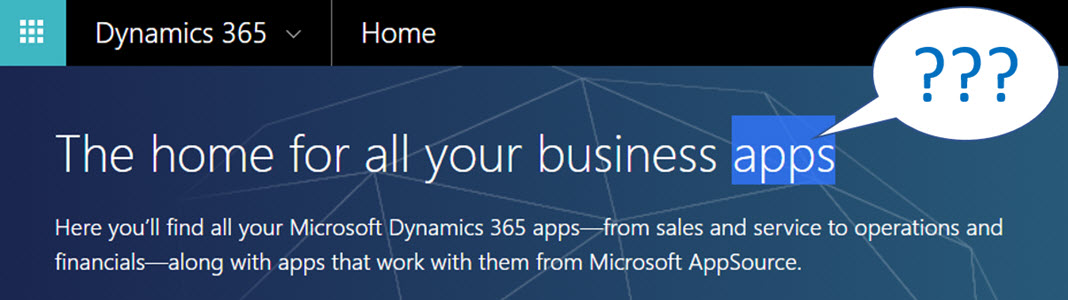
    When you’re logged in to Office 365 and you click on the Dynamics logo in the app launcher, you’ll be taken to the Dynamics 365 home page at home.dynamics.com. Depending on your environment’s configuration, you’ll see a few or a whole number of rectangular icons on this page. Those are all “apps”, but not like the previously described mobile or Outlook apps. More importantly, not all of them are necessarily Dynamics 365 Apps either. Huh?

    The explanation is that the Dynamics 365 home page lists also your Office 365 tenant’s PowerApps apps (which probably should be just called “PowerApps” to make my head hurt less while reading that). Aside from those, the list will include apps from all across your Dynamics 365 Customer Engagement instances, so if you have sandboxes for development and testing purposes, the very same app name & description may appear here multiple times. Furthermore, if you’re also using the ERP side of Dynamics 365, the home pages covers them as well.

    In the Customer Engagement world an app module is basically a subset of the components you can find within a single instance. It can include navigation, dashboards processes, entity views, forms and charts. Aside from a few app specific configuration items, it doesn’t really add anything that you wouldn’t have in the “full” XRM instance already. They are a way of controlling what contents of that particular instance is visible to the end user.

    Each XRM instance has by default at least one app, which will be called “Dynamics 365 – custom” unless you rename it in the System Settings menu. In addition to this, there can be N apps built and configured via the App Designer, or provided as readymade apps from Microsoft, like Field Service in the screenshot. Both the old web apps and the new Unified Interface apps will be present here if your instance is V9+. With so much going on here, I personally try to avoid ever navigating to the Dynamics 365 Home page and just store the direct URLs in my browser’s bookmarks bar where I’m in total control of how the apps are named and organized neatly into folders.

    Microsoft AppSource

    If you feel like you don’t have enough apps on your Dynamics 365 Home page, you can click the “+” icon that says “Find more apps that work with Dynamics 365”. This will open a modal window of AppSource, filtered down to the apps that are designed for, integrated with and some even built on top of the Dynamics 365 platform. Many of these will be built by partners (ISVs) but some of the content is authored by Microsoft themselves, either as officially supported solutions like the Social Selling Assistant, or as “accelerator” style solutions from Microsoft Labs with no warranty or promise of future support like Attachment Management.

    The AppSource apps are closest to the concept that the word “app” was associated with when the iPhone’s App Store was launched ten years ago. These may be small extensions to the common CRM feature set, like a Marketing Calendar component for visualizing campaign records, or integrations between Dynamics 365 and a standalone service like Adobe Sign. Just like in a smartphone app store, some items are completely free of charge while others will cost you dearly. Since we’re dealing with enterprise systems here instead of individual mobile devices, some services allow you to do a test drive in a sandbox completely isolated from your organization’s Dynamics 365 instances, like the CPQ solutions from Experlogix and PROS.

    What can be confusing about AppSource in the Dynamics 365 context is that probably the majority of the apps available in AppSource will not actually result in a new app icon being added to your Dynamics 365 home page. This is because up until V9 and the Unified Interface there wasn’t really a proper presence for the App Module in the XRM platform, so the world is only slowly adjusting to this new reality. I’ll delve into this very topic in my next blog post.

    Dynamics 365 App Licenses

    The concept of an app exists not only in the visible UI and logical platform component containers but also in the contractual world of software licensing. If you go to the Dynamics 365 Pricing page and download the Licensing Guide PDF, you’ll see the detailed way in which the rights of a licensed App user are defined in relation to the features provided by the XRM platform. There are in total 176 occurrences of the word “application” in this document, so don’t expect a quick answer. However, since XRM still largely follows an “honor system” where it’s up to the system administrator to limit the security roles of a user to match those to the rights given to him or her via the assigned Dynamics 365 license type, you’re going to have to understand the concepts.

    Even though you can purchase and assign a user a license for Dynamics 365 for Sales, i.e. an app license, this doesn’t mean that the only thing this user would see or would be legally allowed to access would be the Sales app icon on the Dynamics 365 home page. They can be allowed to view the entire contents of any XRM instance in that particular Office 365 tenant, thanks to the first row in the above table (“all Dynamics 365 Enterprise Edition data”). They could access the “Dynamics 365 – custom” app to look around the whole suite of features in Customer Engagement. They could leverage the Dynamics 365 App for Outlook to track emails to records. But if you misconfigure their security roles and allow them to track emails against case records (a Customer Service app feature), you are in breach of the licensing contract.

    Alright, that’s about as many “app” mentions as I can reasonably fit within one blog post. Next time I will take a look at Apps from a system customizer perspective.

  • Dynamics Marketplace vs. Microsoft Pinpoint: where are all the CRM apps?

    When Microsoft released the 2011 version of Dynamics CRM and introduced the solution management functionality they also introduced the Dynamics Marketplace: an app store for CRM solutions, integrated right into the CRM user interface. Here’s an excerpt from the blog post Driving Success with the New Microsoft Dynamics Marketplace:

    The Microsoft Dynamics Marketplace is a new online service – based on Microsoft Pinpoint — that helps our customers maximize the relevancy and value of their Microsoft Dynamics investments by connecting them with valuable, high-quality applications and professional services from our worldwide Microsoft Partner Network (MPN).   At launch, the Marketplace has more than 1,400 solution listings, including over 700 application listings and over 700 professional services listing forboth CRM and ERP

    So, if you want to find the best listing of CRM solutions and other related applications, Dynamics Marketplace must be the place to go, right? Umm, actually not. You’re better of going to Microsoft Pinpoint to perform your search. Let me demonstrate this to you through a real life example.

    Today I saw an announcement from Sonoma Partners, one of the most high profile companies in Dynamics CRM consulting business, about a new, free solution called Universal Search. As I followed the link on the press release onto “Microsoft Dynamics Marketplace”, I actually found myself at Pinpoint instead. It’s not a huge difference in the user experience, as Dynamics Marketplace is a subset of the Pinpoint platform. However, on this occasion I paid attention to the fact that the solution had actually already been published there on August 30th. Hmm, how come I didn’t notice it when scanning the Marketplace listings just last week?

    I decided to do a little side-by-side test and opened up the US versions of both Dynamics Marketplace and Microsoft Pinpoint, narrowed down my search to applications only, selected Microsoft Dynamics CRM 2011 and sorted the list by release date. Here are the results:

    • Dynamics Marketplace: 197 applications
    • Microsoft Pinpoint: 584 applications

    Wow! A search on the generic Pinpoint site gives you three times more CRM 2011 apps than the dedicated Marketplace. Click the image below to see an example of search results that you’d be missing out on if you only use Dynamics Marketplace. 4 out of the 6 latest CRM applications listed on Pinpoint are not available on the Marketplace search.

    Why is this happening? Ignoring the chance of technical errors in the search indexing, the difference is caused by the more strict requirements imposed on submissions to the Dynamics Marketplace. If you read the blog post I mentioned earlier, you’ll find the following summary information:

    A Microsoft partner needs to have either the CRM or ERP competency in order to get listed on the marketplace.  For solution listings, partners must be an authorized reseller of Microsoft Dynamics solution or have a solution that is verified as Microsoft Platform-Ready. Additionally, there is an optional Certified for Microsoft Dynamics (CfMD) designation available for an additional fee.

    That’s a perfectly valid explanation to the difference and the intentions behind the verification processes are surely good. Some customers may well decide to minimize the risk of causing harm to the operation of their business critical CRM systems by only choosing add-ons that are CfMD. Of course, if even solution vendors like Sonoma Partners are releasing products outside of the Marketplace criteria, one might ask if that is a sensible guideline for customer organizations to follow or not.

    For anyone who wants to keep track of the useful ISV add-ons released for Microsoft Dynamics CRM, they’ll get a much better experience browsing Microsoft Pinpoint rather than Dynamics Marketplace. I myself fall into this category and also try to do my share in promoting the ISV offerings by maintaining a list of Dynamics CRM Links to interesting apps I come across. Another result of the Marketplace limitations is that the majority of the valuable, free tools for CRM developers and customizers are published on CodePlex. So, in effect, we have three separate “app stores” from Microsoft. Or perhaps the term store is inaccurate in this case, as none of these three have cashiers in place, so maybe they should rather be called “app galleries”.

    We haven’t seen much development on the Marketplace front since its release, which is quite a shame as we could really use some help from Microsoft in building a more vibrant ISV ecosystem around the Dynamics CRM product. There’s just so much more potential in the app store model, as illustrated by this awesome vision of a better Dynamics Marketplace that Neil Benson & Matt Wittemann. With the nearing commercial launch of Windows 8 and the accompanying Windows Store, the expectation levels of customers and developers alike have surely grown beyond the basic application listing that Dynamics Marketplace currently offers.

  • Dynamics CRM 2011 and the world of (cloud) apps

    On July 12th it was announced in the Microsoft Worldwide Partner Conference (WPC 2010) that there will be no CRM 5.0, instead we will have a product called Microsoft Dynamics CRM 2011. Not a huge surprise, considering the other Dynamics products like AX and NAV had already moved to this naming convetion followed by the Office family for quite some time now (actually 15 years, if we exclude the odd Office XP release in the middle).

    So much for the branding. Underneath it all we will have the “CRM5” engine evolving from CRM 4.0, with quite a few important improvements on how the application can be utilized as a platform for developing your own custom applications, a.k.a. the XRM mantra that Microsoft has been heavily promoting and showcasing between the product version releases. While this side of the coin will surely play an important part in gradually turning Dynamics CRM into part of the core enterprise infrastructure like SharePoint has become, the first thing most new users will see from the application will still be the Outlook client and traditional customer data management functionality. Which is why there have been some big investments from the Redmond boys on developing that side of the CRM product, as you can see from the picture below.

    Instead of merely wrapping the web client page into an Outlook frame, the new rich client interface introduces whole new components that attempt to follow the faimilar Outlook UI experience. Tabs will help in keeping the number of pop-up windows under control while the preview pane we’ve learned to take for granted in processing our email inboxes is now also available in the scope of CRM entity forms. Since Dynamics CRM 2011 now comes with the ribbon interface like most other MS products, the CRM functionality now blends into the Outlook toolbar and gets presented in all its context sensitive glory. (more…)