What more could be said about XrmToolBox that hasn’t already been posted online? The year is soon 2026 and XTB remains a critical part of Power Platform – built and maintained by the community.
One area where the long history of XrmToolBox reveals itself is in the user interface of the application itself. As well as the official website of xrmtoolbox.com that is built on a legacy version of Power Pages. Technically, all the information is there. In practice, the UX can be challenging – especially for newcomers to this ecosystem.
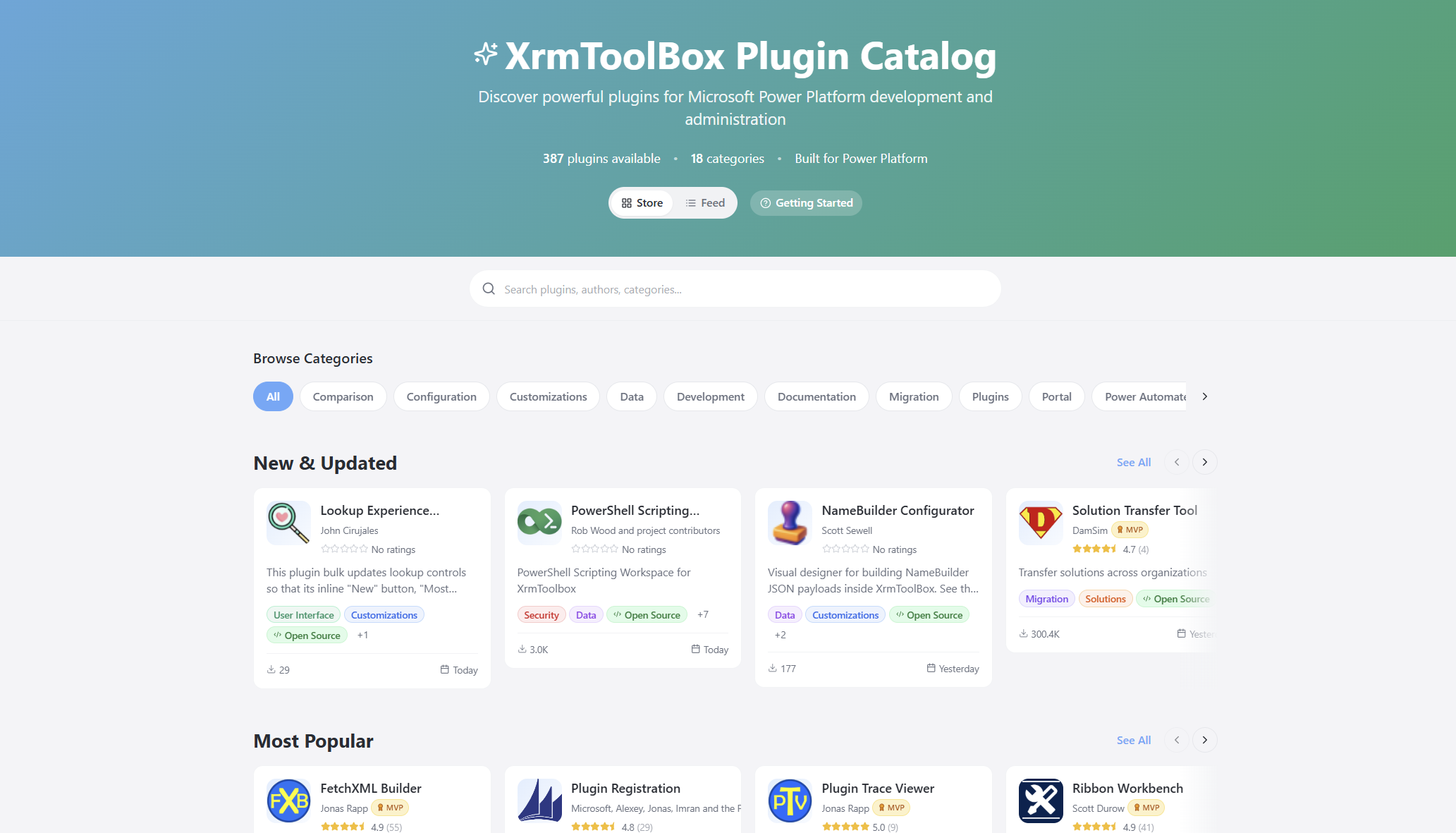
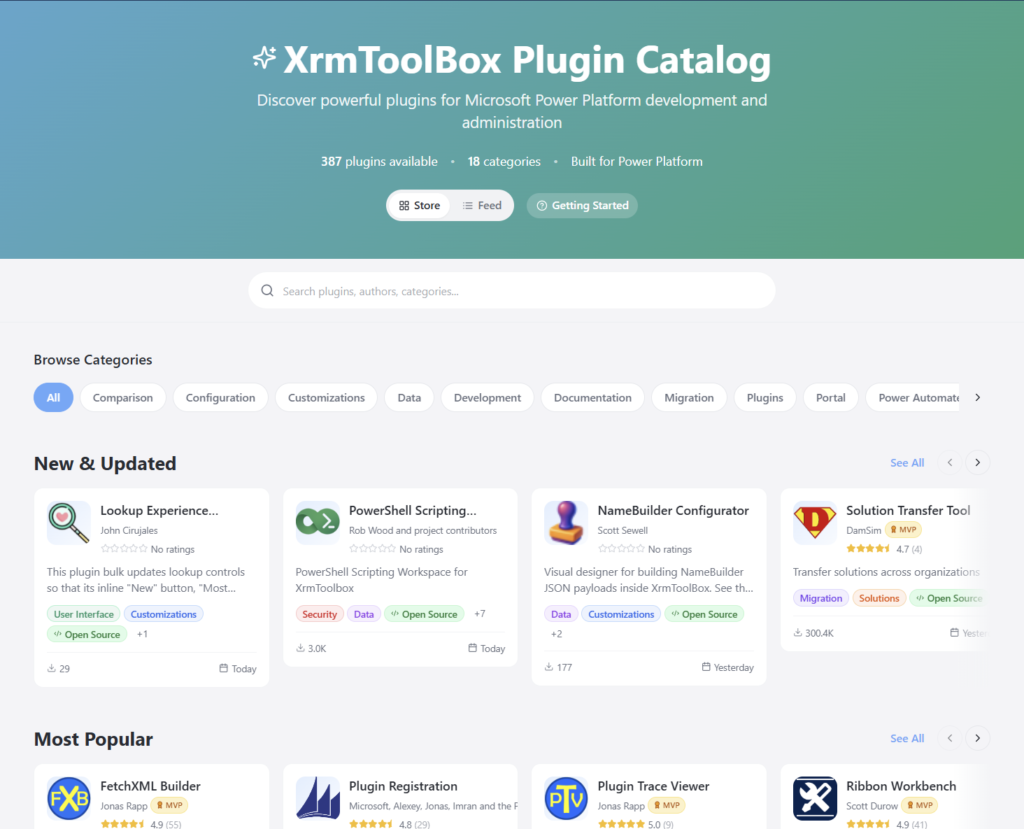
I wanted to see if I could do something about this. That’s how the XrmToolBox Plugin Catalog came to be:
The live site URL is xrm.jukkan.com. In short, it’s a vibe-coded website on top of the list of 387+ XrmToolBox plugins that have been developed and published by various community members. You can browse by category, search by name/description/author, see the latest release notes, discover more plugins from the same author, and so on. There’s even a short getting started section for those who are new to XrmToolBox.
It’s worth noting that there’s no new data used here. All the dynamic information comes from the official Power Pages site of XrmToolBox, via one daily data sync of the Plugins table rows in Dataverse. The XrmToolBox Plugin Catalog is hosted on GitHub pages and the data is pulled via an OData feed using GitHub Actions. So, both are running on acquired Microsoft technology (Power Pages comes from Adxstudio Portals, GitHub comes from… GitHub).
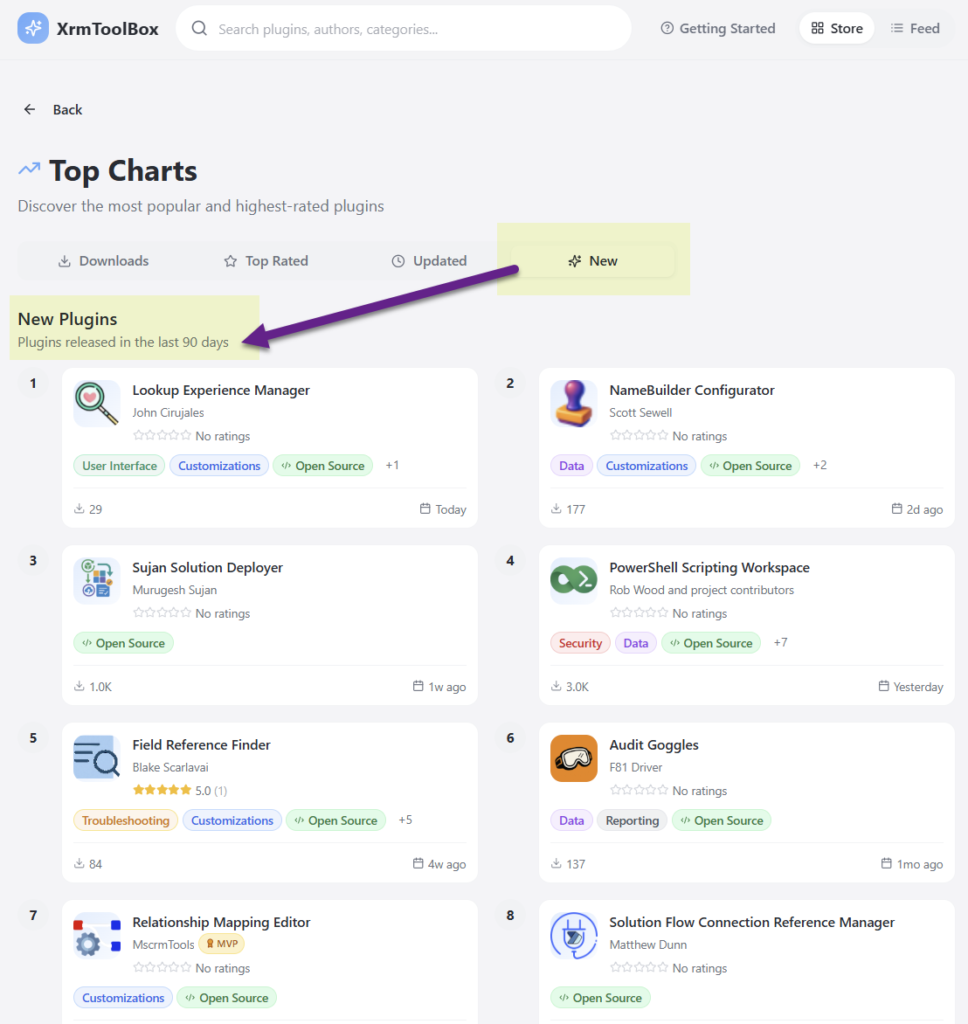
It’s just the same data, presented in a different way. Visually, it’s a React-based site that behaves like you’d expect a website to behave today. But it’s not just about rounded corner boxes and gradients. It’s also about prioritizing content in a way that serves the user better. Such as the Top Charts that allow anyone to check the recently added or updated XrmToolBox plugins from the past 90 days:
I wrote about the launch of XrmToolBox Plugin Catalog in a recent newsletter issue. I didn’t want to repeat myself, yet I was interested in seeing an alternative format for describing the “what”, “how” and “why” of this initaitive. So, I gave the text to Google NotebookLM and asked it to create a presentation out of it. I think it did a pretty nice job:
The site’s repo is on GitHub, obviously. You’re welcome to open an issue there if you encounter problems with the site or have ideas about improvements!
Oh, and don’t forget to support Tanguy Touzard and the makers of all the tools in the ‘Box. The Real Developers who have put in the hard work of writing all the code. Long before LLMs democratized code to such a level where I can today just prompt AI coding assistants and ask them to build pretty websites for me.
It’s that time of the year again when Microsoft have published their plans for the upcoming 2022 Release Wave 2 for Power Platform and Dynamics 365. “How exciting! New PDF documents with hundreds of pages to read!”
I’m sure many of you have learned to skip the static PDF files by now and instead add bookmarks to quickly get to the online version of these plans. Like these:
That’s much better, but it isn’t really optimal either. I don’t know about you, but personally I’ve had a hard time getting very excited about the new Release Plan drops for a couple of years now. There’s just something not quite right with this “wave” model.
Everything changes, always
Don’t get me wrong. It’s great that the Power Platform community members are curating their own top lists from these Release Plans twice a year. There’s plenty of value in seeing what items people are actually excited about, not just reading MS corporate style “excitement” on everything included in the Plan.
Yet the reality is this: the contents of these Releases Plans is likely to reflect less than 50% of what will actually be delivered into the products over the course of the wave. If you need proof, then check out the most important page of the online Release Plans: change history.
At any given time, Microsoft product teams are working on several new features and enhancements that they are not yet ready to disclose. They’ll get added to release plan later (or sometimes launched without it). As a very recent example, Managed Environments was announced as a preview feature on the same day as the 2022 wave 2 plans came out. The feature is not yet in either wave 1 or wave 2 documentation. It’s very natural that the product marketing’s need for making feature specific big announcements is a higher priority. After all, diligently maintaining the long list of similar release items won’t bring that much attention to any single feature.
Then there’s the inevitable reality of planning / estimating in software development. Things can get delayed due to too optimistic estimates, dependencies to other items/products, changes in MS product strategy, acquisitions, and so on. Ultimately the Release Plans are just a publicly visible backlog of what the team is working to deliver. It’s better not to get too excited about any specific feature on the list – often those will be the ones that get eventually postponed / removed…
While it’s kinda nice that we have a steady rhythm of 2 release waves per year that can be easily communicated to customers, the reality is more messy. These waves are forcing an artificial structure onto the ongoing product development work. Remember: the “wave” is not any actual release in itself. October 2022 will deliver a tiny fraction of the items listed in the 2022 wave 2 plan, as the wave lasts for 6 months.
While the waves themselves are sequential, Microsoft’s communication model has overlap for the waves. The fact that the wave 2 plans are first announced when there’s still 3 months worth of wave 1 to go (until end of September) can make it complex to keep track of items. You can’t tell whether a feature is in the product roadmap just by looking at the latest plan since it might be in the previous pipeline still. Here’s one example:
— Jukka Niiranen mstdn.social/@jukkan (@jukkan) July 13, 2022
If only we had a more dynamic view into the Power Platform and Dynamics 365 product backlog, without these artificial “waves” to confuse us…
Say hello to the Release Planner website!
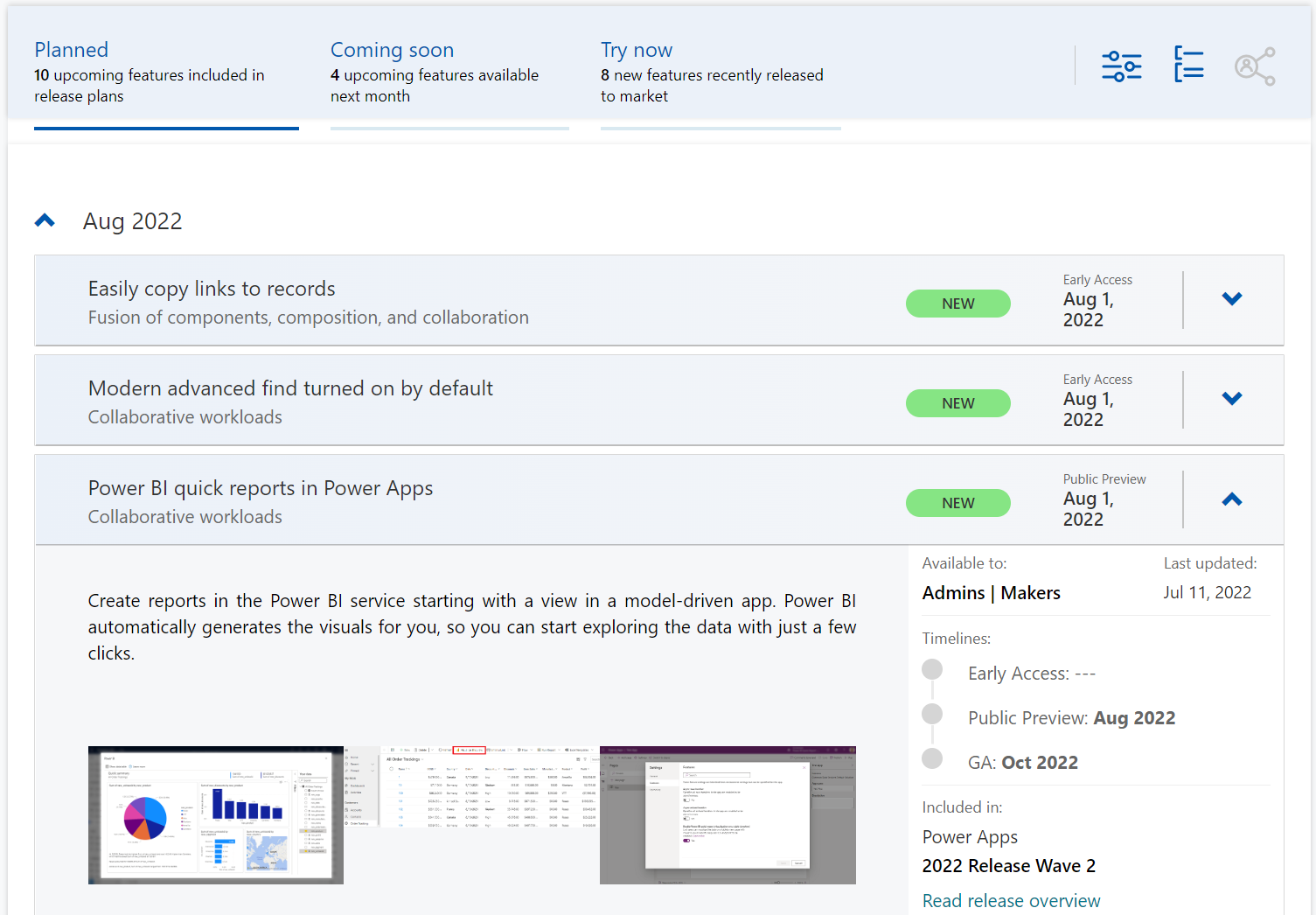
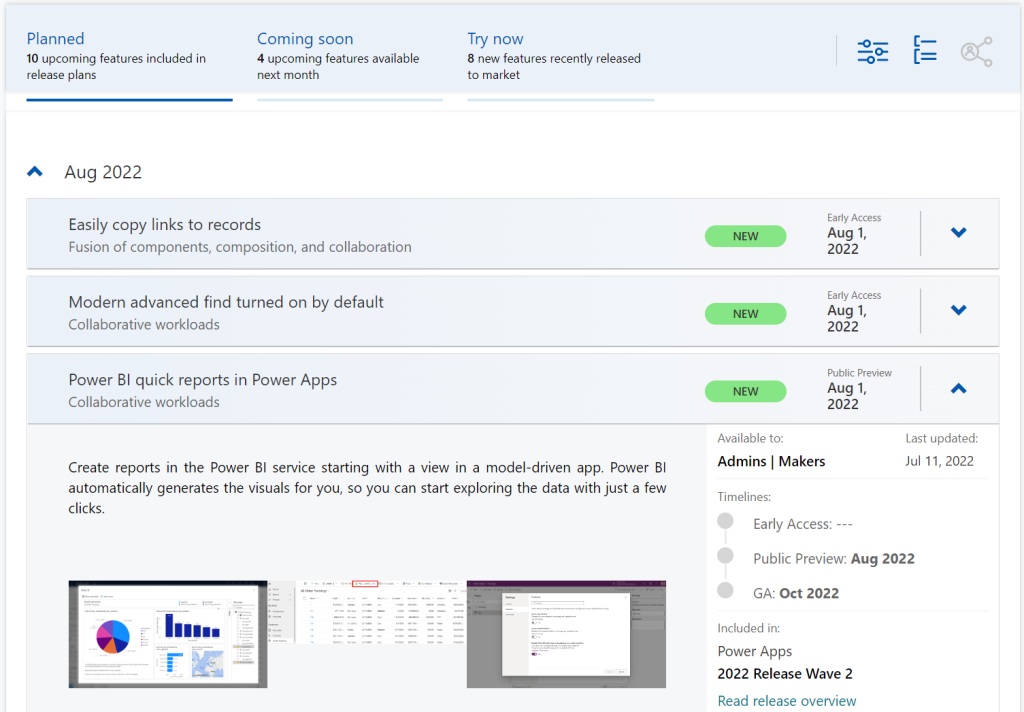
Although it’s still a preview in itself, the Dynamics 365 and Microsoft Power Platform release planner is already a very worthy rival to the familiar Release Plans. If you’re familiar with the Microsoft 365 roadmap, then this a similar website that provides the current state of what features are being planned, rolling out or recently delivered.
The data on release items is largely identical to what the official release plans already offer. However, it’s not wrapped within the wave concept, meaning everything can be found under a single site.
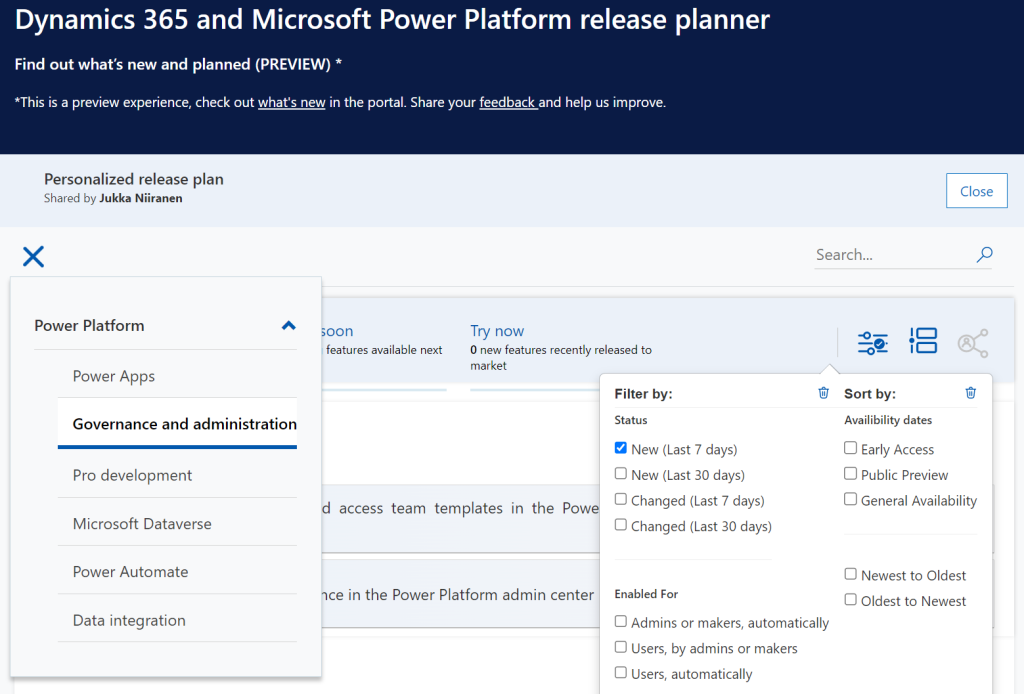
There have been recent enhancements made to the Release Planner (listed here). Searching the release plan items with keywords is now possible. There’s a change history to reflect updates made to delivery milestones (i.e. delays in early access / preview / GA dates). Finally, filters and sorting options have been introduced, so you can view only the latest additions (7/30 days) or updated items across Dynamics 365 and Power Platform.
Since the Release Planner is a Power Apps Portal Power Pages website instead of a Microsoft Docs site, it is much easier to implement such features that are intended for working with a list of records. Docs is great for documentation of course, as well as version control through its GitHub back end.
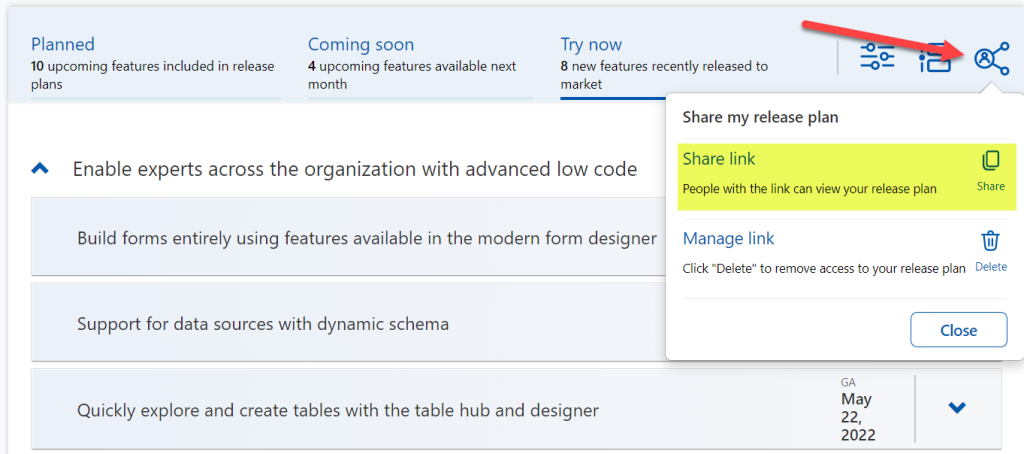
One really neat feature in Release Planner is the personalization option. When I log into the site, I have the ability to pick items into “my release plan”. Essentially its a way to create a list of favorite items to follow. Because let’s face it: we all focus on some corner of Power Platform or Dynamics 365, not the entire MS BizApps cloud. Creating a personal release plan also provides an option to copy a public share link for it:
Using a short URL service, I can now create an easy to remember link that will always take me to the list of Power Platform release plan items I’ve flagged for myself to follow. You can of course have a look at it, too:
With this link, I can now spend less energy on A) remembering if an item has been in wave 1 or 2, and B) stop hunting through the change history page for status updates. Oh, and it also works fairly well on a mobile device, whereas trying to navigate the legacy release plans on MS Docs seems to be impossible (at the moment at least, on Android/Chrome).
Of course any dynamic website is only as good as the underlying data that is used for rendering it. At the time of viewing, there seem to be tens of release plan items from 2022 wave 1 that have not yet been updated to reflect the current status. The Release Planner site says they should be available/GA when in reality they’ve been delayed, postponed or even cancelled. This is something that technology in itself won’t fix. I hope as Microsoft’s release planning process matures beyond thinking about “waves” we’ll see more up to date information in the Release Planner site, too.
Did you know?
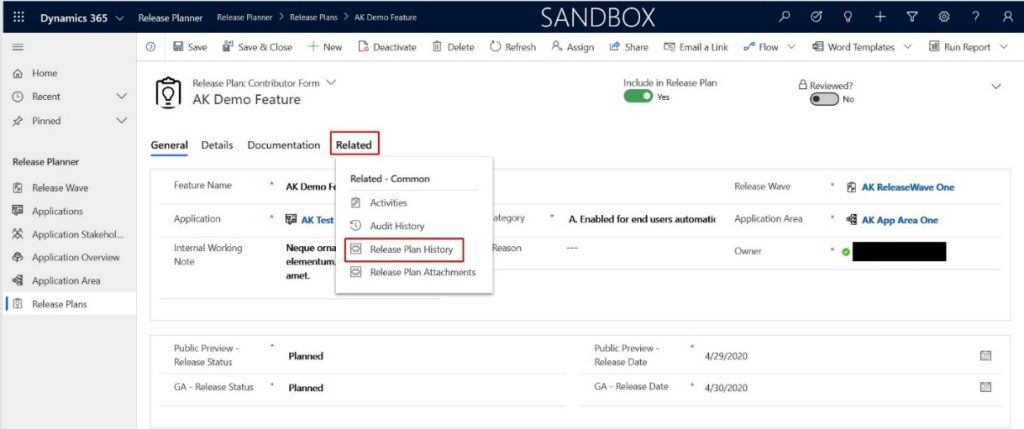
This Release Planner isn’t the first step for Microsoft to use the Power Platform to manage the product development of the very same platform. Already back in 2019 the process and tools used by the BizApps team for release planning was published in a blog post. There’s a sample app on GitHub that contains a solution with the tables, forms, plugins, PCF controls, cloud flows etc. for deploying your own copy of the release management tools.
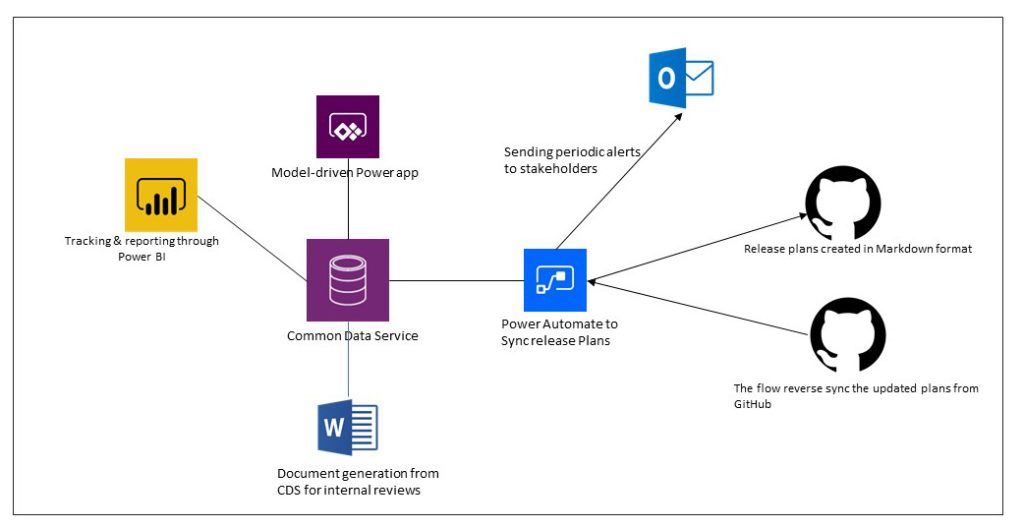
This process was designed to dynamically produce outputs from the release items data managed in Dataverse. Both the release plan document as a Word output as well as the Docs pages as markdown files on GitHub were generated with Power Automate cloud flows:
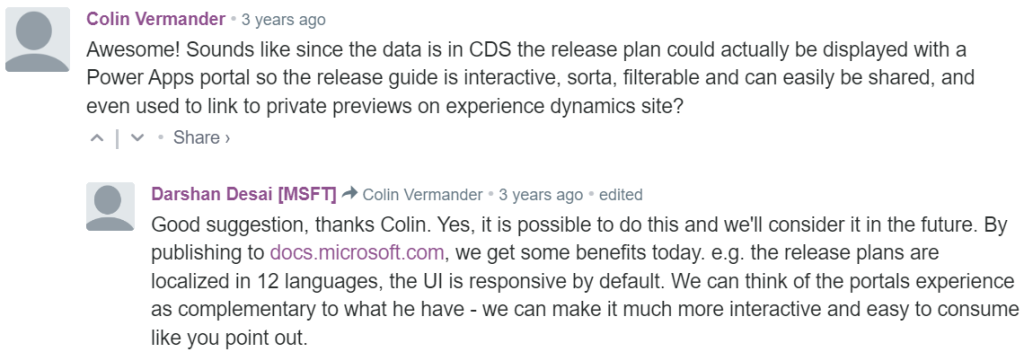
Since the solution was built on top of a solid platform designed for managing business process data, there were of course other opportunities to leverage it. As was pointed out in the comments section of the 2019 blog post, by a certain ex-MVP (now at MSFT) with a long history on Portals in the form of Adxstudio:
Which brings me back to an even more ancient blog post of mine, from 2015, called XRM Strikes Back. Inspired by Microsoft’s acquisition of Adxstudio, I argued why in the long term it would be a more successful strategy for MS to bet on the platform, rather than trying to integrate SaaS products from outside the ecosystem into the Business Applications portfolio.
Success doesn’t happen overnight either way. Looking at the XRM based acquisitions, Adxstudio is now the 5th product in the Power Platform family, with the new name Power Pages. FieldOne Sky turned into Dynamics 365 Field Service that has quite a solid position in the market (from what I know). Mojo Surveys evolved into Dynamics 365 Customer Voice, which may not have an extensive roadmap right now, yet it’s still widely used by the customers we are working with at least.
Back in 2011 when Dynamics CRM Online itself was used for managing the Dynamics CRM Online launch website, backed by (Windows) Azure, so might have considered that a crazy thing to do with a business application platform like XRM. Well, who’s laughing now?!?😁
Did you know that #MSDYNCRM website content @ http://crm.dynamics.com is managed with #MSDYNCRM itself? http://bit.ly/ehOP7p @Adxstudio#XRM
— Jukka Niiranen mstdn.social/@jukkan (@jukkan) March 14, 2011
The journey up to this point has been long, but that’s exactly what such low-code application platform journeys are for customers, too. Microsoft is now in the process of also migrating their third party Ideas sites for product feedback into the Dynamics 365 Customer Service Community portal template (meaning Power Pages). The Power Automate Ideas site is moving there next week. Dynamics 365 Ideas already lives on this platform, so I’d imagine other products will soon follow. Another piece of the digital feedback loop coming together, through the power of the platform.
Spring is in the air, at least if the Dynamics CRM 2016 Spring Wave announcement is anything to go by. It’s pretty amazing that only 2 days after we were given the 2016 update for our CRM Online environment there’s already the next batch of updates to pay attention to. Now here I was thinking about spending some time experimenting with the new v8.0 functionality like the Interactive Service Hub or Knowledge Articles and OH, LOOK, A NEW RELEASE WAS ANNOUNCED! (Welcome to my goldfish bowl…)
Another thing that further contributes to the growing inability to concentrate on just a single CRM version at a time is that, well, there aren’t really any proper versions anymore. Sure, there are still official announcements regarding the major (Fall) and minor (Spring) releases, but it’s not like there would be a single point in time when the product bits become available for you to download. To a certain extent they still do, for the type of software that’s shipped as bits on MSDN, but if you’ve been working with Dynamics CRM for a while you might have found yourself thinking “all the fun stuff’s in the cloud”. I certainly have, and I don’t even see anything wrong with this, because pulling off this type of continuously updated application delivery is in practice only really feasible for customers when it’s consumed purely as a service.
By the time the CRM 2016 version became generally available, as in new CRM Online trial orgs were provisioned with v8.0, there was a slight feeling of “meh” when you discovered that most of the coolest new features touted in the Release Preview Guide were actually not yet there. No Mobile Offline, no Voice of the Customer surveys, no Relevance Search, no External Party Access… Many of the features being developed didn’t appear to have made the release train of v8.0 and were instead moved to what seemed like a Plan B, meaning rolling them out in limited Previews rather than the big fanfare of the GA. This would have been quite controversial back in the days of “one release every three years”, but these days it’s not really such a big source of concern at the end of the day, because there is no “gold master” disc to signify an RTM product anymore.
Recently Microsoft released an official Roadmap site for Dynamics CRM, which may be a small step for content management but a giant leap for the release policy around the CRM product. Following on the footsteps of many other MSFT product teams, like Office 365, this further moves Dynamics CRM into the service delivery model as the traditional product versioning gets pushed behind the scenes and the application functionality is brought to the forefront. Yes, the sysadmin will still need to be aware of the specific release that his or her CRM Online instance is running on, but from a business perspective this is becoming less and less relevant. New things will arrive in a continuous stream and the decisions for how to deploy a particular application functionality and what actions are needed for ensuring user adoption is an ongoing task for the persons in charge of making their workforce more productive and building customer facing processes that meet or exceed their ever going demands.
I guess it’s fair to say the world of CRM software reflects the bigger picture of how we the individuals are also operating when it comes to acquiring the things we desire: as a service. Instead of making big upfront investments in gaining the full possession of physical goods or property, our consumption patterns are increasingly leaning towards making a few clicks in an electronic environment and gaining access to the missing piece that will fulfill the needs we’ve identified. Our magic wands with wireless connectivity can be used to conjure up pretty much anything that you can imagine via a “buy now” button somewhere, almost at the exact moment you’ve thought of it. The end product may still be a physical package that gets delivered to your door, but the experience that the customer receives from your company is increasingly being evaluated against not how well the physical gizmo has been crafted but rather how well the various interactions around the customer lifecycle stages of information acquisition, financial transaction and ownership/service consumption are in line with the expectations that the customer had when he or she embarked on this journey. (more…)
If you haven’t worked with CRM Online using Office 365 Global Admin rights recently, you might have missed the new delivery mechanism that Microsoft has created for additional CRM functionality not included in a new Online org by default: preferred solutions. Unlike the traditional solution import mechanism under the CRM application’s Settings area, these preferred solutions are both installed as well as updated (upgraded) via a miniature “CRM app store” controlled by and reserved for Microsoft exclusively. To access these preferred solutions you need to go to the O365 Admin Portal, open the CRM Online Administration Center, choose an instance and click the edit icon next to “Solutions”. You’ll be presented with a list like this one:
OK, maybe not exactly like this one, unless you work in the United States. You see, these preferred solutions are also targeted to preferred customers, meaning in practice CRM Online customers who use a tenant located in North America. Let me point this preferred region out to you from the Office 365 and CRM Online datacenter map:
The current availability of the preferred solutions is as follows:
Insights for Microsoft Dynamics CRM Online: powered by InsideView, this service is free for CRM Online US customers only. Presumably due to the fact that their database wouldn’t have very good coverage of companies in other parts of the world. You could of course buy the service from InsideView directly if you really must have it.
FantasySalesTeam: acquired by MS in August 2015, this gamification solution is built on the concept of fantasy sports that’s apparently a huge industry in the US but less familiar in most other regions. Sales people all around the world surely are a competitive species but no one turns the competition into entertainment quite like the Americans do. Expanded availability of the preview is coming any day now.
Voice of the Customer: built in the UK and acquired by MS in March, the solution formerly known as Mojo Surveys has been launched in preview mode for US customers only. Ouch. Well, don’t worry, this feedback management solution will surely come to other geos quite quickly (or MS will need to deal with some customer feedback of their own…)
Office 365 Groups: not acquired from anywhere but rather an original Redmond design, this solution became available already back in CRM 2015 Update 1 (v7.1) time frame as a preview globally (yay!)and is now available in full production support mode to all CRM Online customers.
FieldOne Sky: only the sky’s the limit for this solution that’s available to CRM Online users with Professional licenses, no matter where your field service personnel may roam. Acquired in July 2015, FieldOne is running mostly on Microsoft’s XRM platform, but the mobile client still relies on Resco and allows only access to a subset of CRM default entities, so for broader mobile use you’ll still need to buy a separate Resco license.
Although not a CRM solution in technical terms, it’s also worth mentioning that the CRM App for Outlook which was released as US only preview last summer is now available to all CRM Online users who are on CRM 2016 version. I haven’t seen any upgrade time slots being scheduled for existing CRM Online customers yet, so currently mostly newly provisioned orgs can access the Settings – CRM App for Outlook menu to enable users for this lightweight successor to the “heavyweight” Outlook client of the past. (more…)