Tag: 365 Saturday

  • Demystifying Dynamics 365 & Power Platform Licensing: Part 2

    Demystifying Dynamics 365 & Power Platform Licensing: Part 2

    In the previous post I highlighted some of the recent updates on Dynamics 365 licensing. Now let’s have a look at how the birth of Power Platform has further expanded the licensing options for delivering business applications to customers. Just like before, the content is taken from my session at Dynamics Power 365 Saturday London 2019 and you’ll find the complete slide deck on SlideShare my Slides archive:

    PowerApps vs. Dynamics 365 CE licensing

    Common Data Service for Apps (CDS) environment is essentially the same as a Dynamics 365 Customer Engagement instance, just without the first party apps from Microsoft. If you can get CDS both via PowerApps license as well as Dynamics 365, then it’s important to understand what the subtle differences there may be. Currently at least these features are missing from a pure CDS environment when you provision it for PowerApps and not Dynamics 365:

    There are interesting differences in how the licenses grant you resources when comparing Dynamics 365 CE and PowerApps. On the storage side you get the same starting 10 GB per tenant and as you purchase more user licenses they give you more storage quota. As for the actual instance/environment count, on the Dynamics 365 side you need to pay for additional sandbox and production instances (roughly €125 & €460 per month). PowerApps is far more generous in this sense, as each P2 user license gives you 2 environments. With 100 users you could therefore have 200 environments for your organization, which sound like a ludicrous amount if you’d think of them as CRM instances. That’s where the broader business application scope of Power Platform and the citizen developer mindset clearly differs from the Dynamics way of doing things in a controlled, centralized manner.

    One area which Microsoft has left very unclear in their licensing documentation is what level of PowerApps user rights are included in the non-Enterprise Dynamics 365 licenses. A recent presentation finally listed the restrictions that licenses like Team Member, Sales Professional and Customer Service Professional face in their ability to leverage PowerApps. With the new feature that allows embedding canvas apps into model-driven app forms, the rights of all Dynamics 365 licenses now do include access to these embedded experiences. However, running any standalone PowerApps canvas app is NOT included in these cheaper licenses, so you’ll need a separate license for those scenarios (like PowerApps P1, or the rights bundled in Office 365).

    Looking at it the other way around, what Dynamics 365 style of functionality you get access to with a PowerApps license, the differences between P1 and P2 can be a bit tricky to understand in real world scenarios. Sure, P1 is limited to canvas apps usage only, but also on that side we have exclusions for restricted entities and complex entities. The concept of “complex business logic” is the real gotcha, though, as enabling real-time workflows or plug-ins for an entity will instantly switch the requirement level to P2 license. Here’s how you might fall into this trap:

    For anyone who’s either been building more advanced apps or has planned to do this and has stayed within the PowerApps & Flow licenses bundled in with Office 365 subscriptions, you’ll need to pay close attention to the updated license terms that came into effect on February 1st. In short, usage of custom connectors, HTTP custom actions and on-premises data gateway were moved to PowerApps P1 level and are no longer “free” with Office 365 plans. For a deeper dive into the practical implications of this change, be sure to check out this comprehensive licensing guide to Microsoft Flow and PowerApps by MVP Jussi Roine.

    The push for getting organizations to adopt CDS environments as the basis for their PowerApps canvas apps and therefore upgrading their license package to the paid tier of PowerApps P1 will be a milestone Microsoft undoubtedly wants to reach. This can initially be a hard sell if there aren’t that many apps in production use and the cost of these advanced features would have to be absorbed into their business case calculations. However, if this can be viewed as a proper platform story that is about acquiring licenses for the common foundation of hundreds of apps to come, then the math is far more favorable.

    Model-driven apps and P2 of course represent another big jump in the relative cost of a single license vs. P1 and “free” Office 365 license. Then again, when viewed from a Dynamics 365 perspective, the ~€34 price of P2 is so much cheaper than a Sales Enterprise app license at €80 (and with none of the Sales Professional limitations) that even building your custom Sales app on top of the platform becomes an interesting scenario. That’s one of the changes that has take place with the Dynamics 365 licensing guide wording, as the earlier restrictions about replicating existing 1st party app features have been removed:

    That’s it for the licensing mysteries that I had the pleasure of covering in my 365 Saturday session. Grab the full deck from SlideShare and keep in mind that by the time you read it these licensing terms may well have changed already! For example, the PowerApps licensing page on docs.microsoft.com was updated on Feb 1st and there was a new January 2019 version of the Dynamics 365 Licensing Guide published already.
  • Demystifying Dynamics 365 & Power Platform Licensing: Part 1

    Demystifying Dynamics 365 & Power Platform Licensing: Part 1

    At Dynamics Power 365 Saturday London 2019 I presented on a topic that I had never attempted to cover in any public forum earlier: licensing. In fact, I bet it’s an area most members of the Dynamics 365 community would want to avoid touching at all cost in their sessions. It’s even worse if you’re a technical specialist working for Microsoft, because then you’re under strict guidance on not to make your own statements on an area as delicate as licensing (let alone pricing) and instead direct the customers to talk with a department focusing on these commercial matters.

    Yes, it might feel like explaining quantum physics as you travel deeper into the maze of a software product licensing matrix built from license types and feature bullets, accompanied by pages of text full of phrases that feel as if they’re intentionally designed to make you trip over a detail you failed to notice. Then again, this isn’t really that much different from the attention to detail that is required when designing a technical solution made of software bits that must work together. A proper solution needs to be viable both from a technical and commercial perspective, so there’s no point in closing your eyes and hoping that the client forgets to ask about the license requirements.

    As with the technical side, you don’t need to memorize all the details that are found in the official licensing documentation. You just need to be aware of how the big picture looks like, what factors may affect the type of license needed and where to search for the exact answer. Like with the product itself, also the licensing model is constantly being updated and you’ll need to keep up with the changes to stay on top of the licensing game. Now when the Dynamics 365 and Power Platform product lines are being united not only on technical level but also commercial, it’s particularly interesting to see how Microsoft will align these two license models.

    You’ll find my full deck from the London event already on SlideShare my Slides archive, so feel free to browse through the story. I’ve divided the blog post into two parts where I highlight some of the more interesting graphs, in an attempt to grab your attention before throwing 54 slides of PowerPoint at ya! In part 1 I’ll cover the Dynamics 365 side and the next post talks about Power Platform.

    Dynamics 365 recent licensing updates

    Licensing enterprise software has never been too simple. As the product suites grow, they tend to accumulate all sorts of weird exceptions to the general rules that used to define the basic licensing model. Whenever a brand new model is introduced, the promise tends to be “we’ve simplified our licensing!” and yet you end up with documentation twice the length of the earlier model. Such is life, and Dynamics 365 Customer Engagement is one part of it. Here are the main concepts you need to understand in order to grasp the details of how the product’s licensing works today:

    Even though the anticipated split between Enterprise Edition and Business Edition never materialized for Dynamics 365, we did get some alternatives to the “real” Enterprise plans and apps with the introduction of Sales Professional and Customer Service Professional licenses in 2018. To compensate for the cheaper price, there are a number of limitations imposed on the Professional apps. Some of the features you may have come to take for granted as an XRM core capability are stripped away if you opt for the cheaper license:

    There is of course an even cheaper and much more widely used license type: Team Member. Back at the time when Dynamics 365 brand was announced, Microsoft still appeared to be in denial about the business potential of this cloud service as a true application platform and neglected this aspect in their licensing model. As a result, Team Members were granted unlimited rights to custom entities, thus opening a back door for XRM scenarios. Now when the winds have changed with the Power Platform revolution and platform licensing is a thing with PowerApps P2, that door had to be slammed shut with changes to the licensing terms. First, the access to the most central entity of most CRM systems, the account, was limited to read only for Team Members. Second, the use of custom entities was restricted and the following guidance is now given for choosing the right license type:

    An important aspect for both Professional and Team Member license holders is that there will soon be more technical enforcement of the limitations for customized scenarios. Specifically, the App Module concept will be used to determine what the user can access. You can have 15 editable custom entities per app and grant Team Member users access to all of these (+ global read rights to all Dynamics 365 entities). However, configuring your own App Module will be off limits, as Microsoft wants to ensure you are really just using the 1st party apps with extensions and not something completely custom – unless you pay for Enterprise apps or PowerApps P2.

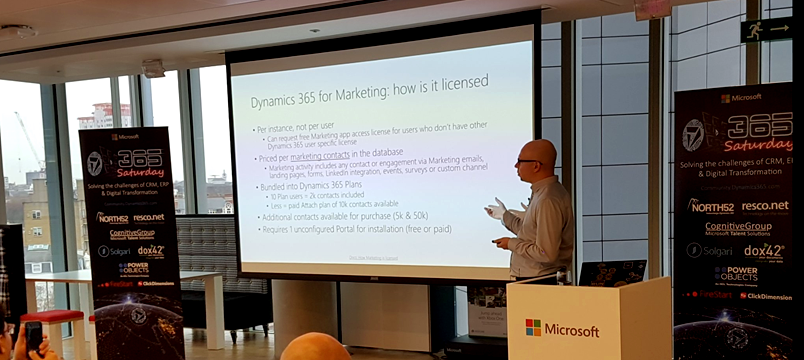
    The more recent the apps in Dynamics 365 product family, the more interesting their licensing models appear to get. Dynamics 365 for Marketing launch was of course a big event in 2018 and the per instance licensing model combined with the per contact pricing is a story you’re better off reading from the blog of a fellow MVP. Recently we’ve seen the AI apps march onto the stage and Dynamics 365 AI for Sales already getting a license type available for purchase. Who gets what where isn’t all too clear when these AI powered features are offered via two different application UI’s for both those with an AI license and those with just the Sales Enterprise one:

    Stay tuned for part 2 where I’ll dive deeper into the PowerApps side of the licensing pool.