Our company, Forward Forever, is 1 month old today!🥳 It’s truly been exciting times starting a company that goes all-in on Microsoft Power Platform. And that’s even without considering all the surprise elements that COVID-19 is bringing into the equation right now…
The start of April also happens to be the official launch moment for Microsoft Business Applications 2020 Release Wave 1. Since MS will host their own Virtual Launch Event on April 2nd, we though this is a good moment to also set up the first ever FF webinar. So, without further introducions, here it is:
Please join me, MVP Timo Pertilä, Jouko Nyholm and Lasse Teeriaho in our 2020 Wave 1 Release Highlights webinar on Monday, April 6th, 11:00 AM (Central European Time). We’ll be talking about the coolest Power Apps, Power Automate, Power BI and Dynamics 365 features in this April-September release wave, as well as analyzing the many demos that MS will undoubtedly show in their own event.
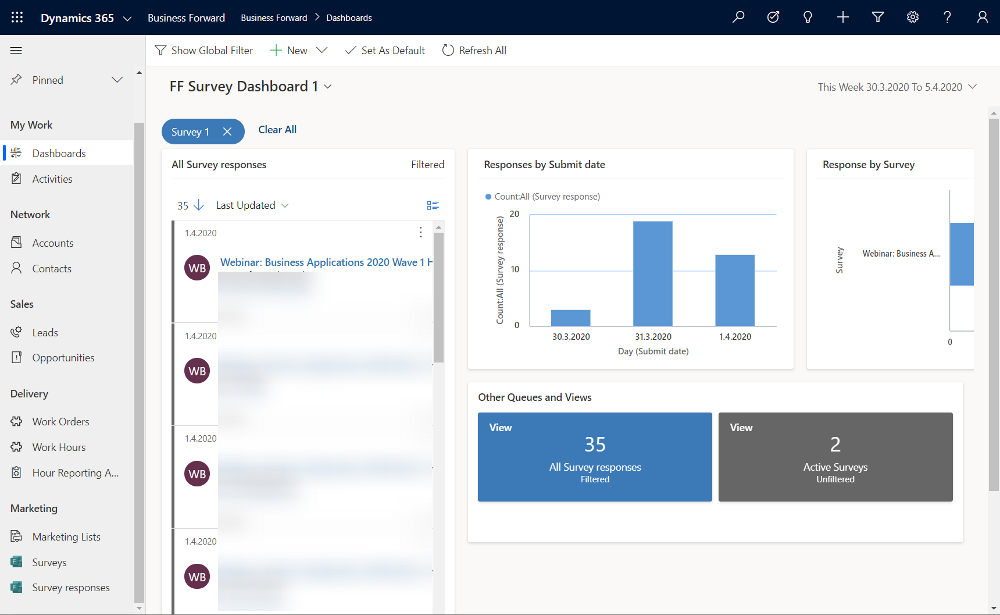
Just fill this Forms Pro form, which will create a record in our CDS, then trigger Power Automate to send you an ICS calendar invite file hosted on my OneDrive. The link for the Teams Live Event will go live on Monday, if everything works according to plan. Yes, obviously we need to be dogfooding these tools in everything we do😊
Register for our webinar!
First 50 people get in for free, the rest will have to… Oh, alright then – you’re all welcome to join our event, no strings attached.
It’s that time of the year again when all us Microsoft Business Applications geeks are blessed with two huge documents to consume: the Release Plans for both Power Platform and Dynamics 365. While I gotta say that it’s awesome to have this level of transparency on what specifically is in the next 6 month release cycle, the amount information does feel overwhelming – at least if you’re trying to cover more than a few specific products within the stack.
Ultimately we should at least aim to have a general idea of how each piece of the BizApps puzzle is evolving. Especially the Power Platform side is very relevant for anyone who’s not strictly focused on training/delivering/administering just a single app from the Dynamics 365 portfolio, because this is your low-code toolkit for making those applications meet the real life needs of customers. Unlike with past CRM projects, the customization tools are not part of single server installation, rather they can be discovered from all around the Microsoft cloud.
To make the Release Plan easier to digest, I’ve picked out the new/improved features that jumped out when I went through it for the first time. Instead of the PDF versions (which are coming a bit later anyway), I prefer the online documentation, so below are links to each of those items for you to drill deeper into – and also keep track of possible changes to the original plan.
I’ve added my comments on why I consider these to be the most important items in the Release Plan. Time will tell how they actually land and what the impact will be. It’s going to be fun to review this list October 2020 when Wave 1 is over!
Offline improvements: the need for accessing data without a live connection is still very real in mobile scenarios. What is somewhat of a bummer is that the efforts here are targeting Model-driven apps only for now.
Modern solution explorer makeover: Yes! There are a lot of areas where app maker productivity could be improved, so it’s great to see investments are being made here.
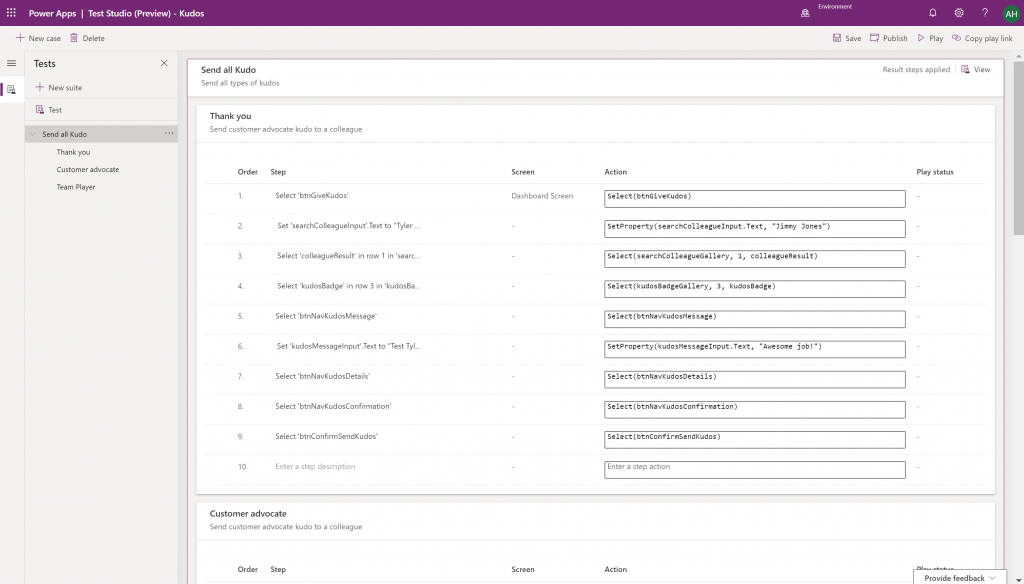
Canvas app Monitor tool & Test studio GA: the wave of the future. Low-code app development isn’t going to be restricted to personal productivity scenarios, we’ll have much of the same needs as in the pro dev side.
Generate app from data with responsive layout for phone and tablet: it’s been an awkward limitation before to only support phone layouts. The bigger story is in bringing out these templates for how to actually make Canvas apps responsive, as it has been quite a mountain to climb for citizen developers. In 2020 Wave 1 we’ll also see a preview of the awaited responsive Canvas app pages.
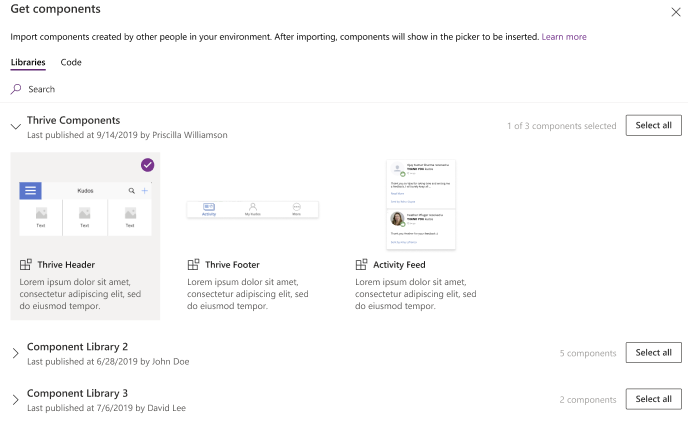
Canvas Components GA: very impactful stuff here. Component libraries, solution awareness, support for galleries and forms, using collections and media files. These are big steps in bringing the two app types of Canvas and Model-driven closer together.
Unified Interface enhancements: important for many Dynamics 365 experiences. Forms as modal dialogs in particular looks useful, better filters are about closing the gaps to legacy web client, search in this view is an age old requirement.
Improved themes reflecting modern Microsoft Fluent themes: UI matters, the power of the Apps is not just in the logic, data and automation. MS should be more aggressive here when competing against other low-code development platforms.
Power Automate
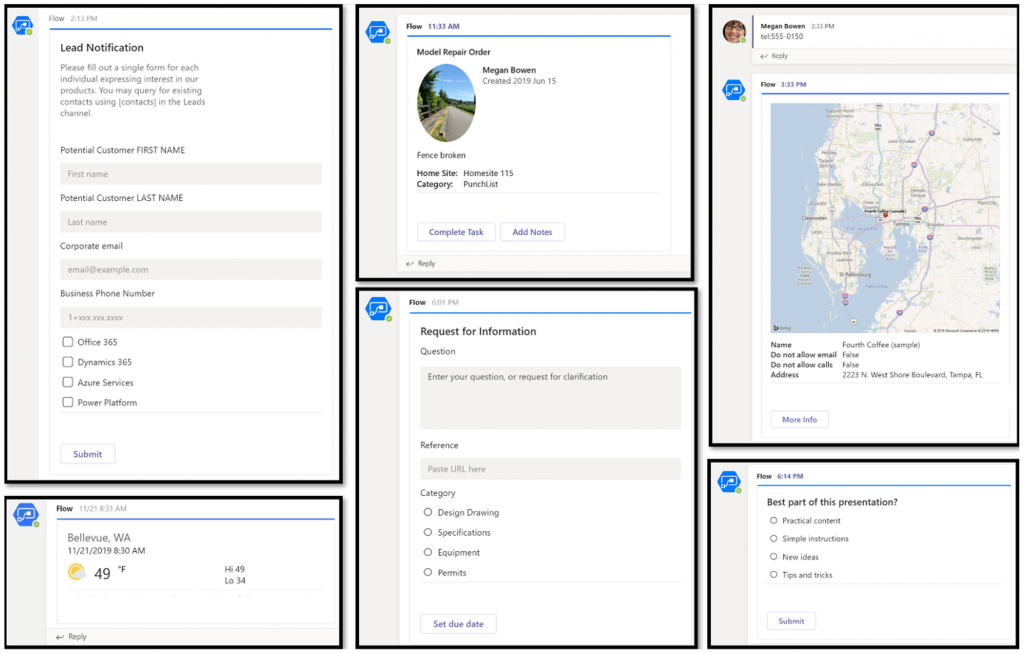
Interactive adaptive cards: we’ve surely been waiting for this. Very important for bridging the user experiences across different tools in different MS clouds (Office, Dynamics, Power Apps). Could 2020 be the year of the Adaptive Cards? Potentially yes, if you look at how Teams & Power Automate can make use of this feature.
UI Flows solution awareness: aligning RPA with the common shipping vehicle of Power Platform. Being a new preview feature, there’s of course a lot of other parts moving around still, but the important bit from a platform play perspective is getting everything to play nice with solutions (including non-UI Flows…)
Use business process flows in Office 365 apps: interesting yet logical step. From a process automation perspective there’s no reason to keep BPF functionality tied too closely with the familiar CRM sales process stages mentality. Again, it’s the platform that counts.
Power Platform governance and administration
Environment life cycle support: much needed in the real world implementations. To be able to test new standard and custom features in complex business systems, copying and deleting environments needs to be compatible with all the platform components used. Power Automate, Canvas apps etc. have to support healthy ALM patterns for enterprise development scenarios.
User access diagnostic experience: again, very much needed for keeping larger environments operating the way IT would want them to. The process of managing access to applications should be isolated from the actual app maker tools or features specific for Dynamics 365 admins, to ensure there’s help available on a broad enough level when users encounter problems.
Admin connectors & PowerShell cmdlets Generally Available: because they need to be. Low-code Application Platforms for enterprise customers will have to provide automation tools for not just app creation but app governance and administration. If the number of business apps within an organization will explode thanks to these tools, trying to scale the old admin practices isn’t going to be the answer.
Bring your own data lake: allowing customers to control their own adoption metrics for Power Apps. Just like the GUI for admin tools might not meet the requirements of all organizations, it makes sense for Microsoft to allow customers to also take the telemetry data from apps and use Azure services to put it into their own reporting context.
Power BI
Paginated reports enhancements: the next generation SSRS has been a long time coming. The new features like API to render a paginated report to any format (e.g., PDF, Excel) and subreport support will bring the cloud reporting powers of Power BI close to what you could do in on-prem 15 years ago. They might not be the coolest of features, but for many CRM scenarios these “pixel perfect” A4 outputs are still a very practical solution.
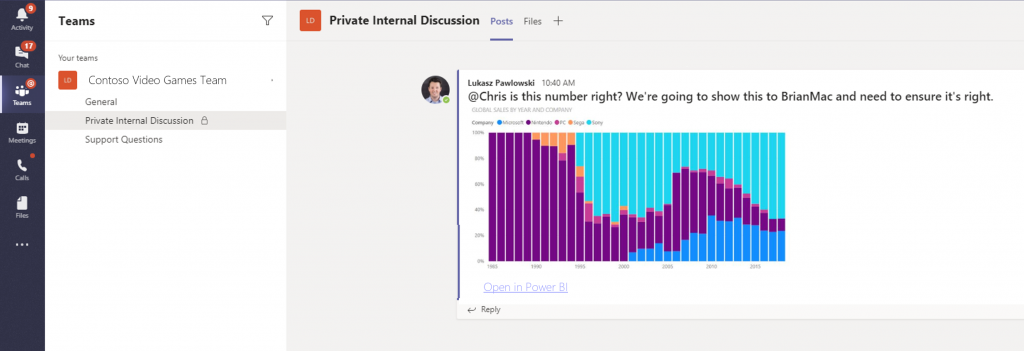
Copy and paste visuals into other applications: supporting the modern flow of information. If the paginated reports represent the PC era way of working, then being able to grab a part of your analysis and quickly paste it to a conversation in Teams with a link back to the full report is the way today’s information workers expect these cloud apps to work with one another.
Data lineage GA & enhancements: when cross-referencing data from anywhere is a breeze, how can you tell if the analysis is actually accurate? The lineage visualization is an effective way to illustrate how this modern world of self-service BI operates and bring tools to do meta-analysis on what’s the actual source of the truth being presented to you.
Adaptive Cards: see my comment in Power Automate section.
Single Sign-On: if attempting to go beyond generic website chat popups, strong identity management features are a must.
Pass context to a bot from the calling site: “Hi, how may I help you?” That’s not how a smart agent would initiate the chat, so after identity comes context management. Bridging the gaps between apps is where I see bots being particularly powerful, so URL query string support is a good start for making this happen.
AI Builder
Power Automate integration: building the Cognitive Service for citizen developers. The patterns from Azure need to become more accessible in the BizApps frame of reference.
New models like anomaly detection and receipt scanning: making AI Builder ready for business. Training AI for unique data sets is one thing, but where I believe wider adoption will start is through these more “ready to go” scenarios.
Common Data Model
Empower out-of-the-box analytics: delivering on the promise of CDM. It’s all just theory until we see Microsoft deliver on those promises about making it easier to integrate data sources and analytics/AI via a common semantic model.
CDM visualization and management experience: making CDM more than a GitHub repo. “Increased focus on growing the Common Data Model ecosystem requires enabling users to work with Common Data Model in their native data environments, such as Power Query, Insights Apps, Synapse, and Power BI.” Yes, it certainly does.
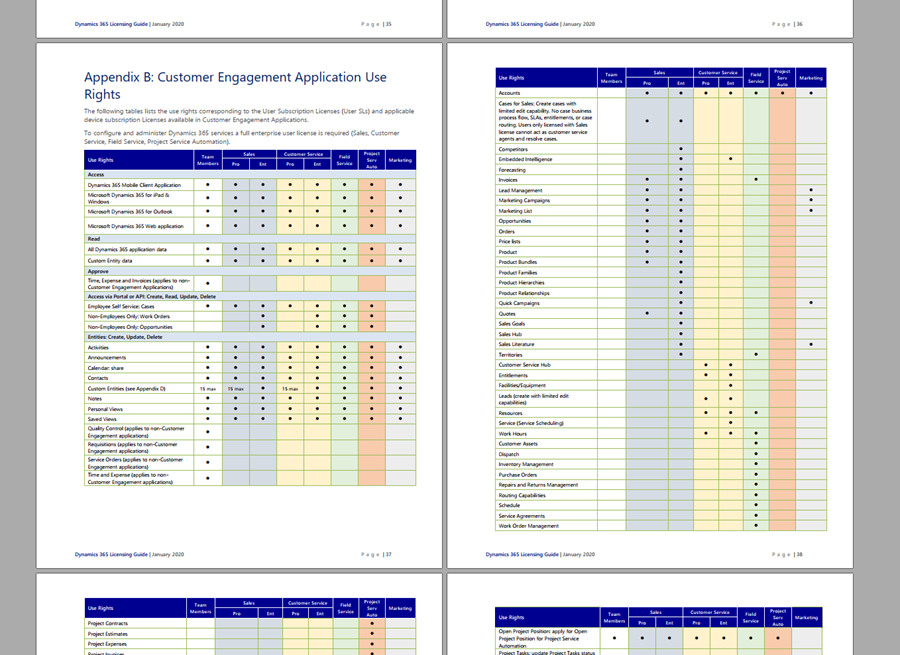
Understanding what customers can do with specific licensing options available for Microsoft Business Applications has become a key component of the solution design process. There can be many different ways to reach the same business goal when either customizing and extending first party apps that Microsoft has built for Dynamics 365, or leveraging the Power Platform for building your own custom apps. Even within Dynamics 365, when planning which specific features are taken into use for managing a specific business process, it’s important to keep in mind whether it requires some “premium” features available only in more expensive plans like Sales AI. Then there are of course the consumption based components used in Microsoft’s more recent additions to Power Platform licensing model, like API calls and Portals logins.
Some partners and customers complain that the licensing documents from Microsoft are far too long, but the reality is that at the same time they’re also not extensive enough. It is quite common to run into a scenario when planning the implementation of a specific solution for a customer and then not finding a definite answer on what licenses it requires exactly. This is particularly true nowadays when the licensing model is a merger of the Dynamics 365 style business application products and the new citizen developer focused offering of Power Apps and Power Automate. These different products share more technology underneath the covers than many people realize, yet the way they are sold and positioned is quite different. When there is overlap, that’s when confusion arises.
What would make it easier to validate the solution design against the licensing model is if there was a way to do test cases with a live system. Unfortunately much of this model still remains an honor system, meaning that many rules only exist on paper but have not been actually technically implemented within the online service run by Microsoft. However, we’ve been hearing about the plans for further technical enforcement of the licensing for some time now. In fact, there are pieces related to this that you can already see with your own eyes when exploring your environments.
Enforcement mechanism inside CDS
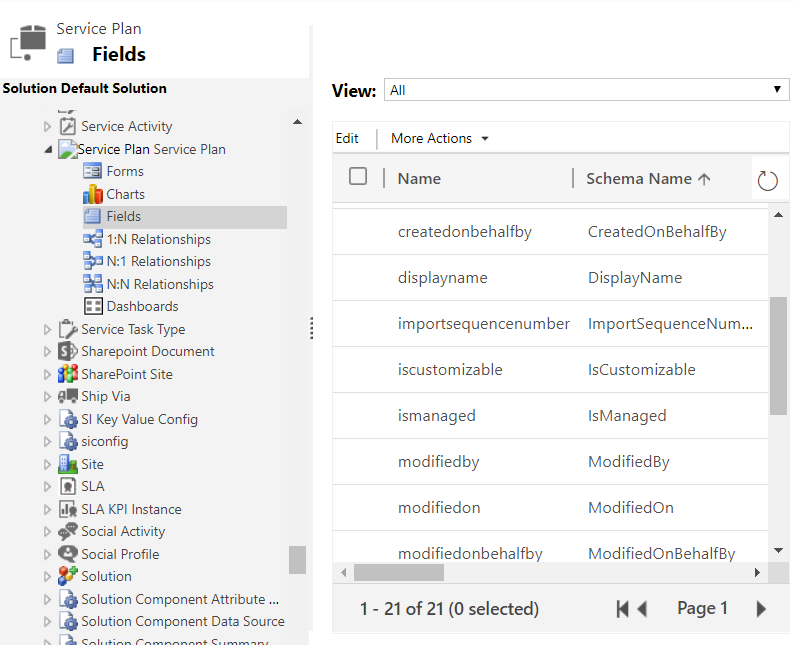
If you are keeping track of the weekly updates that Microsoft pushes into every Online environment (via tools like Solution History for XrmToolBox), then there’s a chance you’ve noticed a hidden solution called “License Enforcement” deployed in December 2019. This introduced a new “Service Plan” entity into the schema, as can be viewed via the Default Solution:
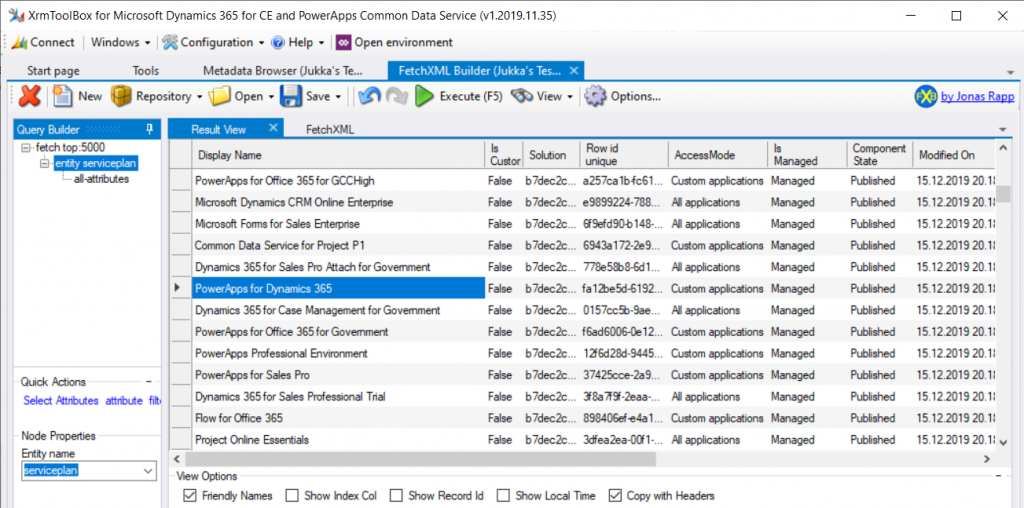
You won’t be able to do an Advanced Find search to browse through the data for this entity. There is, however, a very convenient way for us to do a query of the Service Plan records, again via XrmToolBox, by leveraging FetchXML Builder:
Wow, that looks interesting! While installing the solution, Microsoft also deployed a bunch of Service Plan records that presumably cover all the different types of licenses that have at some point in time granted access to a Dynamics 365 Customer Engagement Online environment, or CDS. Let’s copy this data into Excel for further analysis, and let’s make sure we tap the “friendly names” view option before doing so.
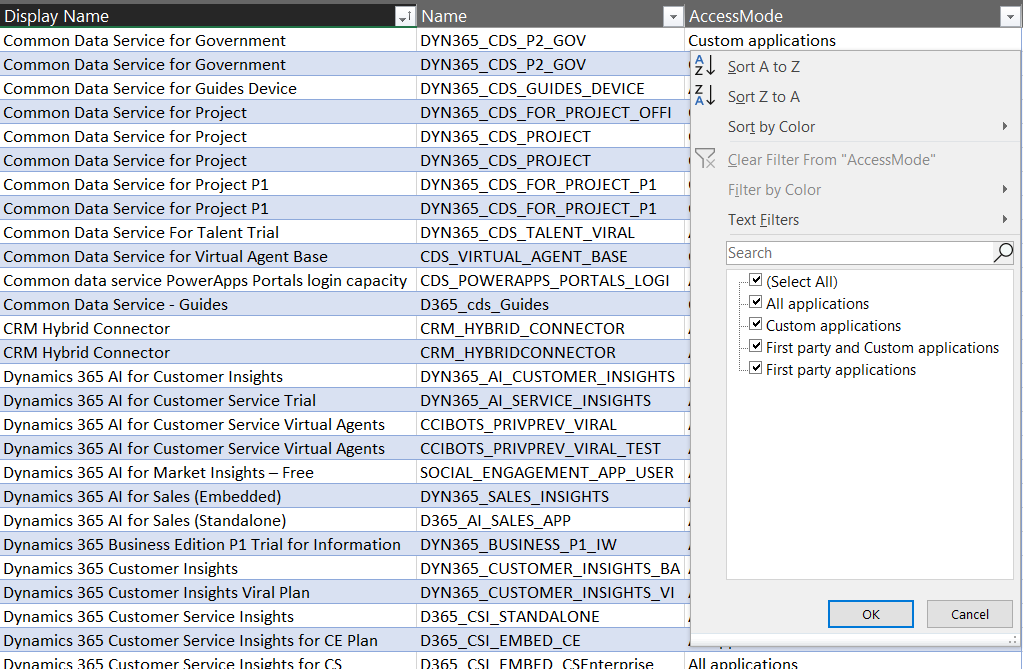
It looks like there’s important data in the columns “Display Name” & “Name”, but the really interesting column from licensing enforcement perspective is “Access Mode”:
Looking at the 4 options, it’s a bit difficult to understand what the difference between “all applications” and “first party and custom applications”would be. Even legacy products that are long gone like “Parature Enterprise” have the “all applications” access mode enabled. Without further information on this, let’s focus on the more straightforward options, like “first party applications”:
Not too many entries for this option. Also it’s not surprising at all that it is the Team Member licenses that show up here. If there is one type of license that Microsoft probably would want to undo in the history of the Dynamics product line, it must be this. Introduced back in the days of Dynamics 365 CRM + ERP story debut, its design neglected the power of the platform in the sense that it granted practically unlimited rights for custom entities for a very low cost. The rights included in Team Member have since then been restricted considerably, to make room for the actual platform SKU that is Power Apps.
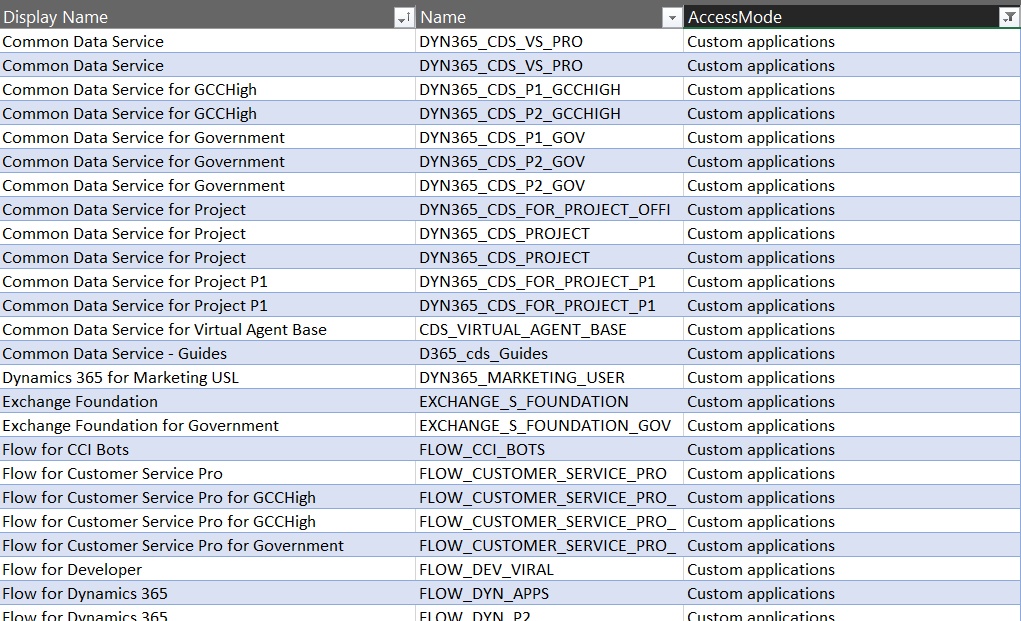
Speaking of Power Apps, let’s look at the service plans that have the access mode set as “custom applications”.
A lot longer list, with again some surprising entries like “Exchange Foundation”. The vast majority of this list is however very logical, as it mainly covers PowerApps and Flow (which on the branding side have been changed to “Power Apps” and “Power Automate”, of course, but this is licensing). The twist here is that similar to how Team Member granted too wide access for custom app scenarios, the rights included in Power Apps for accessing Dynamics 365 CE data stored in CDS are also a bit problematic from a commercial perspective for Microsoft. What clearly is off limits is the use of the standard app modules that ship with the Dynamics 365 App licenses.
App Modules as a licensing construct
The whole point in bringing data like service plans inside the CDS database is in being able to link that into app modules. If you browse through the metadata of any Online environment you’ll discover an entity with schema name “ServicePlanAppModules”. The relationship between a service plan and the app module is both the way how Microsoft has crafted the licensing terms for different products and also the mechanism through which access rights for different license holders will be restricted in the future.
For Team Member licenses purchased during or after October 2018, license-based access will restrict users to a set of designated app modules. These users will no longer be able to access Customer Service Hub, Sales Hub, or custom app modules.
In April 2020 and already earlier in preview we’ll finally see the new Sales Team Member and Customer Service Team Member app modules that have been hinted at in earlier communication from Microsoft. Although these will be preconfigured modules, there will be room for customizing them to contain custom entities and (presumably) also hide unwanted entities – just like with traditional app modules. What will be different though, based the Release Notes as well as the Service Plan data model, is the lack of ability to build your own specific app modules from scratch. Any organization that has used Team Member licenses for covering a functionality not included within the first party Dynamics 365 Apps built by Microsoft will therefore have some work to do for redesigning the end user facing experience to accommodate these technical restrictions being put into place.
“Oh, but we don’t use Unified Interface, so I guess we can skip those app modules in the oldskool web experience, right?” Wrong, you have even more work to do! There will be no support for accessing the legacy web client after October 2020. You better hurry with both planning your transitioning to Unified Interface as well as addressing the gaps that may be left for your Team Members users that will not have access to Sales Hub or any custom app module. Both of these changes have been a long time coming, but as many surely have experienced, it can be challenging to get the necessary planning and development work prioritized within organizations without a hard deadline. Now we have one (well, two dates interlinked), so that part is solved already!
Restrictions like these enforcement rules are bound to generate some emotional responses. In the long run, having the rules specified in software rather than just paper should serve to bring more clarity into what services are available with which licenses. Any such clarity is most certainly welcome for making it easier to navigate an ever growing product stack like Microsoft Business Applications.’
Read more
Check out my blog post New Team Member apps for Dynamics 365 where I explore the 2020 Release Wave 1 early access versions of the new App Modules for Sales Team Member and Customer Service Team Member.