There’s been a lot going on in the world of Microsoft Dynamics during the past few months. As the summer vacation period is now here for many of us (hopefully), this feels like a good moment to reflect back a bit, discuss how the world has turned and share some thoughts on what I think it potentially means for people working with Dynamics CRM. The topics I’ll explore in this post are:
- Practical impact of the cloud for Dynamics CRM customers
- Dynamics as a business for Microsoft
- The intersection of CRM and Azure
- The platform aspects in the Dynamics CRM product
CRM at The Speed of Cloud
For a long time Microsoft had to work hard in convincing customers that their CRM Online cloud offering was functionally on par with the on-premises version, instead of it being a “Lite Edition”. After all, how could a public cloud service ever offer the same level of customer specific customization as the application bits sitting on your very own server’s hard drive? “The power of choice” as a unique selling point for the Dynamics CRM platform has certainly played a central role in reducing the perceived risk of choosing Microsoft over some other cloud-only vendors or traditional enterprise software rooted heavily in the isolated server environments. While this still remains an advantage, it’s less strategic these days when the cloud is the clear default in the minds of most customers.
During the past couple of years MS has been applying a policy where many of the new CRM features become available first in the cloud. Not only does this make logistic sense for MS as they can control the application delivery more tightly and reduce the time it takes to get a feature from design to deployment stage. It also caters for the kind of audience that is likely to be more receptive to application updates in general, meaning the organizations who have already made their leap to the cloud – or who have never known any other way. This crowd won’t get so easily paralyzed with changes that affect how their tools work and they’re also more likely to adopt new services and features. This in turn helps Microsoft gather user feedback much faster, collect telemetry data from application usage, author case studies highlighting the business benefits from latest product releases, and so on.
Now, since the cloud has become the default deployment option, it does still mean that not everyone who’s “up there” will want to immediately deploy the latest version once it becomes available. Luckily Microsoft has made some great improvements on how CRM Online customers can manage their environments, effectively building the capabilities for the next generation “power of choice”. For starters, the latest update policy now states that “in Spring of 2015, customers will have the choice to take the two updates as they become available, or take only one update per year.” Thanks to the features available for non-production (sandbox) instance management it’s also easy for customers to create copies of the CRM Online production org and test the upgrades as many times as needed before go-live. What used to be a scary leap of faith into a cloud platform where MS decides what happens to your precious CRM is changing more and more into the “on demand” type of service that you’d expect from the cloud, also in the deployment administration side of things.

The latest CRM Online 2015 Update 1 (a.k.a. Spring ’15 Release, codename “Carina”, version 7.1) has made it very clear how the cloud accelerates also interoperability between different applications. Being an Online only release, v7.1 has allowed MS to introduce a great number of new features that don’t live purely within Dynamics CRM but rather Office 365. OneNote integration leverages the SharePoint Online server-side sync, similarly as Folder-based Email Tracking relies on Exchange Online sync. The new CRM App for Outlook is also delivered via Exchange Online into OWA and Outlook 2013. The ability to open views in Excel Online for editing right inside the browser window and submit back the changes is naturally all thanks to Office Online. The brand new Office 365 Groups collaboration feature is, you guessed it, all orchestrated by the O365 platform. So, even though there are many important enhancements in CRM v7.1 application itself, this release really does highlight the fact that if you’re using CRM Online but not taking advantage of other Office 365 applications yet, then… Well, perhaps you should consider if your strategy with productivity tools is giving the best return on your investment.
Another thing that has also become more apparent is that it’s not just a single batch of CRM application bits that gets delivered in a release. The dependencies to related systems have meant that some of the new features announced for Spring ’15 have rolled out only after the CRM v7.1 application and DB updates became available. Certain features like the CRM App for Outlook or the new CRM for Phones still aren’t available, even though we’re in CY15 (calendar year) H2 already. As the cloud service starts to consist of a growing number of separate components and each product has rapid release cadence instead of a 3 year plan, we’re bound to see more of a continuous stream of updated functionality instead of big bang launches.
MS Business Applications Reorganized
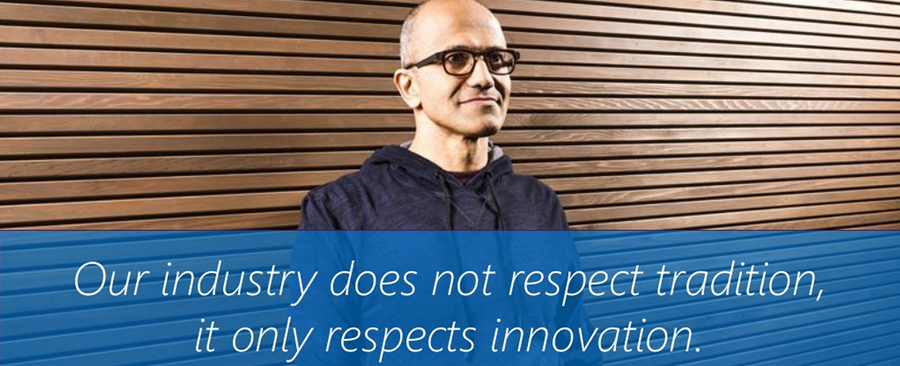
This leads us conveniently to the hot topics related to the organization around Microsoft Dynamics. As many of you must have noticed, Satya Nadella announced a major reorganization of MSFT leadership team in mid-June. For the Dynamics folks, here’s a quote of the most relevant part of the press release:
“Executive Vice President Scott Guthrie will continue to lead the Cloud and Enterprise (C+E) team focused on building the intelligent cloud platform that powers any application on any device. The C+E team will also focus on building high-value infrastructure and business services that are key to managing business processes, especially in the areas of data and analytics, security and management, and development tools. As a part of this announcement, the company will move the Dynamics development teams to the C+E team, enabling the company to accelerate ERP and CRM work and bring it into the mainstream C+E engineering and innovation efforts.”
In short, MBS is no more and its leader Kirill Tatarinov will “explore what’s next for him”. Microsoft Business Solutions unit was always a bit of an island at MS when observed from the outside, and I’m sure people inside will have run into plenty of invisible walls that haven’t exactly helped in delivering the very finest business applications that seamlessly connect with everything else Microsoft builds. Now the engineering, sales and marketing functions for Dynamics CRM and ERP products will be consolidated into the broader MS organization, with Scott Guthrie (C+E leader), Kevin Turner (COO) and Chris Capossela (CMO) taking care of the Dynamics business. There’s an excellent piece written on the reorg from Dynamics perspective by Frank Scavo, which I encourage you to read for further details: Microsoft Unbundles Its Dynamics Business Unit.

Throughout the history of Microsoft’s ERP and CRM product lines, there’s pretty much always been speculation about whether MS would spin off the MBS business if the right amount of money was offered for it. Being an island of its own certainly helped in envisioning how such a transaction could take place, since the bidder would have gotten not just a piece of source code but the whole organization and partner network around the products. When you put your Dynamics CRM glasses on (hey, even I don’t wear them all the time!) such idea never seemed like a very happy path for neither MS nor the potential buyer. There’s hardly any other product in the MS portfolio that pulls in such a broad range of the Microsoft technology stack when deployed for a customer organization, so trying to untangle it from these roots would be potentially disastrous for the product, in addition to causing MS to lose far more revenue than direct CRM license sales. I can’t speculate much about the Dynamics ERP products due to lack of hands-on experience in deploying them, but spinning off Dynamics CRM after the most recent move seems even less likely than it was to begin with.
 Then again, we should keep in mind that just a while ago Nadella was seriously considering to acquire its nr. 1 competitor, Salesforce, if we are to believe the reports about the $55 billion offer made. If the results of these talks would have been different, we might have been now talking about Microsoft with not just 1 CRM and 4 ERP products but with two huge CRM platforms in its pocket. Not to mention all the underlying infrastructure and technology with which Salesforce competes with Azure, the world’s largest developer conference Dreamforce etc. This would have surely been a very different “State of Dynamics” post in that alternate reality. So, it’s good for us to keep in mind that at the end of the day it’s really just business, not software, and strange things can happen when the big boys are competing with one another.
The Dynamics of Azure
Back to the present day, what we now know for sure to be the near term agenda for Microsoft is to move the Dynamics CRM and ERP engineering teams to the Cloud + Enterprise group. So, what do they actually build there in C+E? Well, obviously anything to do with Azure, for starters. Then there’s the server & tools side of things, like SQL Server and Visual Studio. Power BI and BizTalk must also be familiar names for anyone who’s worked in Dynamics CRM projects. What doesn’t fall under C+E is all things Office, meaning products like SharePoint, Exchange, Skype, OneDrive and other productivity tools commonly found from Office 365 subscriptions – and naturally used alongside Dynamics CRM. So why is Dynamics being grouped together with the platform tech and not the productivity apps?
 C+E is actually the group that Nadella used to run before being appointed as MSFT CEO. In case you’ve forgotten, Nadella was also leading MBS up until spring 2007 (at which point Kirill Tatarinov was appointed as his successor). For old times sake, here’s a snippet from his farewell post on the “Frontiers of Business Applications” blog:
“We made tremendous progress with Dynamics ERP, CRM and Office Small Business product lines. Six years ago we were not a player in biz apps… the acquisitions in ERP got us to leadership position in mid market and now we are contender in Enterprise. CRM has helped us grow the fastest server product line in Microsoft’s history and now poised to offer “choice” of LIVE service.”
I think it’s safe to say that Nadella understand a fair bit about not just the Dynamics of Microsoft’s CRM & ERP but also the general market dynamics behind how organizations today are deploying, extending and integrating their business applications. If we look at all the shiny new things that C+E has been launching into their cloud back-end portfolio, like Azure App Services or the Azure IoT (Internet of Things) Suite, then it’s not so difficult to envision that technology like this will also need front-end services for organizations to adopt them as part of their core business processes. If these processes happen to be managed with Dynamics applications today, then hey, perhaps Microsoft could do something on this front to speed up the adoption, right? Reading this blog post from C+E Chief Strategist James Staten sure seems to indicate that Redmond is well aware of the business opportunity.
How soon will we see concrete evidence from Scott Guthrie and his team that being part of the C+E organization means Dynamics “C&E” (as in CRM & ERP) customers will gain new some next generation capabilities into their own business applications? Knowing the current release cadence with MS products, I hope this reorg would have already started to show up as new priorities being reflected in the backlogs of various product teams in C+E. The thing is, we don’t even need any brand new product features for Dynamics specifically, but we sure could use some higher visibility for Dynamics as the go-to solution for demonstrating how the MS cloud stack can be put into use in practical terms.
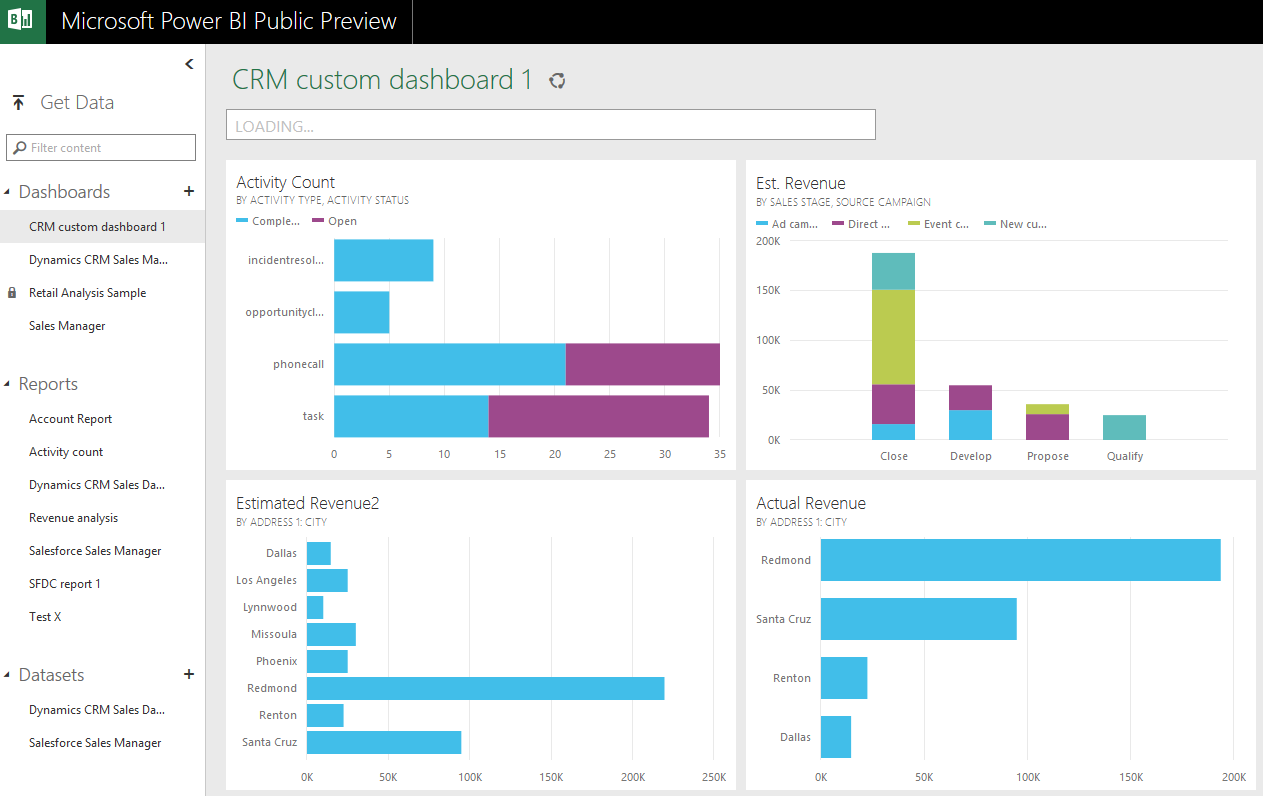
For example, the Power BI story has been unraveling far too slowly for any Dynamics CRM Online customer that would have been interested in leveraging MS products for some cloud based data analytics. Commercial offerings like the Sales Productivity license promotion have been bundling these products for a long time, yet there’s been very little you’ve actually been able to do with the two together, due to lack of support for CRM Online as an automatically refreshable data source. Another example could be Azure Logic Apps, which were announced back in March, but as of today Dynamics CRM or ERP connectors are still unavailable for anyone wanting to configure these workflows to connect with their cloud business applications. Fine, you can support Salesforce and other partner solutions at launch time by all means, but punishing customers for choosing Microsoft is something I hope the new C+E family will put an end to.

Platforms and Products
Back in the early days of XRM a.k.a. “Any Relationship Management” the concept of having Dynamics CRM serve as the foundation on top of which organizations could build their own relational business applications and potentially replace legacy LoB systems sounded perfectly valid. The XRM idea was conceived in the on-premises days, though, where the business owners couldn’t just go and subscribe to a cloud app of their choice to solve their problem with a bit of shadow IT. Sure, they could have also requested an XRM org to be customized for this purpose, but 99% of them probably weren’t familiar with the concept. Oh well. The capability is nevertheless there in the platform that all Dynamics CRM applications run on today, and MS even hinted at more emphasis being put onto the XRM toolkit during Convergence 2015 presentations.
These days when we think of business application platforms, the image in our minds isn’t probably limited to just a relational database with a few entities and forms for data entry. Thanks to the aforementioned explosion of cloud apps and our many mobile devices, the modern platform concept is, in my humble opinion, a network of connected services that allow you to get your job done, no matter where you are or in which particular app you are. So, rather than looking at how the business application itself is implemented on a technical level (as an XRM solution package deployed to your company’s CRM Online org, for example), in practice more important questions are how does it relate to the other apps the business is using, how it communicates with the outside world and how it fits with the workflow of the end-to-end business process? When observed from this perspective, some might argue that Office 365 with its growing collection of integrated apps is actually more of a business application platform than CRM is.

Do I see CRM turning into just another icon in the O365 app launcher then – becoming a packaged, ready-to-use product like OneNote or Sway? No, and I think the new organization structure at Microsoft also highlights the fundamental difference between such products. Sure, MS is investing more and more resources in making Dynamics CRM more easily approachable as a “mainstream” product, by creating sites like the new Microsoft Dynamics CRM Online Onboarding Success Center (for comparison, check out the Office 365 Onboarding Center). We’ll surely see increasing effort put into lowering the entry barrier for especially SMB customers as MS tries to become less reliant on their Dynamics partner network to acquire and retain customers for CRM. The way I see it, turning Dynamics CRM into a packaged application that you can just sign up for and start using for common tasks that businesses tend to perform with their customer and sales data sounds both like a low hanging fruit and mission impossible at the same time. Sure, in terms of application features Dynamics CRM is ready to cater for a whole variety of different types of guests, but just like people do not prefer dining with a Swiss knife, I think there will remain the need for experts to plan the correct eating utensils for the meals, present them on the table and if needed, instruct how to operate them in the most elegant manner. Anyway, making the whole process of attending this grand CRM dinner more straightforward and educating the guests on what they can expect to find on the menu will surely benefit all the parties, so hopefully this type of mainstreaming will be done for Dynamics CRM.
If we accept the fact that Dynamics CRM is still very much a platform in itself (although delivered under the broader O365 platform), then we must also acknowledge that the platform part doesn’t means just building customer specific XRM deployments. Strategically an even more important factor for Microsoft is the number of partners that develop solutions for connecting Dynamics CRM with their services and apps. Although there are a number of established ISV’s operating in the Dynamics ecosystem that offer the kind of add-ons and integrations that are essential ingredients in today’s CRM implementations, I think it’s safe to say that when it comes to the amount of apps available for Dynamics CRM customers to buy, we’re nowhere near the level that could have been expected back in 2011 when the current solution framework and the Dynamics Marketplace were introduced. It’s also far too common to see vendors develop a v.1 app and then not invest sufficiently in maintaining it as the CRM platform evolves (at an ever growing speed, thanks to the cloud era).
 Broadening Microsoft’s own offering to marketing automation, social channels, customer service and other recent additions in the Dynamics product family has surely helped in improving the credibility of Dynamics CRM as an enterprise level player (that has a distinct Enterprise licensing tier now, compared to many years of “all you can eat” pricing model). We’ve also seen announcements from the Dynamics team about partnerships formed with established players like Adobe and Lithium, with the promise of more announcements to follow in the near future. I’m sure these are all beneficial moves for Microsoft in their broader strategy for CRM, validated by evidence like the CRM Watchlist 2015 Elite award from Paul Greenberg (a.k.a. Mr. CRM himself) where he’s confident in stating that “Microsoft gets ecosystems”. This just isn’t quite enough, in my humble opinion, if MS isn’t able to attract and grow the kinds of ISVs that will help the Dynamics CRM customers to connect with the latest services that the “cool kids” out there are using, or affordably bridge the smaller functional gaps that aren’t strategic for MS in terms of the Dynamics CRM product roadmap. As Greenberg also states in his Watchlist results analysis:
“Microsoft has to be much more cognizant, consistent and proactive about seeing their Dynamics product portfolio as an end to end platform – which will make them competitive in the 21st century.”
This is the area where I place my biggest expectations from the new MS organization structure to make some visible changes. If we observe what Scott Guthrie and the numerous product teams under Cloud + Enterprise have managed to do to Microsoft’s image in the eyes of the broader developer community in the past couple of years, by open-sourcing their work as well as embracing existing standards rather than inventing their own, then that’s certainly the kind of whole new appeal and earned good will the Dynamics ecosystem could use, too. Making Dynamics CRM more accessible for new vendors to connect with and build their IP on, while at the same time increasing its financial attractiveness by better driving customers to explore the add-on market offering is the kind of virtuous cycle that a thriving business application platform truly needs. If the new “mainstream” position of Dynamics in MS’s portfolio means that the CRM & ERP products would be considered as the de facto tools for solving the business agility challenges that MS talks about when pitching its Azure technologies, this would also help a lot in solidifying Dynamics as the premier platform to build your business processes on.